Hi
This is still not supported. You can manually change the base class after code generation. (then you may need to create new migrations)
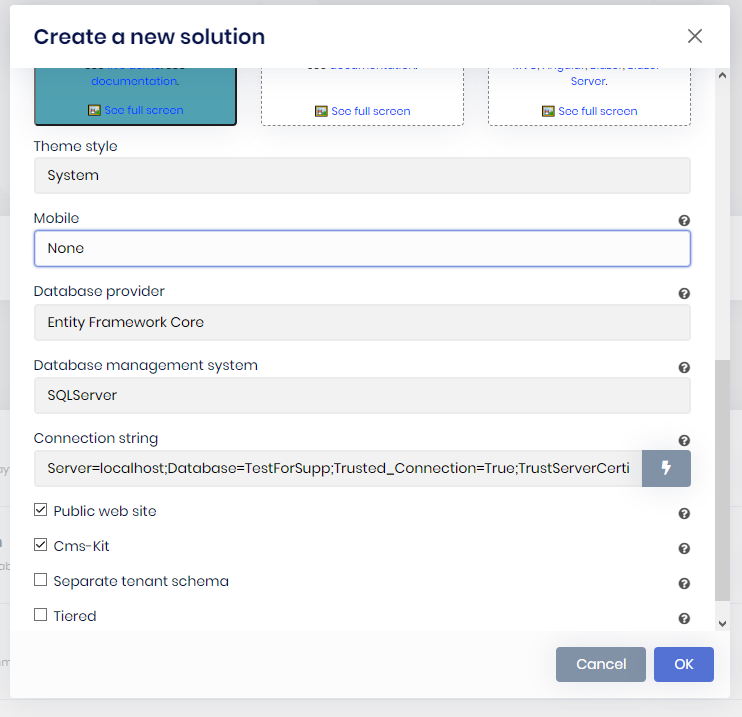
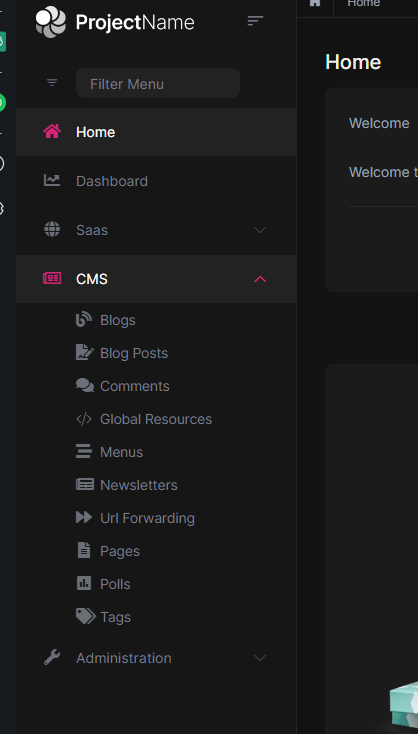
I've created a solution to test this. And Admin pages of CmsKit is present in menu. Can you provide any extra info to reprocude the issue?
Hi @rafael.gonzales
I've created an internal issue about this. Thank you for the feedback. The question credit is refunded.
@rashed Cms-Kit doesn't have an Admin UI for angular. It is planned in 7.4 milestone.
also when you check (CMS-kit) , it didn't add the module admin files to the application ( in admin ) although if you go to module tab in the suite you will find that the module already added to your solution
You can find the admin packages on https://abp.io/packages page and add them manually. Choose ABP Commercial Packages & type cmskit.pro.admin to searchbox.
Hi @js1106
No, templates doesn't support if/else usage.
Hi @vishnu,
The problem is related with the DbMigrator project in your solution. Are you able to run it successfully before generating code with ABP Suite?
I am editing an existing entity
Have you made any breaking change in the edit, that may not be compatible with the current records in DB?
Merhaba,
indirdiğimiz projede klasör adını Angular yerine farklı bir şey yapmıştık bu olabilirmi mesela
Evet, bundan kaynaklı olarak angular klasörünü bulamıyordur.
Şu iki yoldan biri işinizi görecektir:
Eğer sizin için önemli değilse, klasörün ismini angular olarak düzenleyip projeyi ABP Suite'e tekrar ekleyin.
%USERPROFILE%\.abp\suite\appsettings.json dosyasında ilgili projeyi bulun. Daha sonra UiFramework değerini 3, UiFrameworkName değerini Angular olarak değiştirin ve AngularSolutionRootPath değerine de angular klasörünüzün path'ini yazın.
What project does the Suite look at for the templates (Where that dll gets stored and referenced by the suite)?
Volo.Abp.Commercial.SuiteTemplates has the templates. You need to build your solution after updating this package.
The bug is tracked in an internal issue. Thanks for reporting. The question credit is refunded.









