- ABP Framework version: v4.4.2
- UI type: Angular
- DB provider: EF Core
- Tiered (MVC) or Identity Server Separated (Angular): yes
- Exception message and stack trace:
- Steps to reproduce the issue:"
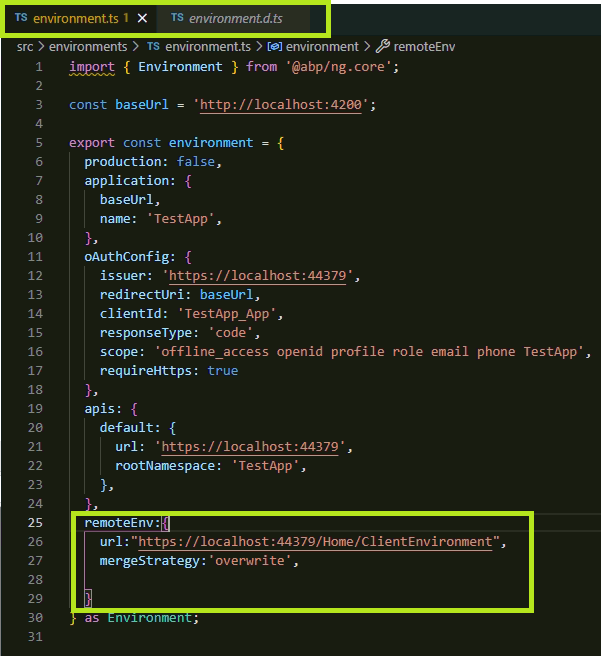
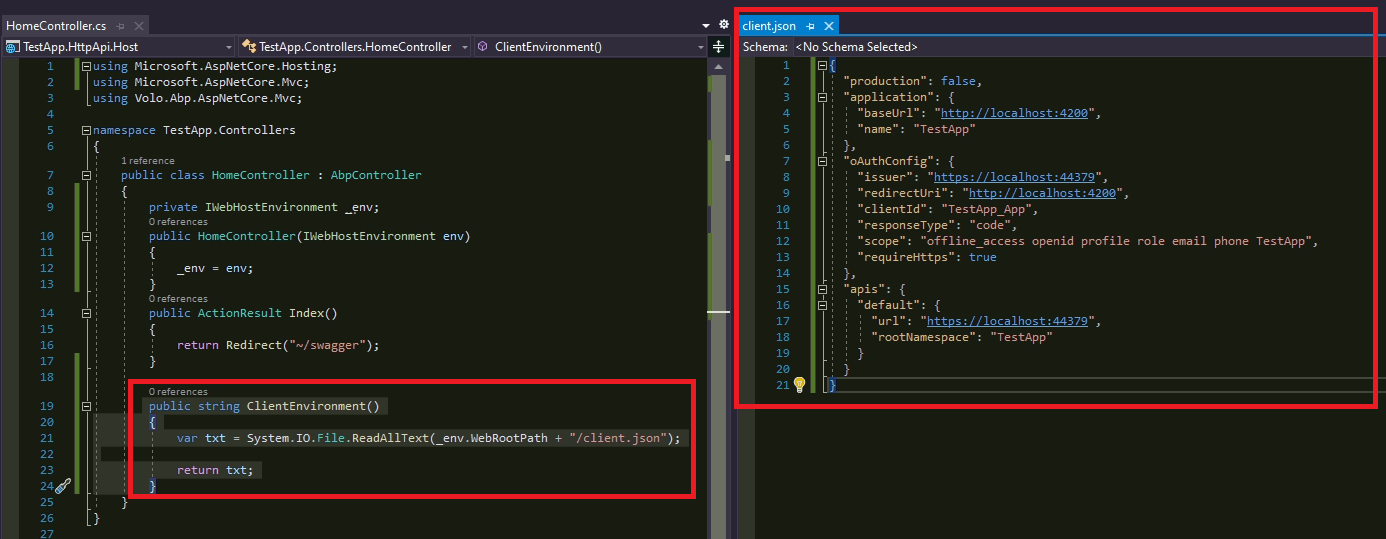
Is there any way to get the environment variables from a json file? For example if our customer has decided to change their IP address or Domain name is there any way to change configuration without rebuilding the app and deploying the files again?
import { Environment } from '@abp/ng.core';
const baseUrl = 'http://192.168.16.55:4200';
export const environment = { production: true, application: { baseUrl, name: 'AppName', }, oAuthConfig: { issuer: 'https://192.168.16.55:44321', redirectUri: baseUrl, clientId: 'AppName_App', responseType: 'code', scope: 'offline_access AppName', requireHttps: false }, apis: { default: { url: 'https://192.168.16.55:44321', rootNamespace: 'AppName', }, }
} as Environment;
Thanks, Can Ercan
2 Answer(s)
-
0
Hi @can.ercan
Please see the environment document.
Markdown supported.Copy, paste, or drag & drop images and files (max 100 MB per file, 100 MB total per post)