Hi guys,
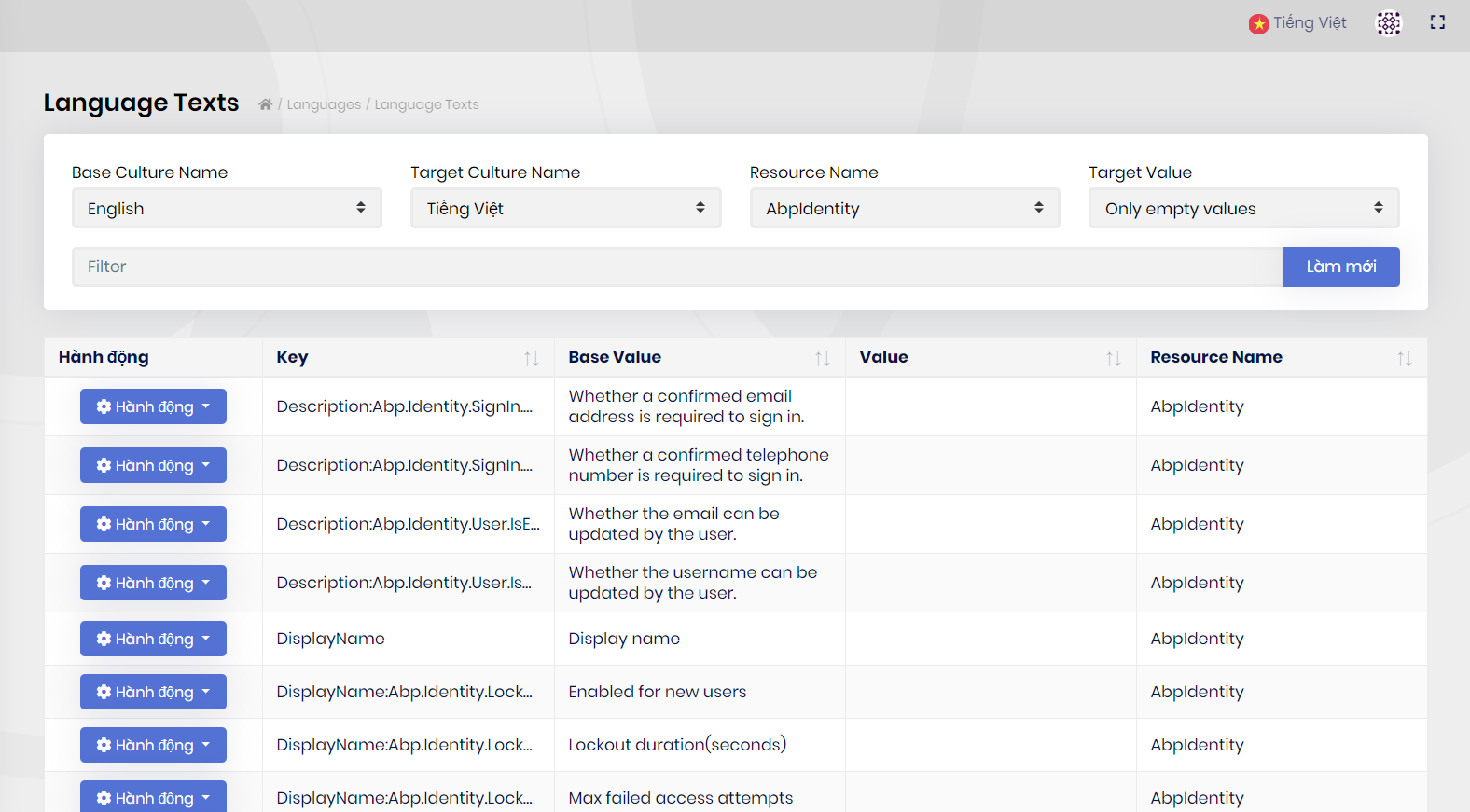
I found that Volo.Identity.Pro module was lack of vietnamese. So I have to update empty string of target culture language as the following image. But it is not good way for many tenants or other cultures. Can I add a new localization json file into Volo Identity module and other modules? Can I modify values of the existed localization json files in Volo module packages? Could you share me the steps? Thanks
- ABP Framework version: v2.9.0
- UI type: Angular 9
- Identity Server Seperated (Angular): yes
- Exception message and stack trace:
- Steps to reproduce the issue:
15 Answer(s)
-
0
Hi,
See https://docs.abp.io/en/abp/latest/Localization#extending-existing-resource
Markdown supported.Copy, paste, or drag & drop images and files (max 100 MB per file, 100 MB total per post) -
0
Hi @liangshiwei, I refered to https://docs.abp.io/en/abp/latest/Localization#extending-existing-resource As I know, the document is only describe extending existing resource file in order to reuse in other classes. But It seems not point out how to add new or modify existing culture language file of Volo abp module. Could you share me the steps?
- How to add a new localization json file into Volo Identity Pro module?
- And how to modify values of the existed localization json files in Volo Identity Pro module or other Abp module packages?
Markdown supported.Copy, paste, or drag & drop images and files (max 100 MB per file, 100 MB total per post) -
1
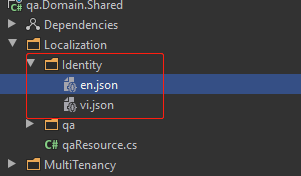
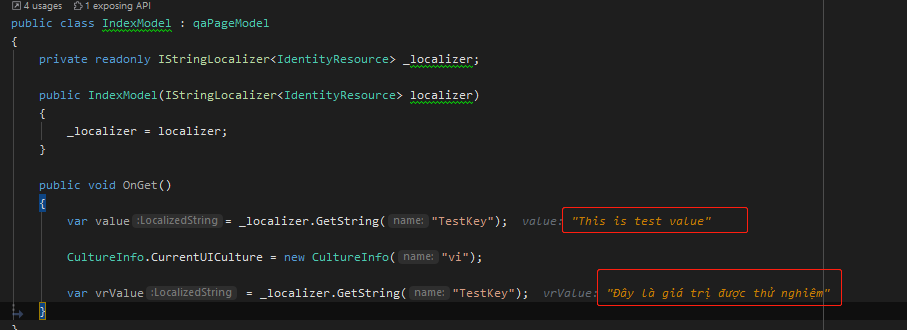
- en.json Extend existing languages
```json { "culture": "en", "texts": { "TestKey": "This is test value" } } ```- vi.json A new languages files
```json
    {
      "culture": "vi",
      "texts": {
        "TestKey": "Đây là giá trị được thử nghiệm"
      }
    }
```
Set as embedded file:
<ItemGroup>
    <EmbeddedResource Include="Localization\Identity\*.json" />
    <Content Remove="Localization\Identity\*.json" />
 </ItemGroup>
Extend localized resources for modules:
Configure<AbpLocalizationOptions>(options =>
{
    options.Resources
        .Get<IdentityResource>()
        .AddVirtualJson("/Localization/Identity");
});
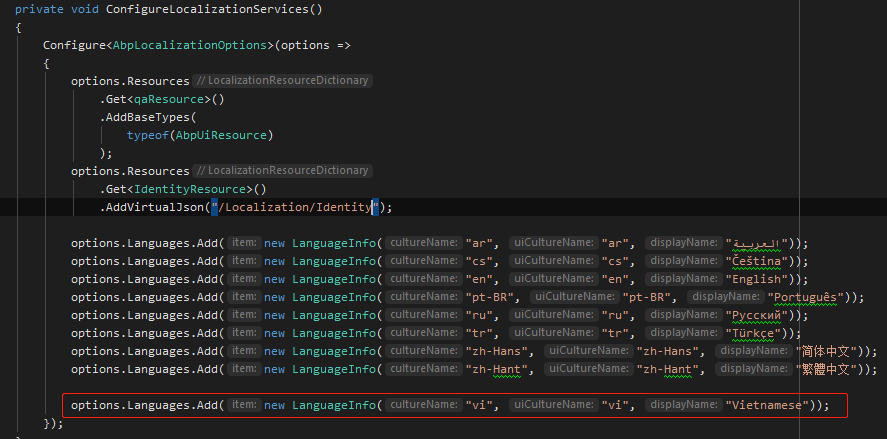
Add Vietnamese culture:
That's all
 Markdown supported.Copy, paste, or drag & drop images and files (max 100 MB per file, 100 MB total per post)
 -
0
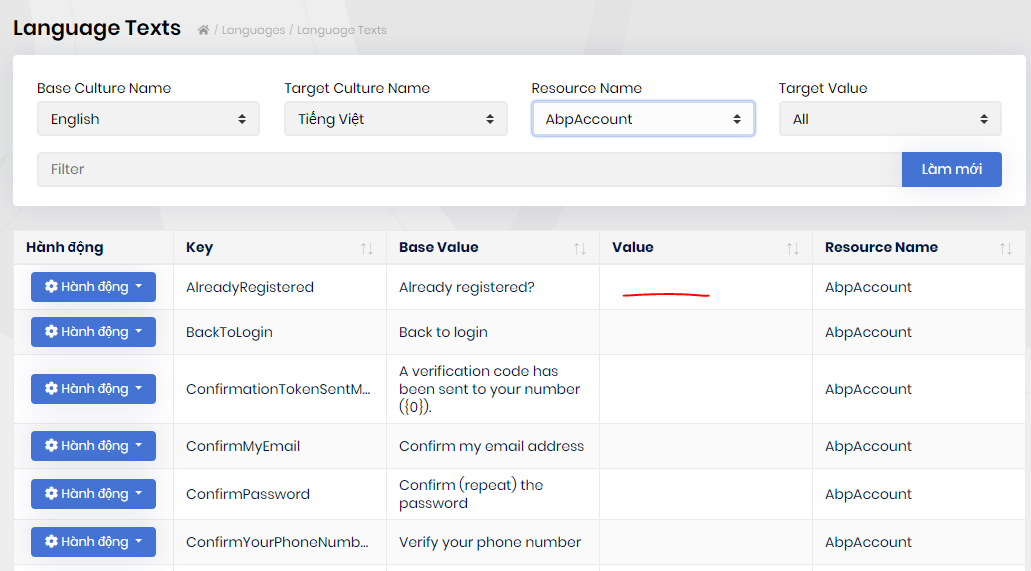
Hi @liangshiwei, thank for your guidance, that worked well for Volo Identiy. But when i try to add new vi.json file for Volo.Abp.Account.Application.Contracts(2.9.0) (package installed), i got some issues below: I can't see any vietnamese value in resource AbpAccount - Language Texts management:
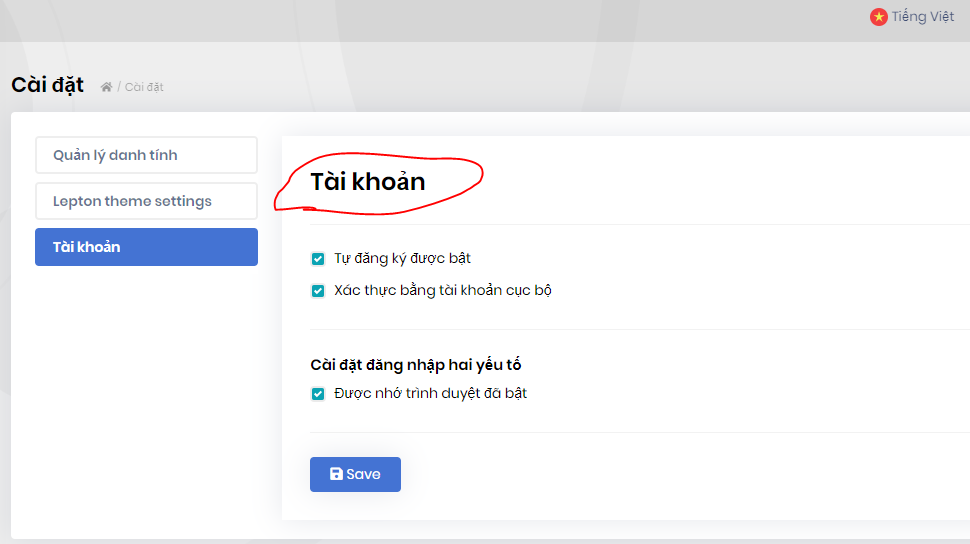
But Vietnamese values showed correctly in ui:
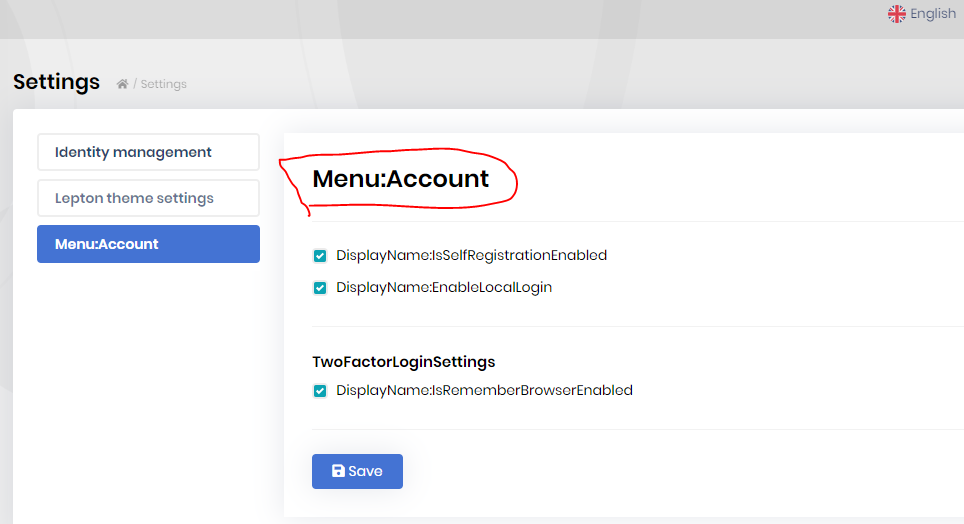
And when i switch back to english, it seem a little weird:
What should i do?
Markdown supported.Copy, paste, or drag & drop images and files (max 100 MB per file, 100 MB total per post) -
0
Hi @liangshiwei, I have the same problem about AccountResource.
I added Volo.Abp.Account.Application.Contracts" Version="2.9.0" to XXX.Domain project. and add this code into xxxDomainModule.cs
options.Resources.Get<Volo.Abp.Account.Localization.AccountResource>().AddVirtualJson("/Localization/Account");But Identity Server Seperated cannot start. Could you give me how to fix it?
---> Volo.Abp.AbpException: Can not find a resource with given type: Volo.Abp.Account.Localization.AccountResource, Volo.Abp.Account.Application.Contracts, Version=2.9.0.0, Culture=neutral, PublicKeyToken=null
   at Volo.Abp.Localization.LocalizationResourceDictionary.Get[TResource]()
Markdown supported.Copy, paste, or drag & drop images and files (max 100 MB per file, 100 MB total per post) -
0
Hi @maliming, As your image, What pro packages will be to install to XXX.Domain project? Localization of Pro is not exist. Could you kindly share how to configure here? I took an error as below image.
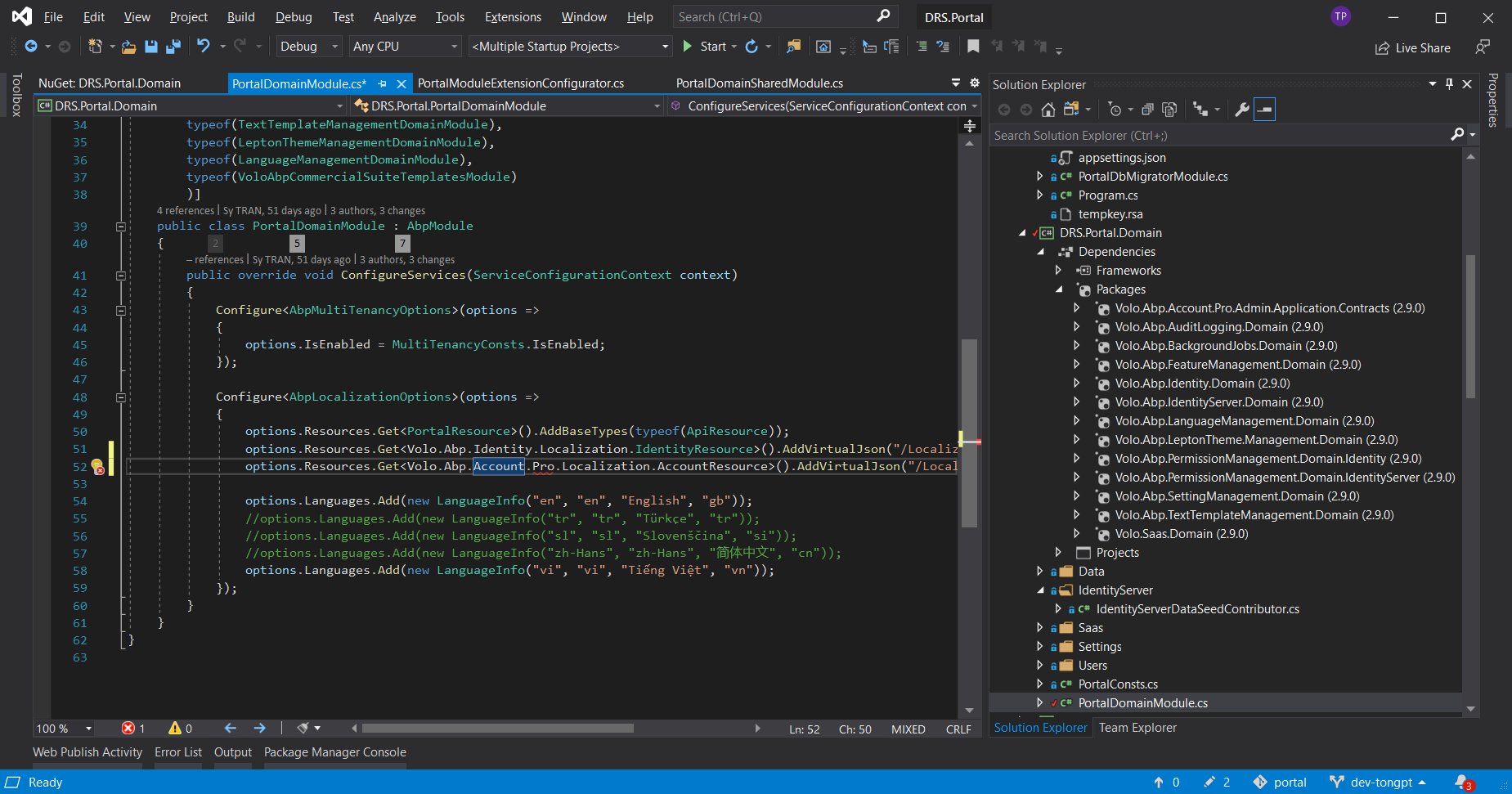 Markdown supported.Copy, paste, or drag & drop images and files (max 100 MB per file, 100 MB total per post)
 -
0
hi @drpdev2
It's only install the
XXX.Domainpakcages inDomainlayer.You should configure the localization in different layers.
Configure
Account.Pro.Localizetion.AccountResourcein yourApplication.Contractlayer because theVolo.Abp.Account.Pro.Public.Application.ContractsorVolo.Abp.Account.Pro.Admin.Application.Contractspackages are installed the layer.Markdown supported.Copy, paste, or drag & drop images and files (max 100 MB per file, 100 MB total per post) -
0
@maliming: Could you guide step by step to do it? I cannot find the package: Volo.Abp.Account.Pro.Localization.AccountResource What packages should we install? and how to fix this configure?
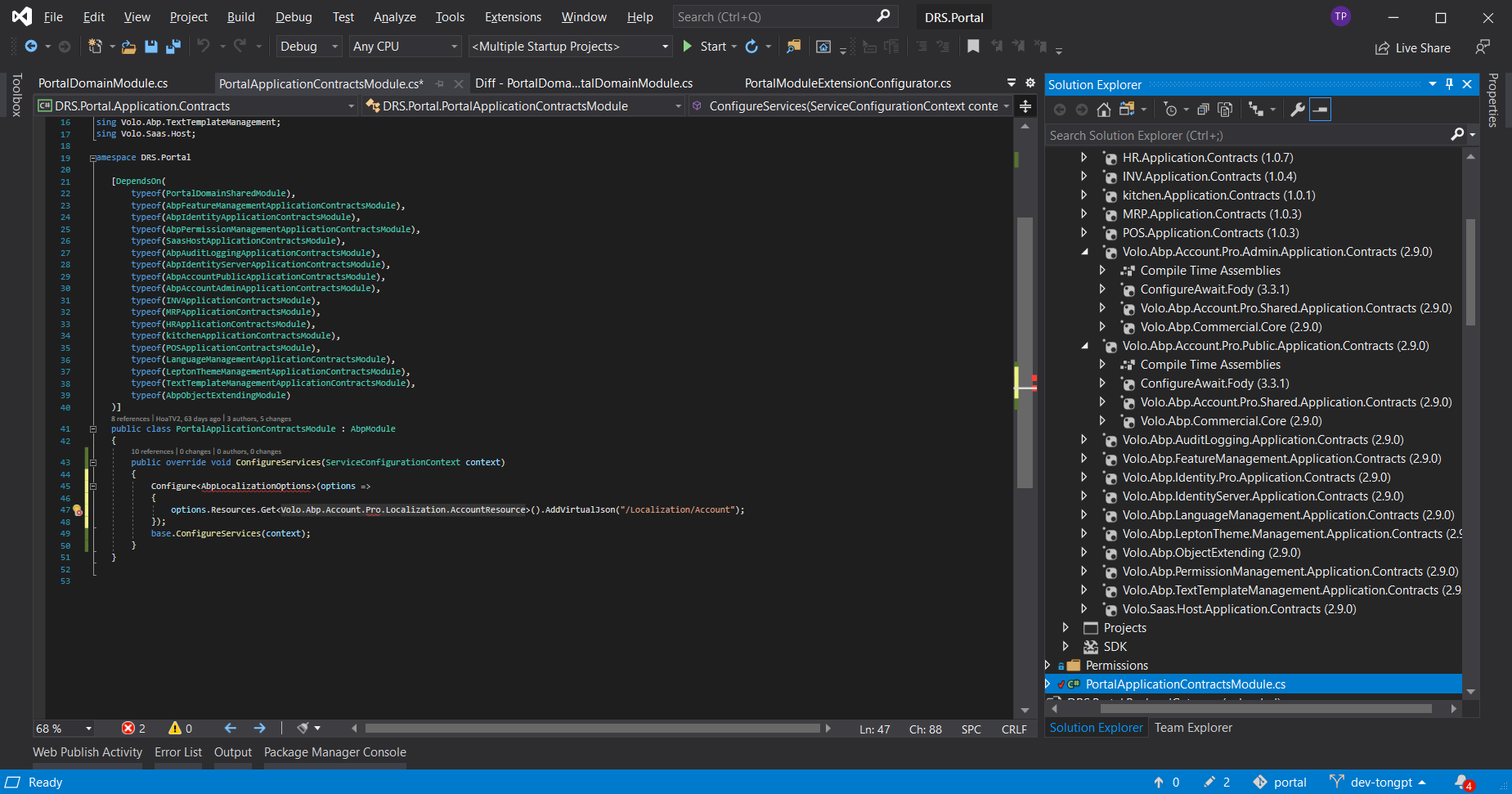
ABP Framework version: v2.9.0 UI type: Angular 9 Identity Server Seperated (Angular): yes
Markdown supported.Copy, paste, or drag & drop images and files (max 100 MB per file, 100 MB total per post) -
0
hi @drpdev2
The
AccountResourceis exist in theVolo.Abp.Account.Pro.Shared.Application.ContractspackageIf you stil can't resolve this problem you can send a email to me(liming.ma@volosoft.com), We can remotely check it via teamviewer.
Markdown supported.Copy, paste, or drag & drop images and files (max 100 MB per file, 100 MB total per post) -
0
Thanks @mailiming.
I found the package name. I implemented the localizationfor AccountResource in ApplicationContract layer as the following. It works well.
public class PortalApplicationContractsModule : AbpModule
    {
        public override void ConfigureServices(ServiceConfigurationContext context)
        {
            Configure<AbpLocalizationOptions>(options =>
            {
                options.Resources.Get<AccountResource>().AddVirtualJson("/Localization/Account");
            });

            base.ConfigureServices(context);
        }
    }
Markdown supported.Copy, paste, or drag & drop images and files (max 100 MB per file, 100 MB total per post)