Hi
I want to show the account layout UI on the login screen. I am using commercial abp blazor io project and the login screen comes with no theme only login forms come so can we show the layout here same as we show after login but before login, we will hide all menus.
- ABP Framework version: v4.43
- UI type: Blazor
- DB provider: EF Core
- Tiered (MVC) or Identity Server Separated (Angular): no
- Exception message and stack trace:
- Steps to reproduce the issue:"
39 Answer(s)
-
0
Hi,
You can change the layout.
@{
    Layout = ThemeManager.CurrentTheme.GetApplicationLayout();
}
Markdown supported.Copy, paste, or drag & drop images and files (max 100 MB per file, 100 MB total per post) -
0
Hi,
You can change the layout.
@{
    Layout = ThemeManager.CurrentTheme.GetApplicationLayout();
}
yes, thanks for the reply it's working but can we show a layout like this.
Current layout :
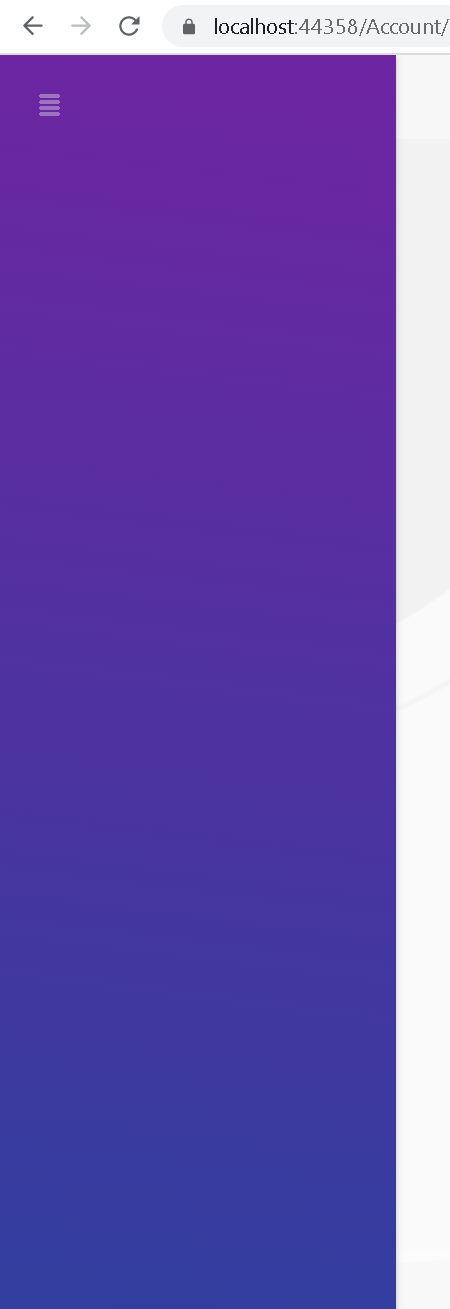
Needed layout
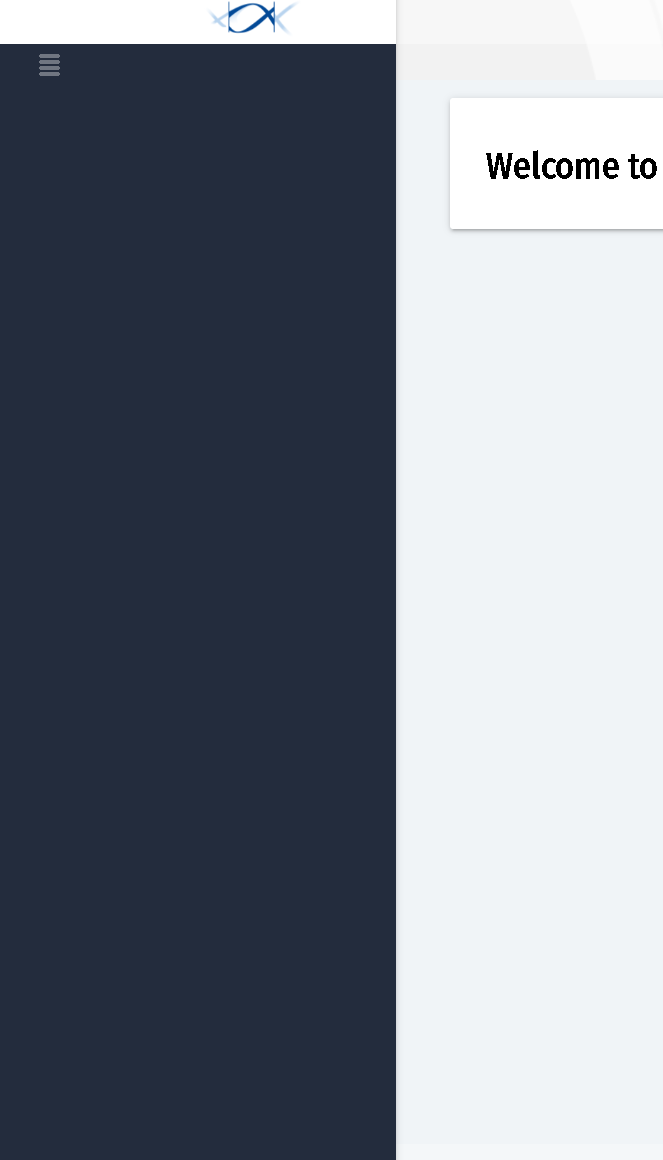 Markdown supported.Copy, paste, or drag & drop images and files (max 100 MB per file, 100 MB total per post)
 -
0
Yes, you can change the layout name.
@{
    Layout = ...your layout name
}
Markdown supported.Copy, paste, or drag & drop images and files (max 100 MB per file, 100 MB total per post) -
0
Yes, you can change the layout name.
@{
    Layout = ...your layout name
}
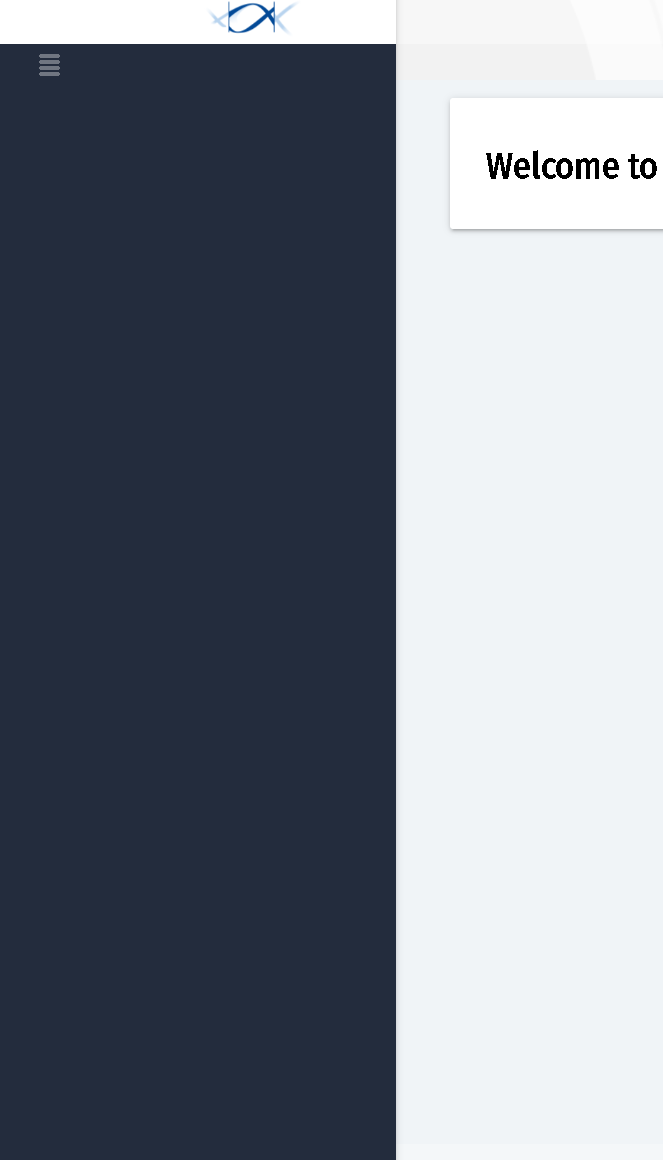
I don't have any customized layout but the problem is this screen comes from blazor and the other screen comes from the host.
 Markdown supported.Copy, paste, or drag & drop images and files (max 100 MB per file, 100 MB total per post)
 -
0
Yes, you can change the layout name.
@{
    Layout = ...your layout name
}
In host, we don't have lepton them and in blazor we have so how can I add lepton in the host project so it will resolve this.
Markdown supported.Copy, paste, or drag & drop images and files (max 100 MB per file, 100 MB total per post) -
0
Yes, you can change the layout name.
@{
    Layout = ...your layout name
}
In host, we don't have lepton them and in blazor we have so how can I add lepton in the host project so it will resolve this.
Is there anyone to check this and provide solution
Markdown supported.Copy, paste, or drag & drop images and files (max 100 MB per file, 100 MB total per post) -
0
abp add-package Volo.Abp.AspNetCore.Mvc.UI.Theme.Lepton- Add
"@volo/abp.aspnetcore.mvc.ui.theme.lepton": "your version"topackage.json - Run
abp install-libs
Markdown supported.Copy, paste, or drag & drop images and files (max 100 MB per file, 100 MB total per post) -
0
abp add-package Volo.Abp.AspNetCore.Mvc.UI.Theme.Lepton- Add
"@volo/abp.aspnetcore.mvc.ui.theme.lepton": "your version"topackage.json - Run
abp install-libs
above command needs to run in command prompt?
Markdown supported.Copy, paste, or drag & drop images and files (max 100 MB per file, 100 MB total per post) -
0
In host, we don't have lepton them and in blazor we have so how can I add lepton in the host project so it will resolve this. above command needs to run in command prompt
In your case, should be in the host project folder.
BTW, I remember that the lepton theme should be pre-installed when you use the ABP suite to create a new project.
how can I show lepton theme in host project
When you have done all things, it should be working.
Markdown supported.Copy, paste, or drag & drop images and files (max 100 MB per file, 100 MB total per post) -
0
In host, we don't have lepton them and in blazor we have so how can I add lepton in the host project so it will resolve this. above command needs to run in command prompt
In your case, should be in the host project folder.
BTW, I remember that the lepton theme should be pre-installed when you use the ABP suite to create a new project.
how can I show lepton theme in host project
When you have done all things, it should be working.
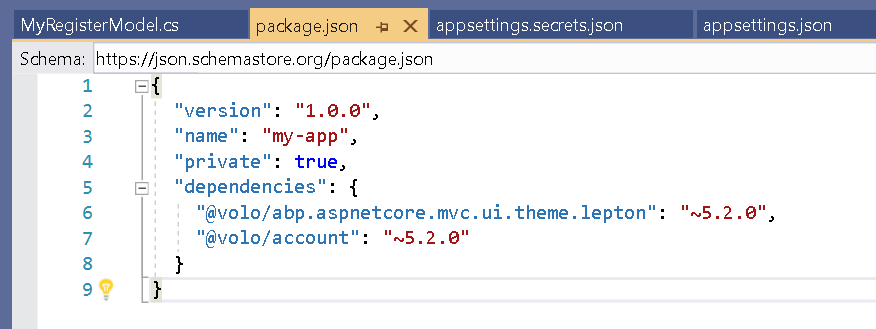
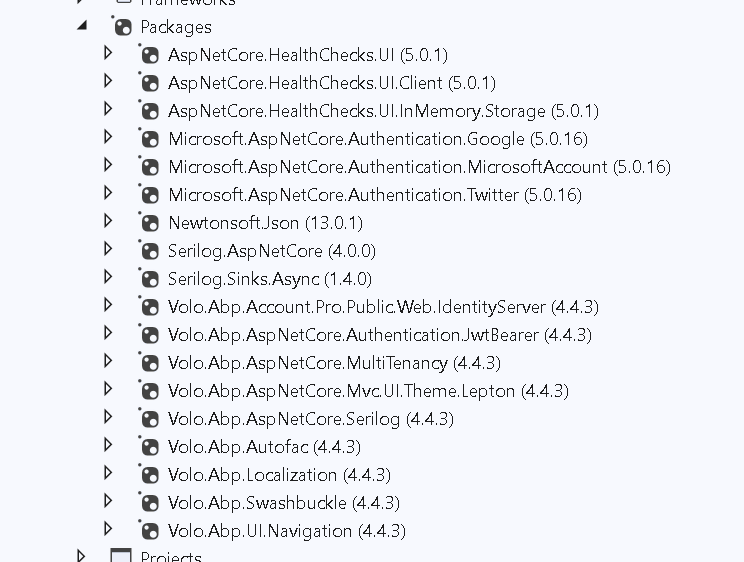
This is my host project packages
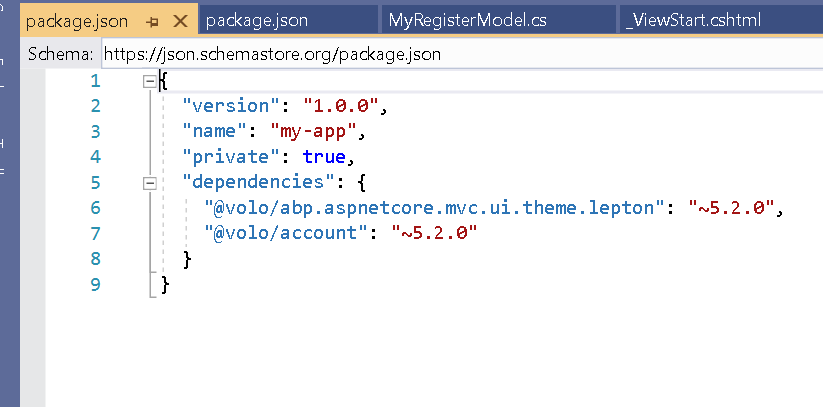
Package.json
 Markdown supported.Copy, paste, or drag & drop images and files (max 100 MB per file, 100 MB total per post)
 -
0
In host, we don't have lepton them and in blazor we have so how can I add lepton in the host project so it will resolve this. above command needs to run in command prompt
In your case, should be in the host project folder.
BTW, I remember that the lepton theme should be pre-installed when you use the ABP suite to create a new project.
how can I show lepton theme in host project
When you have done all things, it should be working.
Can we just connect for 5 mins on zoom?
Markdown supported.Copy, paste, or drag & drop images and files (max 100 MB per file, 100 MB total per post) -
0
Hi,
You can try it first, I think it should be easy to do.
Markdown supported.Copy, paste, or drag & drop images and files (max 100 MB per file, 100 MB total per post) -
0
Hi,
I am using 4.4.3 abp version
It should be
~4.3.3if you are using version 4.4.3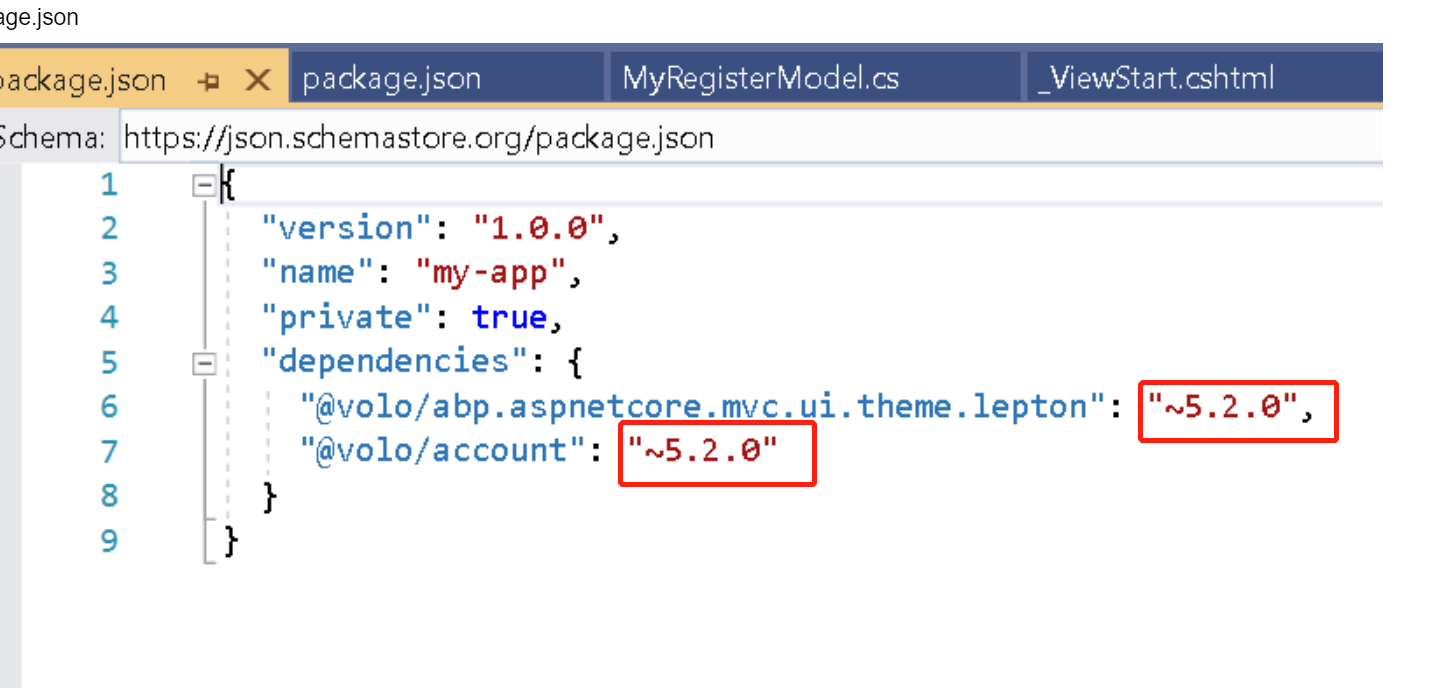 Markdown supported.Copy, paste, or drag & drop images and files (max 100 MB per file, 100 MB total per post)
 -
0
HI,
join the meeting: https://zoom.us/j/99950578218?pwd=YTEzTG5Jb2ZQeWVwWWo0aUNGdlpWUT09
Markdown supported.Copy, paste, or drag & drop images and files (max 100 MB per file, 100 MB total per post) -
0
Solved
Markdown supported.Copy, paste, or drag & drop images and files (max 100 MB per file, 100 MB total per post) -
0
Solved
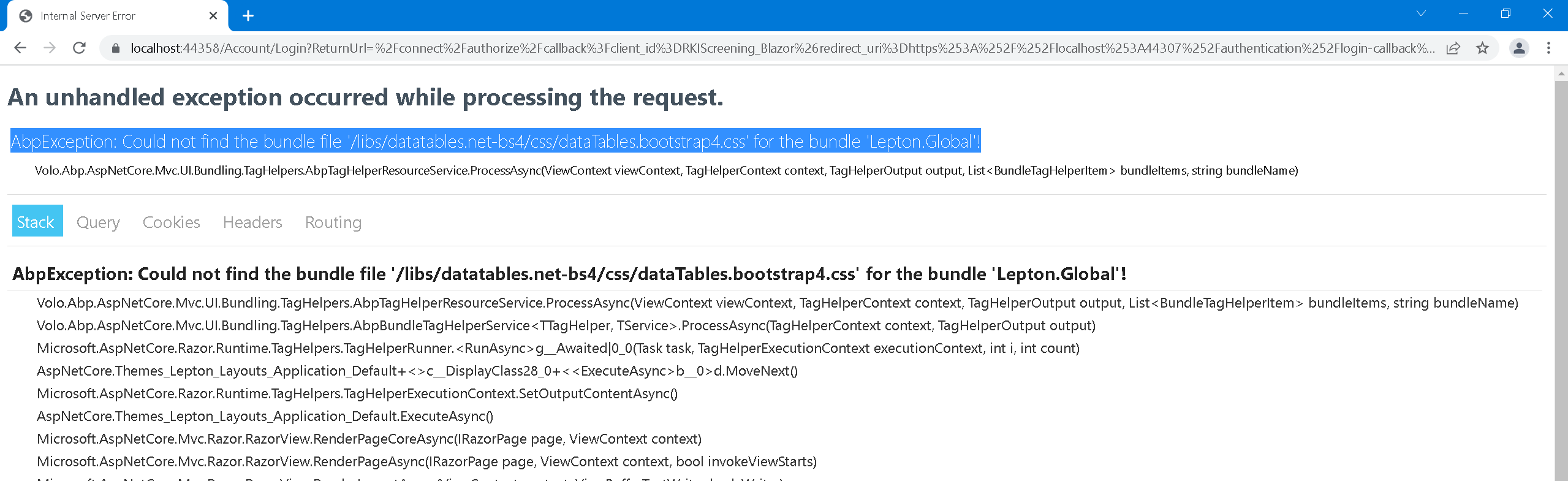
After adding ABP libs into the host project and changing the environment to the production site is not working. It's throwing a 500 error and If I check in the log file the getting below error
 Markdown supported.Copy, paste, or drag & drop images and files (max 100 MB per file, 100 MB total per post)