






0
abpVAndy created
- ABP Framework version: v5.3.X
- UI type: Angular
- DB provider: EF Core
- Tiered (MVC) or Identity Server Separated (Angular): no
- Exception message and stack trace:
- Steps to reproduce the issue:"
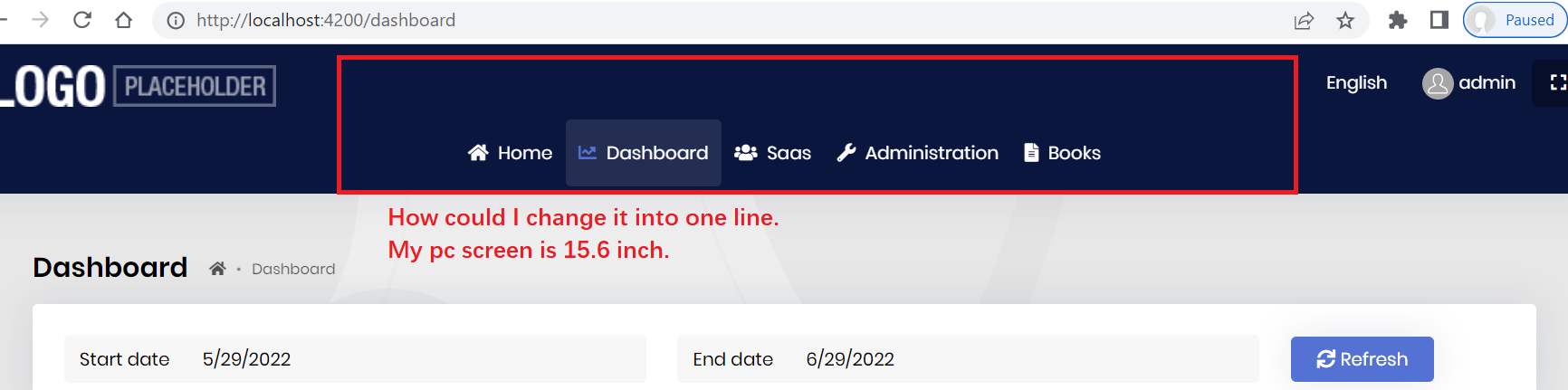
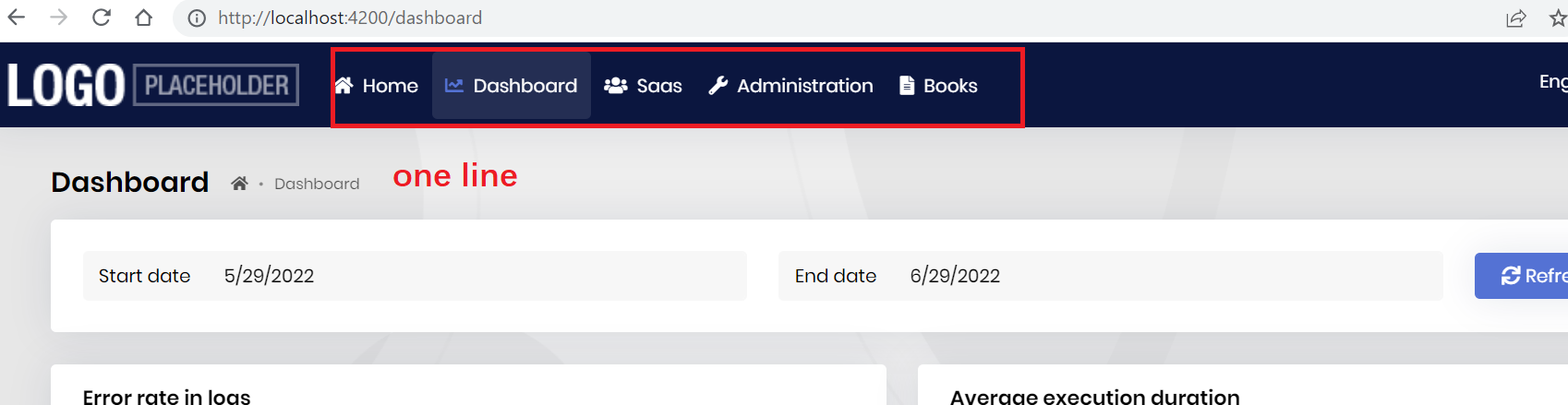
My laptop screen is 15.6 inch. when I open the angular ui, it show two lines for the router, like below image. Even I only have one router "home", it still shows two lines. Is it possible to change it into one line.
It could be possible to make it by "Component-Replacement "ApplicationLayoutComponent"". But it was not better way.
Could you please give me any ideas or comments.
thx
Markdown supported.
Copy, paste, or drag & drop images and files (max 100 MB per file, 100 MB total per post)
1 Answer(s)
-
0
Hello,
You can do it with CSS
.lp-sidebar-wrapper {
    margin: -51px auto 0;
}
Markdown supported.Copy, paste, or drag & drop images and files (max 100 MB per file, 100 MB total per post)


