






Issue with * ABP Framework version: v5.3.2
- UI type: Blazor
- DB provider: EF Core
- Tiered (MVC) or Identity Server Separated (Angular): no
We have a Blazor server application where we did implement external login.
To do so, we did create a method that create us a token
        `var tokenDescriptor = new SecurityTokenDescriptor
        {
            Subject = claimsIdentity,
            Expires = DateTime.UtcNow.AddDays(7),
            SigningCredentials = new SigningCredentials(new SymmetricSecurityKey(key), SecurityAlgorithms.HmacSha256Signature),

        };
        //creating a token handler
        var tokenHandler = new JwtSecurityTokenHandler();
        var token = tokenHandler.CreateToken(tokenDescriptor);
        var tokenDescriptor = new SecurityTokenDescriptor
        {
            Subject = claimsIdentity,
            Expires = DateTime.UtcNow.AddDays(7),
            SigningCredentials = new SigningCredentials(new SymmetricSecurityKey(key), SecurityAlgorithms.HmacSha256Signature),

        };
        //creating a token handler
        var tokenHandler = new JwtSecurityTokenHandler();
        var token = tokenHandler.CreateToken(tokenDescriptor);

       var tokenDescriptor = new SecurityTokenDescriptor  `
To make the authentication work, this part has been added to the BlazorModule ConfigureAuthentication method:
.AddJwtBearer("Default", options => { options.TokenValidationParameters = new TokenValidationParameters { ValidateIssuer = false, ValidateAudience = false, ValidateLifetime = true, ValidateIssuerSigningKey = true, IssuerSigningKey = new SymmetricSecurityKey(Encoding.UTF8.GetBytes(configuration["Jwt:SecretKey"])) }; });
After that, it was working fine, however, I met an issue with checking my user features:
await _featureChecker.IsEnabledAsync("AIGeneratorFeatures." + item)
was returning false all the time.
It has been fixed with this code
context.Services.AddAuthorization(options =>
{
    var defaultAuthorizationPolicyBuilder = new AuthorizationPolicyBuilder(
        JwtBearerDefaults.AuthenticationScheme, "Default");
        defaultAuthorizationPolicyBuilder.RequireAuthenticatedUser();
    options.DefaultPolicy = defaultAuthorizationPolicyBuilder.Build();
});
But then I got an issue when trying to "Login with this tenant" from my host admin (it was working well before).
HTTP ERROR 401
And I got this on the log file:
2022-08-02 16:47:10.338 +02:00 [INF] Authorization failed. These requirements were not met:
DenyAnonymousAuthorizationRequirement: Requires an authenticated user.
2022-08-02 16:47:10.360 +02:00 [INF] AuthenticationScheme: Bearer was challenged.
2022-08-02 16:47:10.362 +02:00 [INF] AuthenticationScheme: Default was challenged.
So from what I understand, the issue is from the "default" AddAuthorization.
Is there any way to have access to the _featureChecker without adding the code causing issues?
I was looking at some support tickets and was then wondering if we are creating the token the right way or if we should use ABP access/token instead, but I didn't find many docs on how to use it...
By using this custom token creator, I worry a bit that we might not have access to some methods/features from ABP.
Thanks for your support
4 Answer(s)
-
0
OK thanks, it was a bit my guess that ABP had something more convenient to issue tokens when we implemented that way.
However, I do not find much doc on Abp on how to request a token
I see that I need to create a resource, I have one created by default
https://docs.abp.io/en/commercial/latest/modules/identity-server#api-resource-management
but then where do I need to make my call and with which parameters?
I saw this on features presentation, but can't find docs
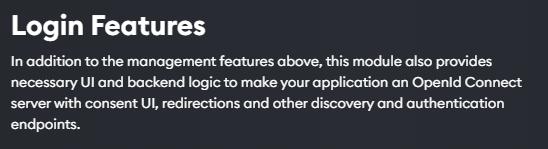
I had a look on swagger and do find any methods about issuing token.
All needs to be done through the UI? Means if I make something in local, I will need to create the same "elements" from the UI on our servers?
Thanks
Markdown supported.Copy, paste, or drag & drop images and files (max 100 MB per file, 100 MB total per post) -
0
I am coming back to you as I just saw this announcement
https://github.com/abpframework/abp/issues/11989
Should I then migrate to v6.0-RC instead and use OpenIddict?
I am still not very clear on how to use IdentityServer, so maybe better to focus on OpenIddict instead.
One more point, as not sure I understood well: will I be able to login externally (either IdentityServer or OpenIddict) with an existing ABP user I created through my Blazor server application?
Markdown supported.Copy, paste, or drag & drop images and files (max 100 MB per file, 100 MB total per post) -
0
hi
but then where do I need to make my call and with which parameters?
https://identityserver4.readthedocs.io/en/latest/ https://identityserver4.readthedocs.io/en/latest/endpoints/token.html
Should I then migrate to v6.0-RC instead and use OpenIddict?
You can consider this after 6.0 is released. it's RC for now.
One more point, as not sure I understood well: will I be able to login externally (either IdentityServer or OpenIddict) with an existing ABP user I created through my Blazor server application?
Yes. https://docs.abp.io/en/commercial/latest/modules/account#social-external-logins https://docs.abp.io/en/commercial/latest/modules/account#install-a-new-external-login
Markdown supported.Copy, paste, or drag & drop images and files (max 100 MB per file, 100 MB total per post)


