






Check the docs before asking a question: https://docs.abp.io/en/commercial/latest/ Check the samples, to see the basic tasks: https://docs.abp.io/en/commercial/latest/samples/index The exact solution to your question may have been answered before, please use the search on the homepage.
If you're creating a bug/problem report, please include followings:
- ABP Framework version: v5.3.3
- UI type: MVC
- DB provider: EF Core
- Tiered (MVC) or Identity Server Separated (Angular): yes
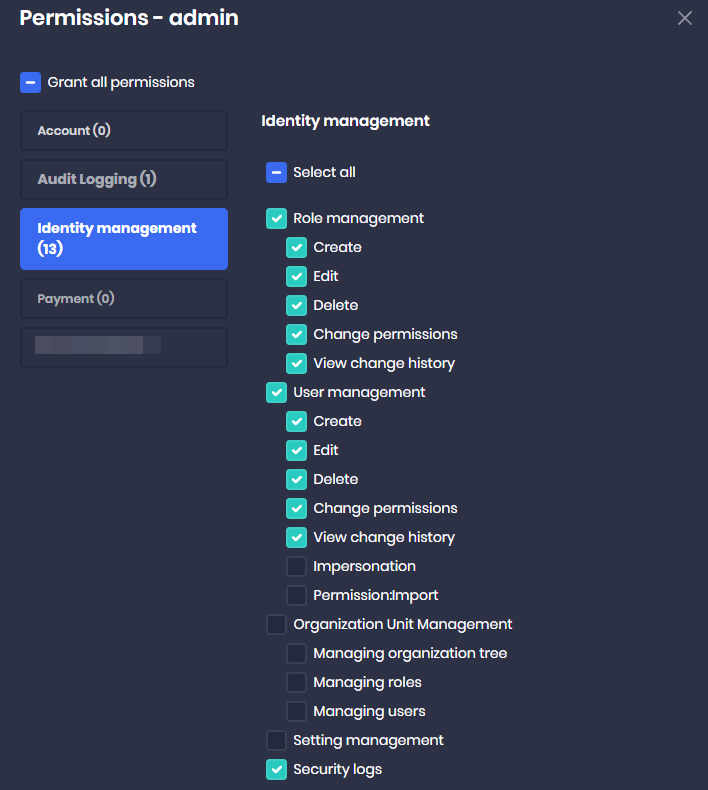
I would like my tenant's admin by default (when creating a tenant via the Saas module) to not have access to certain modules. I see that if I add a row to the FeatureValues table as shown below I can prevent the module from showing up in the Tenant's Role/User 'permission' modal, however there doesn't seem to be one for 'Payment' or 'Account' and for that matter within the 'Identity Management' group I see various permissions within the module that I do not want displayed at all on the Permissions modal.

1 Answer(s)
-
0
Hi,
Sorry, this is our current module's design. but you can easy to custom it for your case.
For example:
public class MyFeatureDefinitionProvider : FeatureDefinitionProvider { public override void Define(IFeatureDefinitionContext context) { var myApp = context.AddGroup("MyApp"); myApp.AddFeature("Account.Enable", "true",new FixedLocalizableString("Enable account"), valueType: new ToggleStringValueType()); } } public class MyPermissionDefinitionProvider : PermissionDefinitionProvider { public override void Define(IPermissionDefinitionContext context) { var accountGroup = context.GetGroup(AccountPermissions.GroupName); foreach (var permission in accountGroup.Permissions) { permission.RequireFeatures("Account.Enable"); } } }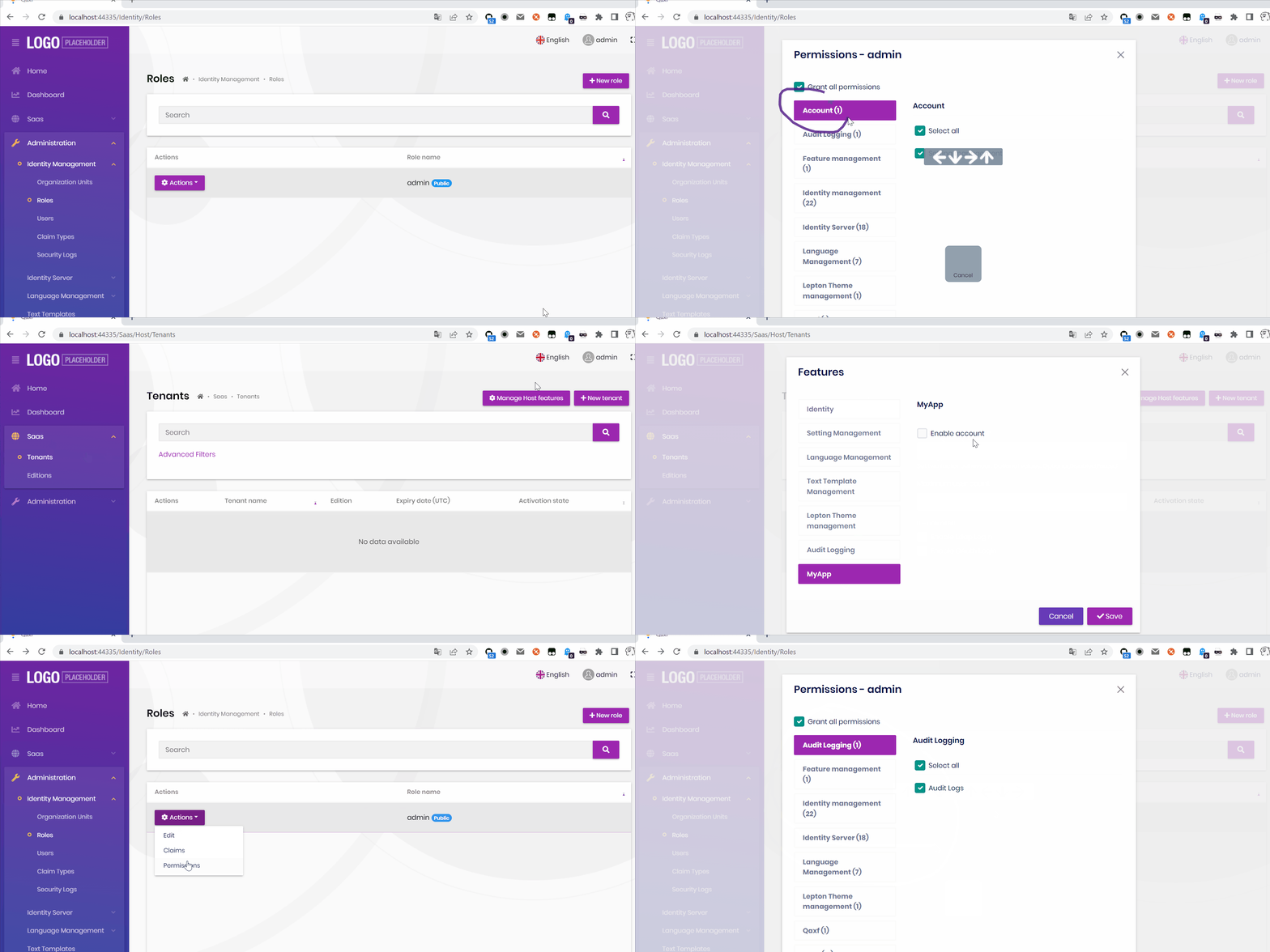 Markdown supported.Copy, paste, or drag & drop images and files (max 100 MB per file, 100 MB total per post)


