






- ABP Framework version: v7.0.1
- UI type: ABlazor
- DB provider: EF Core
- Tiered (MVC) or Identity Server Separated (Angular): tiered
- Exception message and stack trace:
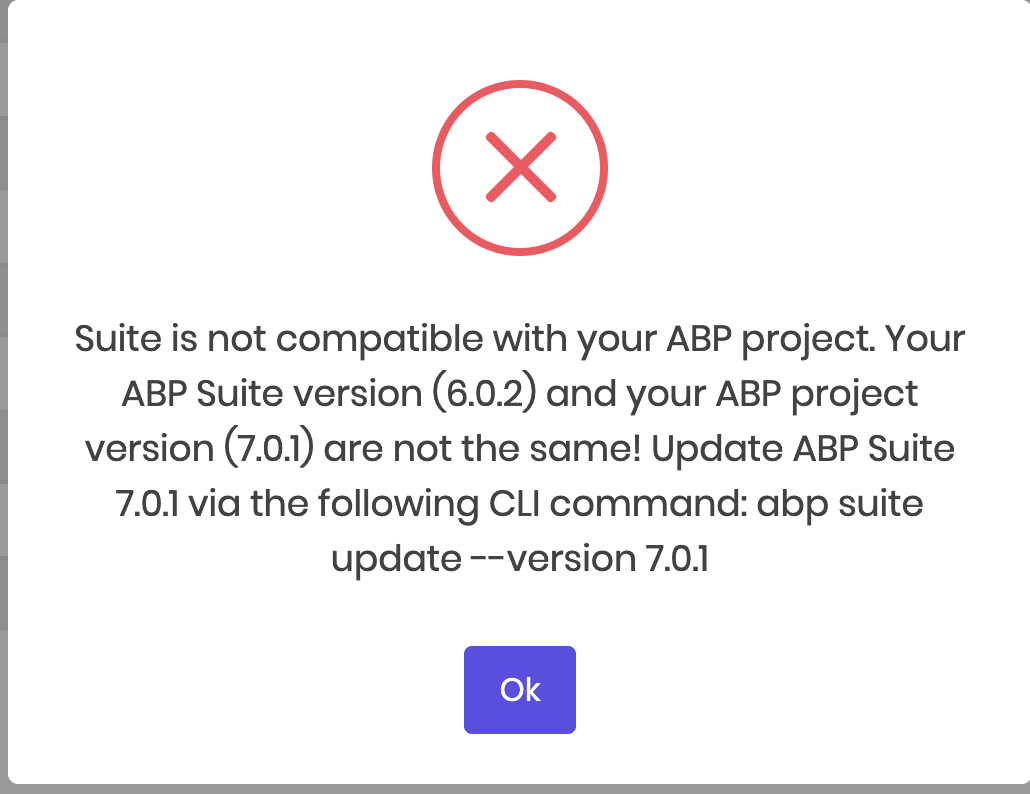
- Steps to reproduce the issue:"
I have tried the following: Upgrade Suite Remove Suite and reinstall Suite
Still get error/warning
9 Answer(s)
-
0
Hi, can you check https://support.abp.io/QA/Questions/414/ABP-Suite-install-problem-How-can-I-reinstall-clean-install#answer-9c56ff0e-0a46-ffd1-dd08-39f78e032607 and make a clear installation for ABP Suite?
ABP CLI and Suite versions should be the same, 7.0.1 in your case. So, please also ensure they are in the same version.
Markdown supported.Copy, paste, or drag & drop images and files (max 100 MB per file, 100 MB total per post) -
0
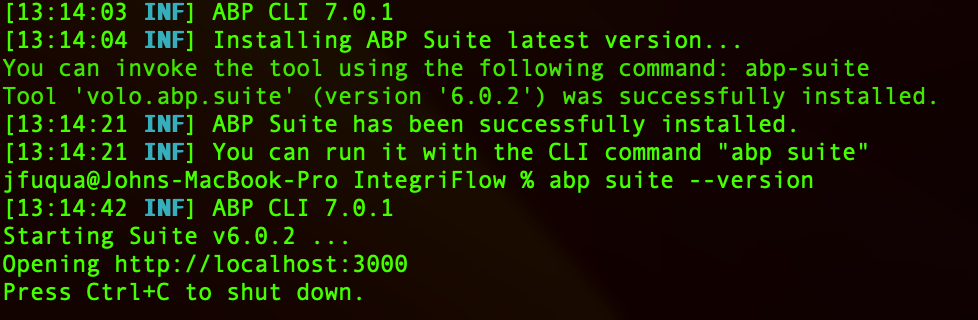
I did this already. For fun, I tried it again. See results.
 Markdown supported.Copy, paste, or drag & drop images and files (max 100 MB per file, 100 MB total per post)
 -
0
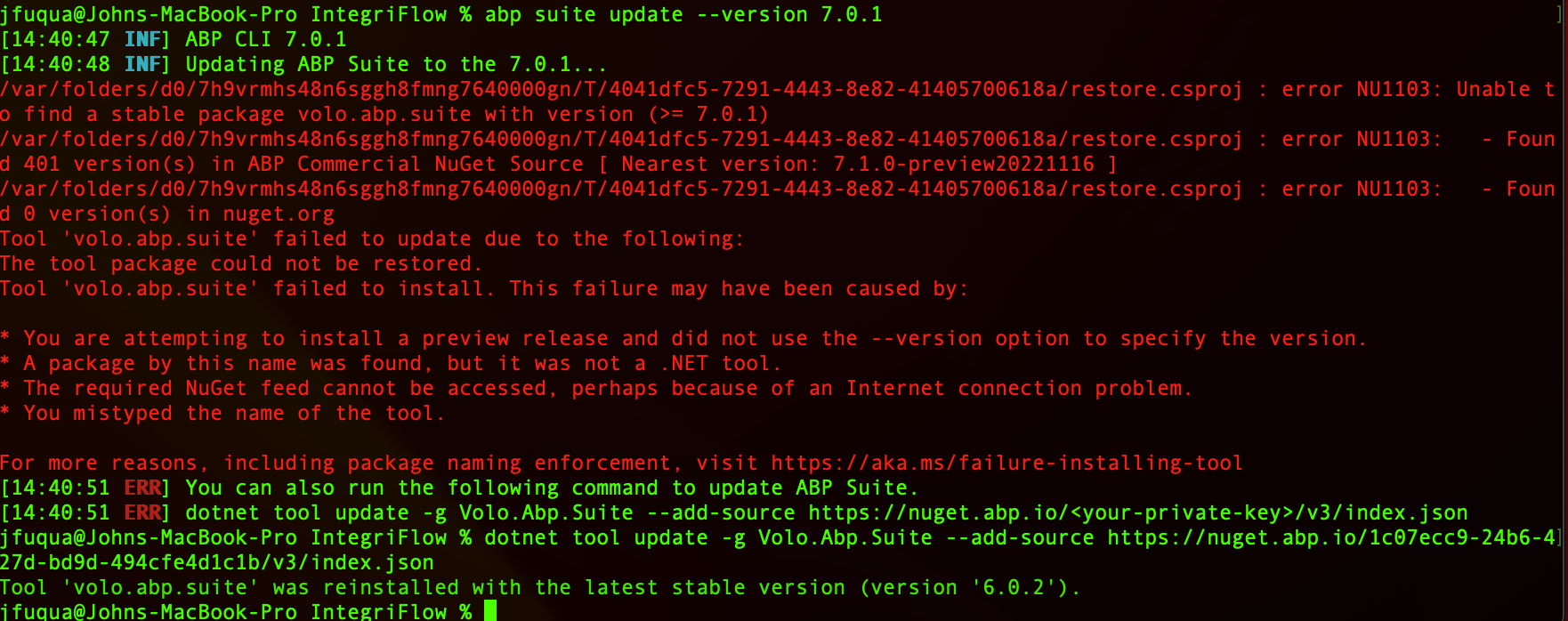
Still not updating.
 Markdown supported.Copy, paste, or drag & drop images and files (max 100 MB per file, 100 MB total per post)
 -
0
Still not updating.
Can you try to upgrade the Suite with the following dotnet CLI command? (i need to ensure that it was related to your global nuGet source or not):
dotnet tool update -g Volo.Abp.Suite --add-source https://nuget.abp.io/***your-api-key-here***/v3/index.json --version 7.0.1Don't forget to replace the your-api-key with yours, You can find your API key in the
NuGet.configof your solution.Markdown supported.Copy, paste, or drag & drop images and files (max 100 MB per file, 100 MB total per post) -
0
your message deleted due to your nuget key was exposed.
Markdown supported.Copy, paste, or drag & drop images and files (max 100 MB per file, 100 MB total per post) -
0
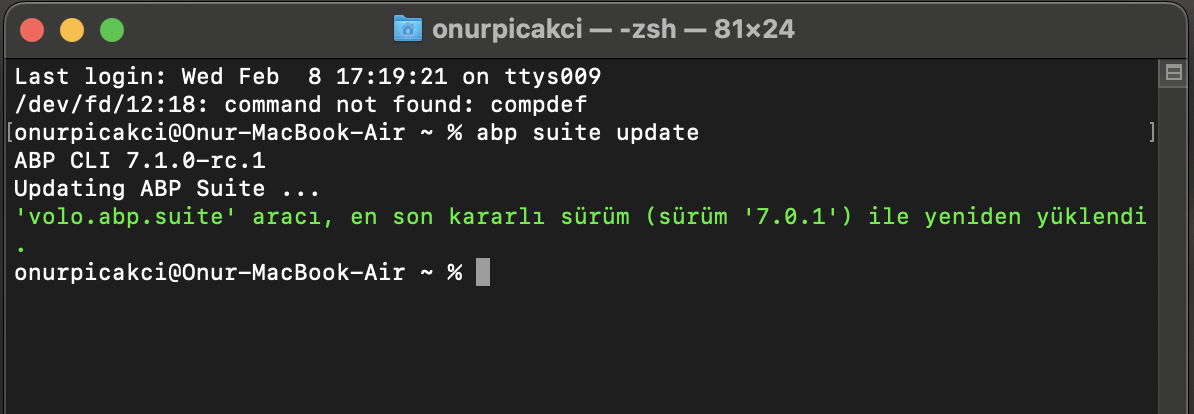
Hello, I have tested the situation on macOS and there does not seem to be a problem.
 Markdown supported.Copy, paste, or drag & drop images and files (max 100 MB per file, 100 MB total per post)
 -
0
It was a permissions issue. I got it resolved.
Markdown supported.Copy, paste, or drag & drop images and files (max 100 MB per file, 100 MB total per post)






