ABP Framework version: v7.2.2
UI type: Angular
DB provider: EF Core
Tiered (MVC) or Identity Server Separated (Angular): yes Identity Server Separated (Angular)
Exception message and stack trace:
Steps to reproduce the issue:" Download the ABP commercial framework solution with microservices as template from abp suite. After setting up the environment locally login to app. After successful login we are getting the below screen:
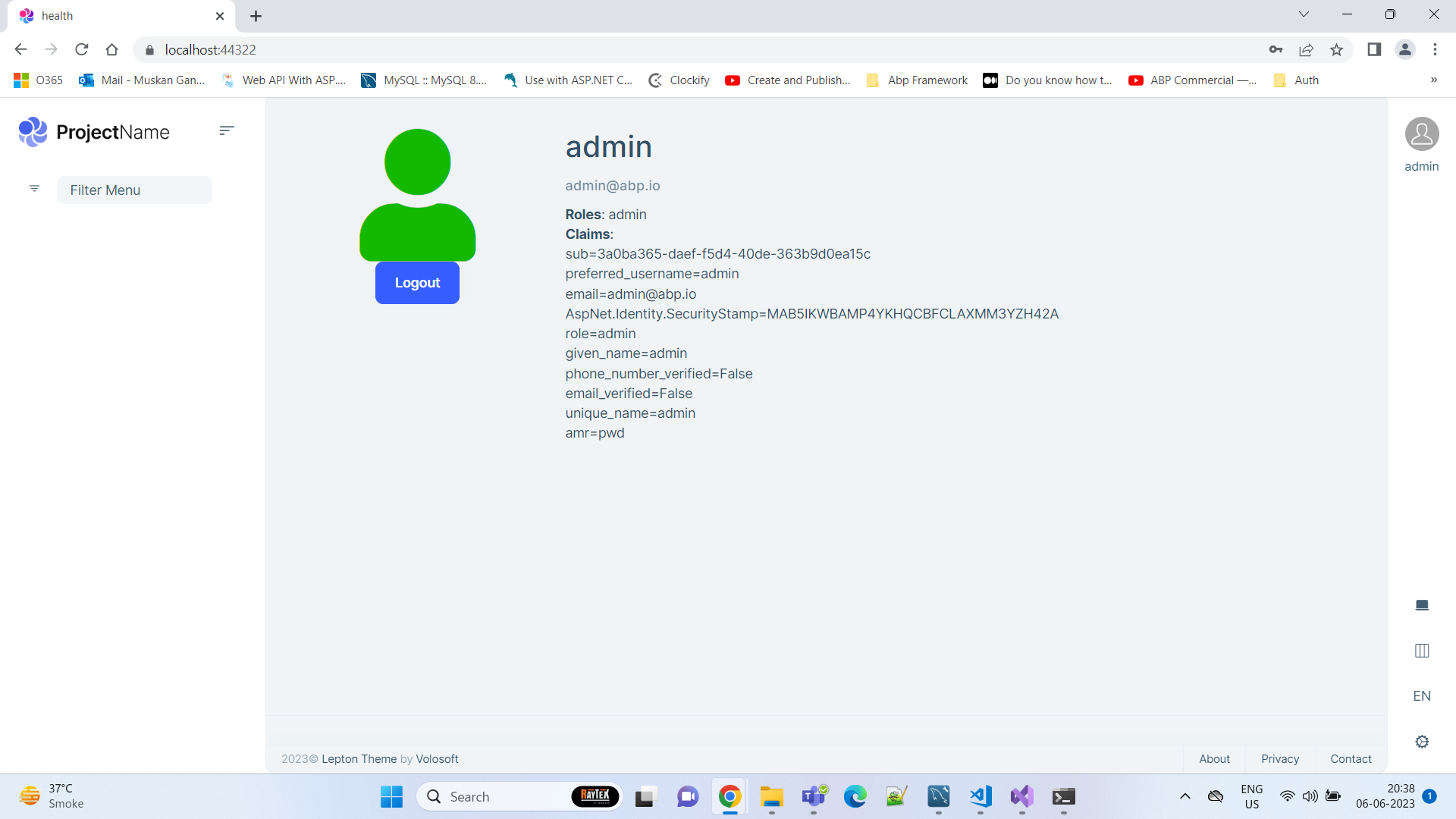
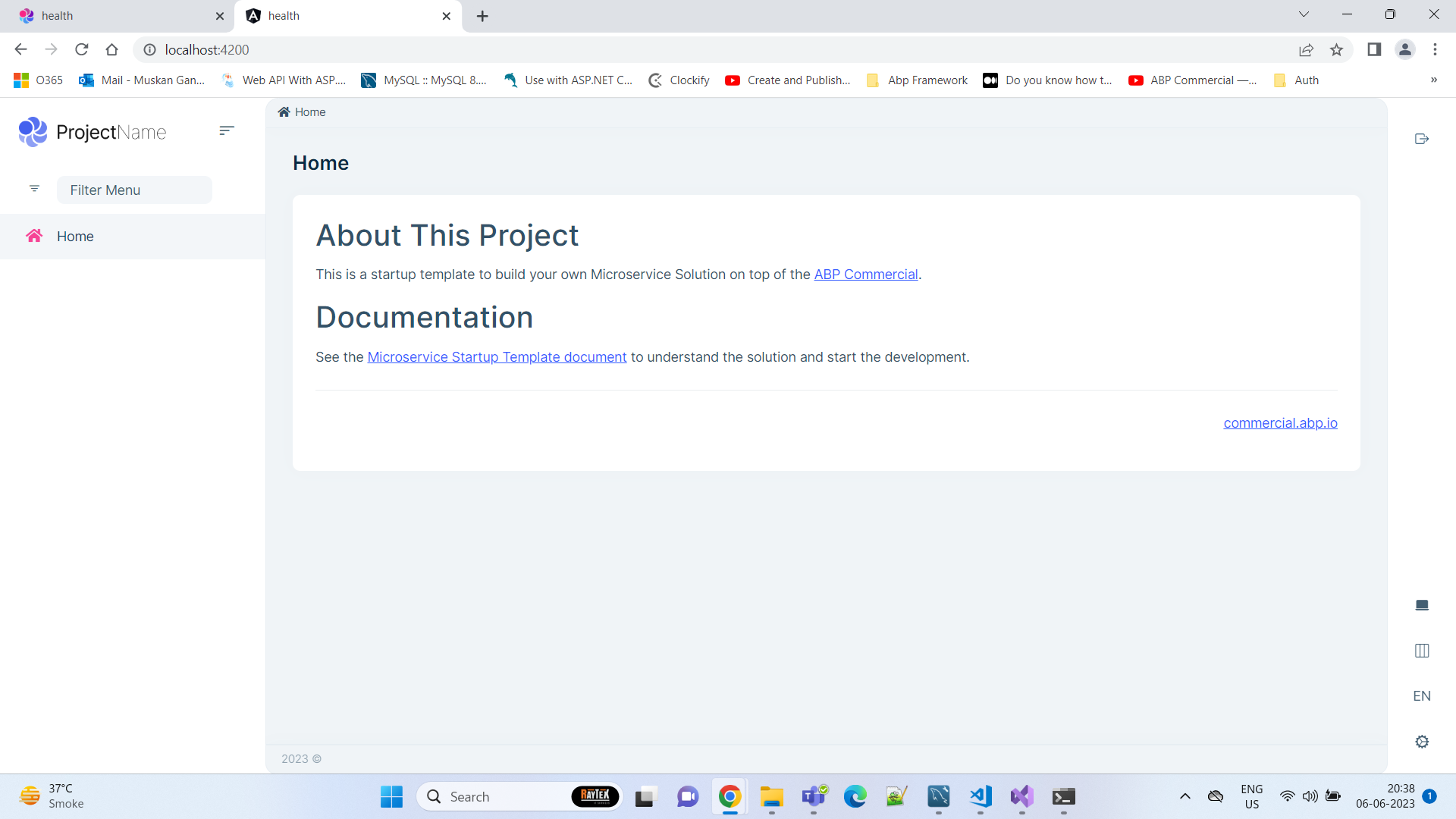
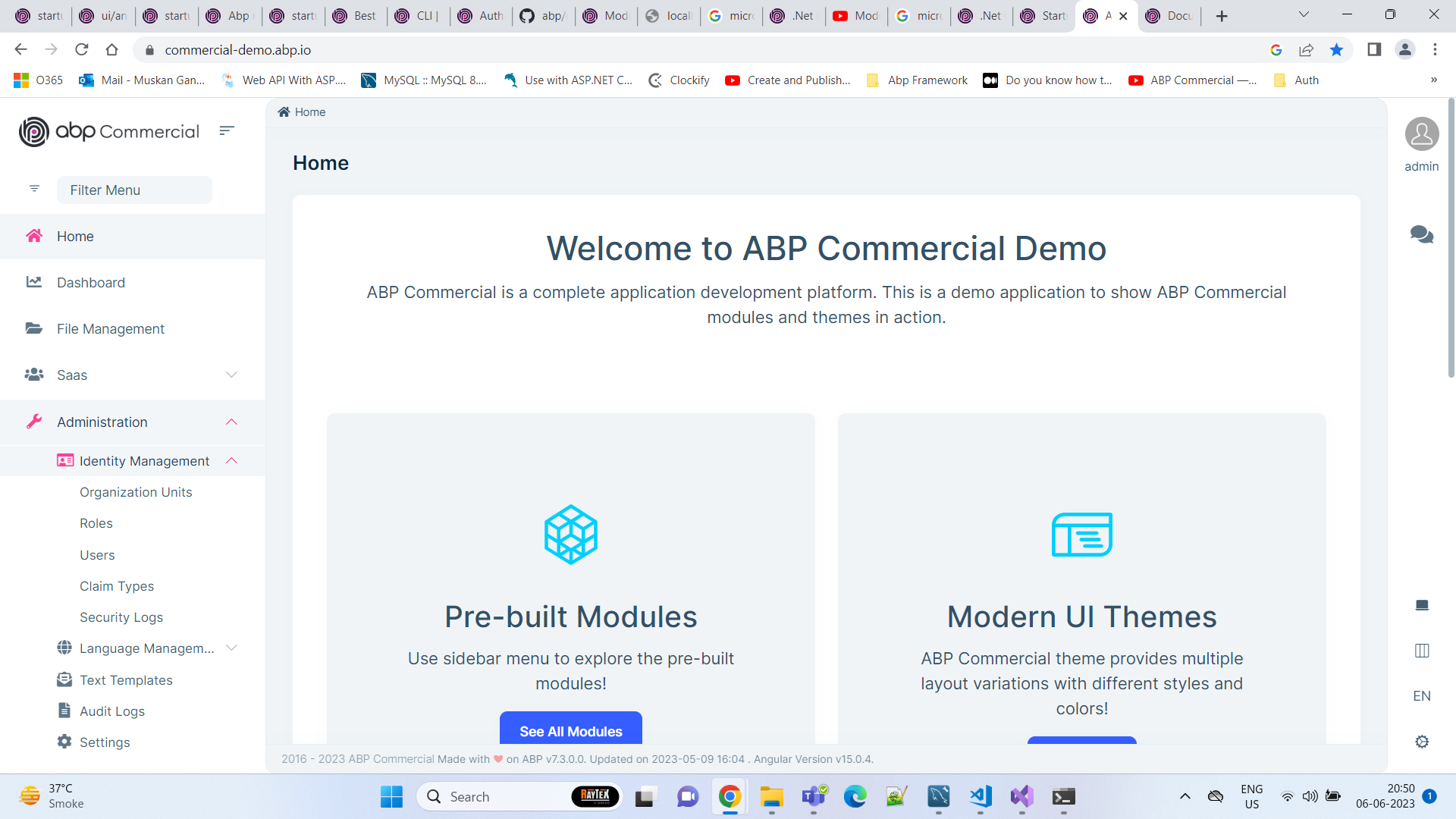
instead of this we should get the page with admin menus as below:
33 Answer(s)
-
0
UI type: Angular
Are you using angular as the front-end, right?
I think the URL is
http:localhost:4200Markdown supported.Copy, paste, or drag & drop images and files (max 100 MB per file, 100 MB total per post) -
0
It looks like you are not logged in
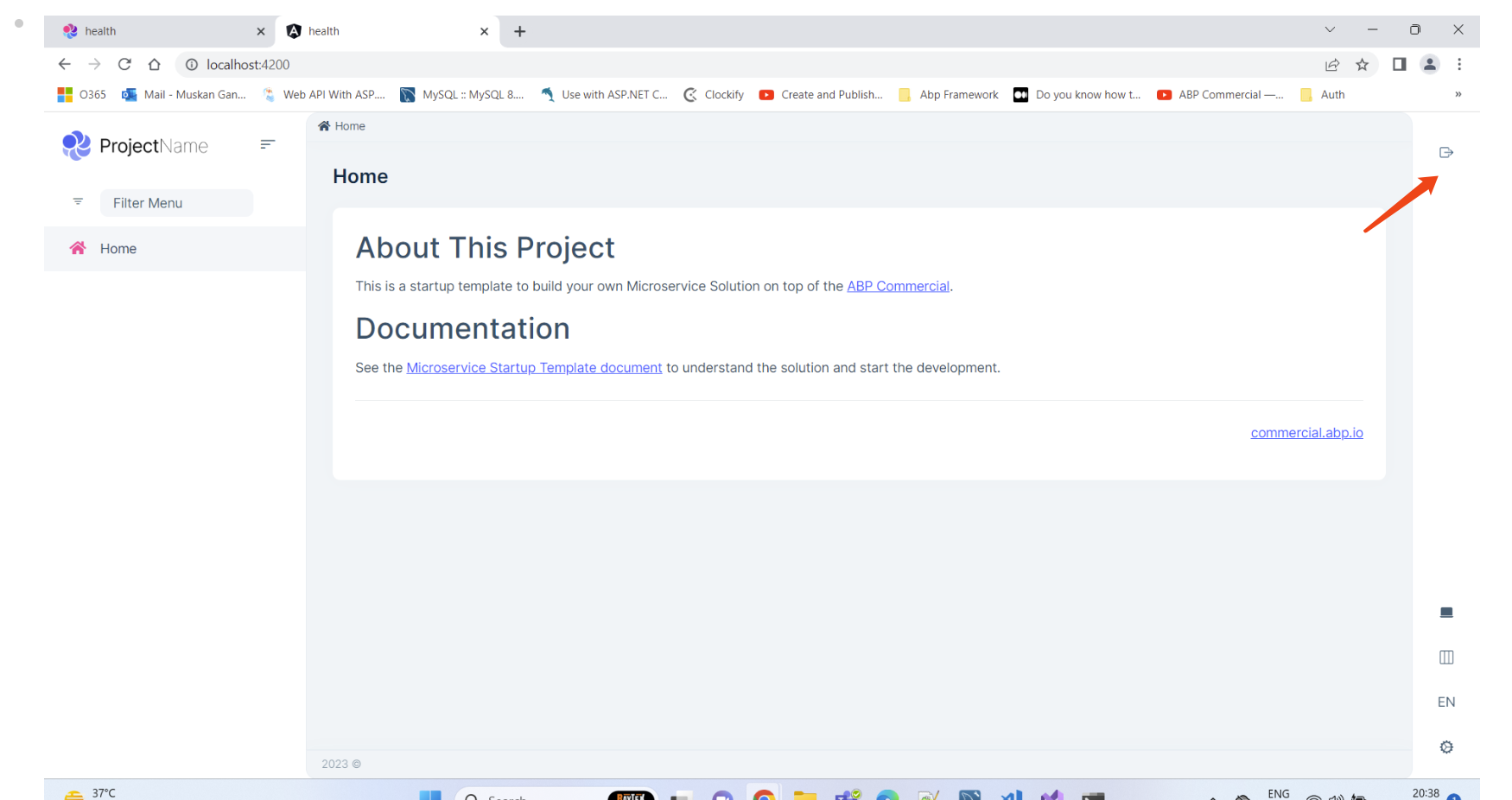 Markdown supported.Copy, paste, or drag & drop images and files (max 100 MB per file, 100 MB total per post)
 -
0
Hi,
The saas module UI for host users only Are you logged into the application as a tenant user?
Markdown supported.Copy, paste, or drag & drop images and files (max 100 MB per file, 100 MB total per post) -
0
Hi,
Could you share a project that can reproduce the problem with me? I will check it. shiwei.liang@volosoft.com
Markdown supported.Copy, paste, or drag & drop images and files (max 100 MB per file, 100 MB total per post) -
0
I can't reproduce the problem.
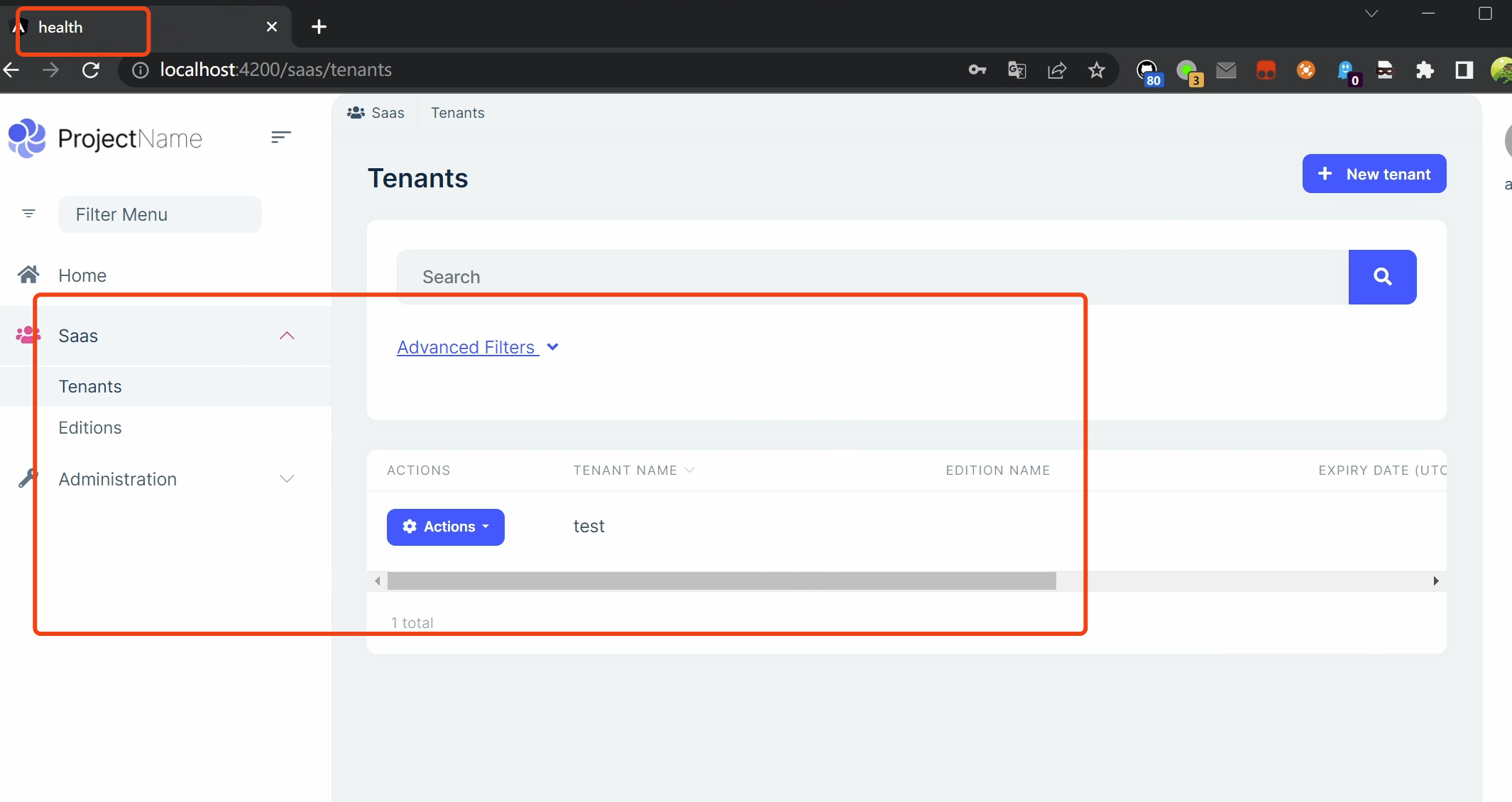
You can remove all databases&cache and re-create to try again.
Markdown supported.Copy, paste, or drag & drop images and files (max 100 MB per file, 100 MB total per post) -
0
We have tried clearing the cache and ran the migration after dropping databases but no luck. The SaaS menu appears only when we are connected to SQL database but the issue is replicating only after migrating to mysql. we have followed steps mentioned here : https://support.abp.io/QA/Questions/5170#answer-3a0ba342-4520-a0c6-e93b-5bcadbd7ffdf to migrate to mysql.
please suggest.
Markdown supported.Copy, paste, or drag & drop images and files (max 100 MB per file, 100 MB total per post) -
0
Hi,
I don't think this is related to MYSQL, because the project you shared works for me.
Can we have a meeting via zoom? I'd like to check it remotely.
Markdown supported.Copy, paste, or drag & drop images and files (max 100 MB per file, 100 MB total per post) -
0
https://us05web.zoom.us/j/81336275630?pwd=bmlSNXN4dkhyMWc3YTRva0lYbnZNQT09
Markdown supported.Copy, paste, or drag & drop images and files (max 100 MB per file, 100 MB total per post) -
0
Hi,
The meeting has expired.
The database should be like this:
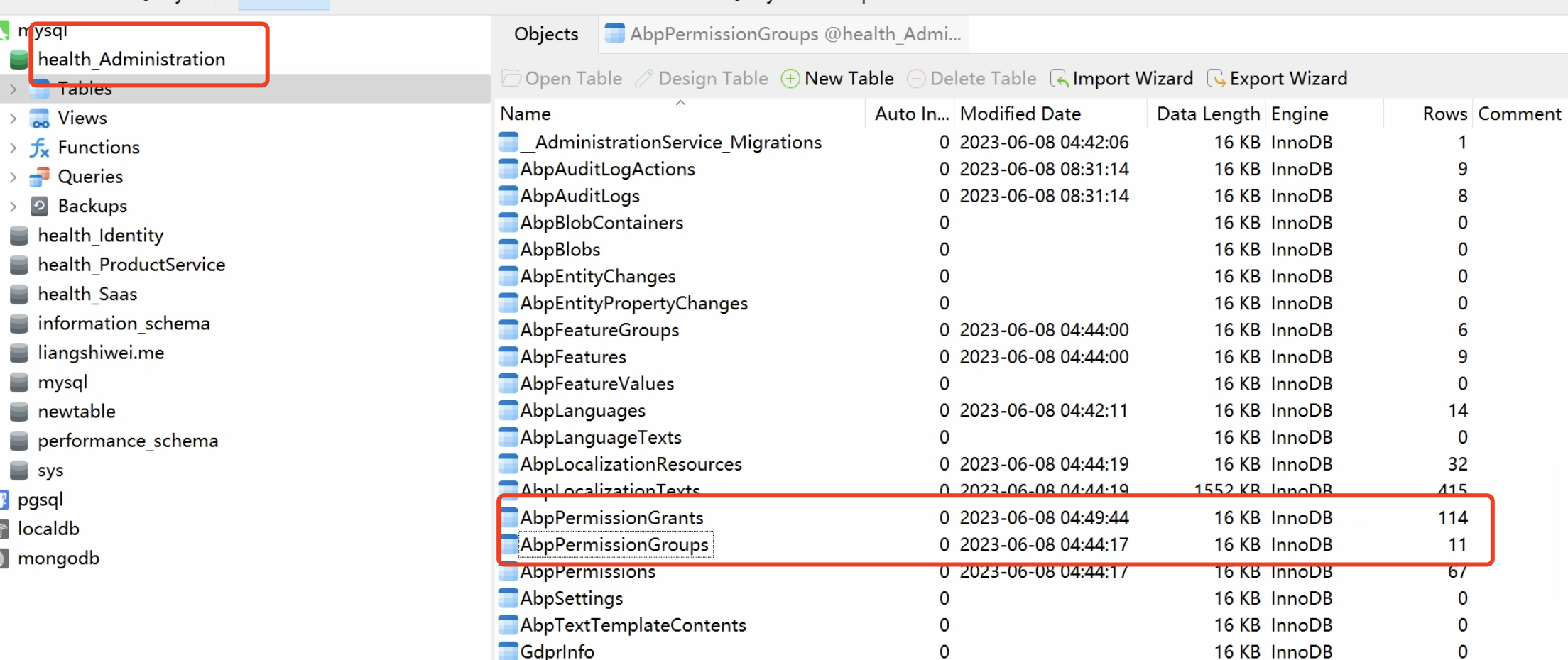
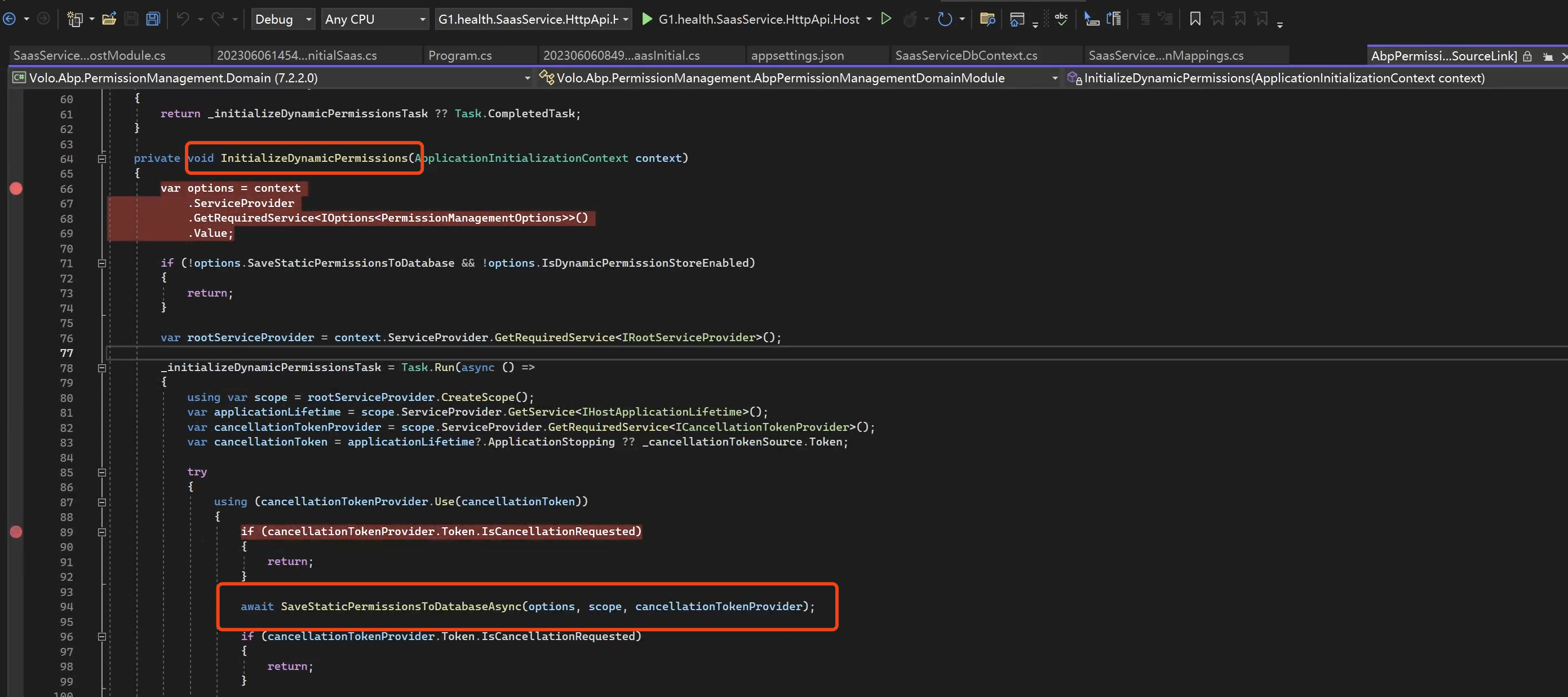
Each service will persist the permission definition in the database when the application is initialized. https://github.com/abpframework/abp/blob/dev/modules/permission-management/src/Volo.Abp.PermissionManagement.Domain/Volo/Abp/PermissionManagement/AbpPermissionManagementDomainModule.cs#L64
Markdown supported.Copy, paste, or drag & drop images and files (max 100 MB per file, 100 MB total per post) -
0
In the meeting I manually added the
SaasApplicationContractsproject to the admin service, it loads static permission definitions. I think it should be working now.If it's still now working, please let me know.
Markdown supported.Copy, paste, or drag & drop images and files (max 100 MB per file, 100 MB total per post) -
0
We can see SaaS menu now. But my concern is that if the database records are missing in the table it could create problems anytime in the application. Can we try to figure out the exact issue.
Markdown supported.Copy, paste, or drag & drop images and files (max 100 MB per file, 100 MB total per post) -
0
Could you share all the logs with me? Thanks.
Markdown supported.Copy, paste, or drag & drop images and files (max 100 MB per file, 100 MB total per post) -
0
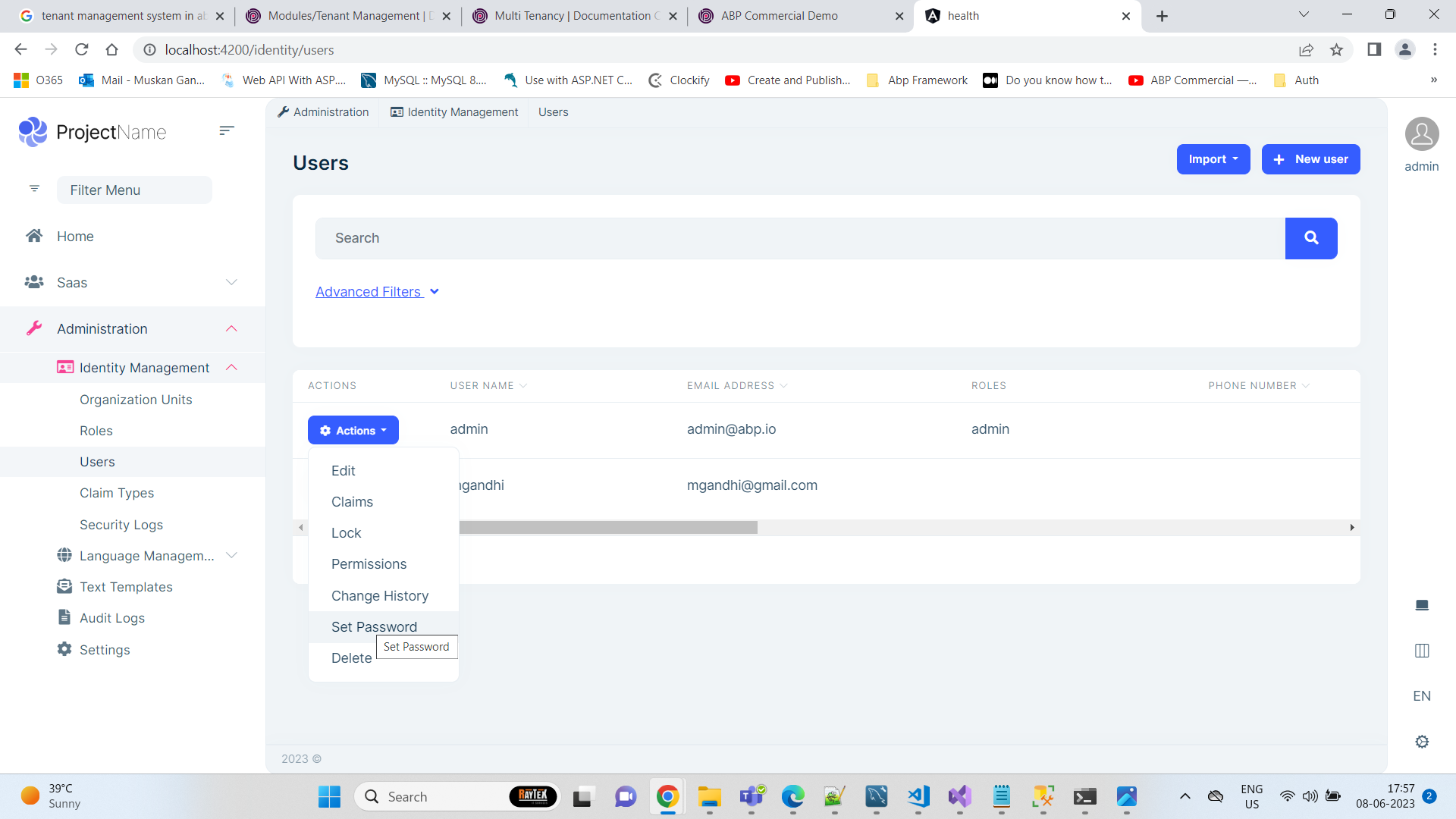
Hi Team, we are also missing few menu items. Under SasS menu->Features we are missing twon menus 1) Chat 2) File management
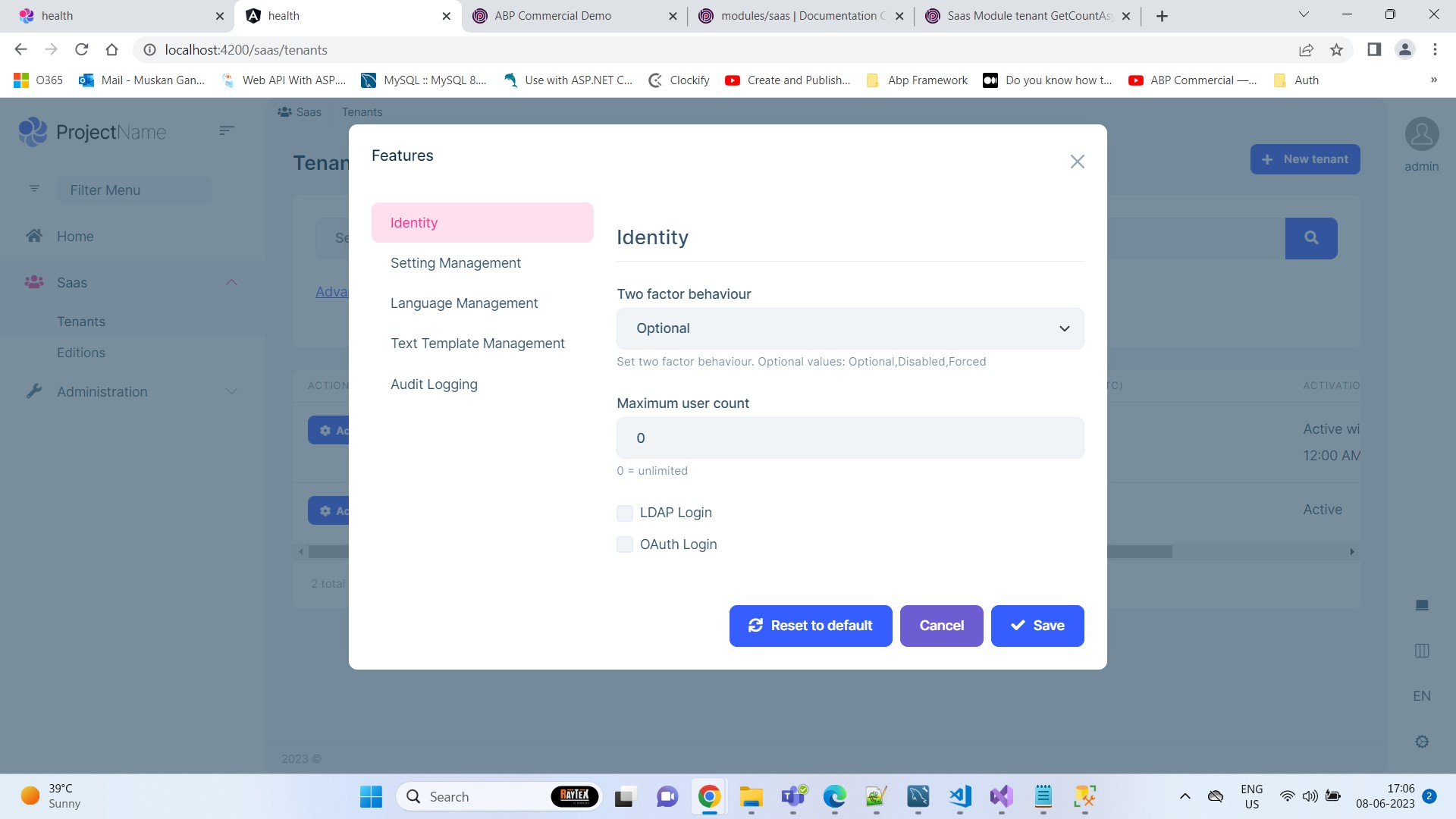
Under administration -> users we are missing Two factor menu option from actions.
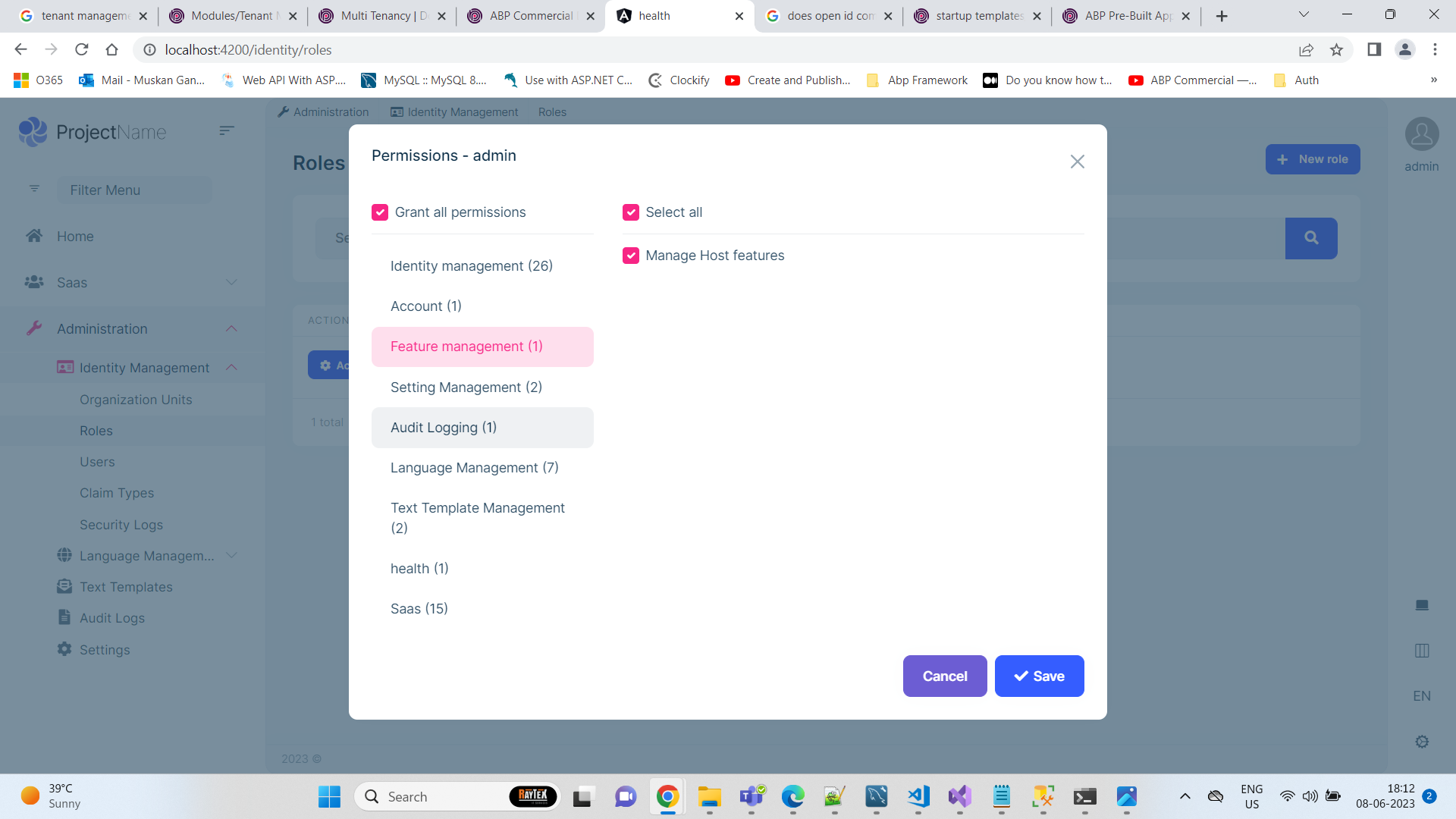
Under Administration->Roles->Actions Menu->Permisions We are missing menus for OpenId , Chat , File management.
 Markdown supported.Copy, paste, or drag & drop images and files (max 100 MB per file, 100 MB total per post)
 -
0
Hi,
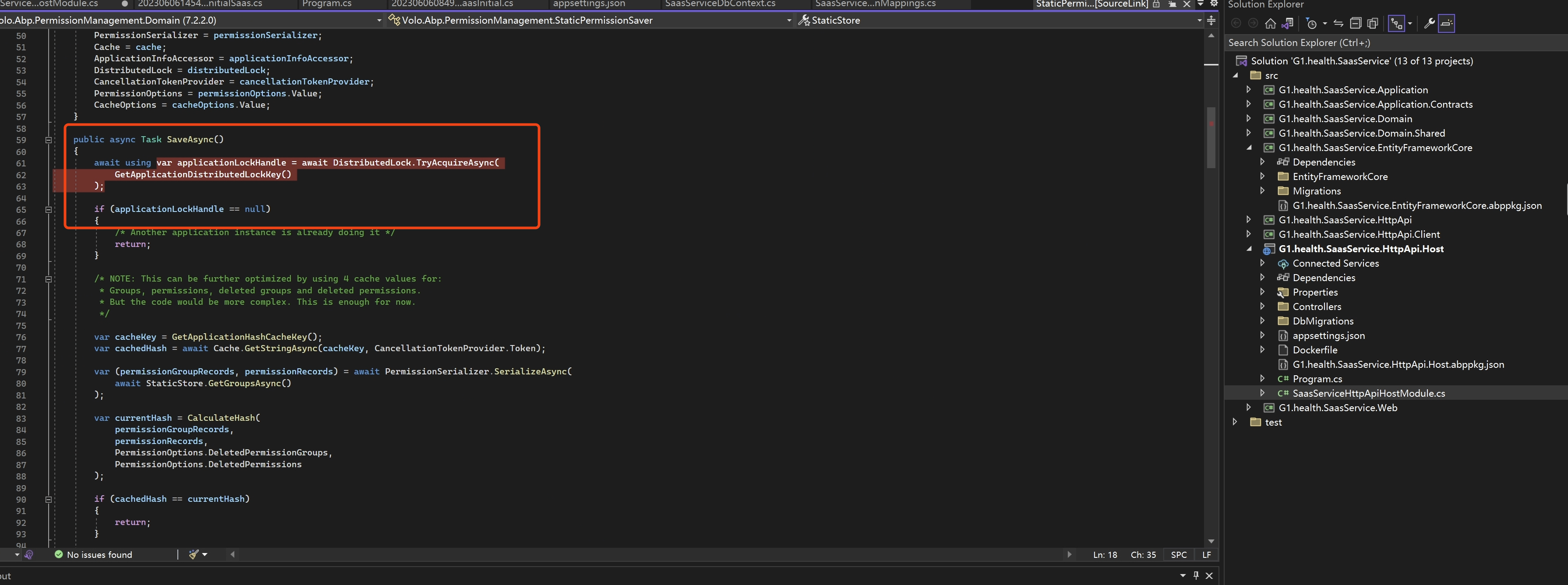
You can try to enable the source link to debug the
AbpPermissionManagementDomainModuleandStaticPermissionSaverclasses.abp will save the permission definition to the database when the application is startup. But here some reason causes the save not to complete, you can debug to check
 Markdown supported.Copy, paste, or drag & drop images and files (max 100 MB per file, 100 MB total per post)
 -
0
Hi,
You can try to enable the source link to debug the
AbpPermissionManagementDomainModuleandStaticPermissionSaverclasses.abp will save the permission definition to the database when the application is startup. But here some reason causes the save not to complete, you can debug to check
Hi Team, We are unable to debug the abp framework, This is related to abp framework and we expect you to debug and fix the issue at framework level ASAP.
Markdown supported.Copy, paste, or drag & drop images and files (max 100 MB per file, 100 MB total per post) -
0
Hi,
I think it may be related to the cache. Can you try to clear all the Redis caches?
Markdown supported.Copy, paste, or drag & drop images and files (max 100 MB per file, 100 MB total per post) -
0
After clearing the redis cache we got SaaS menu and Open Id menus.
But still missing other menus Under Administration->Roles->Actions Menu->Permisions We are missing menus for Chat , File management.
Under administration -> users we are missing Two factor menu option from actions. Under SasS menu->Features we are missing twon menus 1) Chat 2) File management
Markdown supported.Copy, paste, or drag & drop images and files (max 100 MB per file, 100 MB total per post) -
0
Under administration -> users we are missing Two factor menu option from actions.
It look like a problem, we will check it.
We are missing menus for Chat , File management. Under SasS menu->Features we are missing twon menus 1) Chat 2) File management
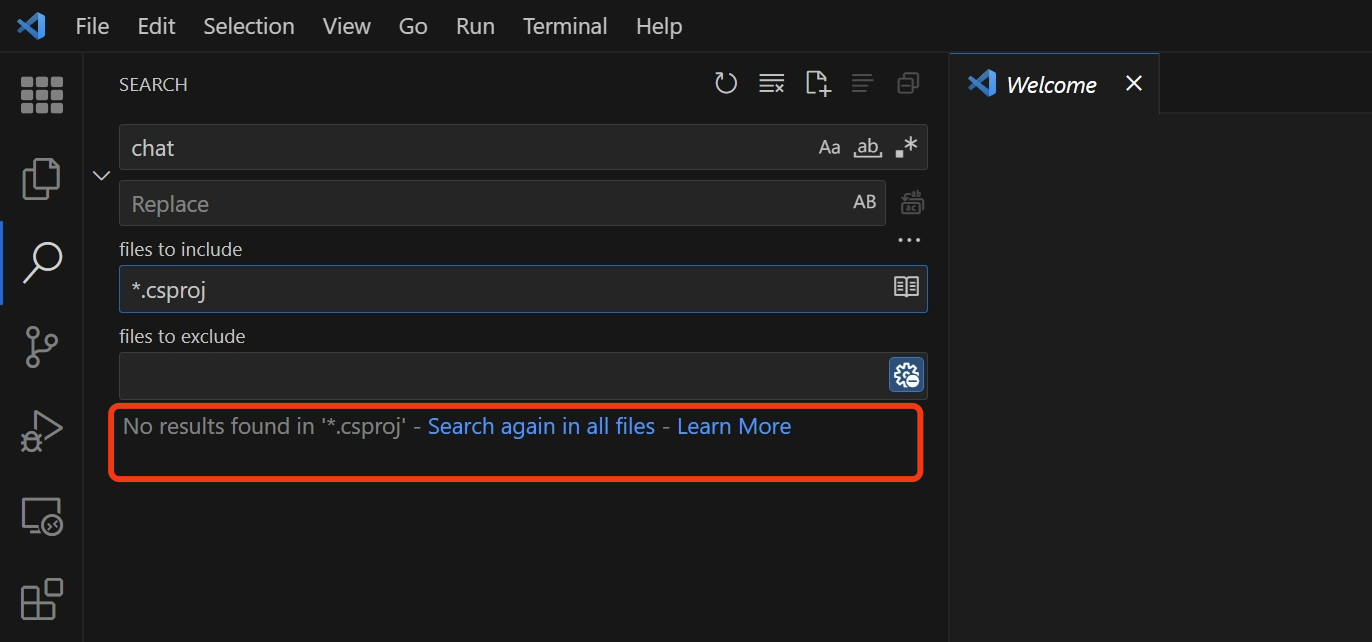
Did you install the Chat and File management modules? they are not pre-installed.
I didn't see you install them in the project you shared.
 Markdown supported.Copy, paste, or drag & drop images and files (max 100 MB per file, 100 MB total per post)