






*** ABP Framework version: v6.0.1
- UI type: MVC
- DB provider: EF Core
- Tiered (MVC) or Auth Server Separated (Angular): Tired
- Exception message and stack trace:
- Steps to reproduce the issue:"**
Hi, I am trying to pass the 'Sorting' field as a parameter from the frontend JS to the backend, but it is not being passed, whereas when I try to pass another parameter like 'FilterText', it does get passed. I am using this function: var getFilter = function () { return { filterText: "Hello", sorting: "sort" }; };
'Sorting' being an inherited field, may not be treated the same way to pass it as a parameter. Could you help me?
9 Answer(s)
-
0
You may try like this for sorting value ->
sorting: "id DESC"Markdown supported.Copy, paste, or drag & drop images and files (max 100 MB per file, 100 MB total per post) -
0
It remains the same, the response I am getting in the Backend is null.
Markdown supported.Copy, paste, or drag & drop images and files (max 100 MB per file, 100 MB total per post) -
0
Hi,
Are you sure you have a dto which inherits PagedAndSortedResultRequestDto can you send a screenshot of the network request from developer tools window
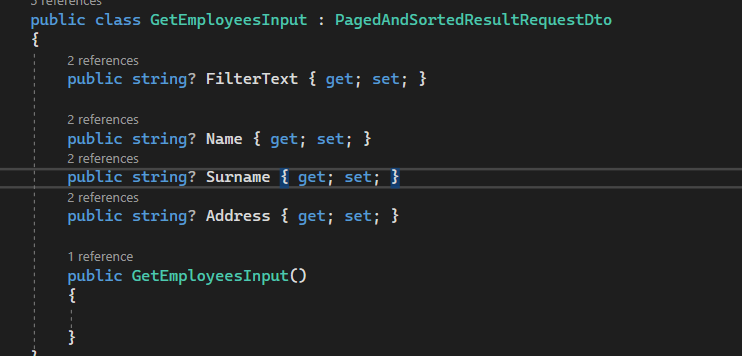 Markdown supported.Copy, paste, or drag & drop images and files (max 100 MB per file, 100 MB total per post)
 -
0
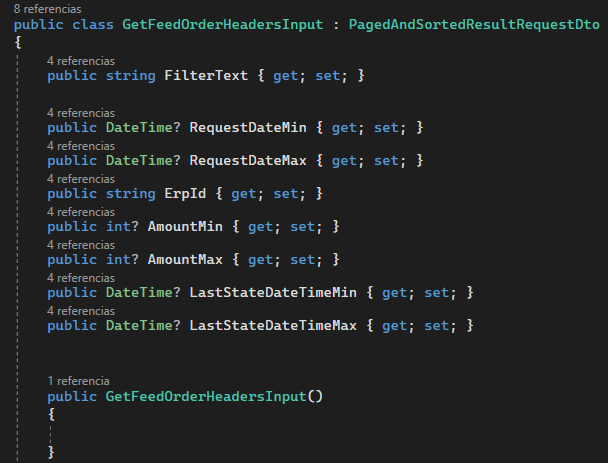
The inheritance with the class PagedAndSortedResultRequestDto was already implemented.
Markdown supported.Copy, paste, or drag & drop images and files (max 100 MB per file, 100 MB total per post) -
0
Hi,
Can you try with postman because Sorting is a query parameter. i am not able to reproduce the issue at my end.
?sorting=id desc&skipCount=0
can you send me a screenshot of you javascript code how you are calling the api and a network request screnshot?
Markdown supported.Copy, paste, or drag & drop images and files (max 100 MB per file, 100 MB total per post) -
0
In Postman, I receive the 'Sorting' parameter correctly, which makes it clear that the issue lies in the Frontend. I am sending you a screenshot of my JS code.
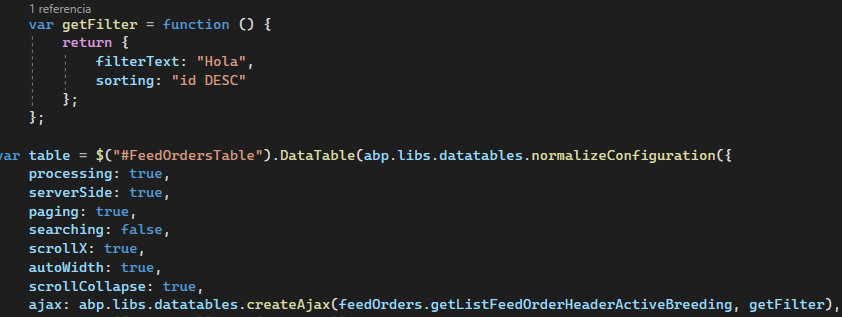 Markdown supported.Copy, paste, or drag & drop images and files (max 100 MB per file, 100 MB total per post)
 -
0
Hi,
can you send the column defs.? like this below : https://docs.abp.io/en/abp/latest/UI/AspNetCore/Data-Tables
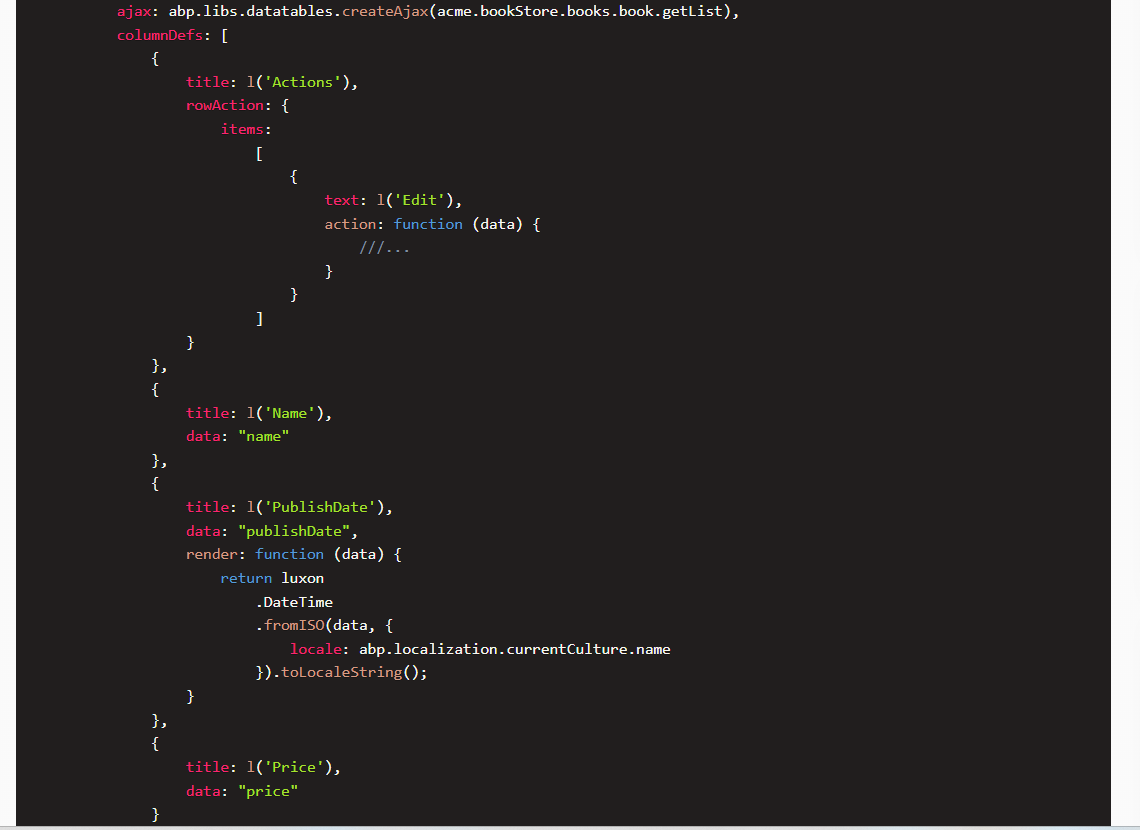 Markdown supported.Copy, paste, or drag & drop images and files (max 100 MB per file, 100 MB total per post)
 -
0
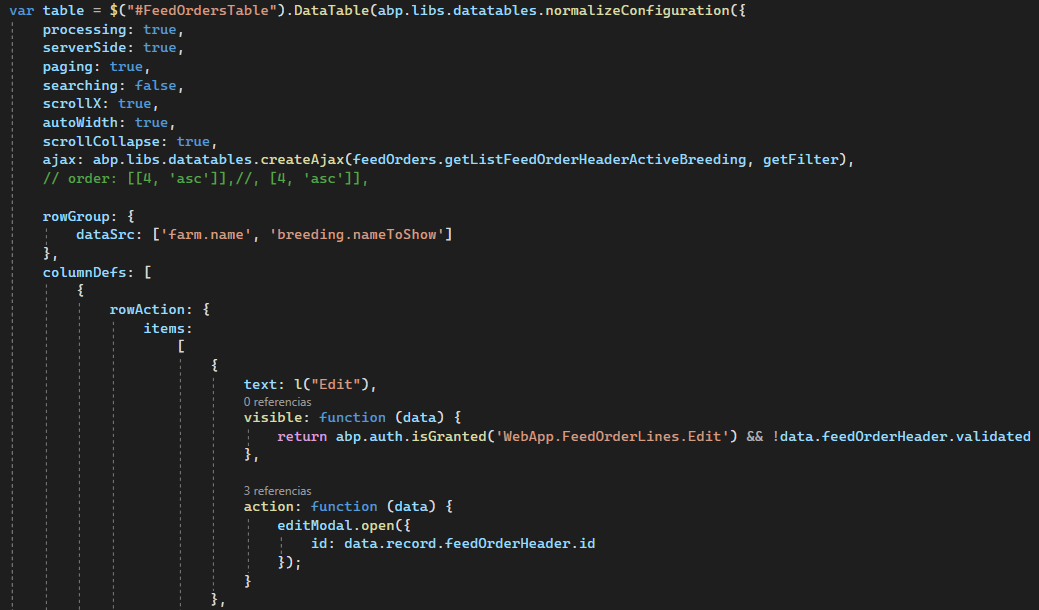
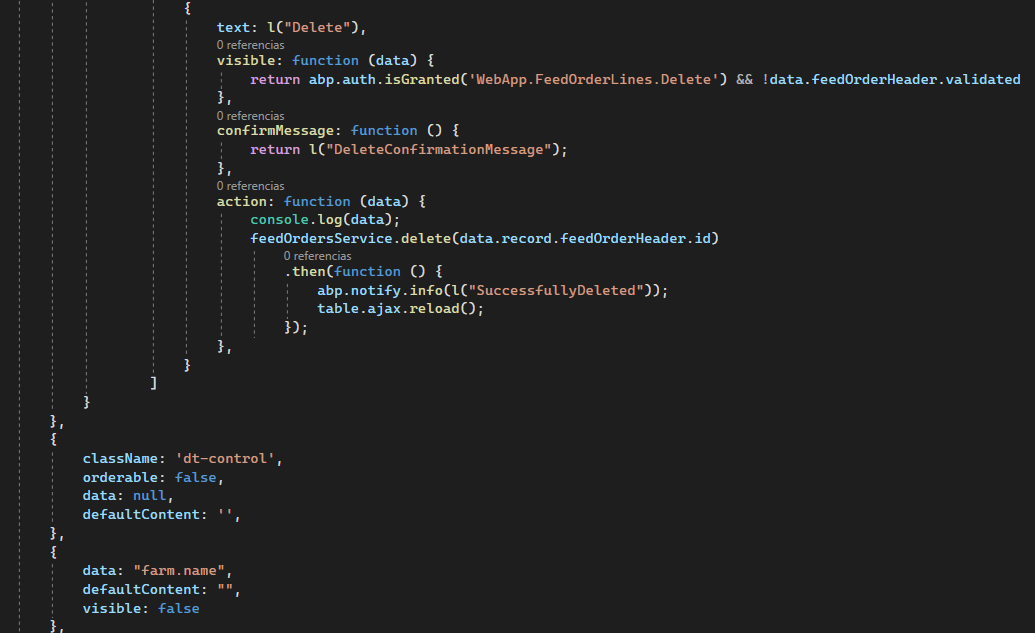
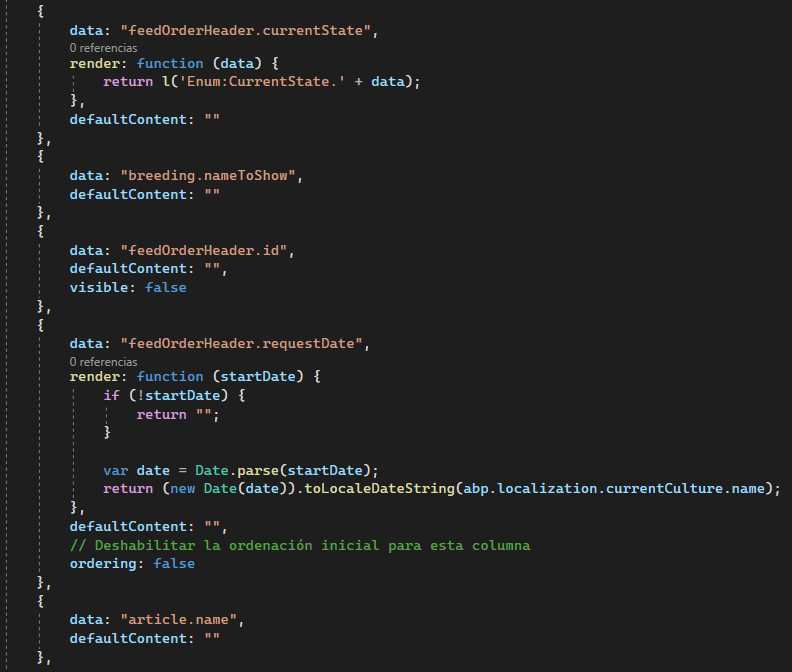
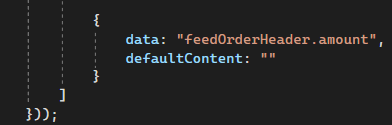 Markdown supported.Copy, paste, or drag & drop images and files (max 100 MB per file, 100 MB total per post)
 -
0
Hi
any reason you are passing sorting like this

sorting is a part of column definition specific to the data property. it should work by default you don't need to pass it. it will automatically pass the data as a property name for you. please remove and then try again.
Markdown supported.Copy, paste, or drag & drop images and files (max 100 MB per file, 100 MB total per post)


