






- ABP Framework version: v7.0.1
- UI Type: Angular
- Database System: Oracle
- Auth Server Separated
I create a custom permission definition in DB. On next step I assign it to a user role. This next step is impossible until I restart the app (so the list of permission definitions is being actualized). I do not want app restart - I need a "hot-reload" for permission definitions. How can I implement this? No dramatic changes, no switching to dynamic permissions! - I just need a small "Refresh" method, which would trigger permission definition list reload - so they all would be available for role assignment. Please, show a piece of code.
31 Answer(s)
-
0
Not resolved yet
Markdown supported.Copy, paste, or drag & drop images and files (max 100 MB per file, 100 MB total per post) -
0
hi
The
InitializeDynamicPermissionsis used to initial the dynamic permission system.You can copy some code to your app and call it.
https://github.com/abpframework/abp/blob/dev/modules/permission-management/src/Volo.Abp.PermissionManagement.Domain/Volo/Abp/PermissionManagement/AbpPermissionManagementDomainModule.cs#L64-L107
Markdown supported.Copy, paste, or drag & drop images and files (max 100 MB per file, 100 MB total per post) -
0
@maliming so basically I need to sequentially call
SaveStaticPermissionsToDatabaseAsyncand then -PreCacheDynamicPermissionsAsync?Markdown supported.Copy, paste, or drag & drop images and files (max 100 MB per file, 100 MB total per post) -
0
Since I'm doing this from
AppServicenotAbpModuleas in the original code, I've simplified the code. I took the DI instances of some required services and used the code below (_dynamicPermissionDefinitionStoreis not needed at all I think, because we do not use dynamic permissions, anyway, it makes no difference):private async Task RefreshAbpStaticAndDynamicPermissionsAsync() { await Policy .Handle<Exception>() .WaitAndRetryAsync(8, retryAttempt => TimeSpan.FromSeconds(RandomHelper.GetRandom((int)Math.Pow(2, retryAttempt) * 8, (int)Math.Pow(2, retryAttempt) * 12))) .ExecuteAsync(async _ => await _staticPermissionSaver.SaveAsync(), _cancellationTokenProvider.Token); await _dynamicPermissionDefinitionStore.GetGroupsAsync(); }However, it still does not work.
Do you have any further suggestions?
Markdown supported.Copy, paste, or drag & drop images and files (max 100 MB per file, 100 MB total per post) -
0
hi
Can you debug the
StaticPermissionSaverclass?https://github.com/abpframework/abp/blob/dev/modules/permission-management/src/Volo.Abp.PermissionManagement.Domain/Volo/Abp/PermissionManagement/StaticPermissionSaver.cs#L61
Try to see the changed permissions.
You can copy these code to a new class and call it.
Markdown supported.Copy, paste, or drag & drop images and files (max 100 MB per file, 100 MB total per post) -
0
Done. The created permissions are present in
permissionRecordscollection: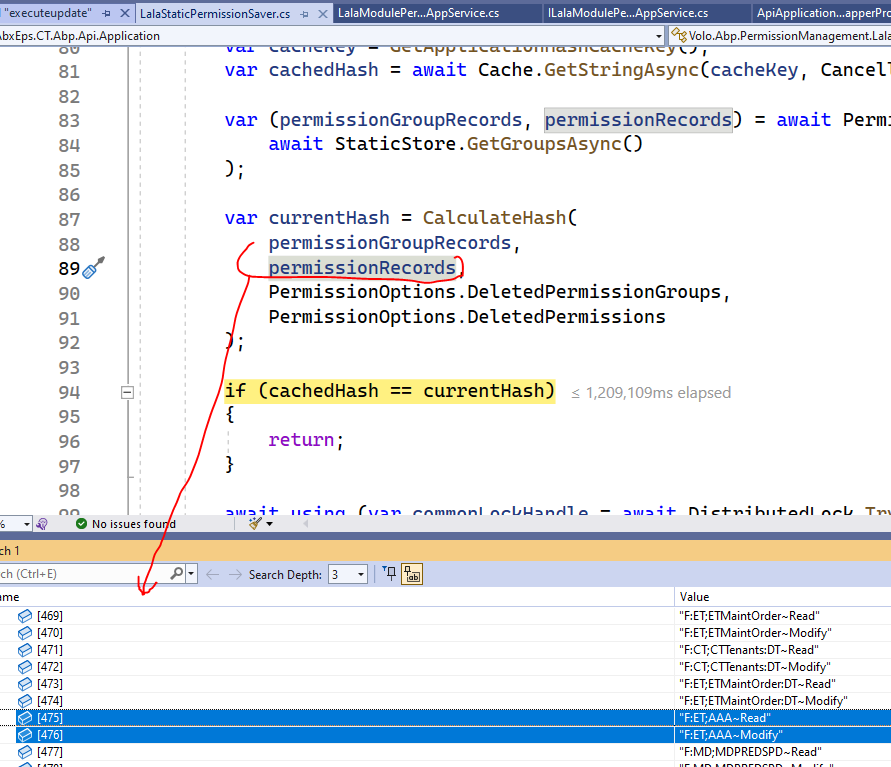
Despite this fact, when I try to assign them - the assignment is ignored until I restart the app:
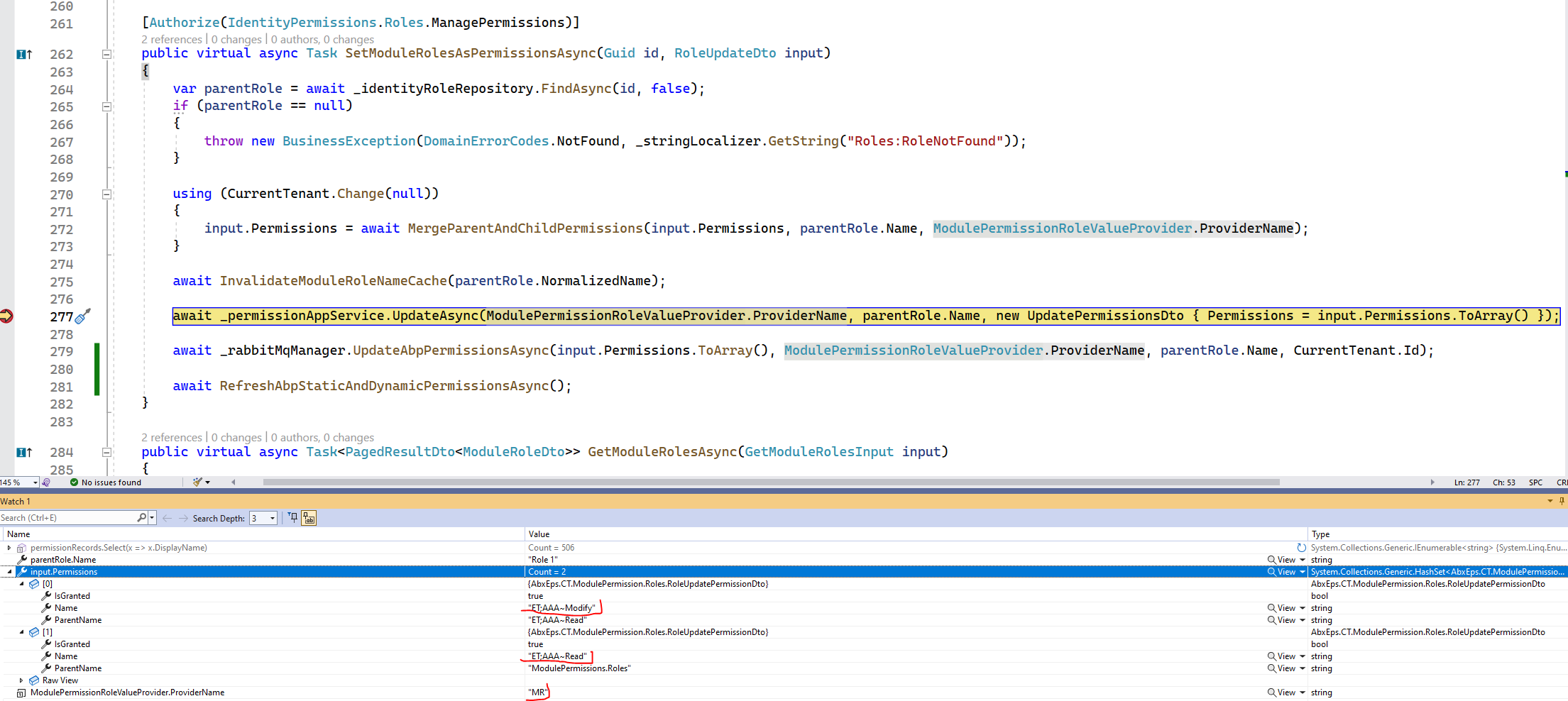 Markdown supported.Copy, paste, or drag & drop images and files (max 100 MB per file, 100 MB total per post)
 -
0
currentHashis changed.hasChangesInPermissionsistrue(hasChangesInGroupsisfalse). All in all, the methodSaveAsyncworks as expected, nocatchtriggered... However the permissions are not assigned...Markdown supported.Copy, paste, or drag & drop images and files (max 100 MB per file, 100 MB total per post) -
0
hi
. However the permissions are not assigned...
Did you manually insert data into the
AbpPermissionGrantstable?Please explain it in detail. Thanks
Markdown supported.Copy, paste, or drag & drop images and files (max 100 MB per file, 100 MB total per post) -
0
No, i did not insert them manually. I used the code shown previously:
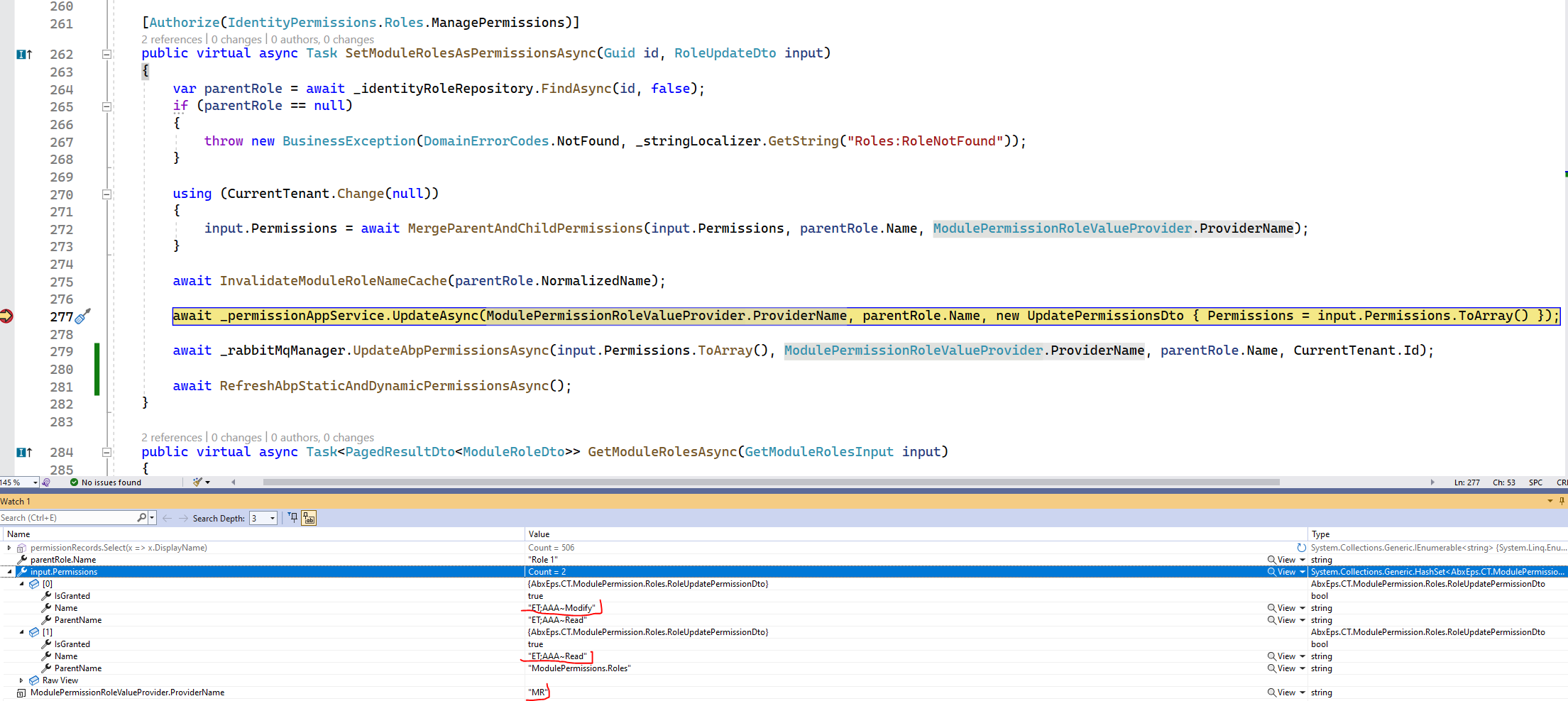
So, after this code I manually run server API request from client which executes the following:
    public virtual async Task RefreshAbpPermissionsAsync()
    {
        if (_cancellationTokenProvider.Token.IsCancellationRequested)
        {
            return;
        }

        if (_permissionManagementOptions.Value.SaveStaticPermissionsToDatabase)
        {
            await Policy
                .Handle<Exception>()
                .WaitAndRetryAsync(8, retryAttempt => TimeSpan.FromSeconds(RandomHelper.GetRandom((int)Math.Pow(2, retryAttempt) * 8, (int)Math.Pow(2, retryAttempt) * 12)))
                .ExecuteAsync(async _ => await _staticPermissionSaver.SaveAsync(), _cancellationTokenProvider.Token);
        }

        if (_cancellationTokenProvider.Token.IsCancellationRequested)
        {
            return;
        }

        if (_permissionManagementOptions.Value.IsDynamicPermissionStoreEnabled)
        {
            await _dynamicPermissionDefinitionStore.GetGroupsAsync();
        }
    }
This code is successful, as well as
StaticPermissionSavermethodRunAsync. So I see no reasons why the permission assignment afterwards is unsuccessful. No clue.Markdown supported.Copy, paste, or drag & drop images and files (max 100 MB per file, 100 MB total per post) -
0
I don't think it's feasible unfortunately. Our project is commercial and highly customized... Besides, it uses Oracle DB. It would take ages to create a test project based on it.
Could you please take the method above as a reference instead, wrap it inside API and try calling it from some test Angular app after creating a permission definition from UI in this test app? After calling this method - as we suppose here - I should be able to assign the brand-new permission definition to a user role using ABP
PermissionService(as also shown in the code above) without restarting the host...Markdown supported.Copy, paste, or drag & drop images and files (max 100 MB per file, 100 MB total per post) -
0
hi
I create a custom permission definition in DB. On next step I assign it to a user role. This next step is impossible until I restart the app (so the list of permission definitions is being actualized).
This sounds simple, and you don't need oracle. You can use sql server.
Markdown supported.Copy, paste, or drag & drop images and files (max 100 MB per file, 100 MB total per post) -
0
Probably you mean I might create a test ABP solution using ABP Suite setting it up for free SQL Server Express version - then add custom Permission Definition provider stuff, then add the UI page in test Angular app for creating custom permission definitions + assigning definitions to a user role, after this - add the API method for "refreshing" permission definition and finally check if the assignment is successful.
Even if it sounds simple for you - it does not sound simple for me. Our project has been developing during 3 years, becoming more and more complex and customized. Unfortunately, we do not have dedicated time to create custom projects for resolving occured issues. The preparation stage to accomplish all this in test ABP solution seems to take a noticeable amount of time. Plus - even if everything would work out here - it would make little sense for us, since it would mean the problem is somewhere else: for instance, we use a separate host (let's call it "host X") which consumes Domain.Shared and Application.Contracts projects from other hosts (A, B, C). When I create a permission definition - i make API call to this host from host A (it is like an admin host). Then I use RabbitMQ queries to refresh ABP Permission cache in ALL hosts (A, B, C). When I want to assign the created permission definition - I also make API call from host A to host X... So, now until I restart host X - I cannot make this assignment. Probably the problem is actually in this.
I would prefer try to identify the problem in our site (by debugging, etc.) - step by step. Just let me know where do I need to look and what do I need to look (probably debug
PermissionAppServiceor whatever).One more note which maybe is useful, maybe not: the custom permission definition I'm trying to assign is also a role at the same time (we have two-layer role mechanism):
 So we actually assign a "module role" to an "ordinary role". But it should not be a problem I guess, because there is a custom Permission Definition Provider which just reads "module roles" as usual permissions from DB...
Later on we assign "ordinary permissions" to "module roles".
So we actually assign a "module role" to an "ordinary role". But it should not be a problem I guess, because there is a custom Permission Definition Provider which just reads "module roles" as usual permissions from DB...
Later on we assign "ordinary permissions" to "module roles".Everything works fine in this implementation. The only issue is that I need to restart host X to be able to assign "module roles" to "ordinary roles" (user roles).
Markdown supported.Copy, paste, or drag & drop images and files (max 100 MB per file, 100 MB total per post) -
0
hi
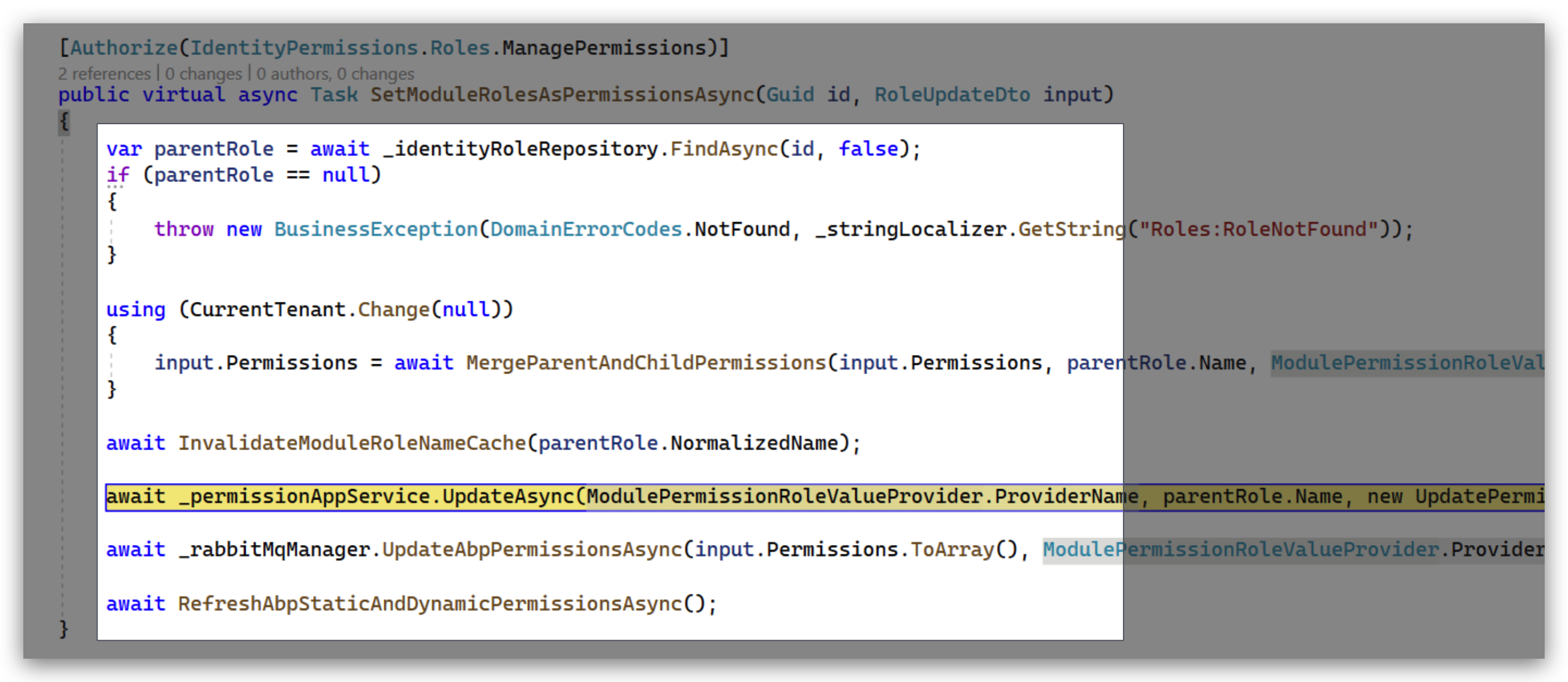
You can try to split these method calls into separate unit of work, and maybe you can try clearing Redis after this.
https://docs.abp.io/en/abp/latest/Unit-Of-Work#begin-a-new-unit-of-work
 Markdown supported.Copy, paste, or drag & drop images and files (max 100 MB per file, 100 MB total per post)
 -
0
Ok, I will try. But we don't use Redis: we use ABP cache in each app and sync them via RabbitMQ. Does it make the difference?
Markdown supported.Copy, paste, or drag & drop images and files (max 100 MB per file, 100 MB total per post) -
0
hi
we use ABP cache in each app and sync them via RabbitMQ. Does it make the difference?
I don't think this is good practice, You can try to using Redis.
Markdown supported.Copy, paste, or drag & drop images and files (max 100 MB per file, 100 MB total per post) -
0
I think we are not ready to switch to Redis now... We will keep using ABP caches in the nearest time. At least it proved workable with RabbitMQ sync. I will keep you informed if splitting into units would help.
Markdown supported.Copy, paste, or drag & drop images and files (max 100 MB per file, 100 MB total per post) -
0
I really cannot switch to Redis, but I checked the UnitOfWork split and it did not help:
    [Authorize(IdentityPermissions.Roles.ManagePermissions)]
    public virtual async Task SetModuleRolesAsPermissionsAsync(Guid id, RoleUpdateDto input)
    {
        var parentRole = await _identityRoleRepository.FindAsync(id, false);
        if (parentRole == null)
        {
            throw new BusinessException(DomainErrorCodes.NotFound, _stringLocalizer.GetString("Roles:RoleNotFound"));
        }

        using (CurrentTenant.Change(null))
        {
            input.Permissions = await MergeParentAndChildPermissions(input.Permissions, parentRole.Name, ModulePermissionRoleValueProvider.ProviderName);
        }

        await InvalidateModuleRoleNameCache(parentRole.NormalizedName);

        using (var uow = _unitOfWorkManager.Begin(requiresNew: true, isTransactional: false))
        {
            await _permissionAppService.UpdateAsync(ModulePermissionRoleValueProvider.ProviderName, parentRole.Name, new UpdatePermissionsDto { Permissions = input.Permissions.ToArray() });
            await uow.CompleteAsync();
        }

        using (var uow = _unitOfWorkManager.Begin(requiresNew: true, isTransactional: false))
        {
            await _rabbitMqManager.UpdateAbpPermissionsAsync(input.Permissions.ToArray(), ModulePermissionRoleValueProvider.ProviderName, parentRole.Name, CurrentTenant.Id);
            await uow.CompleteAsync();
        }
    }
If this method did not work at all - I would suspect the issue with the method. But it works correctly - however only if I restart the mentioned host X after creating a module role (my permission definition).
The method which eventually updates ABP Permission Cache is simple:
    private async Task HandleAbpUpdatePermission(AbpPermissionRabbitMqUpdateEto abpPermissionData)
    {
        if (abpPermissionData == null)
        {
            return;
        }

        var abpPermissionGrantCache = _serviceProvider.GetService<IDistributedCache<PermissionGrantCacheItem>>();

        var currentTenant = _serviceProvider.GetService<ICurrentTenant>();

        using (currentTenant.Change(abpPermissionData.AbpTenantId))
        {
            await abpPermissionGrantCache.SetManyAsync(
                abpPermissionData.Permissions.Select(permission =>
                    new KeyValuePair<string, PermissionGrantCacheItem>(permission.Key, new PermissionGrantCacheItem(permission.Value))));
        }
    }
So what is happening after calling ABP
PermissionAppService-_rabbitMqManager.UpdateAbpPermissionsAsyncsends the message to the RabbitMQ queue and each host updates its own Permission Cache.Is it possible to debug
PermissionAppServicetrying to figure out why the update produces no result?Markdown supported.Copy, paste, or drag & drop images and files (max 100 MB per file, 100 MB total per post) -
0
hi
PermissionAppServicewill update the database.You can check the data in the database and cache. Then check them again after restarting the
host XSee what happened to the data change.
Markdown supported.Copy, paste, or drag & drop images and files (max 100 MB per file, 100 MB total per post) -
0
Will try, thank you. Will keep you posted.
Markdown supported.Copy, paste, or drag & drop images and files (max 100 MB per file, 100 MB total per post)


