- ABP Framework version: v5.3
- UI Type: Angular
- Database System: PostgreSQL
- Tiered (for MVC) or Auth Server Separated (for Angular): no
- Exception message and full stack trace:
2024-05-13 15:24:06.001 +10:00 [DBG] HandleChallenge with Location: "https://ewatertest.b2clogin.com/ewatertest.onmicrosoft.com/b2c_1_sisu_rohan/oauth2/v2.0/ etc etc etc . [Microsoft.AspNetCore.Authentication.OpenIdConnect.OpenIdConnectHandler] 2024-05-13 15:24:06.002 +10:00 [INF] AuthenticationScheme: "OpenIdConnect" was challenged. [Microsoft.AspNetCore.Authentication.OpenIdConnect.OpenIdConnectHandler] 2024-05-13 15:24:08.992 +10:00 [DBG] Updating configuration [Microsoft.AspNetCore.Authentication.OpenIdConnect.OpenIdConnectHandler] 2024-05-13 15:24:08.994 +10:00 [DBG] Received 'id_token' [Microsoft.AspNetCore.Authentication.OpenIdConnect.OpenIdConnectHandler] 2024-05-13 15:24:09.220 +10:00 [DBG] Redeeming code for tokens. [Microsoft.AspNetCore.Authentication.OpenIdConnect.OpenIdConnectHandler] 2024-05-13 15:24:09.432 +10:00 [DBG] UserInfoEndpoint is not set. Claims cannot be retrieved. [Microsoft.AspNetCore.Authentication.OpenIdConnect.OpenIdConnectHandler]
- Steps to reproduce the issue:
We are using Azure B2C as an external login provider. Having scoured online for the right settings the open id connection can authenticate users just fine and all the tokens we need are returned. But the debug message above indicates the 'user info endpoint isn't being set'. As far as I can tell that's supposed to be automatic, no config needed from us. We can't get any other info out of debug. No idea what to try next to find out what the actual problem or error is.
8 Answer(s)
-
0
Here it is. We use AddOpenidConnect because our framework is so old. If I can get it to work with this then good, because I don't have budget to update the framework or modules right now. We have tried this same flow with a site we have that was built on 7.x with OpenIddict and it works just fine.
context.Services.AddAuthentication().AddOpenIdConnect("OpenIdConnect", "Azure B2C", options =>
{
    //options.SignInScheme = IdentityServerConstants.ExternalCookieAuthenticationScheme;
    options.Authority = "[https://\<tenant>.b2clogin.com/](https://%3Ctenant%3E.b2clogin.com/)\<domain>/\<Flow>/v2.0";
    options.ClientId = "\\\<client>";
    options.ClientSecret = "\<secret>";
    options.CallbackPath = "/signin-oidc";
    options.RequireHttpsMetadata = false;
    options.SaveTokens = true;
    options.GetClaimsFromUserInfoEndpoint = true;
    options.ResponseType = OpenIdConnectResponseType.CodeIdTokenToken;
    var scope = "openid \<client> offline\_access email";
    options.Scope.Add(scope);
    options.ClaimActions.MapJsonKey(ClaimTypes.NameIdentifier, "sub");
Markdown supported.Copy, paste, or drag & drop images and files (max 100 MB per file, 100 MB total per post) -
0
Sure: https://ewatertest.b2clogin.com/ewatertest.onmicrosoft.com/B2C_1_SISU_ROHAN/v2.0
Markdown supported.Copy, paste, or drag & drop images and files (max 100 MB per file, 100 MB total per post) -
0
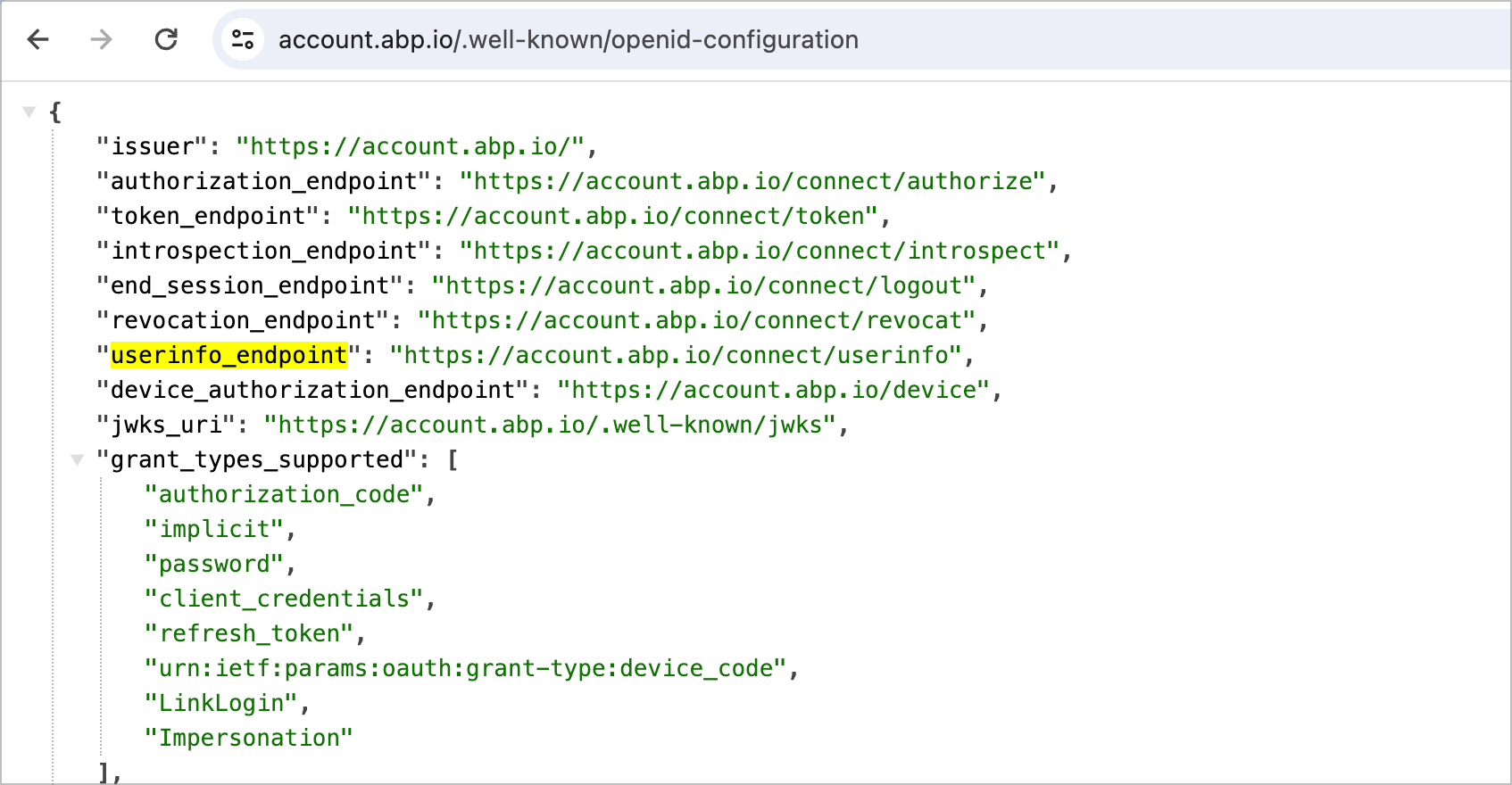
Ok so it looks like there's no userinfo_endpoint in B2C and I have to set up a bunch of custom policy to make that work. I was under the impression from the many guides I've been reading that all that info is supposed to be in the token that gets returned.
Markdown supported.Copy, paste, or drag & drop images and files (max 100 MB per file, 100 MB total per post) -
0
Looks like this is what I was looking for. Useful for anyone else having this problem getting it to work for ABP. https://medium.com/the-new-control-plane/using-the-userinfo-endpoint-in-azure-ad-b2c-41a01c4907a2
Markdown supported.Copy, paste, or drag & drop images and files (max 100 MB per file, 100 MB total per post)