






0
neethucp created
- ABP Framework version: v8.2.0
- UI Type: Blazor Server
- Database System: EF Core
- Tiered (for MVC) or Auth Server Separated (for Angular): yes
Hi,
We have integrated Azure AD authentication in our application. However, when we try to logout, it does not logout from Azure AD. Can you please guide us on how to implement logout from external provider in abp?
Markdown supported.
Copy, paste, or drag & drop images and files (max 100 MB per file, 100 MB total per post)
29 Answer(s)
-
0
For example:
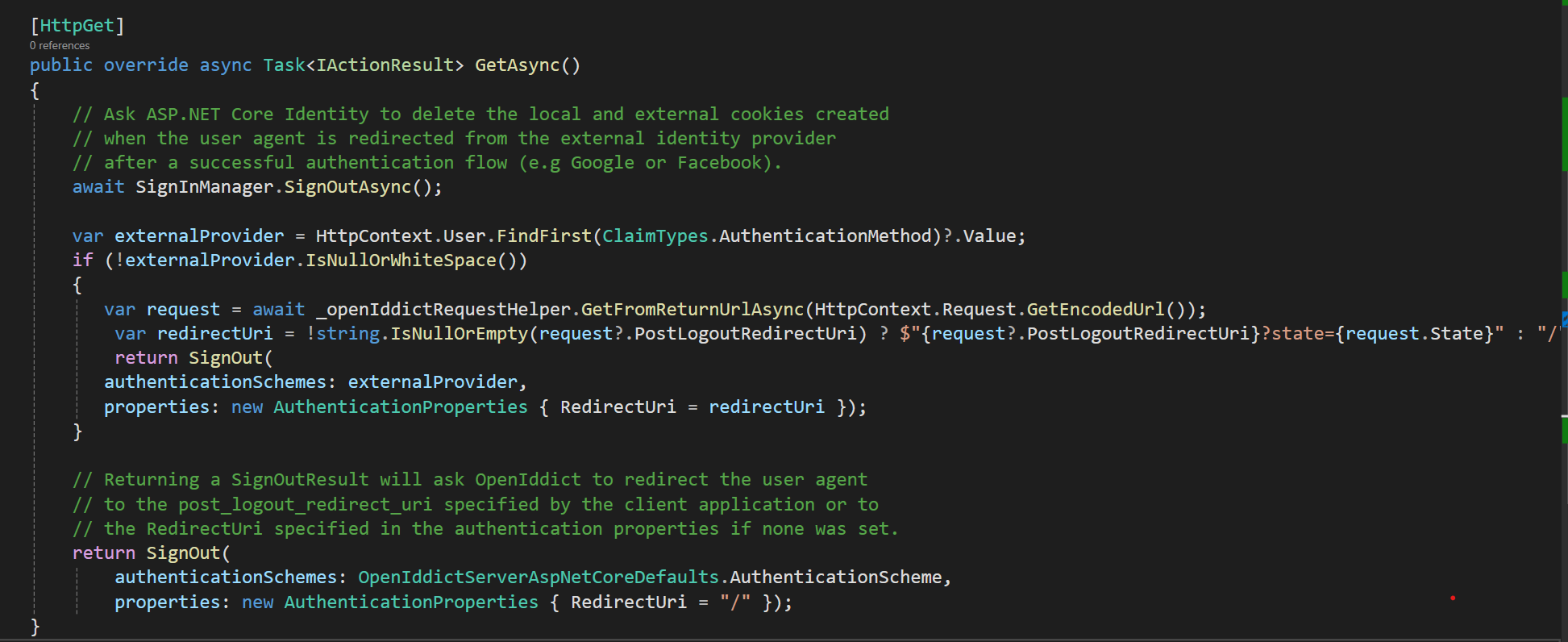
[Route("connect/logout")]
[ApiExplorerSettings(IgnoreApi = true)]
[Dependency(ReplaceServices = true)]
[ExposeServices(typeof(LogoutController))]
public class MyLogoutController : LogoutController
{
    [HttpGet]
    public async override Task<IActionResult> GetAsync()
    {
        await SignInManager.SignOutAsync();

        var post_logout_redirect_uri = HttpContext.Request.Query["post_logout_redirect_uri"].ToString();

        return SignOut(authenticationSchemes: "AzureAD" , properties: new AuthenticationProperties()
        {
            RedirectUri = post_logout_redirect_uri.Replace("signout-callback-oidc", "")
        });
    }
}
Markdown supported.Copy, paste, or drag & drop images and files (max 100 MB per file, 100 MB total per post) -
0
Hi,
This doesn't look right to me. Auth server is supposed to validate the post logout redirect uri against the uris registered for the client application and then invoke the post logout redirect uri which will be handled by OpenIdConnectHandler in the client application. The client application then decides which page to display.
Markdown supported.Copy, paste, or drag & drop images and files (max 100 MB per file, 100 MB total per post) -
0
You can try
[Route("connect/logout")]
[ApiExplorerSettings(IgnoreApi = true)]
[Dependency(ReplaceServices = true)]
[ExposeServices(typeof(LogoutController))]
public class MyLogoutController : LogoutController
{
    [HttpGet]
    public async override Task<IActionResult> GetAsync()
    {
        await SignInManager.SignOutAsync();

        var post_logout_redirect_uri = HttpContext.Request.Query["post_logout_redirect_uri"].ToString();

        return SignOut(authenticationSchemes: "AzureAD" , properties: new AuthenticationProperties()
        {
            RedirectUri ="https://localhost:44322/account/loggedout?PostLogoutRedirectUri="+ post_logout_redirect_uri.Replace("signout-callback-oidc", "")
        });
    }
}
Markdown supported.Copy, paste, or drag & drop images and files (max 100 MB per file, 100 MB total per post)

Showing 26 to 29 of 29 entries.

