






- ABP Framework version: 8.0
- UI Type: Angular
- Database System: EF Core (PostgreSQL)
- Auth Server Separated (for Angular): yes
- Exception message and full stack trace:
- Steps to reproduce the issue:
Objective: To bypass the ABP.IO login page and redirect users directly to the IdP’s login page, and after successful authentication, redirect them to application’s dashboard.
Description :- I have integrated OpenIdConnect with a third-party Identity Provider (IdP) in a new ABP.IO template project, and it is working as expected. However, we have a requirement where, when a client clicks on our application logo (which is already configured within their application), they should be redirected directly to the IdP's login page instead of the ABP.IO login page. After authentication with the IdP, the user should be redirected to our dashboard.
I need assistance how to handle routing and above scenario in abp.io template.
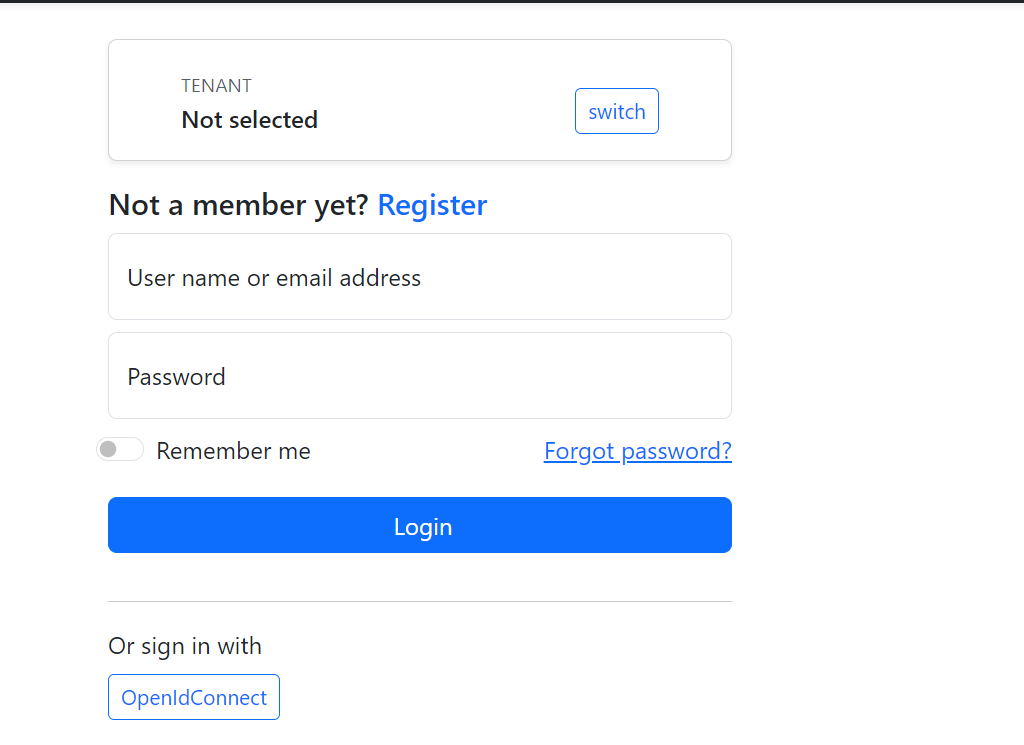
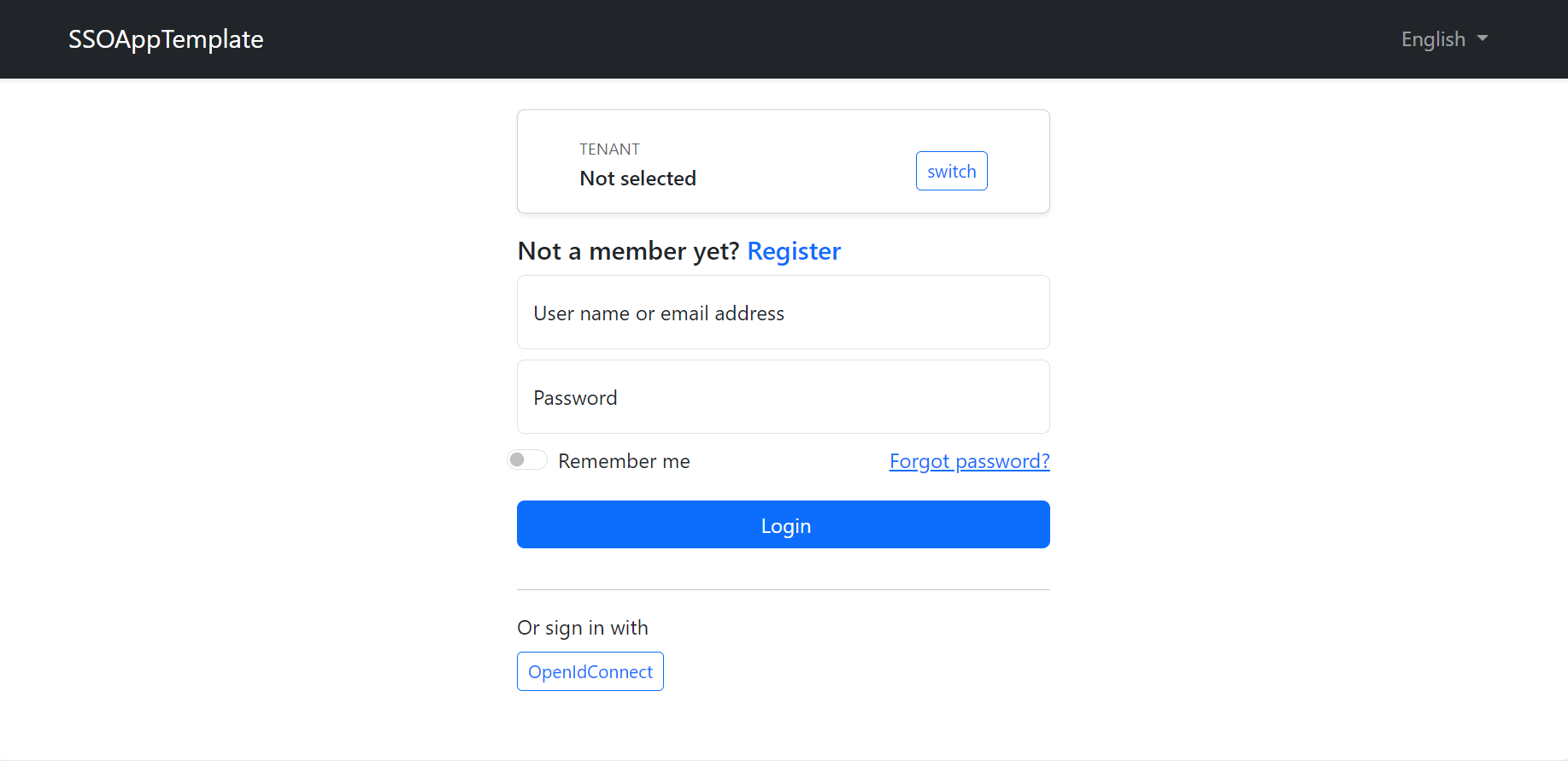
<br> I don't want to show below screen for OpenIdConnect login user.
47 Answer(s)
-
0
pls try now
Markdown supported.Copy, paste, or drag & drop images and files (max 100 MB per file, 100 MB total per post) -
0
First move
OIDCControllerfromHttpApi.HosttoAuthserverthen remove
CallbackPathfromappsettingsand theAddOpenIdConnectmethod.remove
AuthorizefromOIDCControllerUse
api/oidc/loginmethod instead ofauthorize.Update your logo href link to
<AuthServerURL>api/oidc/loginMarkdown supported.Copy, paste, or drag & drop images and files (max 100 MB per file, 100 MB total per post) -
0
First move
OIDCControllerfromHttpApi.HosttoAuthserverI will do first pointthen remove
CallbackPathfromappsettingsand theAddOpenIdConnectmethod.CallbackPathit's mandatory for ifAddOpenIdConnect, if i remove this then by default read "/sigin-oidc" path and then facing call back URLpath. we can't remove because it's mandatory.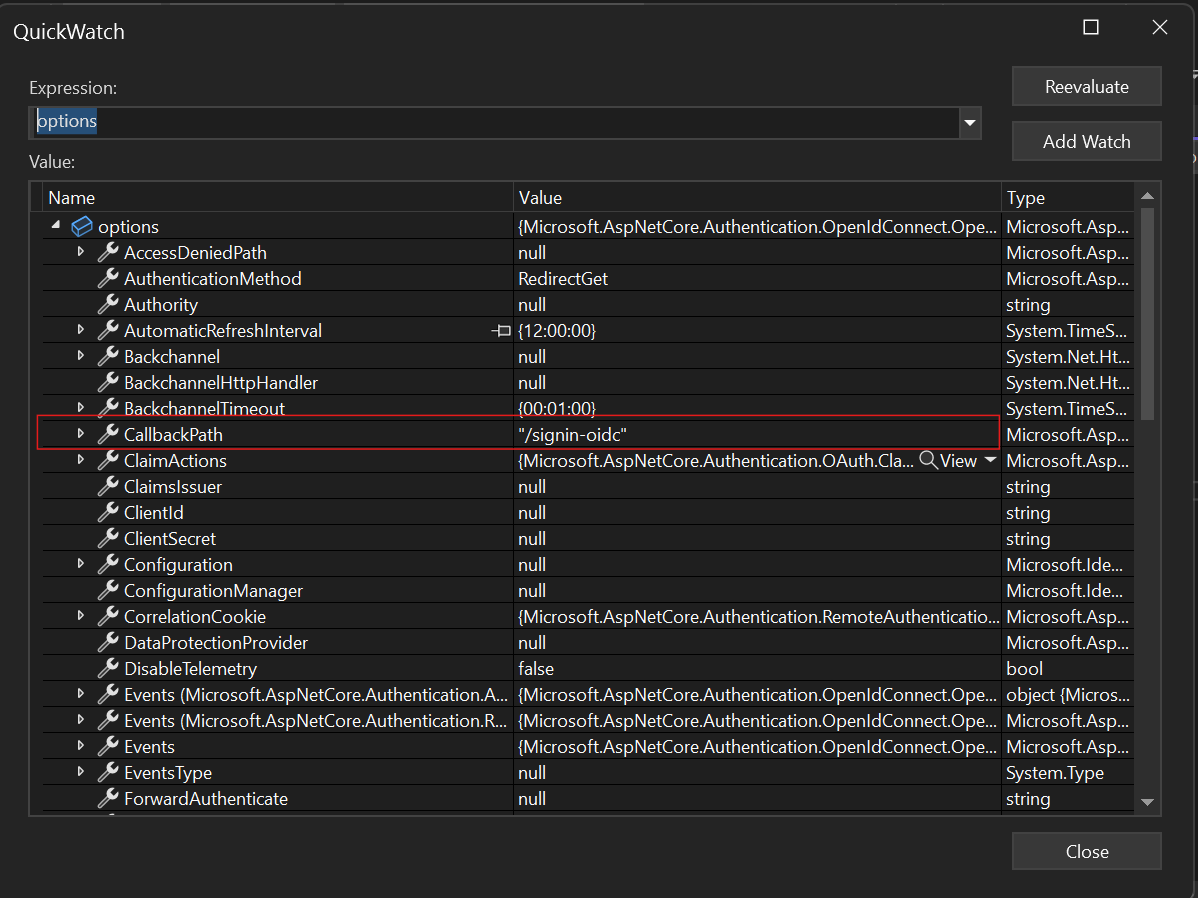
remove
AuthorizefromOIDCControllerOne of ABP ticket i have seen we can handle multiple schema like below code, then you can used
Authorizefor controller. Note:- it's working this means if i access specific URL endpoint able to access doesn't cause issueAuthorize.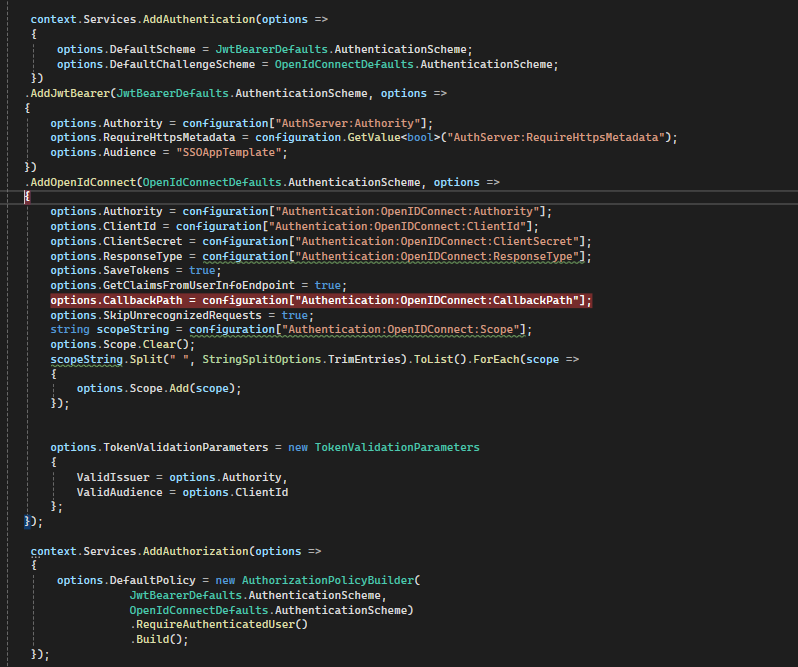
Use
api/oidc/loginmethod instead ofauthorize.Update your logo href link to
<AuthServerURL>api/oidc/loginI have same requirement like this ticket . https://abp.io/support/questions/5493/How-do-I-generate-the-Auth-url-that-will-allow-a-non-ABP-related-website-authenticate-with-ABP-OpenIddict. instead of
authorize method i used below method to initial OIDC flow.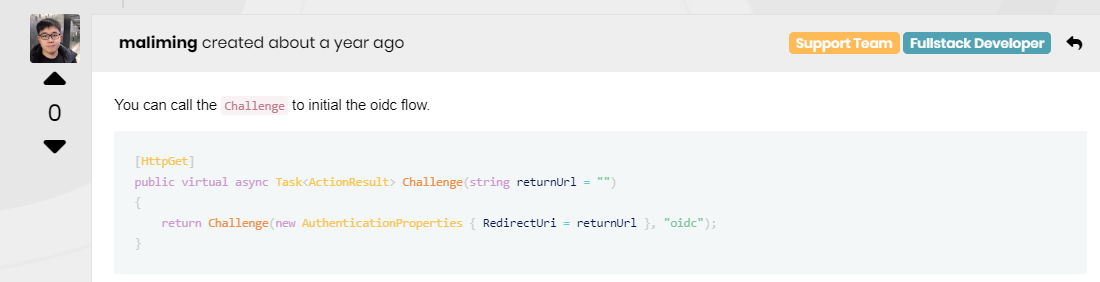 I was able to log in successfully, but after the login, I need to redirect to the Angular dashboard. However, after being redirected, the dashboard is displaying the following screen.
 Markdown supported.Copy, paste, or drag & drop images and files (max 100 MB per file, 100 MB total per post)
 -
0
CallbackPath it's mandatory for if AddOpenIdConnect, if i remove this then by default read "/sigin-oidc" path and then facing call back URLpath. we can't remove because it's mandatory.
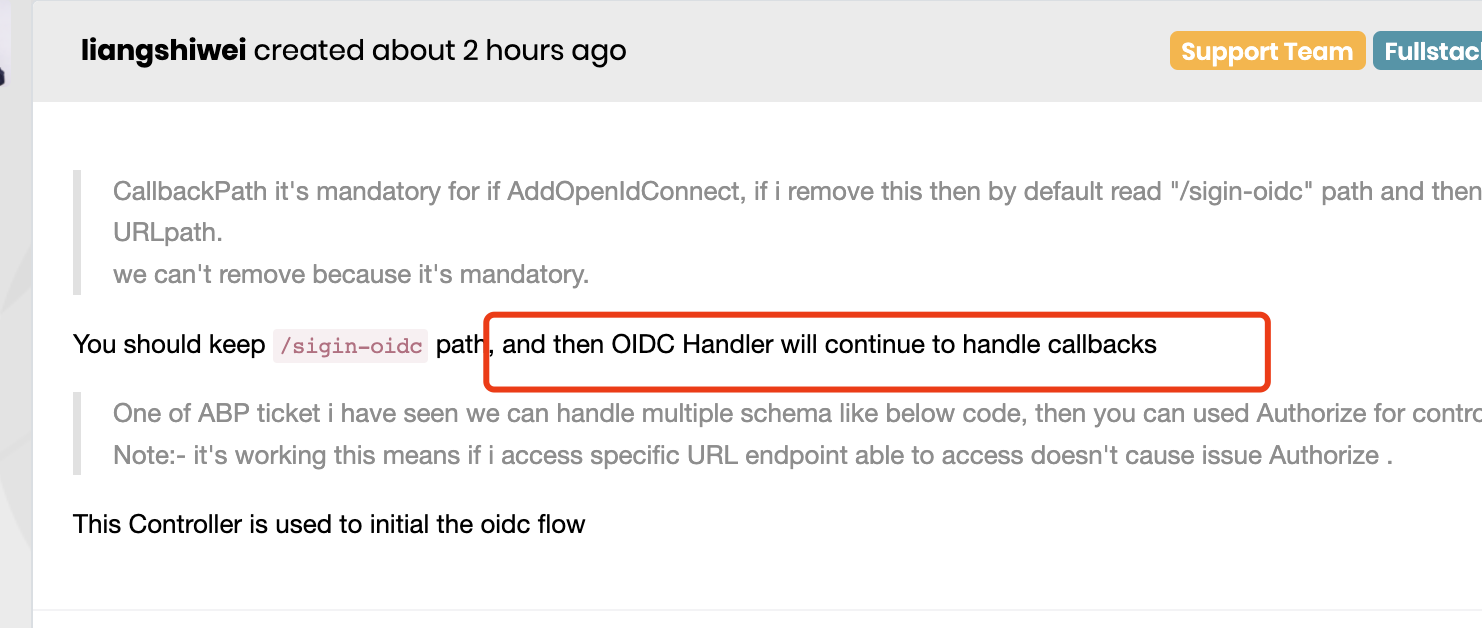
You should keep
/sigin-oidcpath, and then OIDC Handler will continue to handle callbacksOne of ABP ticket i have seen we can handle multiple schema like below code, then you can used Authorize for controller. Note:- it's working this means if i access specific URL endpoint able to access doesn't cause issue Authorize .
This Controller is used to initial the oidc flow
Markdown supported.Copy, paste, or drag & drop images and files (max 100 MB per file, 100 MB total per post) -
0
Please update the
redirect_uri, i will check it.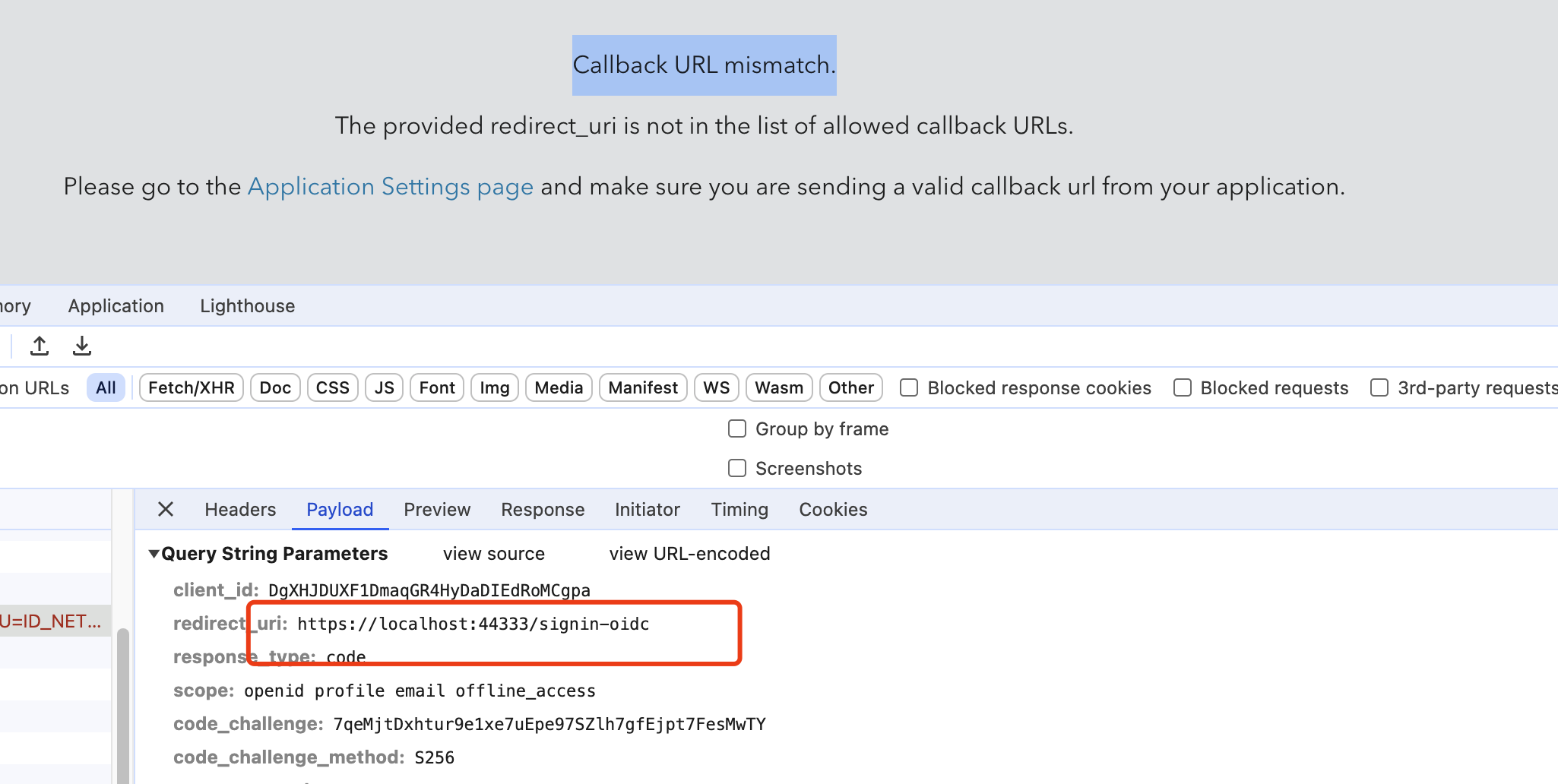 Markdown supported.Copy, paste, or drag & drop images and files (max 100 MB per file, 100 MB total per post)
 -
0
update pls check. and pls clear cheche as well
 Markdown supported.Copy, paste, or drag & drop images and files (max 100 MB per file, 100 MB total per post)
 -
0
still get wrong
Markdown supported.Copy, paste, or drag & drop images and files (max 100 MB per file, 100 MB total per post) -
0
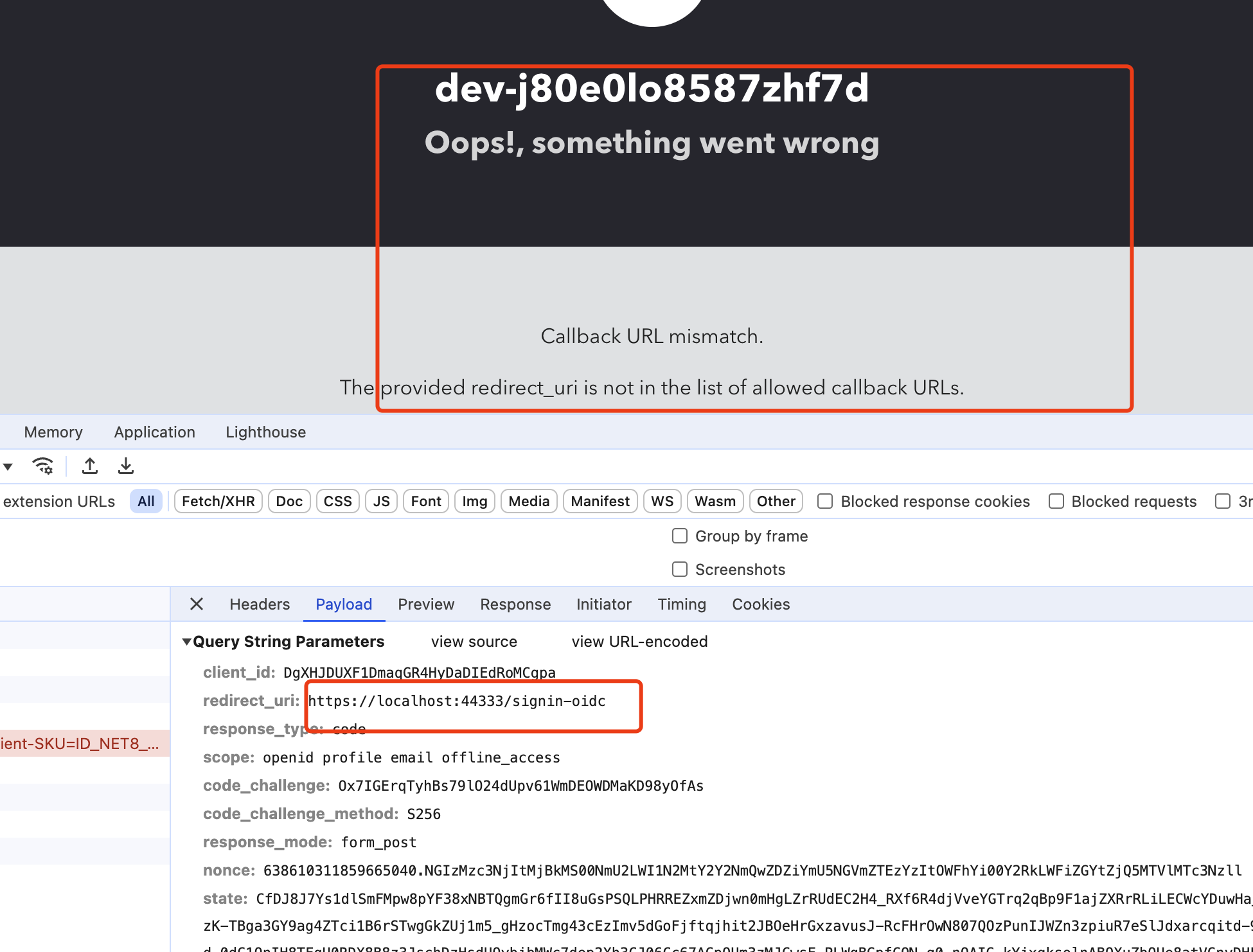
what is issue ? However, ** "/signin-oidc"** method exist in application after authenticated response redirected this endpoint
Markdown supported.Copy, paste, or drag & drop images and files (max 100 MB per file, 100 MB total per post) -
0
 Markdown supported.Copy, paste, or drag & drop images and files (max 100 MB per file, 100 MB total per post)
 -
0
what is issue ? However, ** "/signin-oidc"** method exist in application after authenticated response redirected this endpoint
?
Markdown supported.Copy, paste, or drag & drop images and files (max 100 MB per file, 100 MB total per post) -
0
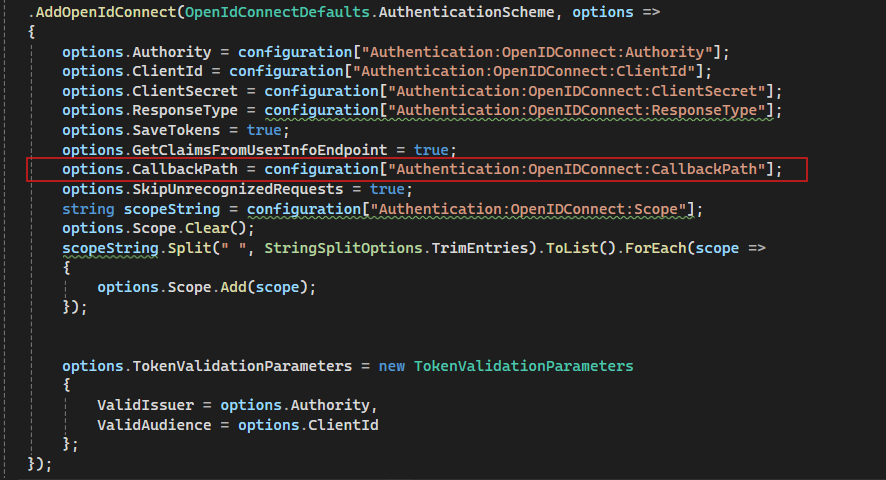
If we can't add any call back URL in below AddOpenIdConnect configuration then by default redirect this end point "/signin-oidc"
 Markdown supported.Copy, paste, or drag & drop images and files (max 100 MB per file, 100 MB total per post)
 -
0
We are currently facing an unresolved issue with client authentication that has been escalating internally. This problem is impacting our productivity and is also affecting our client, who is waiting for a resolution.
Given the urgency and complexity of the situation, I believe scheduling a meeting would be beneficial. This will allow us to discuss the issue in detail and work towards a swift resolution.
Could you please arrange a meeting at your earliest convenience? Your assistance in this matter would be greatly appreciated
Markdown supported.Copy, paste, or drag & drop images and files (max 100 MB per file, 100 MB total per post) -
0
Hi
However, ** "/signin-oidc"** method exist in application after authenticated response redirected this endpoint
Could you please arrange a meeting at your earliest convenience? Your assistance in this matter would be greatly appreciated
I don't think a meeting will help.
please configure the
/signin-oidccallback path in the auth0, i will check it thenMarkdown supported.Copy, paste, or drag & drop images and files (max 100 MB per file, 100 MB total per post) -
0
 it's already updatedMarkdown supported.Copy, paste, or drag & drop images and files (max 100 MB per file, 100 MB total per post)
 -
0
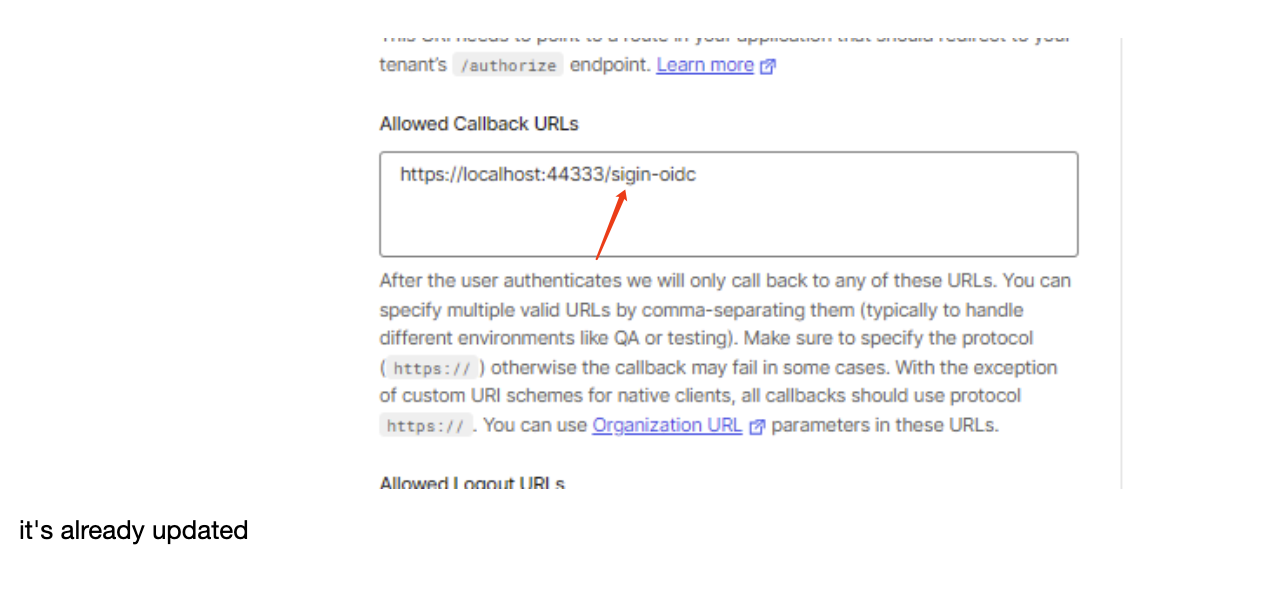
should be
signin-oidcnotsigin-oidcMarkdown supported.Copy, paste, or drag & drop images and files (max 100 MB per file, 100 MB total per post) -
0
ohhh, pls check now .
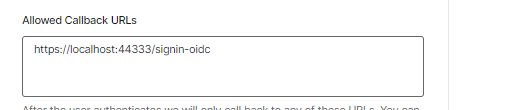 Markdown supported.Copy, paste, or drag & drop images and files (max 100 MB per file, 100 MB total per post)
 -
0
it work as expected
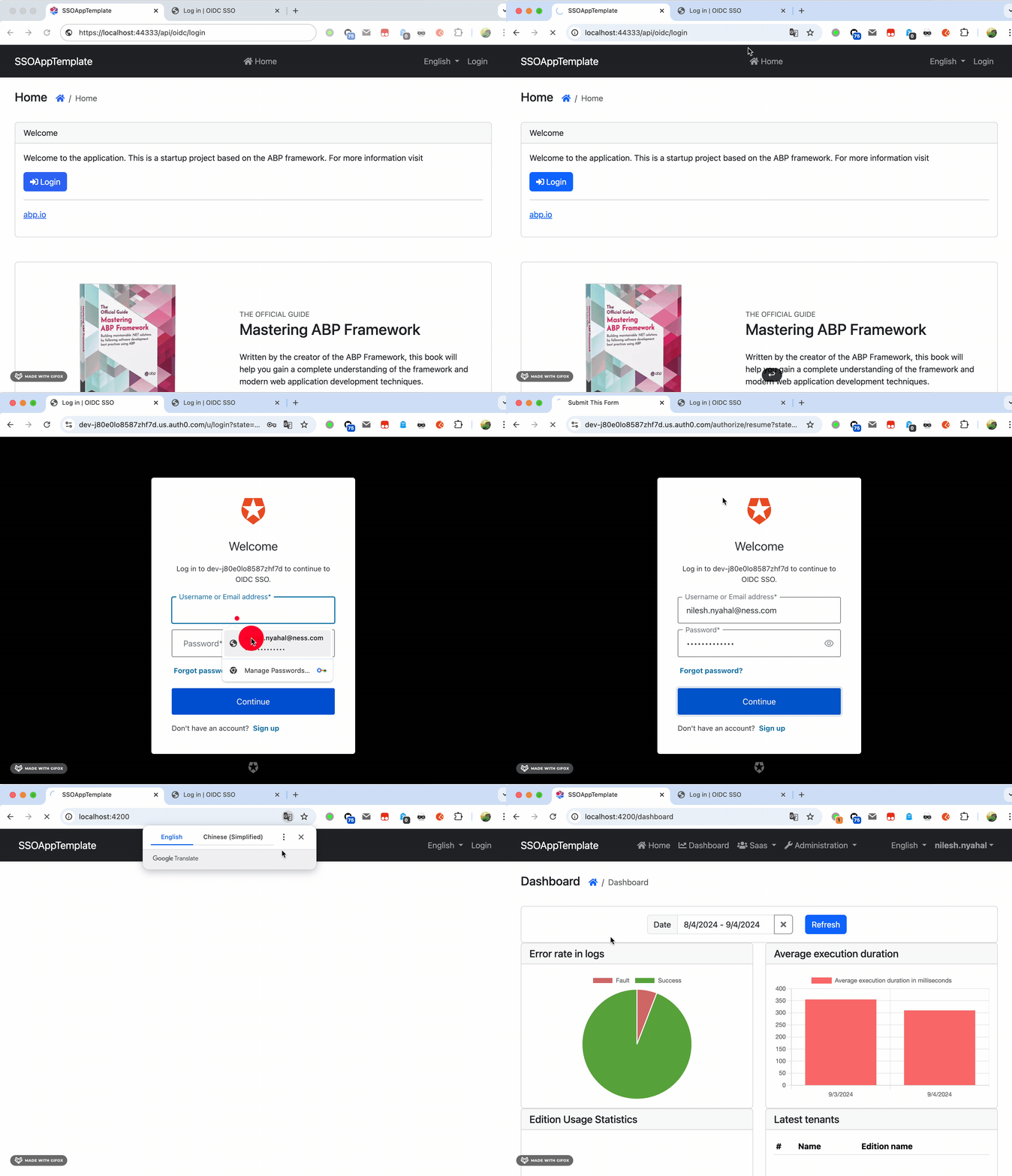 Markdown supported.Copy, paste, or drag & drop images and files (max 100 MB per file, 100 MB total per post)
 -
0
Thanks great, did you make any changes angular or api side ? please let me know i will follow the same steps.
Markdown supported.Copy, paste, or drag & drop images and files (max 100 MB per file, 100 MB total per post) -
0
First move
OIDCControllerfromHttpApi.HosttoAuthserverthen remove
CallbackPathfromappsettingsand theAddOpenIdConnectmethod.remove
AuthorizefromOIDCControllerUse
api/oidc/loginmethod instead ofauthorize.Update your logo href link to
<AuthServerURL>api/oidc/loginMarkdown supported.Copy, paste, or drag & drop images and files (max 100 MB per file, 100 MB total per post) -
0
First move
OIDCControllerfromHttpApi.HosttoAuthserverthen remove
CallbackPathfromappsettingsand theAddOpenIdConnectmethod.remove
AuthorizefromOIDCControllerUse
api/oidc/loginmethod instead ofauthorize.Update your logo href link to
<AuthServerURL>api/oidc/loginsure can you pls share working project as well this email id nilesh.nyahal@tasconnect.com
Markdown supported.Copy, paste, or drag & drop images and files (max 100 MB per file, 100 MB total per post) -
0
shared
Markdown supported.Copy, paste, or drag & drop images and files (max 100 MB per file, 100 MB total per post) -
0
Thanks
Markdown supported.Copy, paste, or drag & drop images and files (max 100 MB per file, 100 MB total per post)


