Hi
Trying to override the login page so I can customize layout.
Have read guide here - https://abp.io/docs/latest/framework/ui/mvc-razor-pages/customization-user-interface?_redirected=B8ABF606AA1BDF5C629883DF1061649A#overriding-a-razor-page-cshtml
It suggests copying content of original cshtml file from https://github.com/abpframework/abp/blob/dev/modules/account/src/Volo.Abp.Account.Web/Pages/Account/Login.cshtml and creating Accounts folder and then put the Login.cshtml in that folder, all of this make sense.
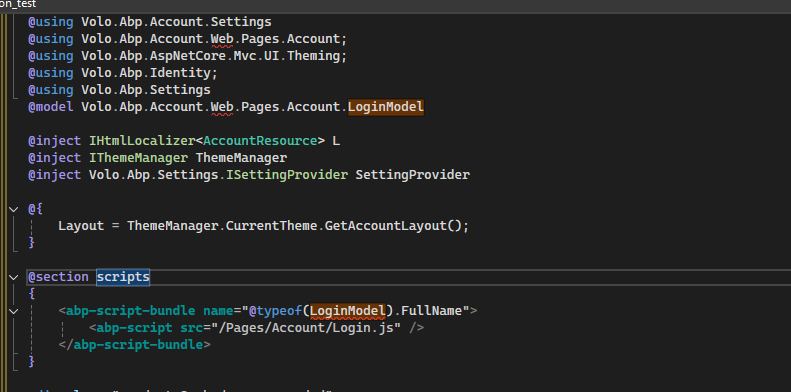
But the code in the link above comes from a Application (Layered) project and I as a Personal license user can only created Application (Single Layer) projects, so everything in one project folder and no separate .{projectname}Web folder, and both articles seem to assume you are using a Layered project, so I get errors in the code such as below:
CS0234 The type or namespace name 'Web' does not exist in the namespace 'Volo.Abp.Account' (are you missing an assembly reference?)
CS0246 The type or namespace name 'LoginModel' could not be found (are you missing a using directive or an assembly reference?) A
So can someone point me to guide that works for Single Layer projects or give me pointers on getting this to work?
Thank you
- ABP Framework version: v8.3.1
- UI Type: MVC
- Database System: EF Core (SQL Server)
- Tiered (for MVC) or Auth Server Separated (for Angular): no
- Exception message and full stack trace:
- Steps to reproduce the issue:
11 Answer(s)
-
0
Hi,
This is the free version login page source code.
you need to use the pro version.
what's your email, i can share the page source code with you.
Markdown supported.Copy, paste, or drag & drop images and files (max 100 MB per file, 100 MB total per post) -
0
Hi,
Email sent.
As a paying customer should I not have access to a GitHub or similar containing the source
You can see the difference between different licenses, account pro module is not included in personal license, but since replacing the login page is a common requirement, we can share the source code with you https://abp.io/pricing
Markdown supported.Copy, paste, or drag & drop images and files (max 100 MB per file, 100 MB total per post) -
0
-
0
Hi,
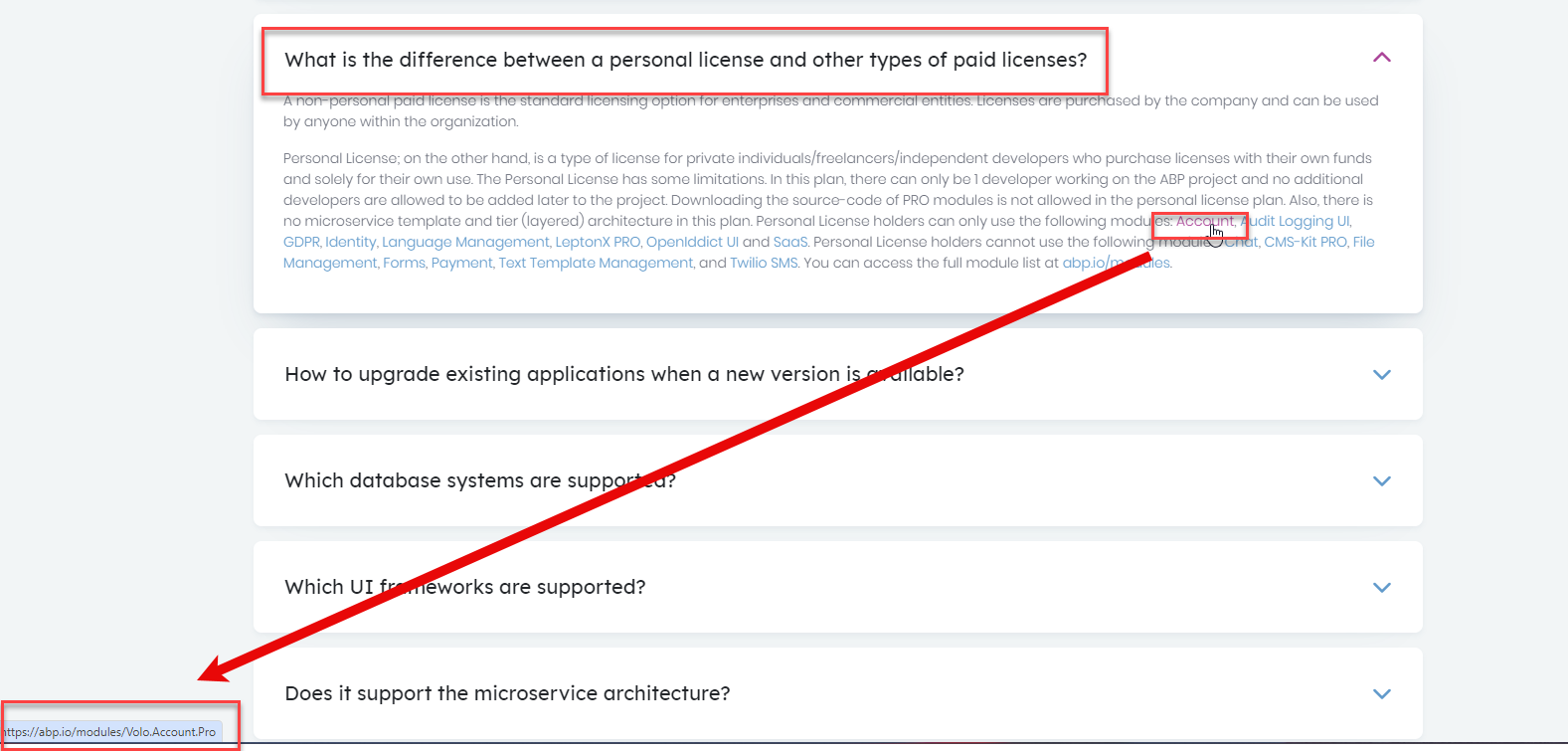
According to FAQ, Account Pro IS included in Personal License
you can try
abp get-source Volo.Abp.Account.ProMarkdown supported.Copy, paste, or drag & drop images and files (max 100 MB per file, 100 MB total per post) -
0
Gives me error below:
[10:22:11 INF] Downloading source code of Volo.Abp.Account.Pro (Latest) [10:22:11 INF] Output folder: C:\Users\User [10:22:12 ERR] Downloading source code failed for: Volo.Abp.Account.Pro Volo.Abp.Studio.AbpStudioException: Exception of type 'Volo.Abp.Studio.AbpStudioException' was thrown. at async Task Volo.Abp.Studio.Modules.Installing.SourceCodeDownloader.DownloadSourceCodeAsync(string moduleName, string targetFolder, string version, bool includeNightly) at async Task Volo.Abp.Studio.Cli.Commands.StudioGetSourceCommand.ExecuteAsync(CommandLineArgs commandLineArgs) at async Task Volo.Abp.Studio.Cli.StudioCliService.RunInternalAsync(CommandLineArgs commandLineArgs) at async Task Volo.Abp.Studio.Cli.StudioCliService.RunAsync(string[] args)
Markdown supported.Copy, paste, or drag & drop images and files (max 100 MB per file, 100 MB total per post) -
0
According to FAQ, Account Pro IS included in Personal License
could you share the link? Thanks.
Markdown supported.Copy, paste, or drag & drop images and files (max 100 MB per file, 100 MB total per post) -
0
Hi,
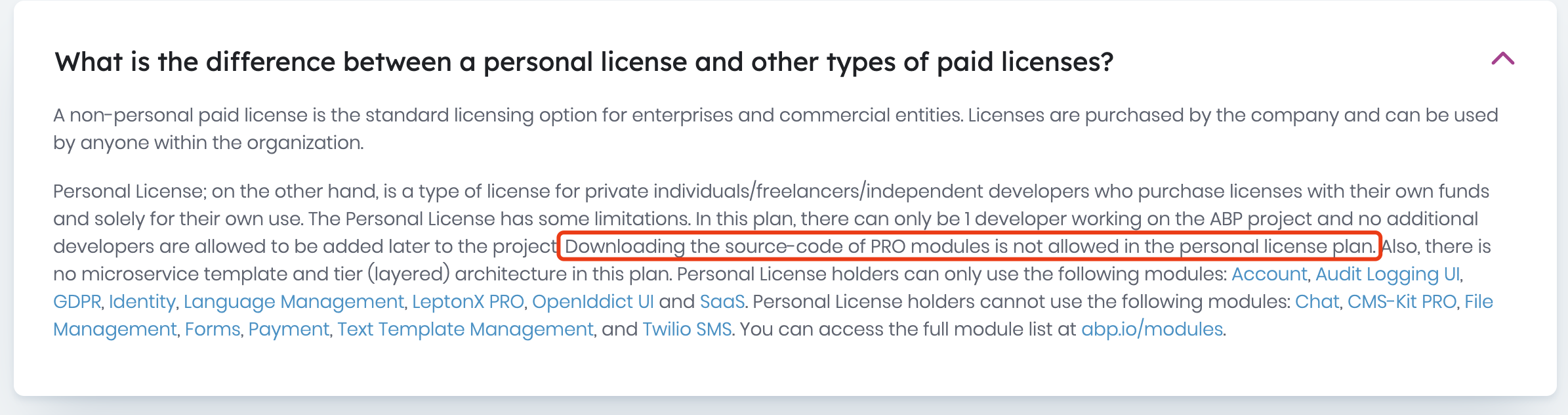
You can use the account pro module, but can't download the module source code
 Markdown supported.Copy, paste, or drag & drop images and files (max 100 MB per file, 100 MB total per post)
 -
0
: )
Markdown supported.Copy, paste, or drag & drop images and files (max 100 MB per file, 100 MB total per post)