






- ABP Framework version: v9.0.2
- UI Type: Angular / MVC
- Database System: EF Core (SQL Server, Oracle, MySQL, PostgreSQL, etc..)
- Tiered (for MVC) or Auth Server Separated (for Angular): yes
- Exception message and full stack trace:
- Steps to reproduce the issue:
Hi, we noticed that language texts have to be changed in each tenant.
Is there a way to set it platform wide? ie. changing the language text in Host will be applicable for all Tenants.
Thanks.
11 Answer(s)
-
0
Hello,
For this, you can override the following CreateFilterExpression method in the MyAppDbContext class in the
MyApp.EntityFrameworkCoreproject of your application as follows:protected override Expression<Func<TEntity, bool>>? CreateFilterExpression<TEntity>(ModelBuilder modelBuilder) { Expression<Func<TEntity, bool>> expression = null; if (typeof(ISoftDelete).IsAssignableFrom(typeof(TEntity))) { var softDeleteColumnName = modelBuilder.Entity<TEntity>().Metadata.FindProperty(nameof(ISoftDelete.IsDeleted))?.GetColumnName() ?? "IsDeleted"; expression = e => !IsSoftDeleteFilterEnabled || !EF.Property<bool>(e, softDeleteColumnName); if (UseDbFunction()) { expression = e => AbpEfCoreDataFilterDbFunctionMethods.SoftDeleteFilter(((ISoftDelete)e).IsDeleted, true); modelBuilder.ConfigureSoftDeleteDbFunction(AbpEfCoreDataFilterDbFunctionMethods.SoftDeleteFilterMethodInfo, this.GetService<AbpEfCoreCurrentDbContext>()); } } if (typeof(IMultiTenant).IsAssignableFrom(typeof(TEntity)) && typeof(TEntity) != typeof(LanguageText)) { var multiTenantColumnName = modelBuilder.Entity<TEntity>().Metadata.FindProperty(nameof(IMultiTenant.TenantId))?.GetColumnName() ?? "TenantId"; Expression<Func<TEntity, bool>> multiTenantFilter = e => !IsMultiTenantFilterEnabled || EF.Property<Guid>(e, multiTenantColumnName) == CurrentTenantId; if (UseDbFunction()) { multiTenantFilter = e => AbpEfCoreDataFilterDbFunctionMethods.MultiTenantFilter(((IMultiTenant)e).TenantId, CurrentTenantId, true); modelBuilder.ConfigureMultiTenantDbFunction(AbpEfCoreDataFilterDbFunctionMethods.MultiTenantFilterMethodInfo, this.GetService<AbpEfCoreCurrentDbContext>()); } expression = expression == null ? multiTenantFilter : QueryFilterExpressionHelper.CombineExpressions(expression, multiTenantFilter); } return expression; }Then you need to replace the
LanguageManagementDbContextfrom DI Container as in the picture below: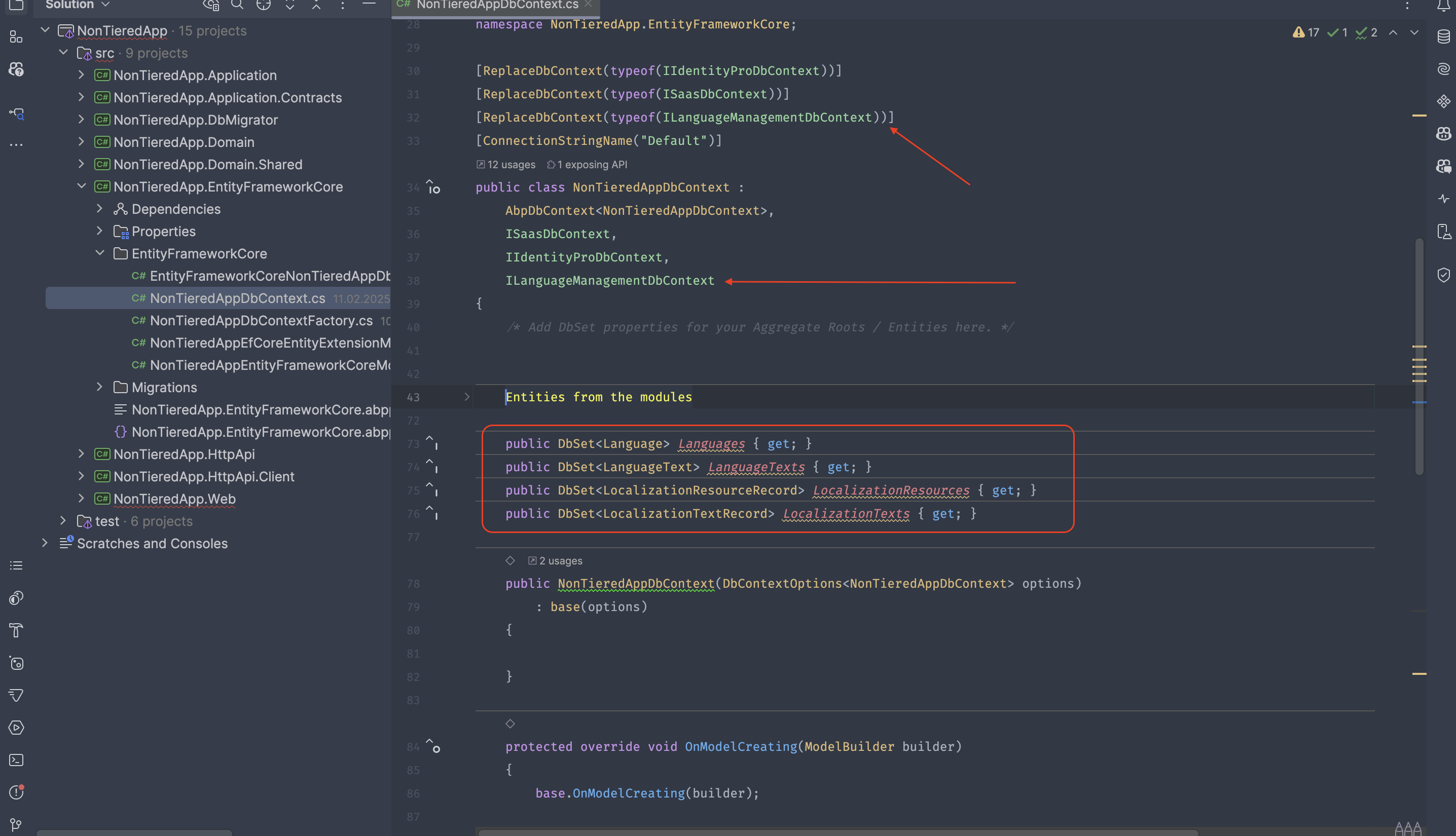 Markdown supported.Copy, paste, or drag & drop images and files (max 100 MB per file, 100 MB total per post)
 -
0
Hi berkansasmaz,
I've done the following as you mentioned, however the text in tenants are still different from what' we've set in host
Changed host text (Recommended Realplays --changed to--> Your Recommended Realplays)

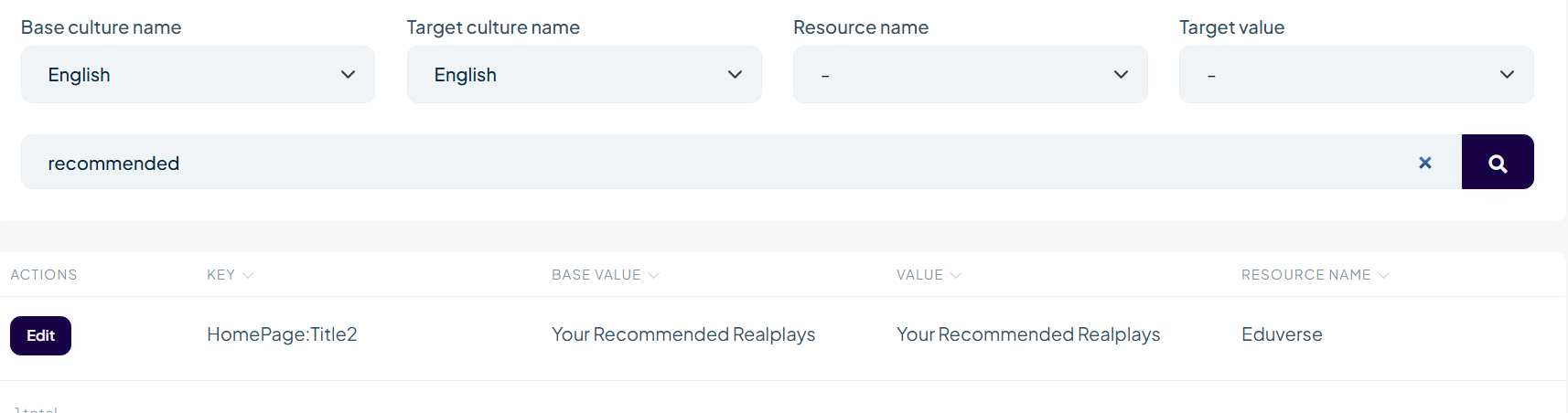
old default value in en.json

However, despite implementing code you provided, the tenant still sees different (old) text:
 Markdown supported.Copy, paste, or drag & drop images and files (max 100 MB per file, 100 MB total per post)
 -
0
After some testing, i did notice that language texts that do not have a base value in that language will cascade fine.
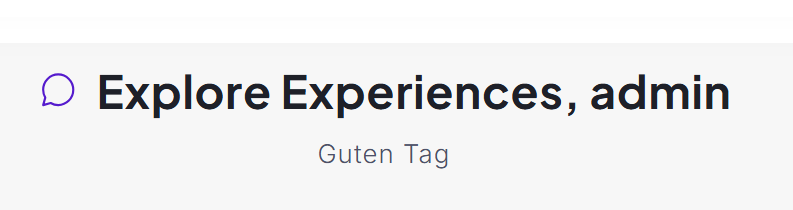
I set value of Deutsch translation to "Guten Tag" in host, that seems to cascade to tenant fine. There is no value for HomePage:Title2 in the de-DE.json
- When text is defined in en.json, it does not cascade down to tenant (even when updated by host)
- When text is not defined in languagexxx.json file, and updated in GUI by host, it will cascade to tenants
Markdown supported.Copy, paste, or drag & drop images and files (max 100 MB per file, 100 MB total per post) -
0
Hi,
Looks interesting, please share your solution via email (to support@abp.io with ticket number) if possible, so we can resolve your issue faster.
Markdown supported.Copy, paste, or drag & drop images and files (max 100 MB per file, 100 MB total per post) -
0
Alright, i've sent an email to support for assistance.
Hi, thanks. We have received your email and will review the solution to provide you with an answer.
Regards.
Markdown supported.Copy, paste, or drag & drop images and files (max 100 MB per file, 100 MB total per post) -
0
Hi,
I think I misunderstood you at first. I understand your question better now. Can you add the following code to your Domain project and try again?
[Dependency(ServiceLifetime.Singleton, ReplaceServices = true)]
[ExposeServices(typeof(DynamicResourceLocalizer), typeof(IDynamicResourceLocalizer))]
public class MyDynamicResourceLocalizer : DynamicResourceLocalizer
{
    private readonly ICurrentTenant _currentTenant;

    public MyDynamicResourceLocalizer(IServiceScopeFactory serviceScopeFactory, IDistributedCache<LanguageTextCacheItem> cache, ICurrentTenant currentTenant) : base(serviceScopeFactory, cache)
    {
        _currentTenant = currentTenant;
    }

    public override LocalizedString GetOrNull(LocalizationResourceBase resource, string cultureName, string name)
    {
        using (_currentTenant.Change(null))
        {
            return base.GetOrNull(resource, cultureName, name);
        }
    }

    protected override LanguageTextCacheItem GetCacheItem(LocalizationResourceBase resource, string cultureName)
    {
        using (_currentTenant.Change(null))
        {
            return base.GetCacheItem(resource, cultureName);
        }
    }

    protected override Task<LanguageTextCacheItem> GetCacheItemAsync(LocalizationResourceBase resource, string cultureName)
    {
        using (_currentTenant.Change(null))
        {
            return base.GetCacheItemAsync(resource, cultureName);
        }
    }
}
Markdown supported.Copy, paste, or drag & drop images and files (max 100 MB per file, 100 MB total per post) -
0
Hi berkansasmaz
Thank you, i've made both changes described
- add MyDynamicResourceLocalizer
- override the following CreateFilterExpression method in the MyAppDbContext (discussed earlier)
and it works now. Really appreciate the support!
Markdown supported.Copy, paste, or drag & drop images and files (max 100 MB per file, 100 MB total per post) -
0
Just an FYI, I think this ticket might be related to this other ticket which i saw: https://abp.io/support/questions/8916/Text-templates-Language-texts-for-all-tenants
It might be worth linking that ticket here as this seems to solve the issue requested by the author (at least the part about language texts)
Markdown supported.Copy, paste, or drag & drop images and files (max 100 MB per file, 100 MB total per post) -
0
and it works now. Really appreciate the support!
I'm glad your problem is solved.
It might be worth linking that ticket here as this seems to solve the issue requested by the author (at least the part about language texts)
Yes, it is useful to mention it there. Thank you for the information.
Markdown supported.Copy, paste, or drag & drop images and files (max 100 MB per file, 100 MB total per post)



