Hi
Those fixes appear to have resolved the issues.
Thanks
Hi
It seems to work intermittently now.
After I log in the initial results are:
"auth": { "grantedPolicies": {} },
Sometimes, after I press F5, the granted policies are returned.
J
Yes - if I comment out that one depends on and the URL Shortening, then it works: "auth": { "grantedPolicies": { "FeatureManagement.ManageHostFeatures": true, "SettingManagement.Emailing": true, "SettingManagement.Emailing.Test": true, "SettingManagement.TimeZone": true, "AbpIdentity.Roles": true, "AbpIdentity.Roles.Create": true, "AbpIdentity.Roles.Update": true, "AbpIdentity.Roles.Delete": true, "AbpIdentity.Roles.ManagePermissions": true, "AbpIdentity.Users": true, "AbpIdentity.Users.Create": true, "AbpIdentity.Users.Update": true, "AbpIdentity.Users.Update.ManageRoles": true, "AbpIdentity.Users.Update.ManageOU": true, "AbpIdentity.Users.Delete": true, "AbpIdentity.Users.ManagePermissions": true, "AbpIdentity.Users.Impersonation": true, "AbpIdentity.Users.Import": true, "AbpIdentity.Users.Export": true, "AbpIdentity.Users.ViewDetails": true, "AbpIdentity.OrganizationUnits": true, "AbpIdentity.OrganizationUnits.ManageOU": true, "AbpIdentity.OrganizationUnits.ManageRoles": true, "AbpIdentity.OrganizationUnits.ManageMembers": true, "AbpIdentity.ClaimTypes": true, "AbpIdentity.ClaimTypes.Create": true, "AbpIdentity.ClaimTypes.Update": true, "AbpIdentity.ClaimTypes.Delete": true, "AbpIdentity.SettingManagement": true, "AbpIdentity.SecurityLogs": true, "AbpIdentity.Sessions": true, "AbpAccount.SettingManagement": true, "AuditLogging.AuditLogs": true, "AuditLogging.AuditLogs.Export": true, "OpenIddictPro.Application": true, "OpenIddictPro.Application.Update": true, "OpenIddictPro.Application.Delete": true, "OpenIddictPro.Application.Create": true, "OpenIddictPro.Application.ManagePermissions": true, "AuditLogging.ViewChangeHistory:Volo.Abp.OpenIddict.Pro.Applications.Application": true, "OpenIddictPro.Scope": true, "OpenIddictPro.Scope.Update": true, "OpenIddictPro.Scope.Delete": true, "OpenIddictPro.Scope.Create": true, "AuditLogging.ViewChangeHistory:Volo.Abp.OpenIddict.Pro.Scopes.Scope": true, "TextTemplateManagement.TextTemplates": true, "TextTemplateManagement.TextTemplates.EditContents": true, "LanguageManagement.LanguageTexts": true, "LanguageManagement.LanguageTexts.Edit": true, "LanguageManagement.Languages": true, "LanguageManagement.Languages.Create": true, "LanguageManagement.Languages.Edit": true, "LanguageManagement.Languages.ChangeDefault": true, "LanguageManagement.Languages.Delete": true, "FileManagement.DirectoryDescriptor": true, "FileManagement.DirectoryDescriptor.Create": true, "FileManagement.DirectoryDescriptor.Update": true, "FileManagement.DirectoryDescriptor.Delete": true, "FileManagement.FileDescriptor": true, "FileManagement.FileDescriptor.Create": true, "FileManagement.FileDescriptor.Update": true, "FileManagement.FileDescriptor.Delete": true, "FileManagement.FileDescriptor.Share": true, "CmsKitPublic.Comments": true, "CmsKitPublic.Comments.DeleteAll": true, "CmsKit.Comments": true, "CmsKit.Comments.Delete": true, "CmsKit.Comments.Update": true, "CmsKit.Comments.SettingManagement": true, "CmsKit.Tags": true, "CmsKit.Tags.Create": true, "CmsKit.Tags.Update": true, "CmsKit.Tags.Delete": true, "CmsKit.Pages": true, "CmsKit.Pages.Create": true, "CmsKit.Pages.Update": true, "CmsKit.Pages.Delete": true, "CmsKit.Pages.SetAsHomePage": true, "CmsKit.Blogs": true, "CmsKit.Blogs.Create": true, "CmsKit.Blogs.Update": true, "CmsKit.Blogs.Delete": true, "CmsKit.Blogs.Features": true, "CmsKit.BlogPosts": true, "CmsKit.BlogPosts.Create": true, "CmsKit.BlogPosts.Update": true, "CmsKit.BlogPosts.Delete": true, "CmsKit.BlogPosts.Publish": true, "CmsKit.Menus": true, "CmsKit.Menus.Create": true, "CmsKit.Menus.Update": true, "CmsKit.Menus.Delete": true, "CmsKit.GlobalResources": true, "CmsKit.Newsletter": true, "CmsKit.Newsletter.EditPreferences": true, "CmsKit.Newsletter.Import": true, "CmsKit.Poll": true, "CmsKit.Poll.Create": true, "CmsKit.Poll.Update": true, "CmsKit.Poll.Delete": true, "CmsKit.SettingManagement": true, "CmsKit.UrlShorting": true, "CmsKit.UrlShorting.Create": true, "CmsKit.UrlShorting.Update": true, "CmsKit.UrlShorting.Delete": true, "CmsKit.PageFeedback": true, "CmsKit.PageFeedback.Update": true, "CmsKit.PageFeedback.Delete": true, "CmsKit.PageFeedback.Settings": true, "CmsKit.PageFeedback.SettingManagement": true, "CmsKit.PageFeedback.Export": true, "CmsKit.Faq": true, "CmsKit.Faq.Create": true, "CmsKit.Faq.Update": true, "CmsKit.Faq.Delete": true, "Portal.Dashboard.Host": true }
Hi
I tried the suggested change in both the boilerplate generated solution, and my own production solution and it didn't make any difference.
Calls to the web project https://localhost:44376/Abp/ApplicationConfigurationScript still return: "auth": { "grantedPolicies": {} },
Here is my PortalWebPublicModule.cs :
using System; using System.IO; using Medallion.Threading; using Medallion.Threading.Redis; using Microsoft.AspNetCore.Authentication.OpenIdConnect; using Microsoft.AspNetCore.Builder; using Microsoft.AspNetCore.DataProtection; using Microsoft.AspNetCore.Hosting; using Microsoft.Extensions.Configuration; using Microsoft.Extensions.DependencyInjection; using Microsoft.Extensions.Hosting; using Microsoft.IdentityModel.Protocols.OpenIdConnect; using Acs.Cts.Portal.Localization; using Acs.Cts.Portal.MultiTenancy; using Acs.Cts.Portal.Web.Public.Menus; using Acs.Cts.Portal.Web.Public.HealthChecks; using StackExchange.Redis; using Volo.Abp; using Volo.Abp.Studio; using Volo.Abp.AspNetCore.Authentication.OpenIdConnect; using Volo.Abp.AspNetCore.Mvc.Client; using Volo.Abp.AspNetCore.Mvc.Localization; using Volo.Abp.AspNetCore.Mvc.UI; using Volo.Abp.AspNetCore.Mvc.UI.Bootstrap; using Volo.Abp.AspNetCore.Mvc.UI.Bundling; using Volo.Abp.AspNetCore.Mvc.UI.Theme.LeptonX; using Volo.Abp.AspNetCore.Mvc.UI.Theme.LeptonX.Bundling; using Volo.Abp.LeptonX.Shared; using Volo.Abp.AspNetCore.Mvc.UI.Theme.Shared; using Volo.Abp.AspNetCore.Mvc.UI.Theme.Shared.Toolbars; using Volo.Abp.AspNetCore.Serilog; using Volo.Abp.Autofac; using Volo.Abp.Mapperly; using Volo.Abp.BackgroundJobs; using Volo.Abp.Caching; using Volo.Abp.Caching.StackExchangeRedis; using Volo.Abp.DistributedLocking; using Volo.Abp.Http.Client.IdentityModel.Web; using Volo.Abp.Http.Client.Web; using Volo.Abp.Modularity; using Volo.Abp.MultiTenancy; using Volo.Abp.Security.Claims; using Volo.Abp.UI; using Volo.Abp.UI.Navigation; using Volo.Abp.UI.Navigation.Urls; using Volo.Abp.VirtualFileSystem; using Owl.reCAPTCHA; using Volo.Abp.GlobalFeatures; using Volo.CmsKit.GlobalFeatures; using Volo.CmsKit.Pro.Public.Web; using Volo.CmsKit.Pro.Public.Web.Middlewares; using Volo.CmsKit.Comments; using Volo.Abp.Studio.Client.AspNetCore; using System.Collections.Generic; using Volo.Abp.AspNetCore.Mvc.ApplicationConfigurations; using Volo.Abp.AspNetCore.Mvc.ApplicationConfigurations.ClientProxies; using Volo.Abp.AspNetCore.Mvc.MultiTenancy; using Pages.Abp.MultiTenancy.ClientProxies;
namespace Acs.Cts.Portal.Web.Public;
[DependsOn( typeof(AbpAutofacModule), typeof(AbpCachingStackExchangeRedisModule), typeof(AbpDistributedLockingModule), typeof(AbpAspNetCoreSerilogModule), typeof(AbpStudioClientAspNetCoreModule), typeof(AbpAspNetCoreMvcUiLeptonXThemeModule), typeof(PortalHttpApiClientModule), typeof(CmsKitProPublicWebModule), typeof(PortalHttpApiModule), typeof(AbpAspNetCoreAuthenticationOpenIdConnectModule), typeof(AbpAspNetCoreMvcClientModule), typeof(AbpHttpClientWebModule), typeof(AbpHttpClientIdentityModelWebModule) )] public class PortalWebPublicModule : AbpModule { public override void PreConfigureServices(ServiceConfigurationContext context) { context.Services.PreConfigure<AbpMvcDataAnnotationsLocalizationOptions>(options => { options.AddAssemblyResource( typeof(PortalResource), typeof(PortalDomainSharedModule).Assembly, typeof(PortalApplicationContractsModule).Assembly, typeof(PortalWebPublicModule).Assembly ); }); }
public override void ConfigureServices(ServiceConfigurationContext context)
{
    var hostingEnvironment = context.Services.GetHostingEnvironment();
    var configuration = context.Services.GetConfiguration();

    if (!configuration.GetValue<bool>("App:DisablePII"))
    {
        Microsoft.IdentityModel.Logging.IdentityModelEventSource.ShowPII = true;
        Microsoft.IdentityModel.Logging.IdentityModelEventSource.LogCompleteSecurityArtifact = true;
    }

    ConfigureStudio(hostingEnvironment);
    ConfigureBundles();
    ConfigureUrls(configuration);
    ConfigureCache(configuration);
    ConfigureDataProtection(context, configuration, hostingEnvironment);
    ConfigureDistributedLocking(context, configuration);
    ConfigureMultiTenancy();
    ConfigureAuthentication(context, configuration);
    ConfigureVirtualFileSystem(hostingEnvironment);
    ConfigureNavigationServices(configuration);
    ConfigureTheme();
    ConfigureBackgroundJobs();
    ConfigureHealthChecks(context);

    context.Services.AddreCAPTCHAV3(o =>
    {
        o.SiteKey = "test";
        o.SiteSecret = "test";
    });

    Configure<CmsKitCommentOptions>(options =>
    {
        options.EntityTypes.Add(new CommentEntityTypeDefinition("SampleArticle"));
    });

    context.Services.RemoveAll(x =>
        x.ServiceType == typeof(IAbpApplicationConfigurationAppService) &&
        x.ImplementationType == typeof(AbpApplicationConfigurationClientProxy));

    context.Services.RemoveAll(x =>
        x.ServiceType == typeof(IAbpTenantAppService) &&
        x.ImplementationType == typeof(AbpTenantClientProxy));
}

private void ConfigureStudio(IHostEnvironment hostingEnvironment)
{
    if (hostingEnvironment.IsProduction())
    {
        Configure<AbpStudioClientOptions>(options =>
        {
            options.IsLinkEnabled = false;
        });
    }
}

private void ConfigureBundles()
{
    Configure<AbpBundlingOptions>(options =>
    {
        options.StyleBundles.Configure(
            LeptonXThemeBundles.Styles.Global,
            bundle =>
            {
                bundle.AddFiles("/global-styles.css");
            }
        );

        options.ScriptBundles.Configure(
            LeptonXThemeBundles.Scripts.Global,
            bundle =>
            {
                bundle.AddFiles("/global-scripts.js");
            }
        );
    });
}

private void ConfigureBackgroundJobs()
{
    Configure<AbpBackgroundJobOptions>(options =>
    {
        options.IsJobExecutionEnabled = false;
    });
}

private void ConfigureTheme()
{
    Configure<LeptonXThemeOptions>(options =>
    {
        options.DefaultStyle = LeptonXStyleNames.System;
    });

    Configure<LeptonXThemeMvcOptions>(options =>
    {
        options.ApplicationLayout = LeptonXMvcLayouts.PublicWebsite;
    });
}

private void ConfigureHealthChecks(ServiceConfigurationContext context)
{
    context.Services.AddPortalPublicHealthChecks();
}

private void ConfigureUrls(IConfiguration configuration)
{
    Configure<AppUrlOptions>(options =>
    {
        options.Applications["MVC"].RootUrl = configuration["App:SelfUrl"];
    });
}

private void ConfigureCache(IConfiguration configuration)
{
    Configure<AbpDistributedCacheOptions>(options =>
    {
        options.KeyPrefix = "Portal:";
    });
}

private void ConfigureMultiTenancy()
{
    Configure<AbpMultiTenancyOptions>(options => { options.IsEnabled = MultiTenancyConsts.IsEnabled; });
}

private void ConfigureAuthentication(ServiceConfigurationContext context, IConfiguration configuration)
{
    context.Services.AddAuthentication(options =>
    {
        options.DefaultScheme = "Cookies";
        options.DefaultChallengeScheme = "oidc";
    })
    .AddCookie("Cookies", options =>
    {
        options.ExpireTimeSpan = TimeSpan.FromDays(365);
        options.CheckTokenExpiration();
    })
    .AddAbpOpenIdConnect("oidc", options =>
    {
        options.Authority = configuration["AuthServer:Authority"];
        options.RequireHttpsMetadata = configuration.GetValue<bool>("AuthServer:RequireHttpsMetadata");
        options.ResponseType = OpenIdConnectResponseType.CodeIdToken;

        options.ClientId = configuration["AuthServer:ClientId"];
        options.ClientSecret = configuration["AuthServer:ClientSecret"];

        options.SaveTokens = true;
        options.GetClaimsFromUserInfoEndpoint = true;

        options.Scope.Add("roles");
        options.Scope.Add("email");
        options.Scope.Add("phone");
        options.Scope.Add("Portal");
        options.Scope.Add("CmsKit");
        options.Scope.Add("CmsKitPublic");
    });
    /*
    * This configuration is used when the AuthServer is running on the internal network such as docker or k8s.
    * Configuring the redirectin URLs for internal network and the web
    */
    if (configuration.GetValue<bool>("AuthServer:IsOnK8s"))
    {
        context.Services.Configure<OpenIdConnectOptions>("oidc", options =>
        {
            options.TokenValidationParameters.ValidIssuers = new[] {
                configuration["AuthServer:MetaAddress"]!.EnsureEndsWith('/'),
                configuration["AuthServer:Authority"]!.EnsureEndsWith('/')
            };

            options.MetadataAddress = configuration["AuthServer:MetaAddress"]!.EnsureEndsWith('/') +
                                        ".well-known/openid-configuration";

            var previousOnRedirectToIdentityProvider = options.Events.OnRedirectToIdentityProvider;
            options.Events.OnRedirectToIdentityProvider = async ctx =>
            {
                // Intercept the redirection so the browser navigates to the right URL in your host
                ctx.ProtocolMessage.IssuerAddress = configuration["AuthServer:Authority"]!.EnsureEndsWith('/') + "connect/authorize";

                if (previousOnRedirectToIdentityProvider != null)
                {
                    await previousOnRedirectToIdentityProvider(ctx);
                }
            };
            var previousOnRedirectToIdentityProviderForSignOut =
                options.Events.OnRedirectToIdentityProviderForSignOut;
            options.Events.OnRedirectToIdentityProviderForSignOut = async ctx =>
            {
                // Intercept the redirection for signout so the browser navigates to the right URL in your host
                ctx.ProtocolMessage.IssuerAddress = configuration["AuthServer:Authority"]!.EnsureEndsWith('/') + "connect/endsession";

                if (previousOnRedirectToIdentityProviderForSignOut != null)
                {
                    await previousOnRedirectToIdentityProviderForSignOut(ctx);
                }
            };
        });
    }

    context.Services.Configure<AbpClaimsPrincipalFactoryOptions>(options =>
    {
        options.IsDynamicClaimsEnabled = true;
    });
}

private void ConfigureVirtualFileSystem(IWebHostEnvironment hostingEnvironment)
{
    Configure<AbpVirtualFileSystemOptions>(options =>
    {
        options.FileSets.AddEmbedded<PortalWebPublicModule>();

        if (hostingEnvironment.IsDevelopment())
        {
            options.FileSets.ReplaceEmbeddedByPhysical<PortalDomainSharedModule>(Path.Combine(hostingEnvironment.ContentRootPath, string.Format("..{0}Acs.Cts.Portal.Domain.Shared", Path.DirectorySeparatorChar)));
            options.FileSets.ReplaceEmbeddedByPhysical<PortalApplicationContractsModule>(Path.Combine(hostingEnvironment.ContentRootPath, string.Format("..{0}Acs.Cts.Portal.Application.Contracts", Path.DirectorySeparatorChar)));
            options.FileSets.ReplaceEmbeddedByPhysical<PortalWebPublicModule>(hostingEnvironment.ContentRootPath);
        }
    });
}

private void ConfigureNavigationServices(IConfiguration configuration)
{
    Configure<AbpNavigationOptions>(options =>
    {
        options.MenuContributors.Add(new PortalPublicMenuContributor(configuration));
    });

    Configure<AbpToolbarOptions>(options =>
    {
        options.Contributors.Add(new PortalToolbarContributor());
    });
}

private void ConfigureDataProtection(
    ServiceConfigurationContext context,
    IConfiguration configuration,
    IWebHostEnvironment hostingEnvironment)
{
    if (AbpStudioAnalyzeHelper.IsInAnalyzeMode)
    {
        return;
    }

    var dataProtectionBuilder = context.Services.AddDataProtection().SetApplicationName("Portal");
    if (!hostingEnvironment.IsDevelopment())
    {
        var redis = ConnectionMultiplexer.Connect(configuration["Redis:Configuration"]!);
        dataProtectionBuilder.PersistKeysToStackExchangeRedis(redis, "Portal-Protection-Keys");
    }
}

private void ConfigureDistributedLocking(
    ServiceConfigurationContext context,
    IConfiguration configuration)
{
    if (AbpStudioAnalyzeHelper.IsInAnalyzeMode)
    {
        return;
    }

    context.Services.AddSingleton<IDistributedLockProvider>(sp =>
    {
        var connection = ConnectionMultiplexer.Connect(configuration["Redis:Configuration"]!);
        return new RedisDistributedSynchronizationProvider(connection.GetDatabase());
    });
}

public override void OnApplicationInitialization(ApplicationInitializationContext context)
{
    var app = context.GetApplicationBuilder();
    var env = context.GetEnvironment();

    if (GlobalFeatureManager.Instance.IsEnabled<UrlShortingFeature>())
    {
        app.UseMiddleware<UrlShortingMiddleware>();
    }
    if (env.IsDevelopment())
    {
        app.UseDeveloperExceptionPage();
    }

    app.UseAbpRequestLocalization();

    if (!env.IsDevelopment())
    {
        app.UseErrorPage();
    }

    app.UseRouting();
    app.MapAbpStaticAssets();
    app.UseAbpStudioLink();
    app.UseAbpSecurityHeaders();
    app.UseAuthentication();

    if (MultiTenancyConsts.IsEnabled)
    {
        app.UseMultiTenancy();
    }

    app.UseDynamicClaims();
    app.UseAuthorization();
    app.UseAbpSerilogEnrichers();
    app.UseConfiguredEndpoints();
}
}
I removed project references made to <PackageReference Include="Volo.Abp.Identity.Pro.Application.Contracts" Version="10.0.1" /> <PackageReference Include="Volo.Abp.Identity.Pro.Domain" Version="10.0.1" /> from the corresponding DDD module project and removed reference made to IdentityUser and the issue no longer occurs
Added issue to backlog: https://github.com/abpframework/abp/issues/24077
It looks to me like I'd have to replace the whole navbar.
How can I add a request for the Lepton-X theme to be changed so that when its expanded the collapse icon is visible:
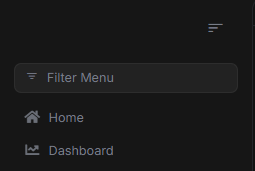
and when Its collapsed, the expand icon is visble:
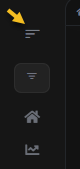
Also making accessible as a button would be preferred.
thanks
I had 2 .module.ts files in one folder - moved one and it resolved the issue
I reinstalled yarn and it works now
Here's my package.json:
{ "version": "0.1.0", "name": "my-app-authserver", "private": true, "dependencies": { "@volo/abp.aspnetcore.mvc.ui.theme.leptonx": "~4.3.1", "@volo/account": "~9.3.1" } }
yarn output:
yarn install v1.22.5
(node:12724) [DEP0040] DeprecationWarning: The punycode module is deprecated. Please use a userland alternative instead.
(Use node --trace-deprecation ... to show where the warning was created)
[1/4] Resolving packages...
[2/4] Fetching packages...
[3/4] Linking dependencies...
warning "@volo/abp.aspnetcore.mvc.ui.theme.leptonx > @volo/abp.aspnetcore.mvc.ui.theme.commercial > @abp/aspnetcore.mvc.ui.theme.shared > @abp/bootstrap > bootstrap@5.3.7" has unmet peer dependency "@popperjs/core@^2.11.8".
[4/4] Building fresh packages...
success Saved lockfile. warning Your current version of Yarn is out of date. The latest version is "1.22.22", while you're on "1.22.5". info To upgrade, download the latest installer at "https://yarnpkg.com/latest.msi". Done in 8.74s.









