Activities of "alina@iwell.nl"
It would be really helpful to make this Navbar configurable. Could you implement it in near future? Thank you.
Hi liangshiwel! Thank you for your response! But is it possible to make these changes without overriding the whole component?
- ABP Framework version: 8.2
- UI Type: Angular
- Database System: SQL Server
- Steps to reproduce the issue:
Hello,
We implement the mobile version for our portal and could not find the way how to customise the eThemeLeptonXComponents.NavbarMobile rather than replacing it completely with a customs one. So we have this navbar
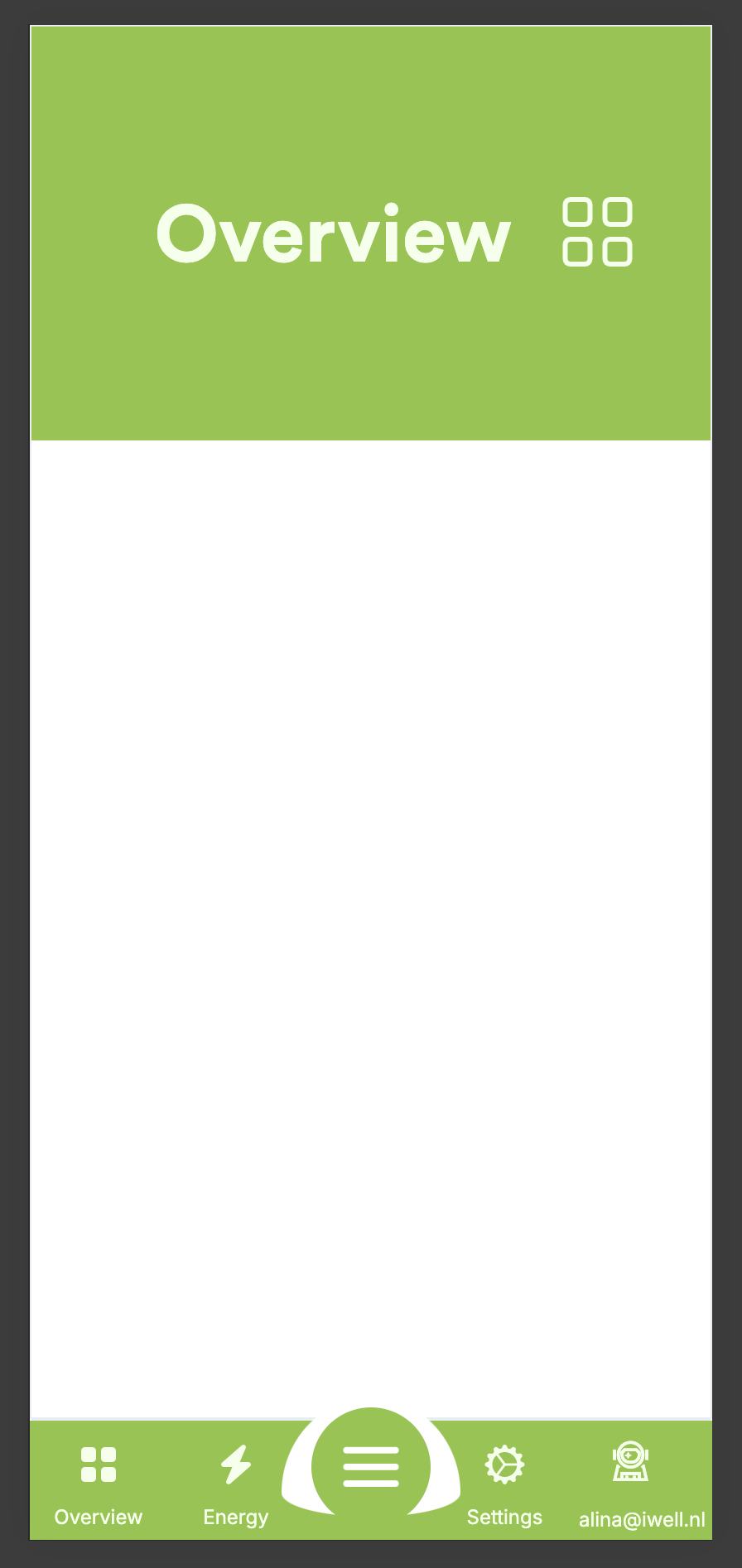
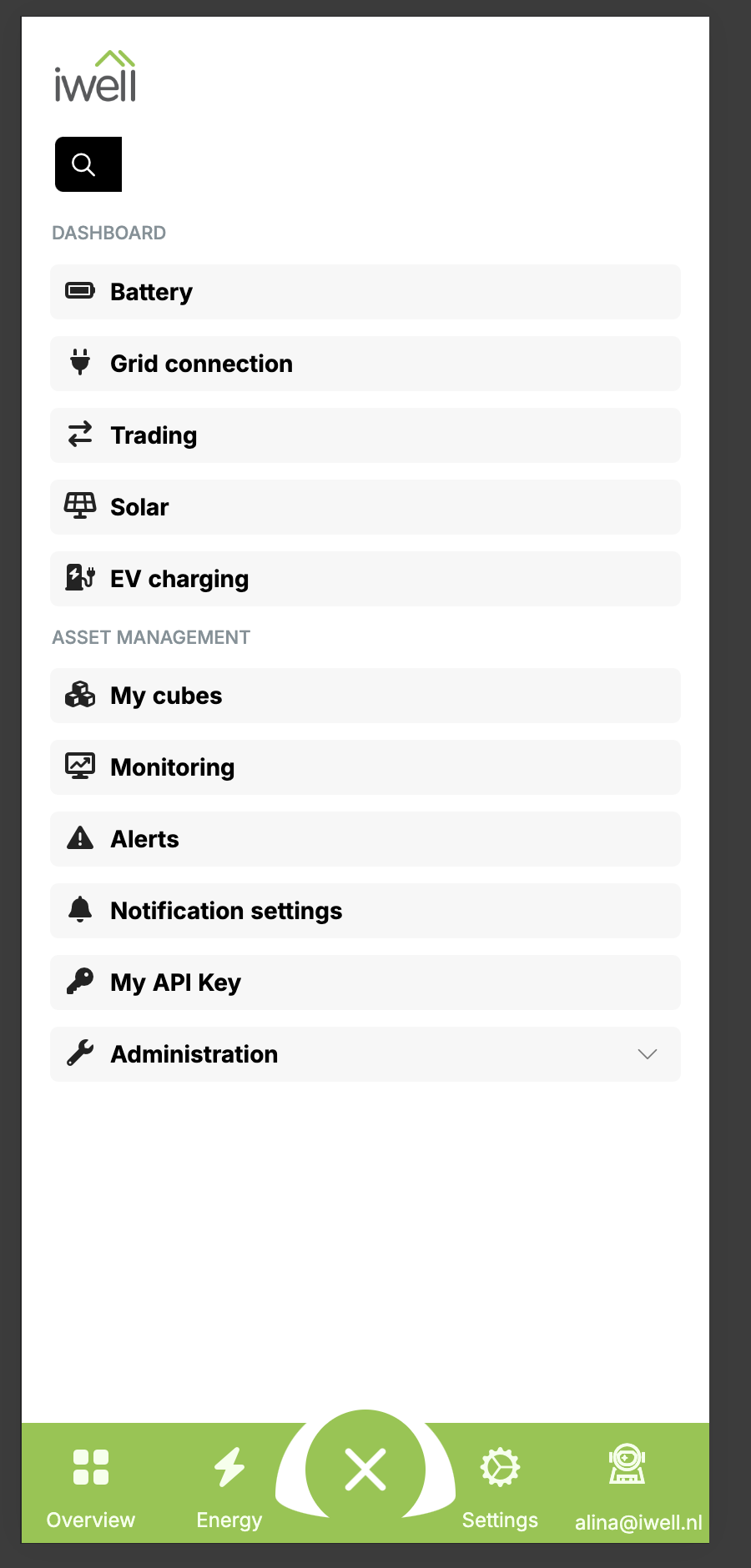 Is there a way to:
- show all menu items in the list when menu status is open? (to show in the list Overview and Energy)
- hide Settings and Profile buttons from the main Navbar?
- Is it possible in mobile version instead of bottom Navbar to use the top bar?
Thank you!
masum.ulu, could you reproduce the issue? we updated the UI to the latest ABP version 8.2 and it's still reproducible.
Hi masum.ulu,
Thank you for your response. I've removed the group - it works as expected - while toggling invisible property. But we still need a group.
It might be the reason that menu item belongs to a Dashboard group, whenever there are more items in the group while patching them with invisible status = true, all but the last one in the group are hidden (though the route for the last one is marked as invisible).
- ABP Framework version: v8.1
- UI Type: Angular
- Database System: EF Core (SQL Server)
- Tiered (for MVC) or Auth Server Separated (for Angular): yes
-
- Exception message and full stack trace: -
- Steps to reproduce the issue:
We have a route.provider
@Injectable({
    providedIn: 'root',
})
export class RouteManagerService implements OnDestroy {
    private destroyed$ = new Subject<void>();

    constructor(
        private routes: RoutesService,
        private cubeSelectedService: CubeSelectedService,
    ) {}

    configureRoutes() {
        const initialRoutes: ABP.Route[] = [
            {
                path: '/overview',
                iconClass: 'fa-solid fa-grid-2',
                name: '::Menu:CustomerDashboard:Overview',
                group: 'Dashboard',
                layout: eLayoutType.application,
                requiredPolicy: 'Portal.CustomerDashboard',
                order: 0,
                invisible: true,
            },
        ];

        this.routes.add(initialRoutes);

        this.cubeSelectedService
            .getObservable()
            .pipe(
                takeUntil(this.destroyed$),
                map((cubeSelected) => {
                    this.updateRouteVisibility(
                        '::Menu:CustomerDashboard:Overview',
                        cubeSelected === null,
                    );
                }),
            )
            .subscribe();
    }

    updateRouteVisibility(name: string, invisible: boolean) {
        const route = this.routes.find((route) => route.name === name);
        if (route) {
            this.routes.patch(name, {
                iconClass: invisible ? 'fas fa-home' : 'fas fa-heart',
                invisible,
            } as Partial<ABP.Route>);
        }
    }

    ngOnDestroy() {
        this.destroyed$.next();
        this.destroyed$.complete();
    }
}

export const ROUTE_PROVIDER = [
    {
        provide: APP_INITIALIZER,
        useFactory: configureRoutes,
        deps: [RouteManagerService],
        multi: true,
    },
];

function configureRoutes(routeManager: RouteManagerService) {
    return () => routeManager.configureRoutes();
}
We need to hide and show a menu item "::Menu:CustomerDashboard:Overview" in the observable depending on the value coming. Setting invisible attribute in a patch from true->false works, from false-> true doesn't. Though the iconClass works in both ways.
Could you please help us to solve it? If this is an ABP issue or do we do something wrong? Thank you.