create a new dropdown crud page and check the diff so that you can update your typeahed to dropdown
you can add claims to the current user. see this code sample https://github.com/abpframework/abp/pull/7998
related:
do you see any error log on Chrome ?
verification email is being sent to the user. in debug mode, emails are not sent (see logs for the emails)
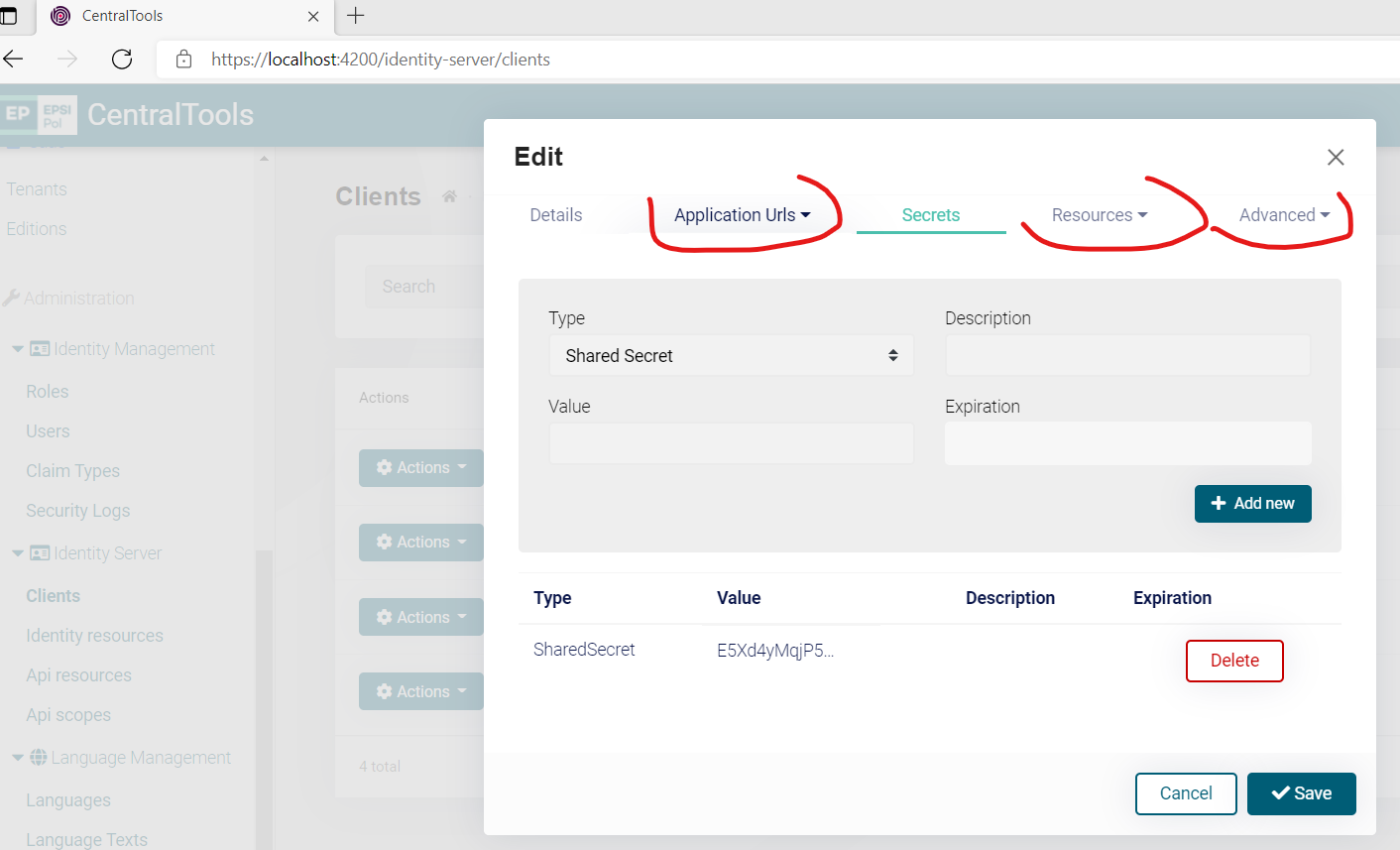
How come that these tabs are not accessible anymore?
I discovered now I cannot access them with my admin user:
@alexander.nikonov,
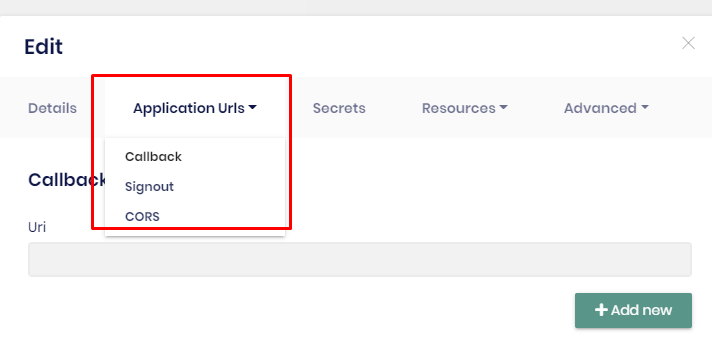
I checked it but I couldn't see any logic to disable these tabs. The marked tabs are bootstrap dropdown toggles. Maybe this is not working in your browser. Can you try it on a different browser and send me the results?
hi this is not related to the framework. encrypting a JWT token is the subject of Identity Server. so it'd be better to ask to the IDS repository https://github.com/IdentityServer/IdentityServer4
when will v4.3 patch be released and what is fixed for commercial over what shown in github?
v4.3.2 comes Fiday.
@Albert - Thanks for the date on v4.3.2, where can we see what will be fixed/released in the Commercial version?
Github only shows what is in the open source version.
Andrew all the reported issues are fixed. But I'll write a list of fixed issues in this week
I updated all the packages in easy crm sample app (razor pages) to 4.3.2 when i ran the up, below error happened.
An unhandled exception occurred while processing the request. TypeLoadException: Method 'get_CoreOptions' in type 'Microsoft.EntityFrameworkCore.Internal.RelationalDatabaseFacadeDependencies' from assembly 'Microsoft.EntityFrameworkCore.Relational, Version=5.0.6.0, Culture=neutral, PublicKeyToken=adb9793829ddae60' does not have an implementation. Microsoft.EntityFrameworkCore.Infrastructure.EntityFrameworkRelationalServicesBuilder.TryAddCoreServices()
DependencyResolutionException: An exception was thrown while invoking the constructor 'Void .ctor(Microsoft.EntityFrameworkCore.DbContextOptions`1[Volo.Abp.LanguageManagement.EntityFrameworkCore.LanguageManagementDbContext])' on type 'LanguageManagementDbContext'. Autofac.Core.Activators.Reflection.BoundConstructor.Instantiate()
DependencyResolutionException: An exception was thrown while activating Volo.Abp.LanguageManagement.EntityFrameworkCore.LanguageManagementDbContext. Autofac.Core.Resolving.Middleware.ActivatorErrorHandlingMiddleware.Execute(ResolveRequestContext context, Action
Stack Query Cookies Headers Routing TypeLoadException: Method 'get_CoreOptions' in type 'Microsoft.EntityFrameworkCore.Internal.RelationalDatabaseFacadeDependencies' from assembly 'Microsoft.EntityFrameworkCore.Relational, Version=5.0.6.0, Culture=neutral, PublicKeyToken=adb9793829ddae60' does not have an implementation. Microsoft.EntityFrameworkCore.Infrastructure.EntityFrameworkRelationalServicesBuilder.TryAddCoreServices() Microsoft.Extensions.DependencyInjection.SqliteServiceCollectionExtensions.AddEntityFrameworkSqlite(IServiceCollection serviceCollection) Microsoft.EntityFrameworkCore.Sqlite.Infrastructure.Internal.SqliteOptionsExtension.ApplyServices(IServiceCollection services) Microsoft.EntityFrameworkCore.Internal.ServiceProviderCache.ApplyServices(IDbContextOptions options, ServiceCollection services) Microsoft.EntityFrameworkCore.Internal.ServiceProviderCache+<>c__DisplayClass4_0.
Show raw exception details DependencyResolutionException: An exception was thrown while invoking the constructor 'Void .ctor(Microsoft.EntityFrameworkCore.DbContextOptions`1[Volo.Abp.LanguageManagement.EntityFrameworkCore.LanguageManagementDbContext])' on type 'LanguageManagementDbContext'. Autofac.Core.Activators.Reflection.BoundConstructor.Instantiate() Autofac.Core.Activators.Reflection.ReflectionActivator.ActivateInstance(IComponentContext context, IEnumerable<Parameter> parameters) Autofac.Core.Activators.Reflection.ReflectionActivator.<ConfigurePipeline>b__11_0(ResolveRequestContext ctxt, Action<ResolveRequestContext> next) Autofac.Core.Resolving.Middleware.DisposalTrackingMiddleware.Execute(ResolveRequestContext context, Action<ResolveRequestContext> next) Autofac.Builder.RegistrationBuilder<TLimit, TActivatorData, TRegistrationStyle>+<>c__DisplayClass41_0.<PropertiesAutowired>b__0(ResolveRequestContext ctxt, Action<ResolveRequestContext> next) Autofac.Core.Resolving.Middleware.ActivatorErrorHandlingMiddleware.Execute(ResolveRequestContext context, Action<ResolveRequestContext> next)
Show raw exception details DependencyResolutionException: An exception was thrown while activating Volo.Abp.LanguageManagement.EntityFrameworkCore.LanguageManagementDbContext. Autofac.Core.Resolving.Middleware.ActivatorErrorHandlingMiddleware.Execute(ResolveRequestContext context, Action<ResolveRequestContext> next) Autofac.Core.Resolving.Middleware.SharingMiddleware.Execute(ResolveRequestContext context, Action<ResolveRequestContext> next) Autofac.Core.Resolving.Middleware.CircularDependencyDetectorMiddleware.Execute(ResolveRequestContext context, Action<ResolveRequestContext> next) Autofac.Core.Resolving.ResolveOperation.GetOrCreateInstance(ISharingLifetimeScope currentOperationScope, ResolveRequest request) Autofac.Core.Resolving.ResolveOperation.ExecuteOperation(ResolveRequest request) Autofac.ResolutionExtensions.TryResolveService(IComponentContext context, Service service, IEnumerable<Parameter> parameters, out object instance) Autofac.ResolutionExtensions.ResolveService(IComponentContext context, Service service, IEnumerable<Parameter> parameters) Microsoft.Extensions.DependencyInjection.ServiceProviderServiceExtensions.GetRequiredService<T>(IServiceProvider provider) Volo.Abp.Uow.EntityFrameworkCore.UnitOfWorkDbContextProvider<TDbContext>.CreateDbContextAsync(IUnitOfWork unitOfWork) Volo.Abp.Uow.EntityFrameworkCore.UnitOfWorkDbContextProvider<TDbContext>.CreateDbContextAsync(IUnitOfWork unitOfWork, string connectionStringName, string connectionString) Volo.Abp.Uow.EntityFrameworkCore.UnitOfWorkDbContextProvider<TDbContext>.GetDbContextAsync() Volo.Abp.Domain.Repositories.EntityFrameworkCore.EfCoreRepository<TDbContext, TEntity>.GetDbSetAsync() Volo.Abp.LanguageManagement.EntityFrameworkCore.EfCoreLanguageRepository.GetListByIsEnabledAsync(bool isEnabled, CancellationToken cancellationToken) Castle.DynamicProxy.AsyncInterceptorBase.ProceedAsynchronous<TResult>(IInvocation invocation, IInvocationProceedInfo proceedInfo) Volo.Abp.Castle.DynamicProxy.CastleAbpMethodInvocationAdapterWithReturnValue<TResult>.ProceedAsync() Volo.Abp.Uow.UnitOfWorkInterceptor.InterceptAsync(IAbpMethodInvocation invocation) Volo.Abp.Castle.DynamicProxy.CastleAsyncAbpInterceptorAdapter<TInterceptor>.InterceptAsync<TResult>(IInvocation invocation, IInvocationProceedInfo proceedInfo, Func<IInvocation, IInvocationProceedInfo, Task<TResult>> proceed) Volo.Abp.LanguageManagement.DatabaseLanguageProvider.c5CidUwIv() Volo.Abp.Caching.DistributedCache<TCacheItem, TCacheKey>.GetOrAddAsync(TCacheKey key, Func<Task<TCacheItem>> factory, Func<DistributedCacheEntryOptions> optionsFactory, Nullable<bool> hideErrors, bool considerUow, CancellationToken token) Volo.Abp.LanguageManagement.DatabaseLanguageProvider.GetLanguagesAsync() Microsoft.AspNetCore.RequestLocalization.DefaultAbpRequestLocalizationOptionsProvider.GetLocalizationOptionsAsync() Microsoft.AspNetCore.RequestLocalization.AbpRequestLocalizationMiddleware.InvokeAsync(HttpContext context, RequestDelegate next) Microsoft.AspNetCore.Builder.UseMiddlewareExtensions+<>c__DisplayClass6_1+<<UseMiddlewareInterface>b__1>d.MoveNext() Volo.Abp.AspNetCore.MultiTenancy.MultiTenancyMiddleware.InvokeAsync(HttpContext context, RequestDelegate next) Microsoft.AspNetCore.Builder.UseMiddlewareExtensions+<>c__DisplayClass6_1+<<UseMiddlewareInterface>b__1>d.MoveNext() Microsoft.AspNetCore.Builder.ApplicationBuilderAbpJwtTokenMiddlewareExtension+<>c__DisplayClass0_0+<<UseJwtTokenMiddleware>b__0>d.MoveNext() Microsoft.AspNetCore.Authentication.AuthenticationMiddleware.Invoke(HttpContext context) Volo.EasyCrm.Web.Data.DbMigrationMiddleware.InvokeAsync(HttpContext context, RequestDelegate next) in DbMigrationMiddleware.cs + await next(context); Microsoft.AspNetCore.Builder.UseMiddlewareExtensions+<>c__DisplayClass6_1+<<UseMiddlewareInterface>b__1>d.MoveNext() Microsoft.AspNetCore.Diagnostics.DeveloperExceptionPageMiddleware.Invoke(HttpContext context)
Show raw exception details
did you try deleting bin obj folders. this usually happens when the old DLLs remain in the Bin folder.
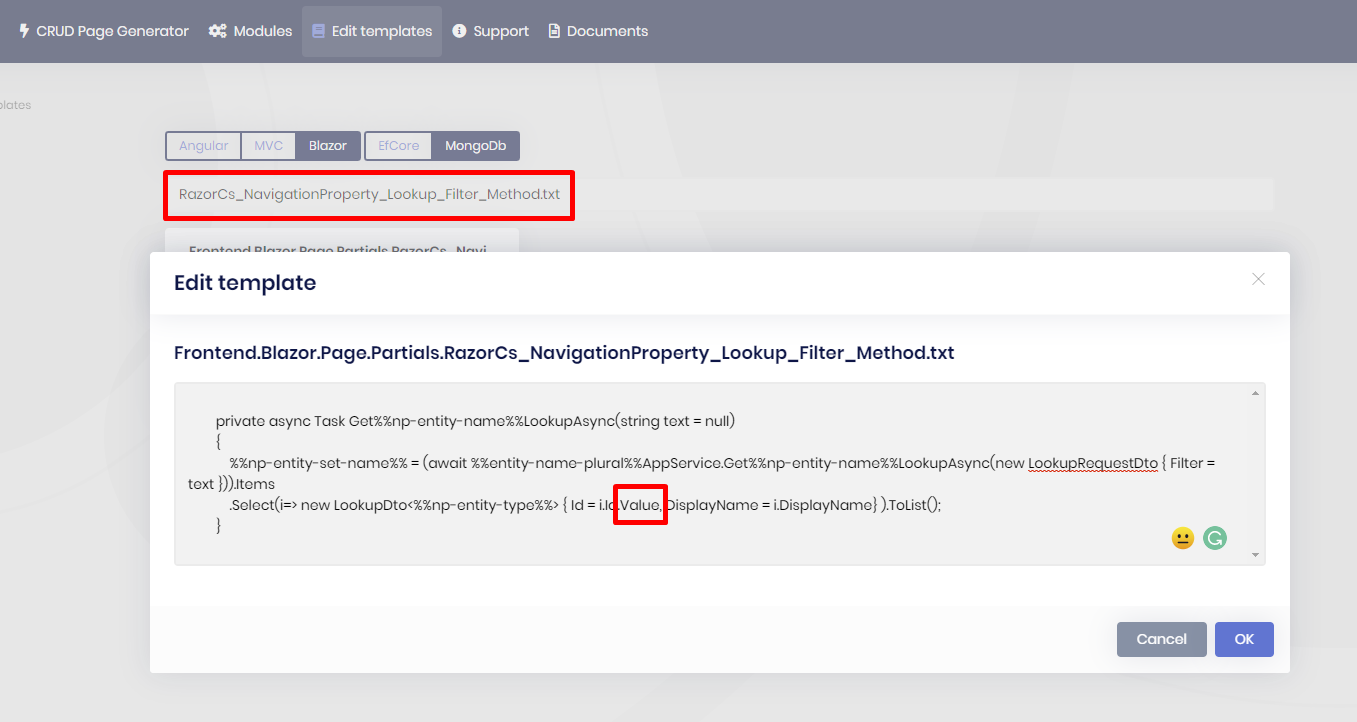
I understood the issue can you remove the marked keyword seen on the screenshot
In the latest version 4.3.2 I tested with MVC project. and it's working.