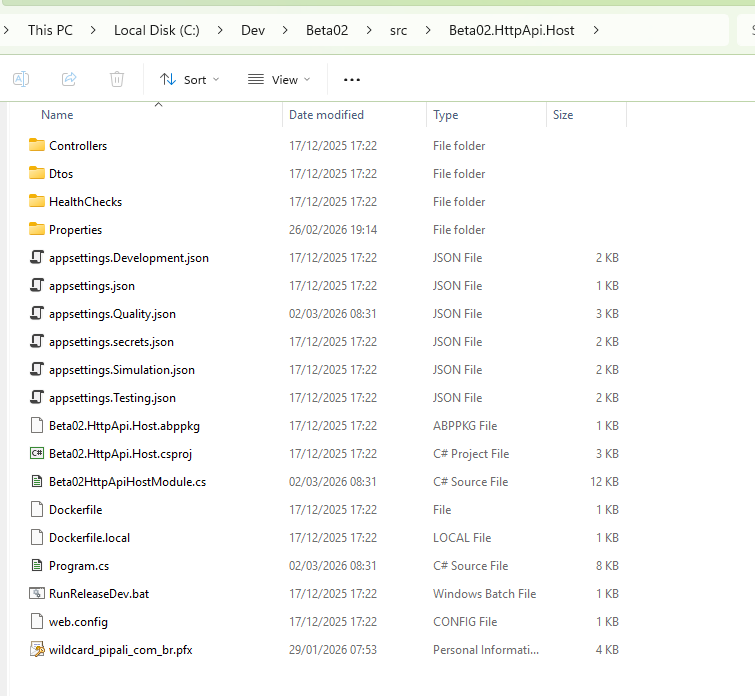
Hi! Here is the root folder of the HttpApi.Host API project. Where this packages.json should be located so I can send to you?
Issue 3rd. Libs is Missing.
[maliming] said: hi
- Can you restart the app to test again after installing the libraries?
- What is the value of your
webHostEnvironment.WebRootPath? You can see it in your app startup debug logs.- You can also try to disable it and test again Configure<AbpMvcLibsOptions>(options => { options.CheckLibs = false; }); Thanks.
Hi maliming,
Sorry for the confusion in my previous message — we have three hosts published now:
The screenshot where I verified the wwwroot\libs folder exists was from the Blazor Server UI Host file system.
However, the red banner error “The Libs folder is missing!” is happening when accessing the HttpApi.Host (API server). In the API server deployment, the libs folder is not present.
abp install-libs again locally (development machine) to ensure libs are installed. Then we published again using Visual Studio Publish to the Azure Windows App Service, which restarts the app after deployment.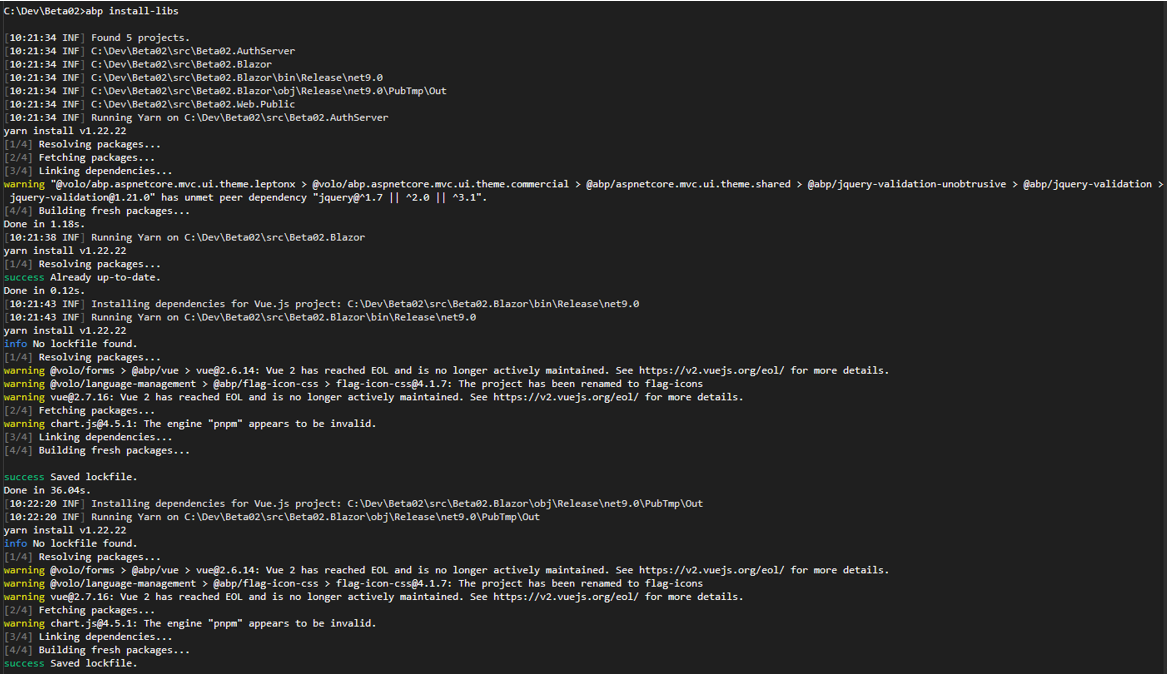
I requested from you what else might cause ABP to report that the Libs folder is missing in this environment. There is no option to install libs on Azure Application Service, so I´m considering that the deploy process will package all the files needed to upload to Azure App Service.
The LIBs subfolder doesn´t exist on API server.
IWebHostEnvironment.WebRootPath is:
C:\home\site\wwwroot
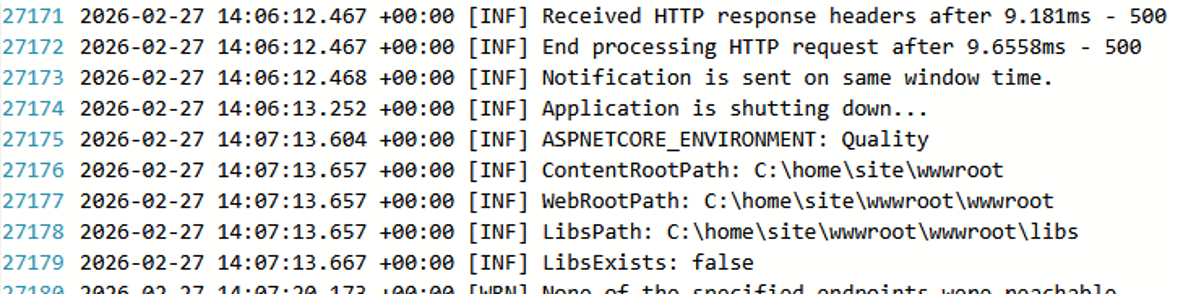
Here is the code snippet added to Program.cs
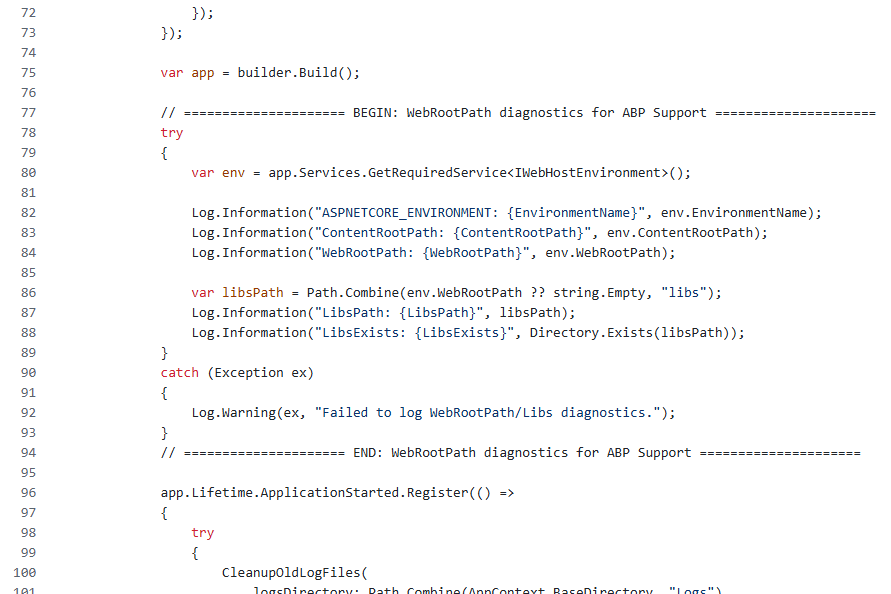
CheckLibs
In Development the application runs correctly with the CheckLibs = True, and my understanding of the publish/deploy process is basically transferring the built application and its static files to another environment. So I’m trying to understand why the libs check would need to be disabled in QA/Production.As a troubleshooting step, I set:
Configure<AbpMvcLibsOptions>(options => { options.CheckLibs = false; });
After disabling CheckLibs, the API host loads Swagger normally and the “The Libs folder is missing!” banner disappears.
Could you please clarify:
wwwroot/libs and pass this check?CheckLibs on the API host is the recommended/best-practice approach for Quality while keeping the check enabled on Development environment?[maliming] said: hi
You can run the
abp install-libscommand before publishing, or add this command to your publish pipeline.Thanks.
Following up on the Libs issue, the screenshot below shows the related error:
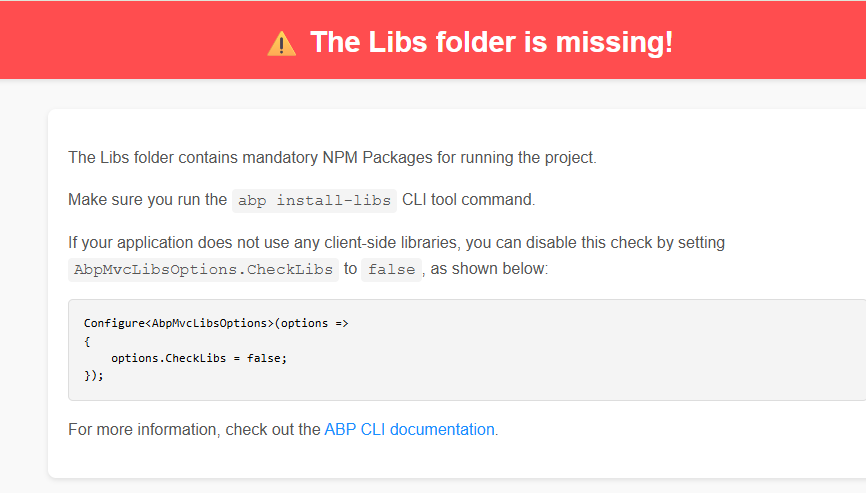
The application works correctly in my Development environment because the abp install-libs command was executed when the solution was created.
For troubleshooting, I checked the published Blazor Server application on Azure App Service, and the wwwroot/libs folder does exist in the deployed files, as shown below:
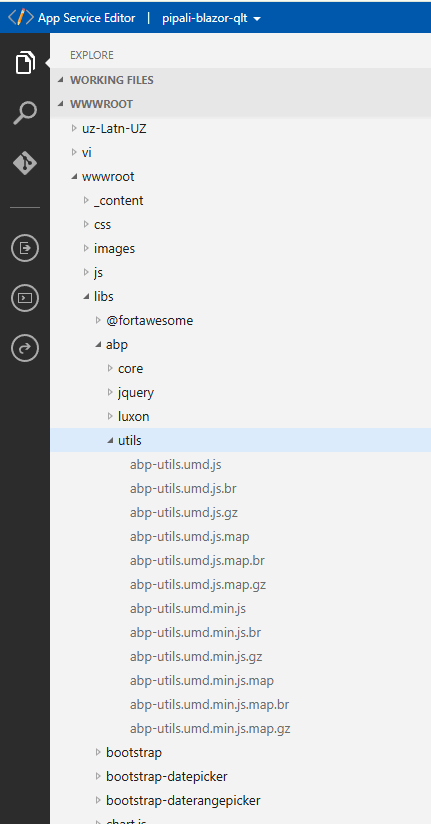
Given that the folder is present after publishing, could you please advise what else might cause ABP to report that the Libs folder is missing in this environment (e.g., path resolution, static file configuration, deployment slot/file sync, or any ABP setting that affects the libs check)?
[maliming] said: hi
Issue 2: Disabling RabbitMQ for Single-Instance Deployment
Your application is tiered, so you need a distributed event bus. However, if you need to disable it, you can replace
AbpEventBusRabbitMqModulewithAbpEventBusModulein your module dependencies.Thanks.
Hi Support Team,
Following up on the second issue (EventBus configuration).
Per your recommendation, we are temporarily switching from RabbitMQ to the default ABP EventBus (in-process) to move forward. However, our plan is to adopt the recommended best-practice setup in the near future, likely using RabbitMQ as the distributed event bus.
The attached image shows the current appsettings.json from our Blazor Server WebApp, which still includes RabbitMQ-related settings (for example, RabbitMQ:Connections:Default:HostName = "localhost").
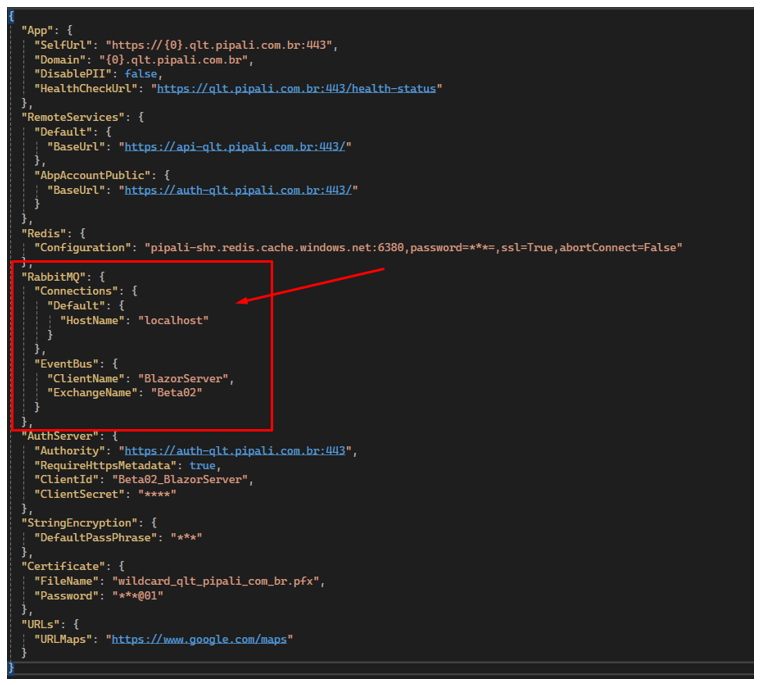
After switching to the default ABP EventBus, what exactly should we remove or change in the configuration files (appsettings.json and environment-specific settings) for:
With the default ABP EventBus, does any server/service (AuthServer vs API) need to host the event bus, or is it purely in-process per application (meaning no endpoint/host configuration is required)?
Thanks in advance for confirming the correct configuration changes now, and for advising on the best RabbitMQ hosting option for our upcoming production-ready setup.
Issue 3: ABP Library Installation and Azure Deployment
Context: The application is being published directly from Microsoft Visual Studio to an Azure App Service. The goal is to ensure that all necessary ABP libraries and client-side dependencies are correctly included in the remote server.
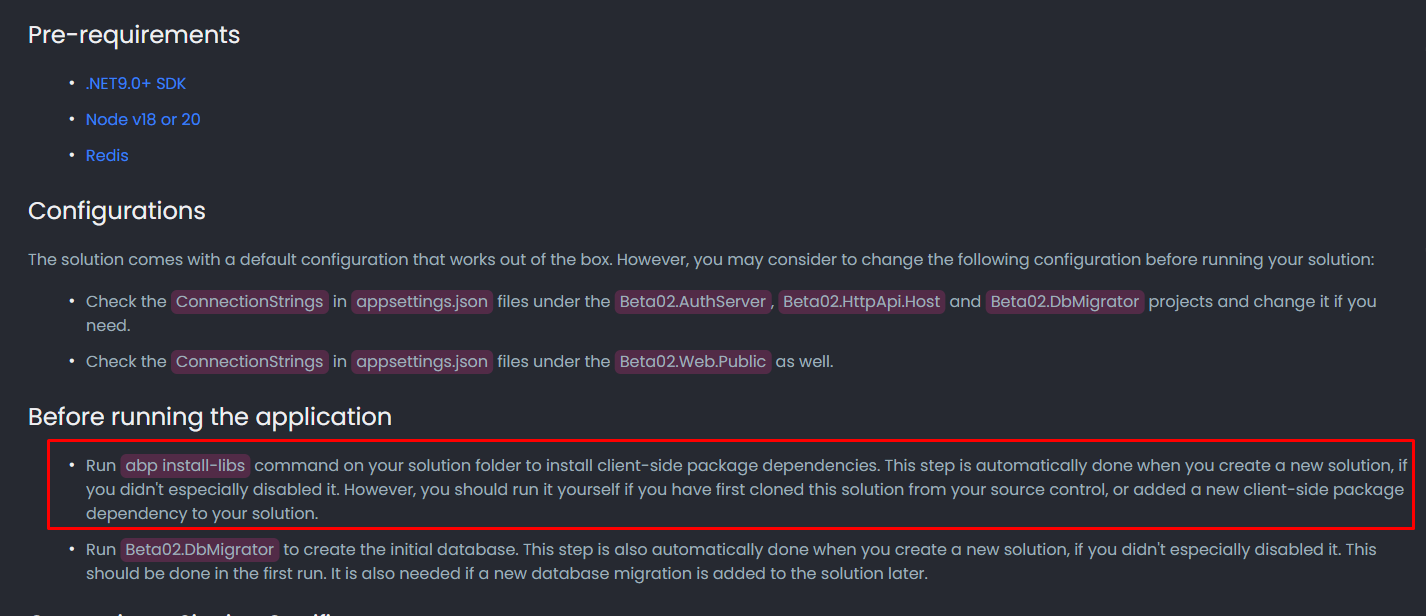
Core Question: What is the proper procedure to ensure all required libraries are bundled and sent to the remote server during the Visual Studio publish process?
References:
https://abp.io/docs/9.2/get-started/pre-requirements
• ABP Framework Version: 9.2.1 • ABP Studio Version: 2.1.7 (Created with 0.9.25) • UI Framework: Blazor Server • Architecture: Tiered (Layered) • Database: SQL Server (EF Core) • Deployment: Azure App Service (Quality Environment) • Distributed Event Bus: RabbitMQ • Multi-Tenancy: Yes (Separate Tenant Schema) The application is built on ABP Framework version 9.2.1, originally created using ABP Studio version 0.9.25 and currently maintained under version 2.1.7. It utilizes a Tiered (Layered) architecture with a Blazor Server UI framework, authentication, api and webpublic servers. For data persistence, the system uses SQL Server managed via Entity Framework Core, featuring a Multi-Tenancy approach with Separate Tenant Schemas.
I am following the official ABP Deployment Documentation to deploy to Azure App Services, having each application “solution” its own Azure App Service. • AuthServer • HttpApiHost • BlazorServer • WebPublic
I am unable to establish a connection with Azure Redis Cache
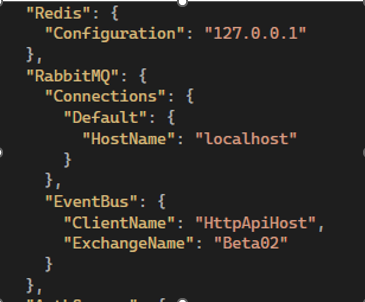
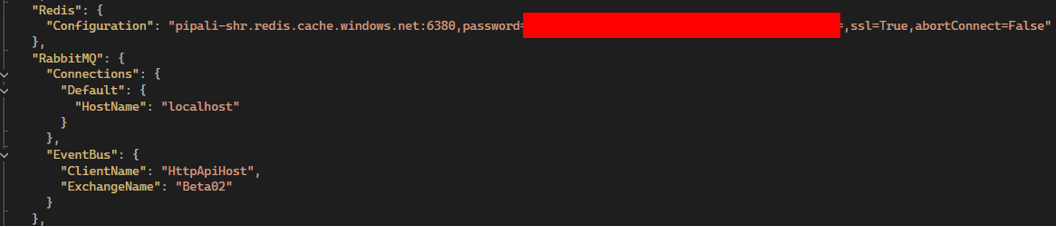
Question: Does the ABP Framework support passing the full Azure connection string directly into the standard Redis configuration field? Is there a specific format or property I should be using in the appsettings.json?
The application is currently making constant connection attempts to RabbitMQ, leading to logs filled with connection errors. Since this is a Single-Instance deployment for a Quality environment, I do not require a distributed bus like RabbitMQ at this moment.
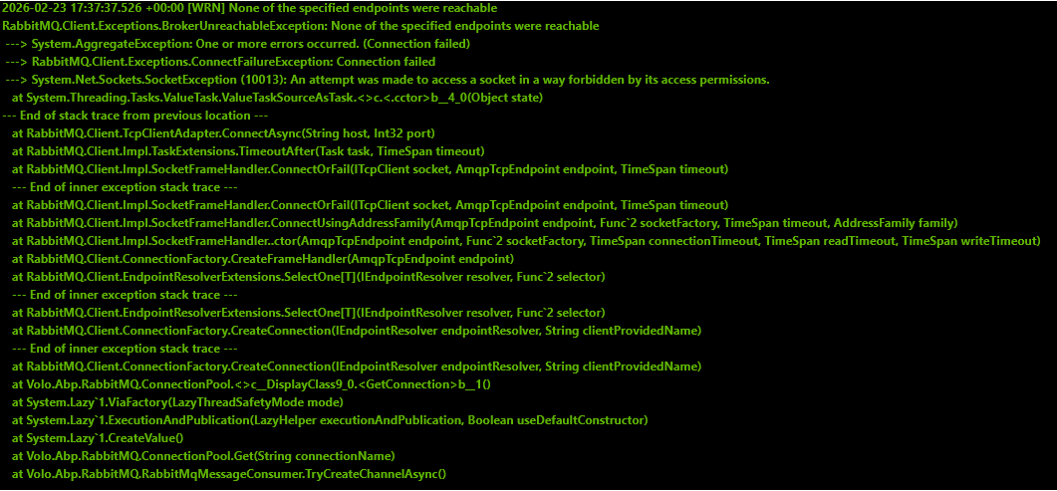 • Requirements: I need a way to disable RabbitMQ or switch to a local/in-memory event bus following best practices.
• Question 1: Is there any recommended configuration (via appsettings.json or modification of the HttpApiHostModule, AuthServerModule, and BlazorServerModule classes) to suppress RabbitMQ and use the internal memory bus?
• Question 2: Is it expected behavior for the Blazor Server UI project to attempt direct connections to RabbitMQ in a tiered architecture?
• Requirements: I need a way to disable RabbitMQ or switch to a local/in-memory event bus following best practices.
• Question 1: Is there any recommended configuration (via appsettings.json or modification of the HttpApiHostModule, AuthServerModule, and BlazorServerModule classes) to suppress RabbitMQ and use the internal memory bus?
• Question 2: Is it expected behavior for the Blazor Server UI project to attempt direct connections to RabbitMQ in a tiered architecture?
• References from articles taken into consideration: o https://abp.io/docs/9.2/deployment o https://abp.io/docs/9.2/get-started/pre-requirements
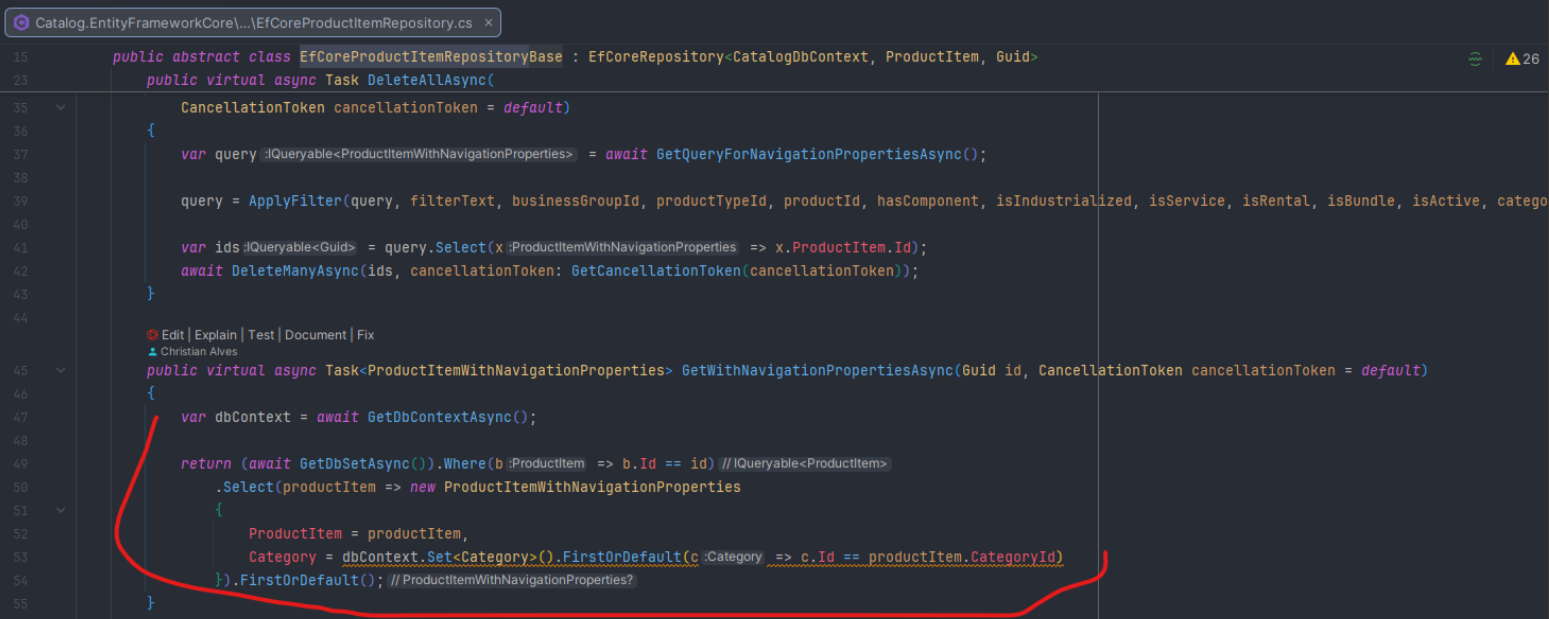
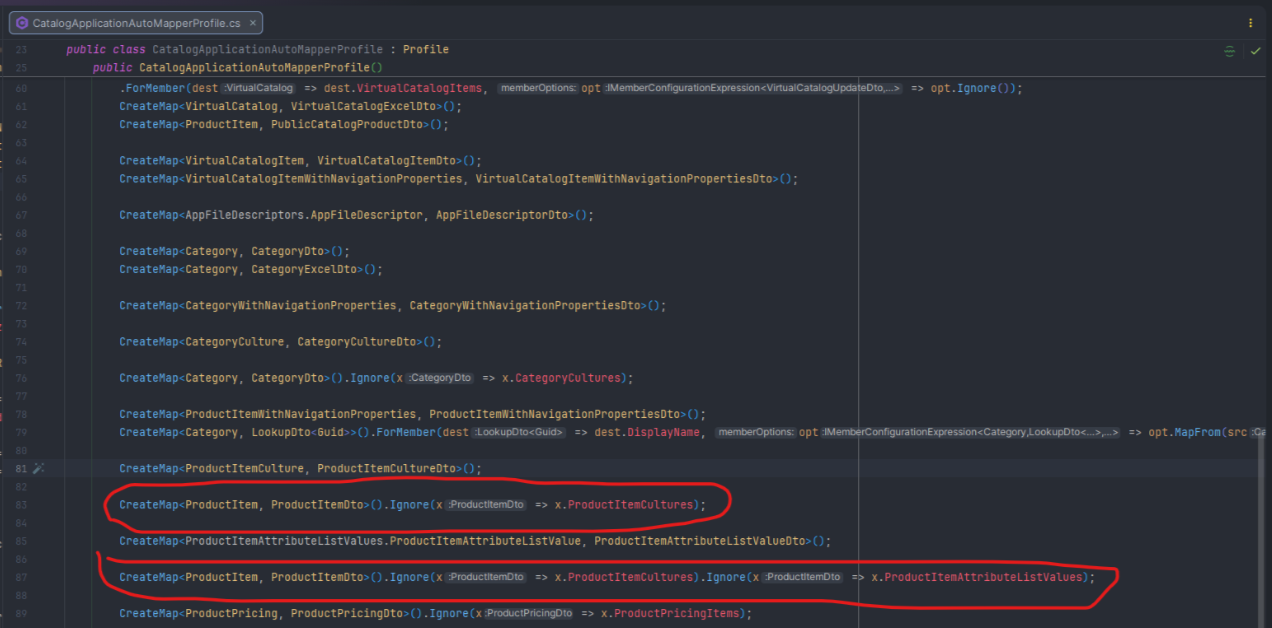
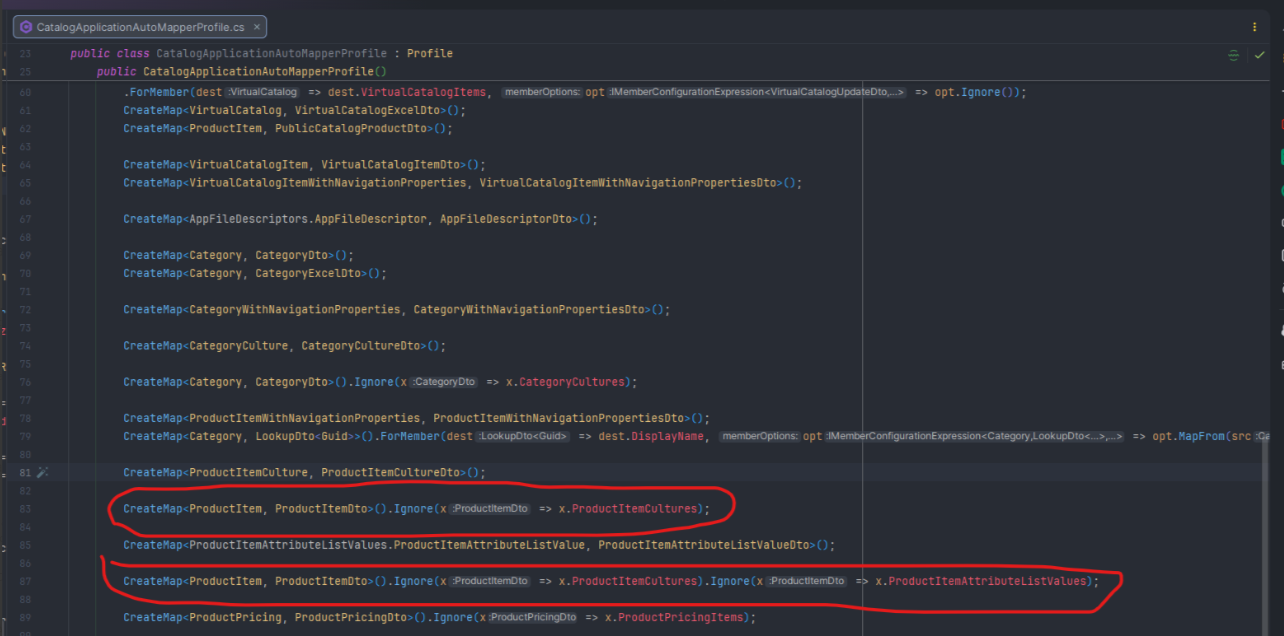
After you revisit the screenshots of the Mappers, you will see the ignore for the output. I believe this is the reason for this issue.
If there is any complement on your suggestion above that handles correctly the output for the child please bring clearer than your previous response.
Hi!
I tried to use the suggested way but the Mapper is set to Ignore the output.Can you please revisit the screenshots of the Mapper to ensure there is a right link between your suggestion and the existing Mapper. Just to enforce the context, the Mapper was created using ABP Suite templates.
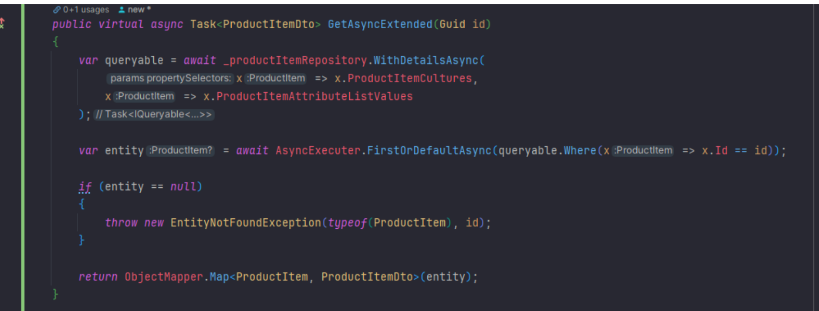
After trying to debug the issue, I found some possible cause:
a) The mapper created by ABP Suite is ignoring the child entities that I need to be returned. See the picture below:
b) Something is missing at the Repository created by default using ABP Suite.