Description: An error message is displayed when Enable two-factor authentication is selected and the changes are saved for the user.
Steps to Reproduce:
Navigate to Administration → Identity Management → Users.
Click on the Actions button and open the Two-Factor modal
Select the Enable two-factor authentication checkbox.
Click Save
Actual Result:
An error message is displayed, and the Two-Factor Authentication setting is not saved successfully.
Expected Result:
The Two-Factor Authentication setting should be saved successfully without displaying any error message.

After investigation I found three issues regarding TFA
<br> 1 With a New Tenant, although there are default settings, the settings are not implemented. If you click "Save", the setting will be implemented; this will sort out THIS bug.
2 The "Forced" setting is not implemented when it is "Saved"


3 The "Disable" setting is not implemented when it is "Saved"


ONLY the "Optional" setting is working
Description: In the Claims modal under Administration > Identity Management > Users, the system allows users to save a claim without entering any values in the mandatory fields. Additionally, the Type dropdown does not contain any selectable values. Despite this, the claim can still be saved, and a "Saved Successfully" toast message is displayed. Steps to Reproduce:
Navigate to Administration > Users. Click on the Actions button for the role and open the Claim modal Observe that the Type dropdown contains no values. Leave the Type and Value fields blank Click the Save button. Observe the behavior. Actual Result: The claim is saved successfully and a "Saved Successfully" toast message is displayed even when no values are entered in the Claim modal fields, while the Type dropdown contains no available options for selection. Expected Result: The system should validate all mandatory fields and prevent the claim from being saved when required values are missing. Appropriate validation messages should be displayed for each mandatory field, and the Type dropdown should be populated with valid claim types. If no claim types are available, the system should display an appropriate message instead of allowing an empty dropdown.

Description: The Security Logs page displays incorrect browser information for all user activity entries. Regardless of the actual browser used to access the application, the Browser field always displays “Mozilla” instead of identifying the specific browser correctly (e.g., Chrome, Edge, Firefox). The same IP address is displayed for all entries in the Security Logs page.
Steps to Reproduce:
Log in to the Dispensing application using different browsers (e.g., Chrome, Edge, Firefox) Navigate to the Security Logs page Observe the Browser details displayed for login/activity entries
Actual Result: All entries display the browser as “Mozilla” Actual browser information is not identified correctly The same IP address is displayed for all entries in the Security Logs page. The browser details and application details are not completely visible to the user.
Expected Result: System should correctly display the actual browser name used for the session (e.g., Google Chrome, Microsoft Edge, Firefox) Each Security Log entry should display the correct and corresponding IP address based on the user's activity/session. The browser details and application details should be fully visible to the user without truncation.

Description:
When the user clicks the down arrow on the Application Name column header in the Audit Logs screen, the column headers shift from their correct positions and no longer align with the corresponding data columns.
Steps to Reproduce:
Navigate to Dispensing > Administration > Audit Logs. Click the down arrow on the Application Name column header to sort the records. Observe the alignment of the column headers and data columns. Actual Result: The column headers become misaligned and do not correspond to the correct data columns.
Expected Result: The column headers should remain properly aligned with their corresponding data columns after sorting using the Application Name column header down arrow.

We are encountering the following abnormality and want to confirm if this is a known bug in ABP 9.2:
Description:
After opening and closing the Claims modal for an existing role, clicking the New Role button opens the previously accessed Edit Role modal instead of displaying a blank form for creating a new role.
Steps to Reproduce:
Navigate to Administration > Identity Management > Roles. Select an existing role and open the Claims modal. Close the Claims modal. Click the New Role button. Observe the modal that is displayed.
Actual Result: The previously accessed Edit Role modal is opened when the New Role button is clicked.
Expected Result: Clicking the New Role button should open a blank Create New Role form/modal, without displaying data from any previously selected role.

Hi ABP Support Team,
Environment: ABP Framework & Commercial 9.2.0, .NET 9, Angular 19.2.14, OpenIddict (Pro), LeptonX 4.2.0. Multi-module solution with separate API hosts; Angular uses @abp/ng.core / @abp/ng.theme.shared (~9.2.0).
Problem: We can't reliably tell when a failure is a permission/authorization error versus another error. The same status code (usually 403, sometimes 401) is returned for missing permissions, AbpAuthorizationException, and unrelated business/infrastructure errors. This makes it hard for our Angular error interceptor (and component handlers using skipHandleError: true) to show a proper "You don't have permission" message instead of a generic one. We'd rather follow ABP conventions than parse message text.
Questions: What is the recommended way to detect a permission/authorization failure on the client — HTTP status code, a specific ABP error code, or a property in RemoteServiceErrorResponse/RemoteServiceErrorInfo? Is there a documented list of ABP authorization error codes to key off? What status code and response shape should we expect for AbpAuthorizationException / permission failures (host API vs module APIs vs via gateway)? Does ABP ever return 403 for non-permission errors (e.g. BusinessException, feature/license checks)? If so, how do we distinguish them? Is there a built-in Angular helper for this, or is custom parsing expected?
Thanks!
Understood! Thank you!
Our sales department did not copy the license code and signed out
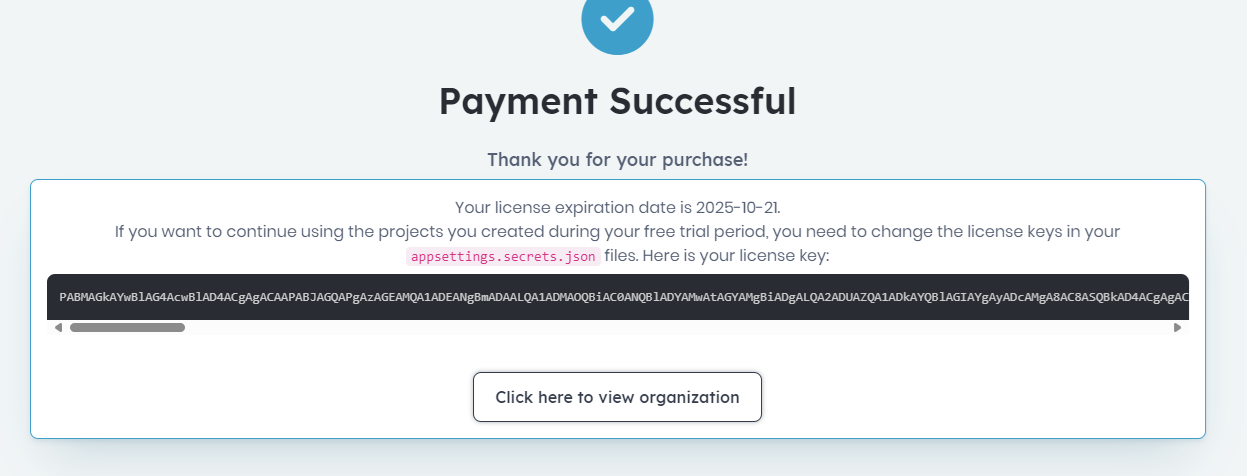
We do not want to create a new paid template project. We just need our new license key so we can copy it to our existing solution (which is a Team trial)









