BTW, this link seems broken
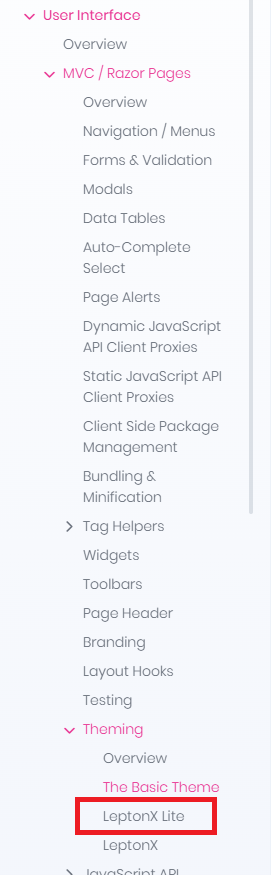
I notice there are some problems with the documentation in this regard, where the "LeptonX Lite" mentions stuff that isn't mentioned for LeptonX, like the stuff about Footer component.
https://abp.io/docs/latest/ui-themes/lepton-x-lite/angular
https://abp.io/docs/latest/ui-themes/lepton-x/angular
And from what I can see, there are no backlinks from the non Lite to to the Lite documentation
There is also a bit of confusion regarding the Naming, as in some places, LeptonX means only the commercial version and in others, there seem to be mentioned just "Lepton" with regards to the free version.
Hi and thanks for responding quickly,
I guess we will have to wait and see for the time being.
Please refund this ticket and mark it as a bug as I think we can all agree that there things not working as expected/intended here. And if possible, mark this so that it does not automatically get closed unless you manually type something ever X days.
Thanks.
Hi,
Thanks.
But why is this even needed? What is the reason for this being there to begin with as I find it hard to imagine a business case where any of your customers would want a Copyright Volosoft in their app? It is kind of like if Microsoft would add a Copyright Microsoft to every new document in Word by default and then let people know how to remove it if they ask for it :)
Also, I believe that the only way to find out what component to actually replace with component replacement would be to either ask for it or reverse engineer the LeptonX theme, both which seems unnecessary to me.
Seems like we must be missing something here compared to just not having to to this (or even better, have a optional Copyright message which you could both enable/disable and modify via settings).
Real support please
(BTW, the suggested AI response is incorrect as NgModule is no longer used from what I know)
Thank you for an honest answer and we appreciate that you take this seriously and that you confirm these as valid concerns. Also appreciate that you confirm that there is at least an intention for the React Native / Expo template to be up to par with the other ABP templates.
This has been an ongoing discussion for probably two years by now, during which there have been several promised about the template being fixed in the next version, followed by that is has been fixed in the last version etc. We really hope that this time it turns out to be true, but you have to forgive us for being a bit skeptical about this being the time when it actually happens. That said, no one would be happier than us if we were proven wrong this time.
We are not expecting the template to be perfect (even if it would be nice if it was), but being a paid commercial product, we at least expect it to be working out of the box. And we also find it concerning that it seems like despite the template containing breaking/stopping problems, it is still being released as "production ready" when it is more like a never ending beta version.
For this project, we have once again, after having spent a few too many hours on this, found that we have to find an alternative solution for our React Native / Expo app than the one provided by ABP. This is unfortunate for many reasons.
All this said, as mentioned above, we really hope that this is the time when we are finally proven wrong about our concerns and that you manage to release a React Native / Expo template we can actually use for a project intended for production. If we could assist in this by perhaps testing out new early releases etc. we would be willing to do so as much as we can manage.
What is the road map for the ABP Studio version being released that is intended to fix this?
Thanks.
Real support please
Tutorial is incorrect and needs to be updated.
Incorrect, the angular app generated by latest ABP Studio does not use NgModule.
Hi,
This is a serious and unnecessary limitation of ABP we think. Basically two out of five icons are kind wasted with a unnecessary bloated menu icon.
What is even the reasoning behind this being the standard layout? Why does Settings, something you would seldom access, considered as so important to take one out of four bottom bar icons?
Why is the menu icon so bloated compared to just a normal hamburger menu?









