Hi, you can access the log file from here:
Also, the first 2 times I got a build error, but the 3rd one was successful. So kindly check the logs from the bottom. Thanks
https://mellowoodmedical-my.sharepoint.com/personal/sbhojani_mellowoodmedical_com/_layouts/15/onedrive.aspx?id=%2Fpersonal%2Fsbhojani%5Fmellowoodmedical%5Fcom%2FDocuments%2FLogsShare&ga=1
Hi, I'm getting 500 error while login in into ABP.IO as well as ABP Studio. My user name is Sergei.Gorlovetsky Please help Thanks in advance, Sergei
I am trying to use an existing DB entity and generate a CRUD page. But even after getting the success message, no code is being added to my Angular project.
I think the app suite is not able to find my Angular folder. Is there any configuration that I might be missing here?
I have 2 separate repositories, one for WebAPI, one for Angular app does Suite support to create user interface in different folder WebApi - src/ - test/ - Api.sln Angular - node_modules/ - src/ - package.json - tsconfig.json
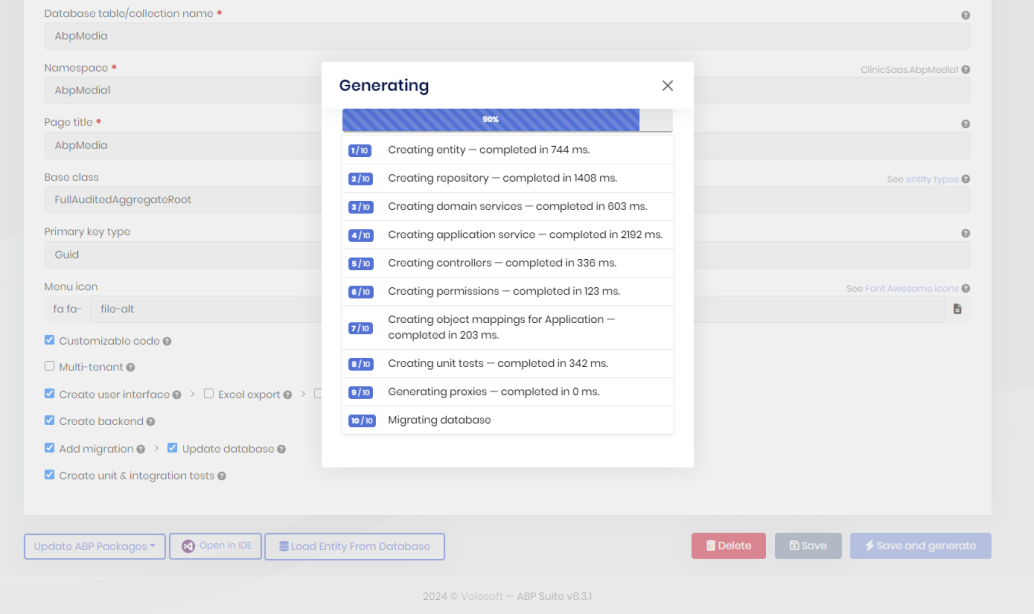
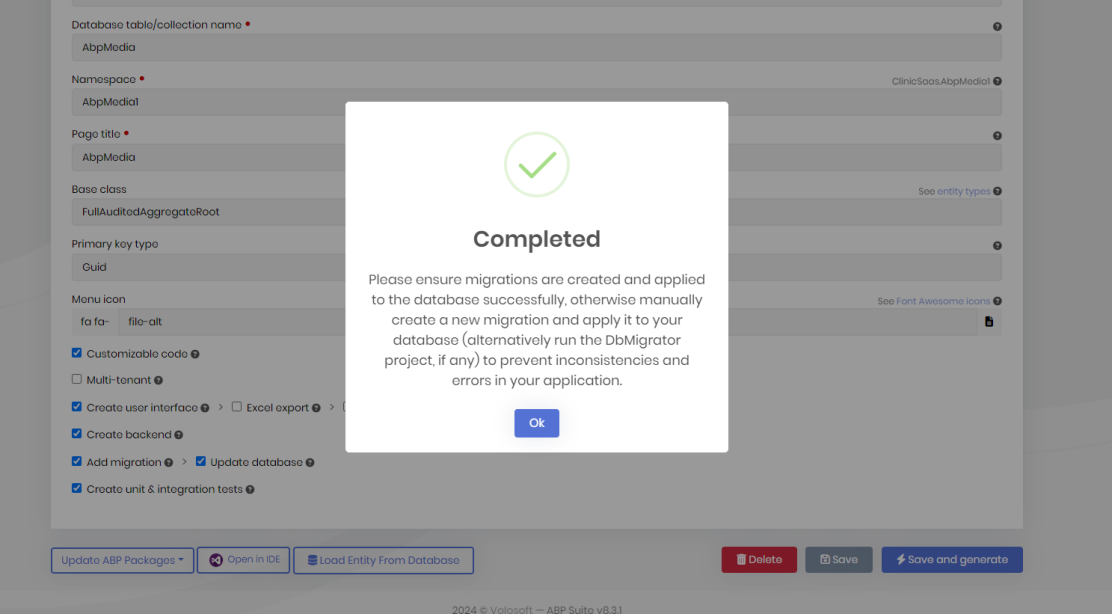
Thanks it works.
I thought it will be able to handle / this minor thing automatically.
Please update it here on documents page. I did not realize it will be this much strict validation.
https://abp.io/docs/commercial/latest/startup-templates/application/azure-deployment/step2-configuration-application?UI=NG&DB=EF&Tiered=No#step-2-customizing-the-configuration-of-the-abp-application
Hello, I am getting this error though my redirect URL is correct
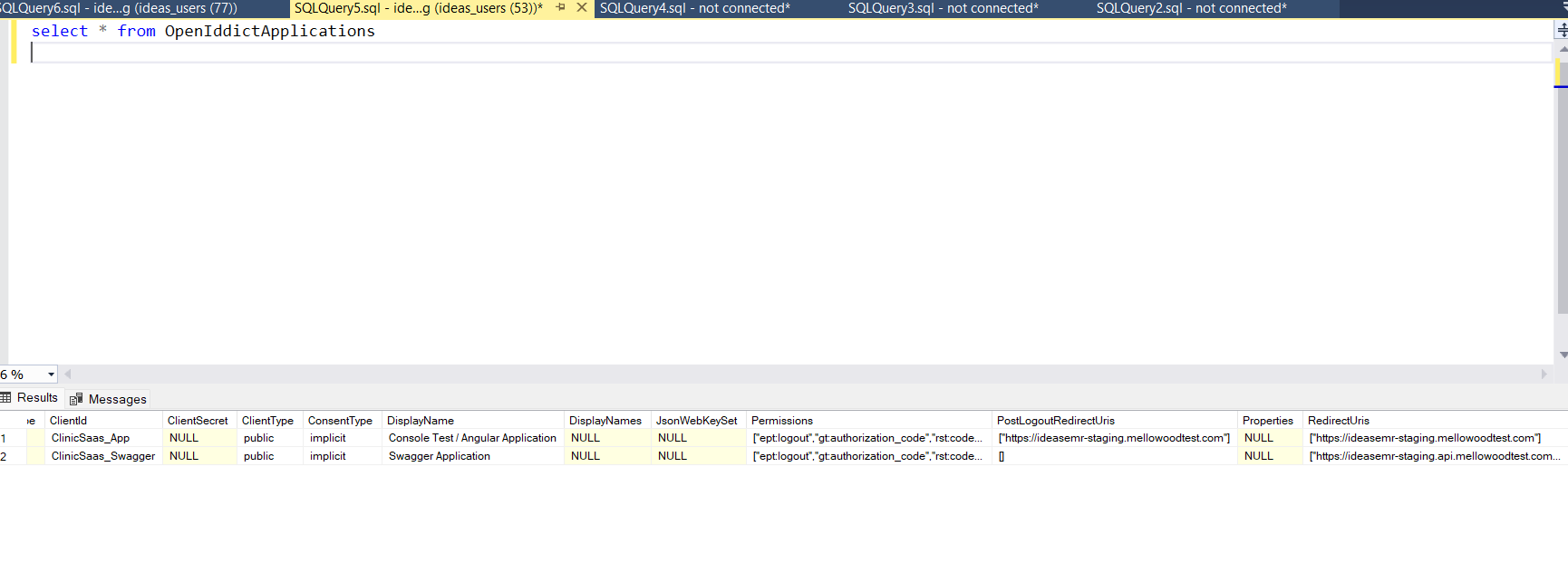
UI: https://ideasemr-staging.mellowoodtest.com/ API: https://ideasemr-staging.api.mellowoodtest.com/
earlier it was working fine before I added custom domains in Azure.
After custom domains, I updated appsettings.json file with new URLs and run the migration.
Screenshot of OpenIddictApplications table
2024-09-23T14:50:17.421053363Z: [INFO] [14:50:17 INF] Client validation failed because 'https://ideasemr-staging.mellowoodtest.com/' was not a valid redirect_uri for ClinicSaas_App. 2024-09-23T14:50:17.434400280Z: [INFO] [14:50:17 INF] The authorization request was rejected because the redirect_uri was invalid: 'https://ideasemr-staging.mellowoodtest.com/'. 2024-09-23T14:50:17.434435580Z: [INFO] [14:50:17 INF] Request finished HTTP/1.1 GET https://ideasemr-staging.api.mellowoodtest.com/connect/authorize?response_type=code&client_id=ClinicSaas_App&state=dE9BV3FhZ0F-NTRUSC1fdXRCcXR1U3oxM1NRMVZrYkMzbS0wNjJRTEZpdVlK&redirect_uri=https%3A%2F%2Fideasemr-staging.mellowoodtest.com%2F&scope=openid%20offline_access%20ClinicSaas&code_challenge=DSbWa0M4DBQp9-_mq6nNF8etCriOyDd_KF5pE3ug6M0&code_challenge_method=S256&nonce=dE9BV3FhZ0F-NTRUSC1fdXRCcXR1U3oxM1NRMVZrYkMzbS0wNjJRTEZpdVlK&culture=en&ui-culture=en - 302 0 null 34.8173ms 2024-09-23T14:50:17.477596957Z: [INFO] [14:50:17 INF] Request starting HTTP/1.1 GET http://ideasemr-staging.api.mellowoodtest.com/Error?httpStatusCode=400 - null null 2024-09-23T14:50:17.481191988Z: [INFO] [14:50:17 INF] Executing endpoint 'Volo.Abp.AspNetCore.Mvc.UI.Theme.Shared.Controllers.ErrorController.Index (Volo.Abp.AspNetCore.Mvc.UI.Theme.Shared)' 2024-09-23T14:50:17.481760393Z: [INFO] [14:50:17 INF] Route matched with {action = "Index", controller = "Error", area = "", page = ""}. Executing controller action with signature System.Threading.Tasks.Task`1[Microsoft.AspNetCore.Mvc.IActionResult] Index(Int32) on controller Volo.Abp.AspNetCore.Mvc.UI.Theme.Shared.Controllers.ErrorController (Volo.Abp.AspNetCore.Mvc.UI.Theme.Shared). 2024-09-23T14:50:17.490305667Z: [INFO] [14:50:17 INF] Executing action method Volo.Abp.AspNetCore.Mvc.UI.Theme.Shared.Controllers.ErrorController.Index (Volo.Abp.AspNetCore.Mvc.UI.Theme.Shared) - Validation state: Valid 2024-09-23T14:50:17.490330268Z: [INFO] [14:50:17 INF] Executed action method Volo.Abp.AspNetCore.Mvc.UI.Theme.Shared.Controllers.ErrorController.Index (Volo.Abp.AspNetCore.Mvc.UI.Theme.Shared), returned result Microsoft.AspNetCore.Mvc.ViewResult in 0.1206ms. 2024-09-23T14:50:17.490399568Z: [INFO] [14:50:17 INF] Executing ViewResult, running view ~/Views/Error/Default.cshtml. 2024-09-23T14:50:17.499717950Z: [INFO] [14:50:17 INF] Executed ViewResult - view ~/Views/Error/Default.cshtml executed in 10.6116ms. 2024-09-23T14:50:17.500032052Z: [INFO] [14:50:17 INF] Executed action Volo.Abp.AspNetCore.Mvc.UI.Theme.Shared.Controllers.ErrorController.Index (Volo.Abp.AspNetCore.Mvc.UI.Theme.Shared) in 17.4529ms 2024-09-23T14:50:17.500051752Z: [INFO] [14:50:17 INF] Executed endpoint 'Volo.Abp.AspNetCore.Mvc.UI.Theme.Shared.Controllers.ErrorController.Index (Volo.Abp.AspNetCore.Mvc.UI.Theme.Shared)'
Hello, I am trying to deploy the backend into an Azure App service (Linux) customer container—not a docker.
I am facing this startup failure issue related to ports.
I also have, put environment variables PORT, WEBSITES_PORT, ASPNETCORE_HTTP_PORTS with value such as 80,8000,8080 but nothing works.
How do I fix this, can I get some help please ?
2024-09-19T04:19:00.859Z INFO - docker run -d --expose=8080 --name econsent-staging-api_0_54294e83 -e WEBSITE_USE_DIAGNOSTIC_SERVER=true -e WEBSITES_PORT=8080 -e WEBSITE_SITE_NAME=econsent-staging-api -e WEBSITE_AUTH_ENABLED=False -e WEBSITE_ROLE_INSTANCE_ID=0 -e WEBSITE_HOSTNAME=econsent-staging-api-hhdzezc7h4gfabcn.canadacentral-01.azurewebsites.net -e WEBSITE_INSTANCE_ID=0d5668f121ac94cc42d5df8f8ef98a91f96d44ffa9020693b531b2188a4ede59 -e ASPNETCORE_HOSTINGSTARTUPASSEMBLIES=Microsoft.ApplicationInsights.StartupBootstrapper -e DOTNET_STARTUP_HOOKS=/agents/core/StartupHook/Microsoft.ApplicationInsights.StartupHook.dll appsvc/dotnetcore:8.0_20240819.2.tuxprod 2024-09-19T04:19:00.861Z INFO - Logging is not enabled for this container. Please use https://aka.ms/linux-diagnostics to enable logging to see container logs here. 2024-09-19T04:19:02.560Z INFO - Initiating warmup request to container econsent-staging-api_0_54294e83 for site econsent-staging-api 2024-09-19T04:19:13.995Z ERROR - Container econsent-staging-api_0_54294e83 for site econsent-staging-api has exited, failing site start 2024-09-19T04:19:14.013Z ERROR - Container econsent-staging-api_0_54294e83 didn't respond to HTTP pings on port: 8080, failing site start. See container logs for debugging. 2024-09-19T04:19:14.025Z INFO - Stopping site econsent-staging-api because it failed during startup. 2024-09-19T04:26:07.480Z INFO - Starting container for site
I understand 401 means unauthorized. I just wanted to show a Text-based response with 401. But I think it won't be possible then.
You can close the ticket. Thanks
I am not using UI for this one. My UI is just for tenant management. I am sharing API to be used by other integrations(outside of this project).
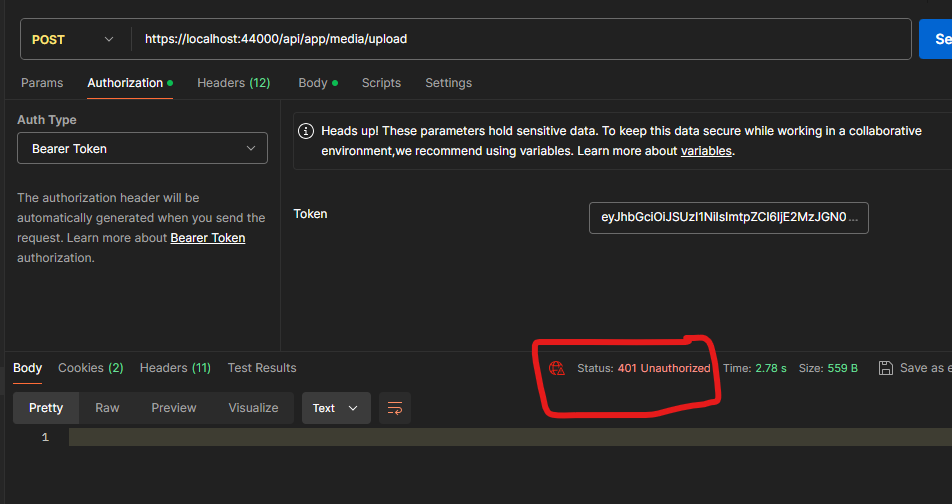
I am creating API and using bearer token to authenticate the API requests.
I have used [Authorize] in my controller class and method. When I try to execute the API with the invalid token, in the logs I see the error message that says invalid token or token no longer valid.
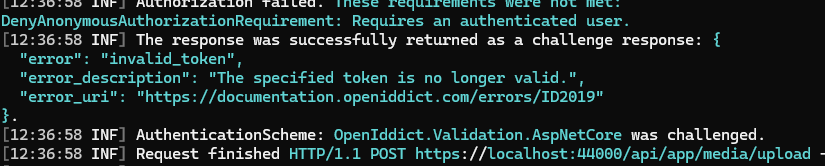
But in the postman, I just see 401 unauthorized. However, I want to show a user-facing error message about an invalid token.
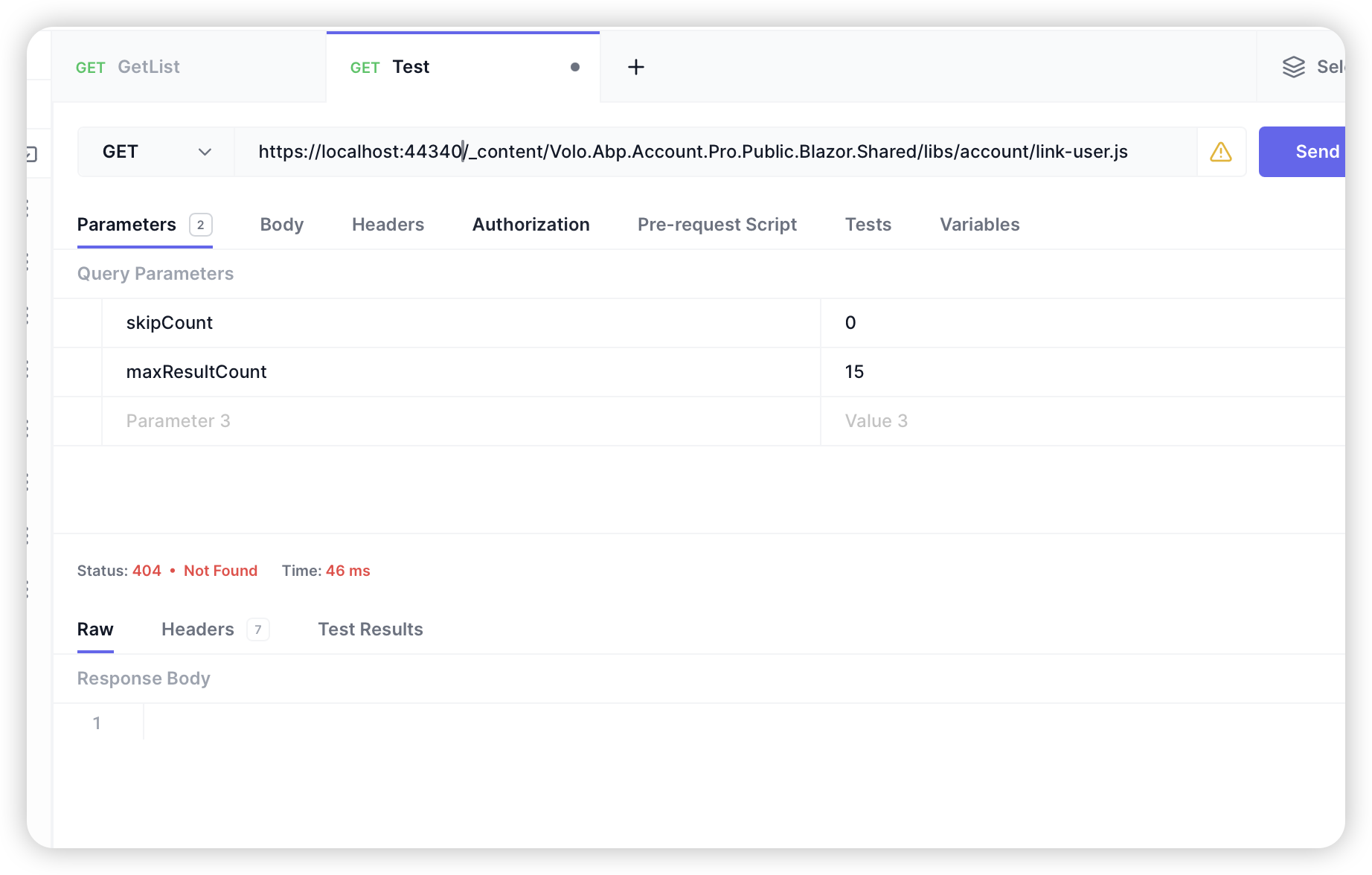
It returns 404 once I remove them from the wwwroot folder . Did I miss something here?









