The used case is, I am getting an error on my UAT environment after login. But its not being generated each time. Its occurring on one specific mac, on safari and firefox, in chrome there is no issue at all. I tried all the way cleaning everything and running in private/incognito window (specific mac system) everywhere else it work smoothly
The issue is, Unhandled exception of Correlation failed. It seems to be some sort of cookies issue. but not able to produce on local Please find the attached screenshot of error.
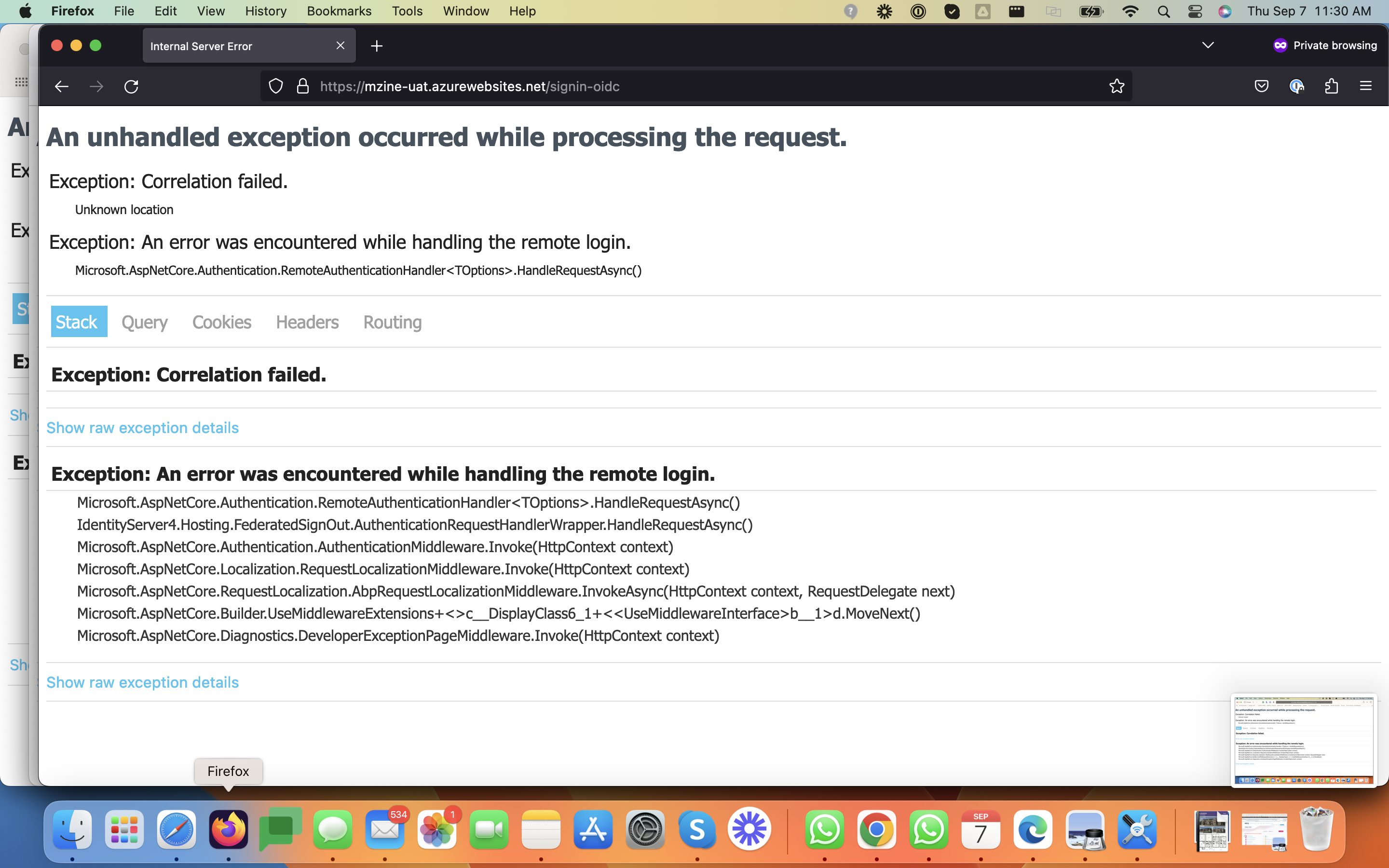
here are some additional details
context.Services.AddAuthentication(options => { options.DefaultScheme = "Cookies"; options.DefaultChallengeScheme = "oidc"; }) .AddCookie("Cookies", options => { options.ExpireTimeSpan = TimeSpan.FromDays(365); }) .AddAbpOpenIdConnect("oidc", options => { options.CorrelationCookie.SameSite = Microsoft.AspNetCore.Http.SameSiteMode.None; options.Authority = configuration["AuthServer:Authority"]; options.RequireHttpsMetadata = Convert.ToBoolean(configuration["AuthServer:RequireHttpsMetadata"]); ; options.ResponseType = OpenIdConnectResponseType.CodeIdToken;
            options.ClientId = configuration["AuthServer:ClientId"];
            options.ClientSecret = configuration["AuthServer:ClientSecret"];

            options.SaveTokens = true;
            options.GetClaimsFromUserInfoEndpoint = true;

            options.Scope.Add("role");
            options.Scope.Add("email");
            options.Scope.Add("phone");
            options.Scope.Add("mzine");
        });
I cached the data in Redis, The data which I cached is Entity. Example Job (Not JobDto) When I read data from Redis, All the data get mapped except the base properties (Id, CreationTime, CreatorId, LastModificationTime, LastModifierId)
The cause which I found is these Properties are having protected set;
public virtual TKey Id { get; protected set; }
Can you help me out in this, how can I map the data so that I can get the Entity Again from Cache.
Thanks
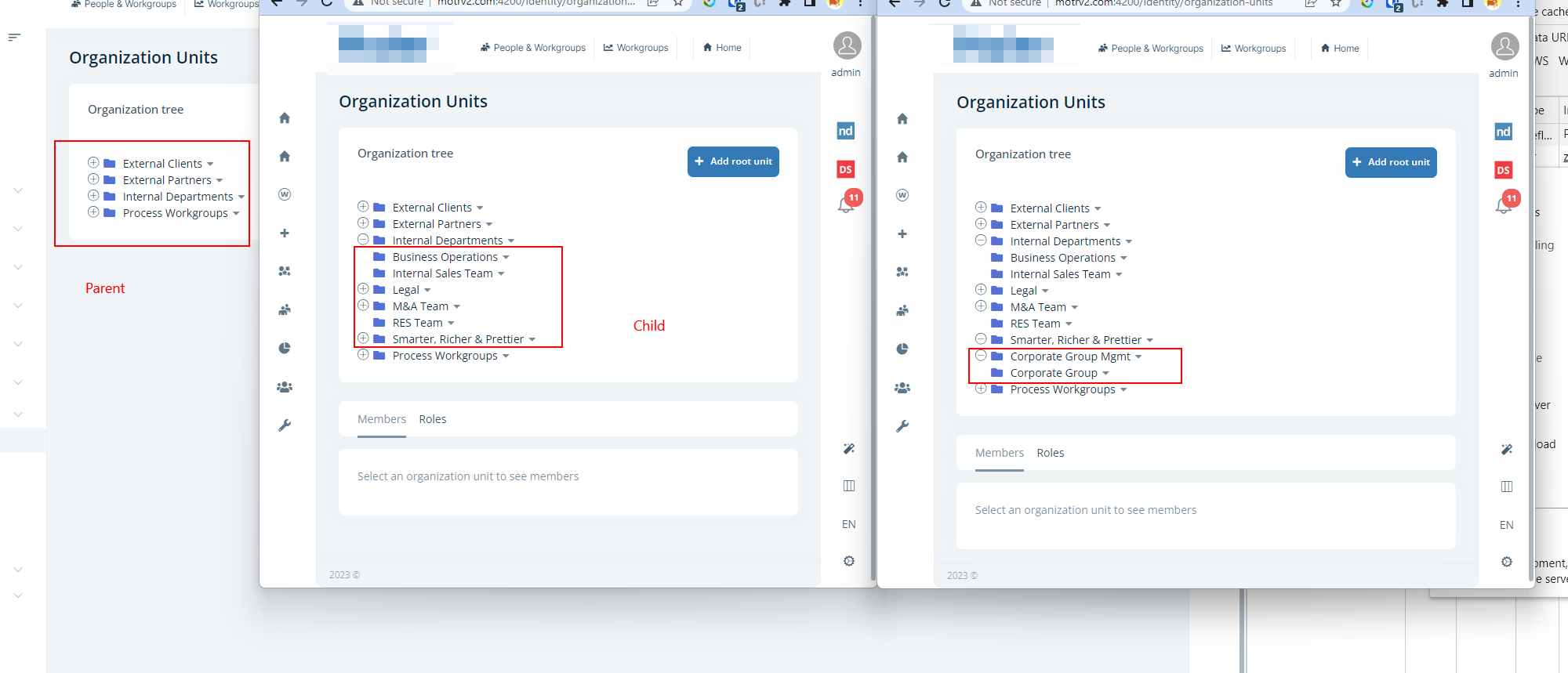
Please suggest how can I manage parent child hierarchy is correct alignment for organization units
Currently Parent, Child and Sub-Child all should be in correct hierarchy but currently they are all in same root. Even the html generated is in root not in nested manner.
Please suggest way to handle it , Please review screenshot for example
Hi Team,
Can you please guide me on how to implement single sign on with azure ad. I am on Abp V7.2.2 and using angular 15 as frontend.
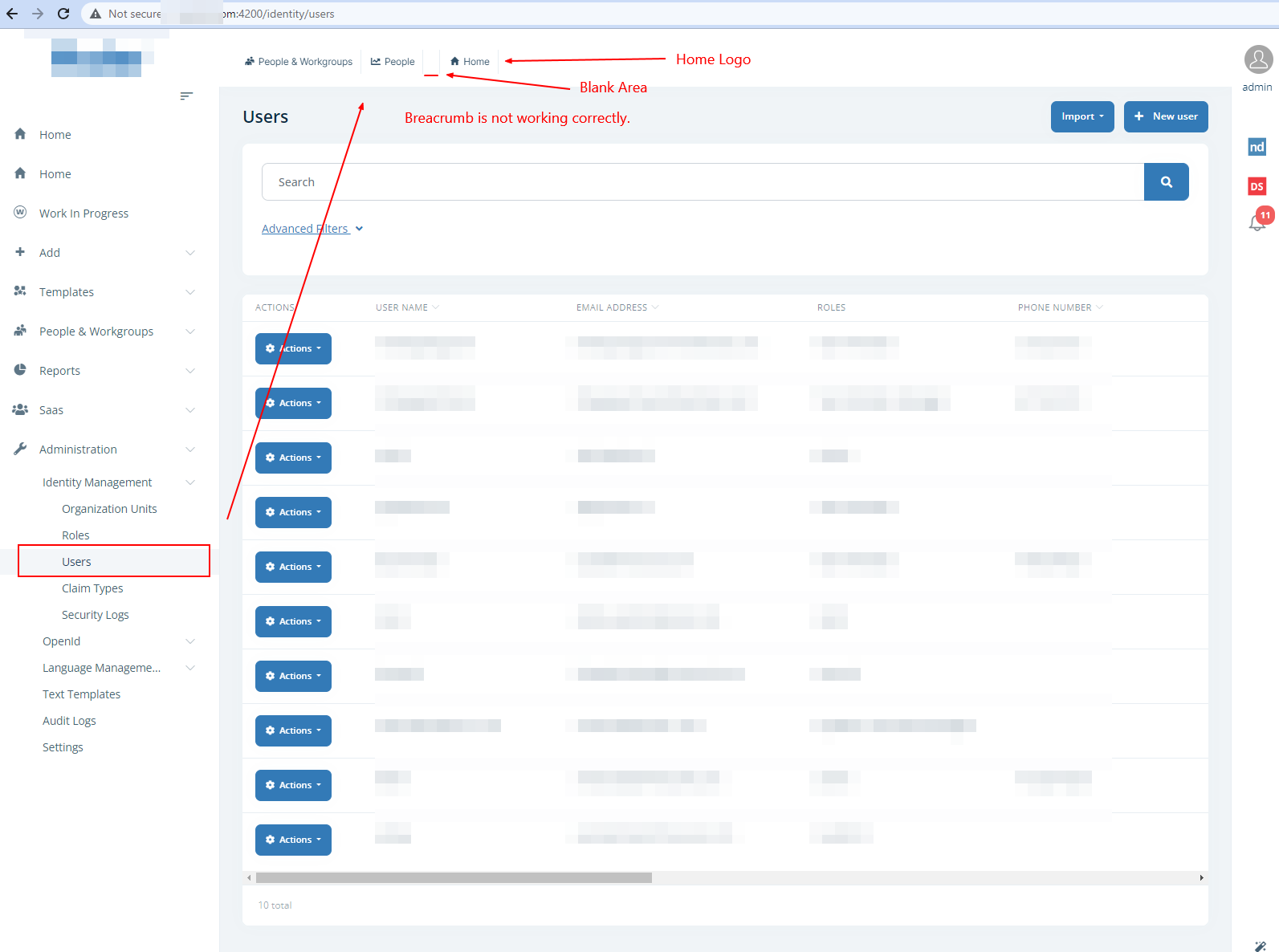
Hi Team, I was wondering the breadcrumb in user management screen is not working correctly, There is some blank missing item and wrong Home icon as well, Please refer the screenshot. And Suggest the way to fix this, also please let me know how can override the breadcrumb only of this screen if I want.
Thanks
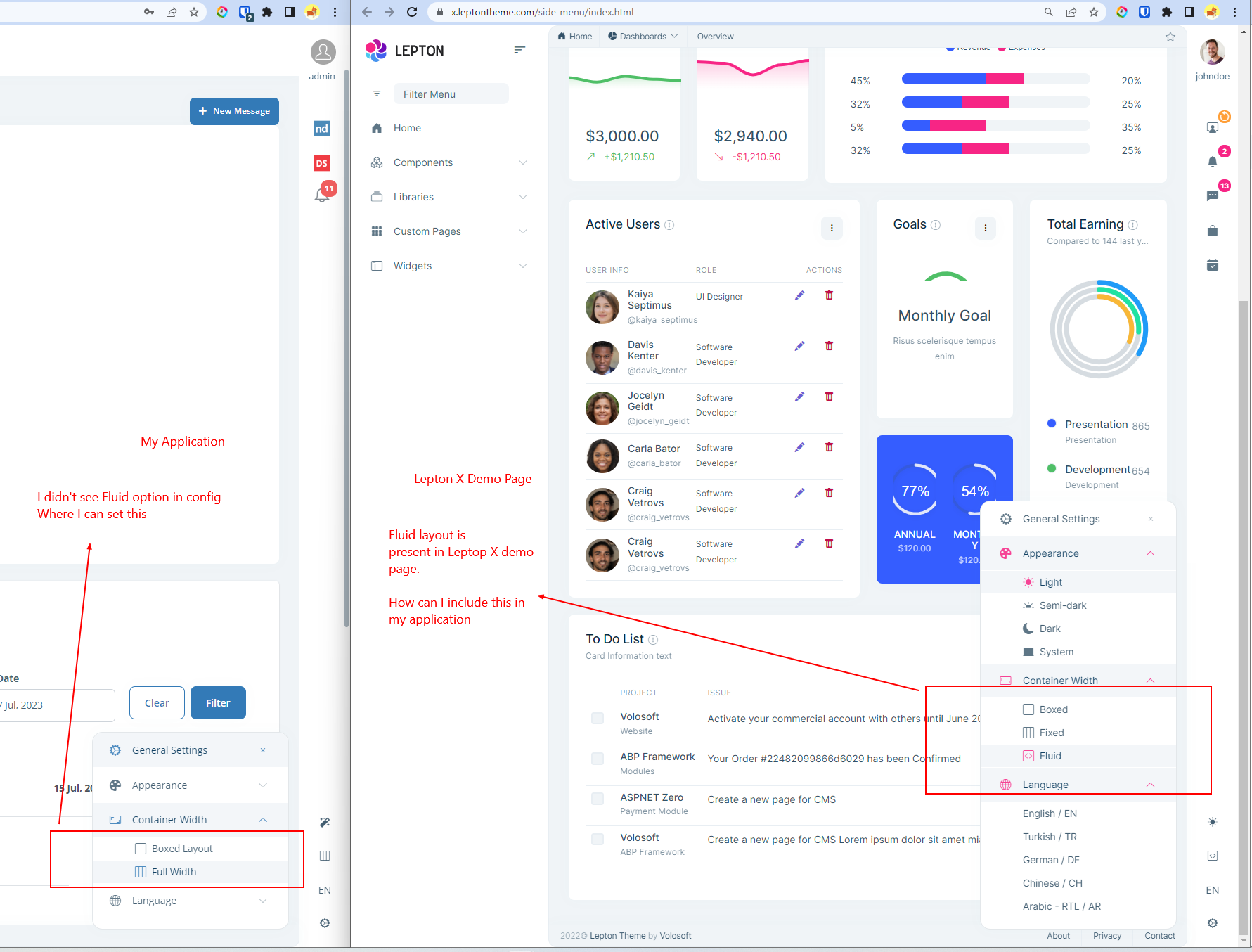
I have upgraded my application to Lepton X, but my application is missing of Fluid layout option, please see the screenshot. And how can I configure this ?
Hi Team,
I would like to have a list of tables which should be only present in tenant database and tables which should be present in non-tenant database. If you can provide the list that will be very helpful.
Thanks
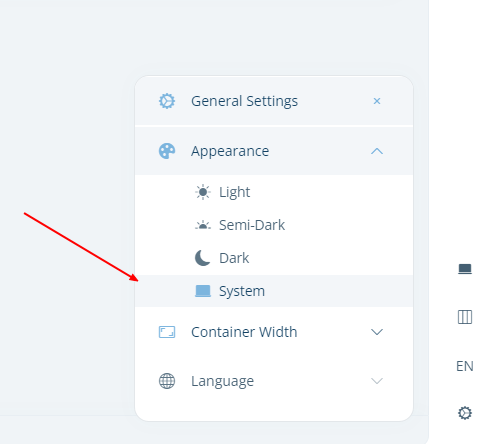
I want to register/add new custom themes in the project, can you please let me know the steps, how can I implement this ? and those should appear in theme section as pointed in screenshot
Thanks
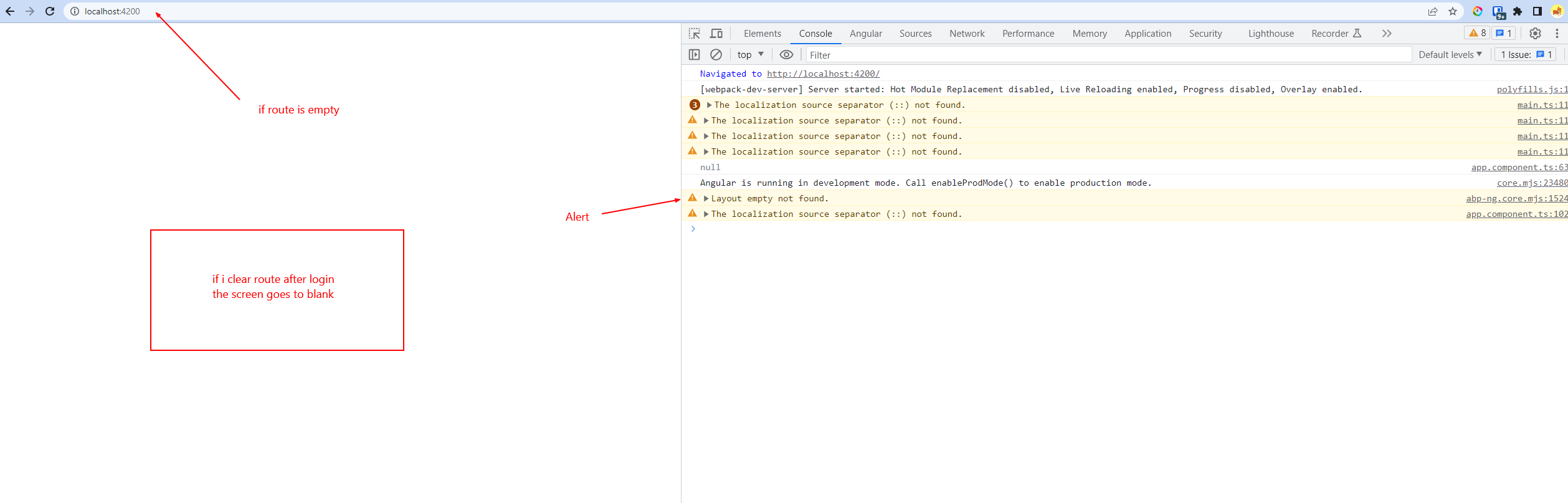
If I am not logged in and hit http://localhost:4200 it redirect me to http://localhost:4200/account/login?returnUrl=%2F
After login I got redirected to my dashboard which is fine, After navigating from menu to diff screens is also working fine.
But as soon as I either click on Logo or redirect to http://localhost:4200 nothing appears in screen Please review the screenshot, How can I resolve this ?
Thanks
Hi Team,
I am upgrading ABP to 7.2.2. Backend works well and UI as well.
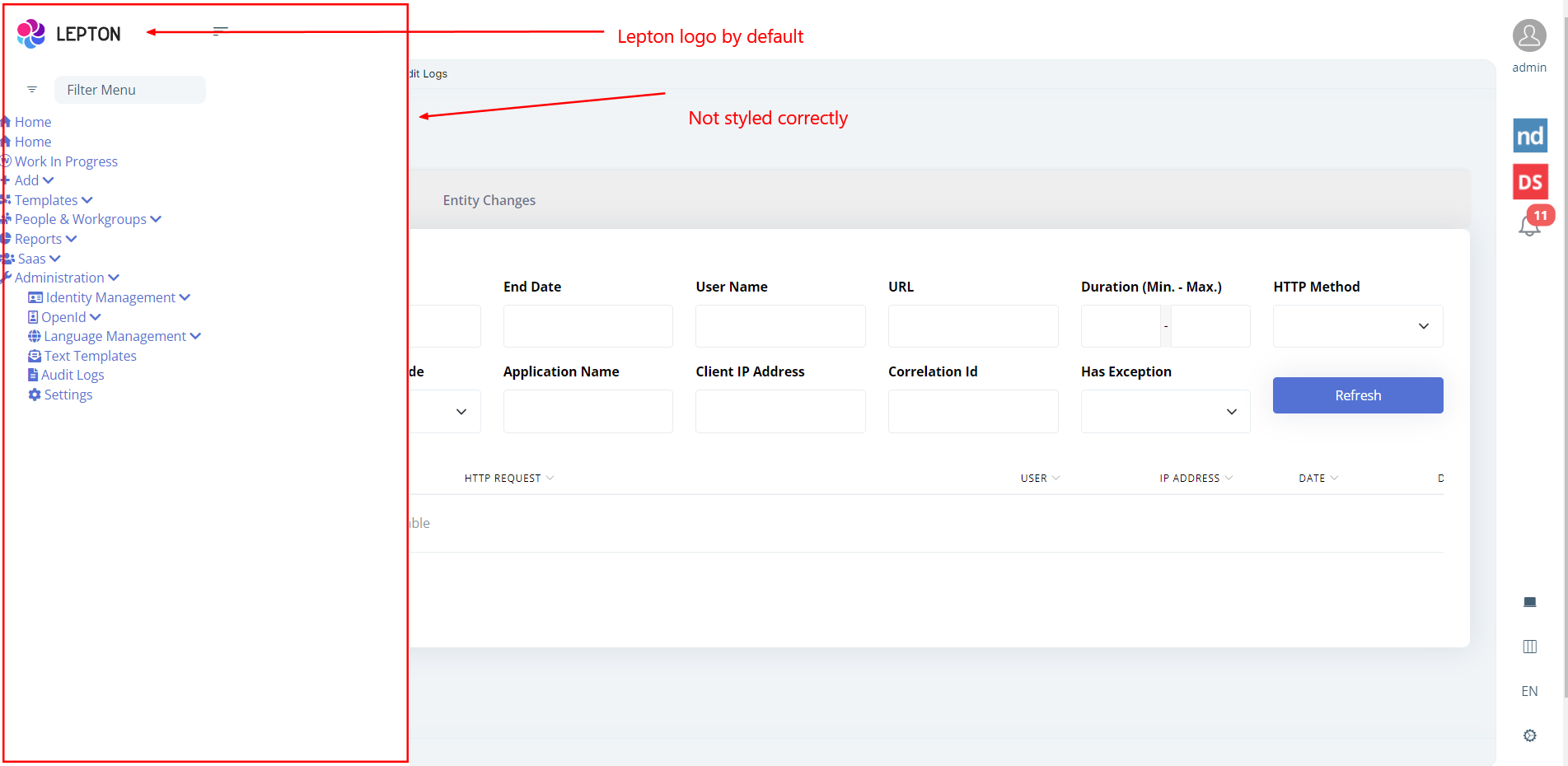
The only issue is side menu layout is not styled correctly.
Please review the screenshot and suggest me how can I fix this and have correct css formatting
Here are the details for configuration.
app.module.ts ThemeLeptonXModule.forRoot(), SideMenuLayoutModule.forRoot(),
shared.module.ts imports:[ ThemeLeptonXModule ]
angular.json
{ "input": "node_modules/@volosoft/ngx-lepton-x/assets/css/side-menu/layout-bundle.css", "inject": false, "bundleName": "layout-bundle" }, { "input": "node_modules/@volosoft/ngx-lepton-x/assets/css/side-menu/layout-bundle.rtl.css", "inject": false, "bundleName": "layout-bundle.rtl" },
Thanks









