sorry i noticed that where is Database Connection strings tab ??
wow it works thank you lian :)
hi
i moved page into same path as you
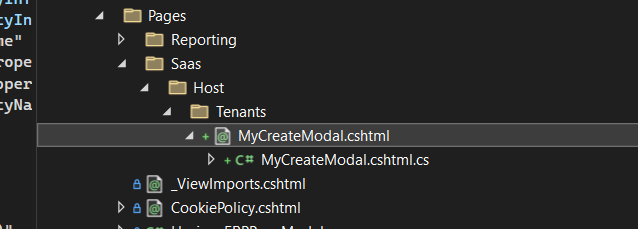
and final result is
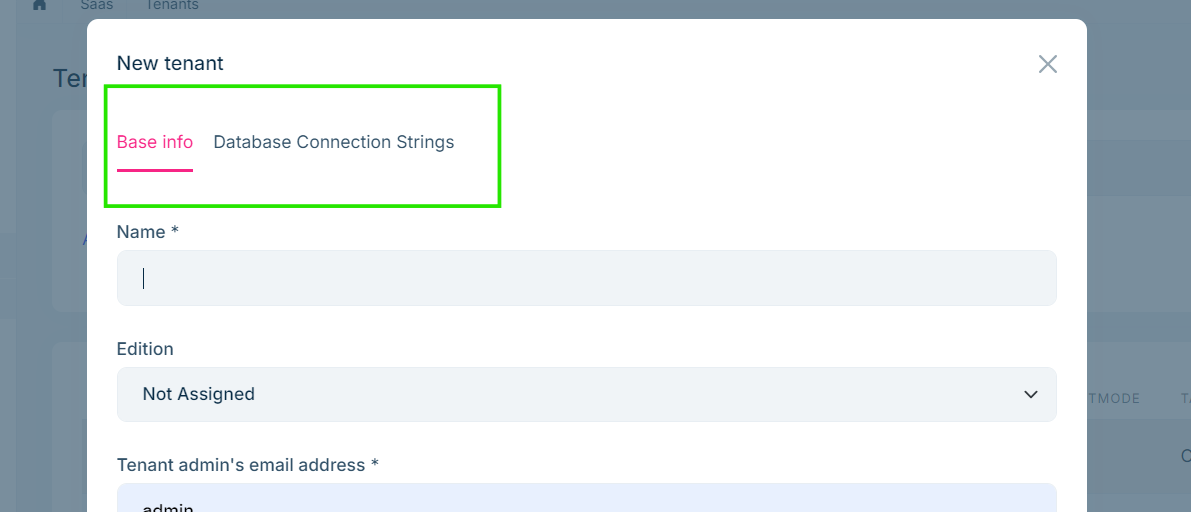
steps what i did is: 1- get the application contract tenant source to use it's Dto within cs file
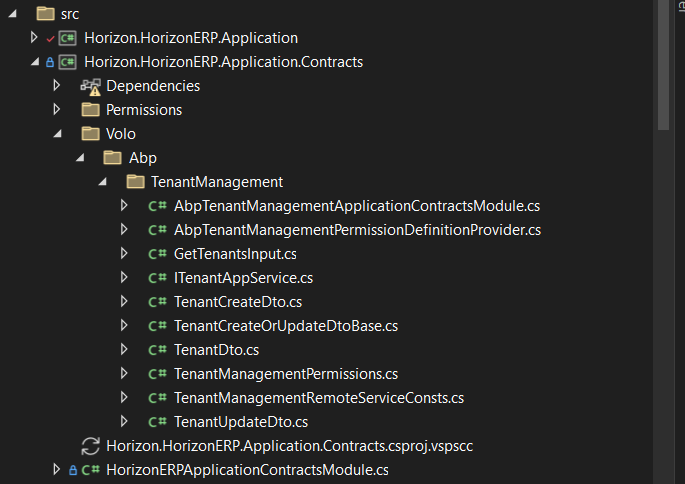
2- copy html code that you used 3- change namespace of cs file to (namespace Horizon.HorizonERP.Web.Pages.Sass.Host.Tenants)
so what i miss ?
hi i followed the document but nothing changes 1- source code of tenant page doesn't have tabs despite the view has 2 tabs ( Basic info && Database Connection String)
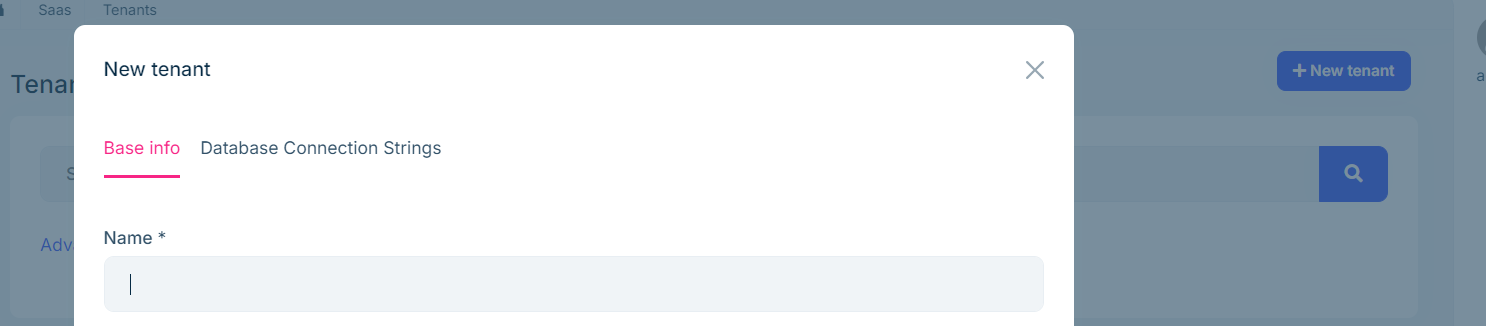
2- section (Completely Overriding a Razor Page) into document i found there is no need to inherit just use AbpPageModel if i create all logic in cs file here is my final code:=>
public class MyCreateModalModel : AbpPageModel
{
    protected ITenantAppService TenantAppService { get; }
    public MyCreateModalModel(ITenantAppService tenantAppService) //: base(tenantAppService)
    {
        TenantAppService = tenantAppService;
    }

    [BindProperty]
    public TenantInfoModel Tenant { get; set; }

    public virtual Task<IActionResult> OnGetAsync()
    {
        Tenant = new TenantInfoModel();
        return Task.FromResult<IActionResult>(Page());
    }

    public virtual async Task<IActionResult> OnPostAsync()
    {
        ValidateModel();

        var input = ObjectMapper.Map<TenantInfoModel, TenantCreateDto>(Tenant);
        await TenantAppService.CreateAsync(input);

        return NoContent();
    }

    public class TenantInfoModel : ExtensibleObject
    {
        [Required]
        [DynamicStringLength(typeof(TenantConsts), nameof(TenantConsts.MaxNameLength))]
        [Display(Name = "DisplayName:TenantName")]
        public string Name { get; set; }

        [Required]
        [EmailAddress]
        [DynamicStringLength(typeof(TenantConsts), nameof(TenantConsts.MaxAdminEmailAddressLength))]
        public string AdminEmailAddress { get; set; }

        [Required]
        [DataType(DataType.Password)]
        [DynamicStringLength(typeof(TenantConsts), nameof(TenantConsts.MaxPasswordLength))]
        public string AdminPassword { get; set; }
    }
}
and this is my html code: =>
@using Microsoft.Extensions.Localization
@using Volo.Abp.AspNetCore.Mvc.UI.Bootstrap.TagHelpers.Modal
@using Volo.Abp.Localization
@using Volo.Abp.ObjectExtending
@using Volo.Abp.TenantManagement.Localization
@model Horizon.HorizonERP.Web.Pages.TenantManagement.Tenants.MyCreateModalModel
@using Volo.Abp.Data
@using Volo.Abp.TenantManagement;
@inject IHtmlLocalizer<AbpTenantManagementResource> L
@inject IStringLocalizerFactory StringLocalizerFactory
@{
    Layout = null;
}
<form method="post" asp-page="/TenantManagement/Tenants/MyCreateModal">
    <abp-modal>
        <abp-modal-header title="@L["NewTenant"].Value"></abp-modal-header>
        <abp-modal-body>
            <abp-tabs>
                <abp-tab title="Main Info">
                    <abp-input asp-for="Tenant.Name" />
                    <abp-input asp-for="Tenant.AdminEmailAddress" />
                    <div class="mb-3">
                        <label class="form-label">@L["DisplayName:AdminPassword"].Value</label>
                        <span> * </span>
                        <div class="input-group">
                            <input type="password" class="form-control" maxlength="@TenantConsts.MaxPasswordLength" asp-for="Tenant.AdminPassword" />
                            <button class="btn btn-secondary" type="button" id="PasswordVisibilityButton">
                                <i class="fa fa-eye-slash" aria-hidden="true"></i>
                            </button>
                        </div>
                        <span asp-validation-for="Tenant.AdminPassword"></span>
                    </div>
                </abp-tab>
                <abp-tab title="Extra">
                    @foreach (var propertyInfo in ObjectExtensionManager.Instance.GetProperties<MyCreateModalModel.TenantInfoModel>())
                    {
                        if (!propertyInfo.Name.EndsWith("_Text"))
                        {
                            if (propertyInfo.Type.IsEnum || !propertyInfo.Lookup.Url.IsNullOrEmpty())
                            {
                                if (propertyInfo.Type.IsEnum)
                                {
                                    Model.Tenant.ExtraProperties.ToEnum(propertyInfo.Name, propertyInfo.Type);
                                }
                                <abp-select asp-for="Tenant.ExtraProperties[propertyInfo.Name]"
                                            label="@propertyInfo.GetLocalizedDisplayName(StringLocalizerFactory)"
                                            autocomplete-api-url="@propertyInfo.Lookup.Url"
                                            autocomplete-selected-item-name="@Model.Tenant.GetProperty(propertyInfo.Name+"_Text")"
                                            autocomplete-selected-item-value="@Model.Tenant.GetProperty(propertyInfo.Name)"
                                            autocomplete-filter-param-name="@propertyInfo.Lookup.FilterParamName"
                                            autocomplete-items-property-name="@propertyInfo.Lookup.ResultListPropertyName"
                                            autocomplete-display-property-name="@propertyInfo.Lookup.DisplayPropertyName"
                                            autocomplete-value-property-name="@propertyInfo.Lookup.ValuePropertyName"></abp-select>
                            }
                            else
                            {
                                <abp-input type="@propertyInfo.GetInputType()"
                                           asp-for="Tenant.ExtraProperties[propertyInfo.Name]"
                                           label="@propertyInfo.GetLocalizedDisplayName(StringLocalizerFactory)"
                                           asp-format="@propertyInfo.GetInputFormatOrNull()"
                                           value="@propertyInfo.GetInputValueOrNull(Model.Tenant.GetProperty(propertyInfo.Name))" />
                            }
                        }
                    }
                </abp-tab>
            </abp-tabs>
        </abp-modal-body>
        <abp-modal-footer buttons="@(AbpModalButtons.Cancel|AbpModalButtons.Save)"></abp-modal-footer>
    </abp-modal>
</form>
but final result is the same nothing changed so did i miss logic or registration or code line i must put anything ??
Thank you for your response, and i want mention that i can't reach this tenantRepository because i want to use it in seeder in domain application and when i add reference for tenant management, show error that is not compatible with netstandard 2.0 ,so i use public async Task HandleEventAsync(EntityCreatedEventData<Tenant> eventData) {} as you mention before but i change argument to be EntityCreatedEventData<Tenant> and it works fine Thank you again
Thank you, it's working and event can fire now but i make this event to access extra properties "TaxRegisterationNo" in tenant but it is not found in TenantCreateEto
public class CustomTenantDistributedHandler : ILocalEventHandler<TenantCreatedEto>, ITransientDependency {
 public async Task HandleEventAsync(TenantCreatedEto eventData)
 {
     var tenantId = eventData.Id;
     var tenantName = eventData.Name;
     var TaxRegisterationNo = eventData.Properties["TaxRegisterationNo"].ToString();
     //...your custom logic
 }

 //...
}
there is no steps i just open the application then open the page i got this warning
it works thank you super :) i noticed that is hover is there a way to make it clickable
thanks it works i am waiting for next answer with solution of hiding sidemenue thanks again, :)
OMG nobody can create sample to this logic and help me ?? wow !!









