Hi. I have recreated the issue and uploaded it to YouTube. You can view it at the link below. https://www.youtube.com/watch?v=GV2ycIuRP68
・あなたのメールアドレスに招待状が送信されました。
・以下は0エラーの一覧です。 https://ap1.datadoghq.com/rum/sessions?query=%40type%3Aerror%20%40application.id%3Adf488732-043f-48ca-ba63-5561fe80a05e%20env%3Aprod%2 0%40error.message%3A%2A%5C%22status%5C%22%5C%3A%5C%200%2A&agg_m=count&agg_m_source=base&agg_t=count&cols=&fromUser=true&graphType=wate rfall&p_tab_h_event=AwAAAZNHUvZUwcEdawAAABhBWk5IVXZxMEFBQTJiNTRkcWR1RENRQUQAAAAkMDE5MzQ3NjUtOTU3Zi00MjVlLWE0NjEtYjcwY2UwZGE0ZWI4AAAEFg &panel_tab=flamegraph&shouldShowLegend=true&spanViewType=logs&track=rum&viz=stream&from_ts=1731471475700&to_ts=1732076275700&live=true
Hi. But why, when I open only 1-2 tabs, the pages don’t reload after refreshing the access_token? However, when I open more tabs, the pages get reloaded. Could this be a bug? This behavior significantly affects the user experience, especially when users are in the middle of their tasks and the pages reload unexpectedly.
We can invite you to our datadog. Want to see datadog first-hand?
I will send you an example of the error.
It happens quite frequently, so I don't think it's a network error.
Could there be a cause on the ABP side?
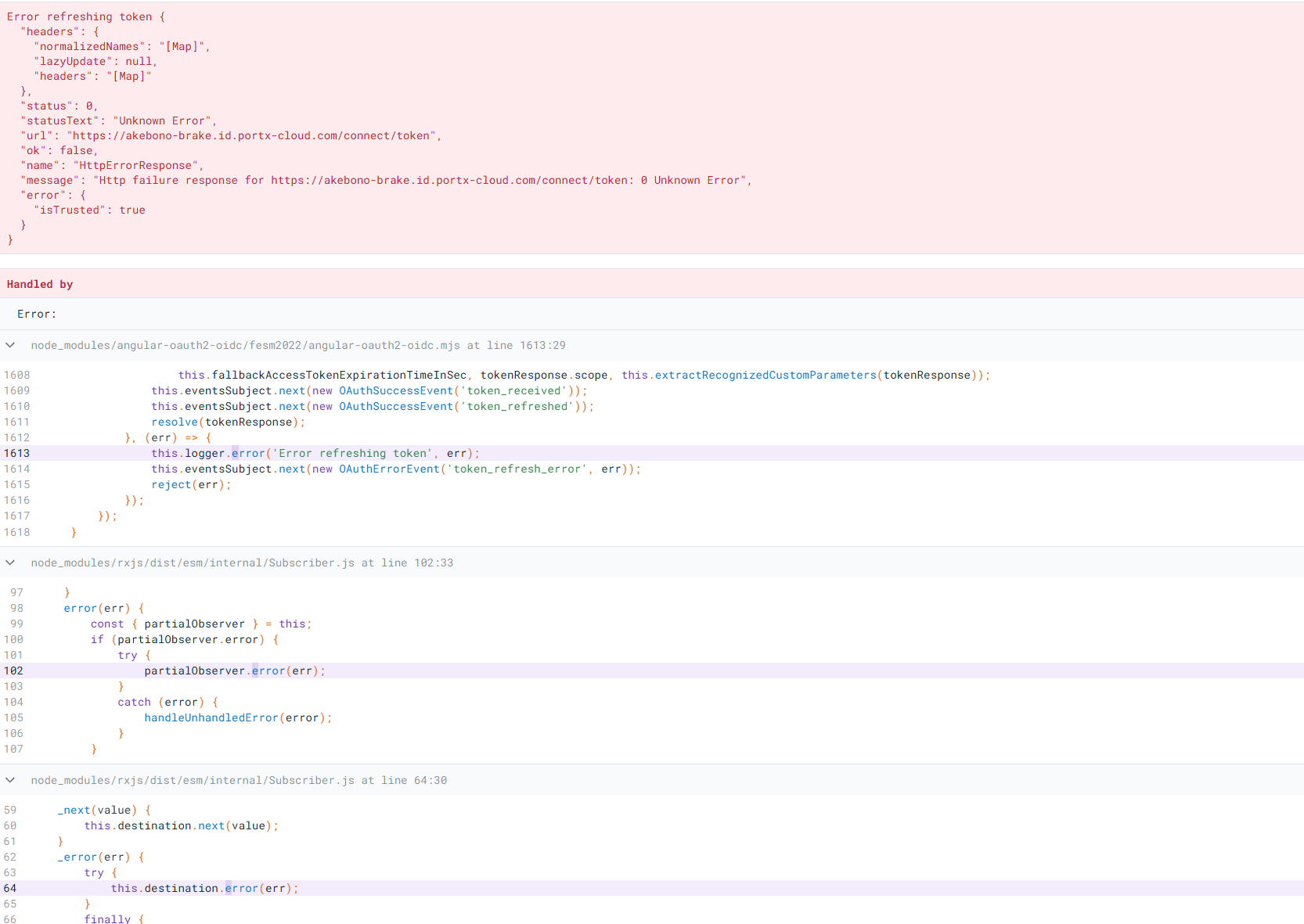
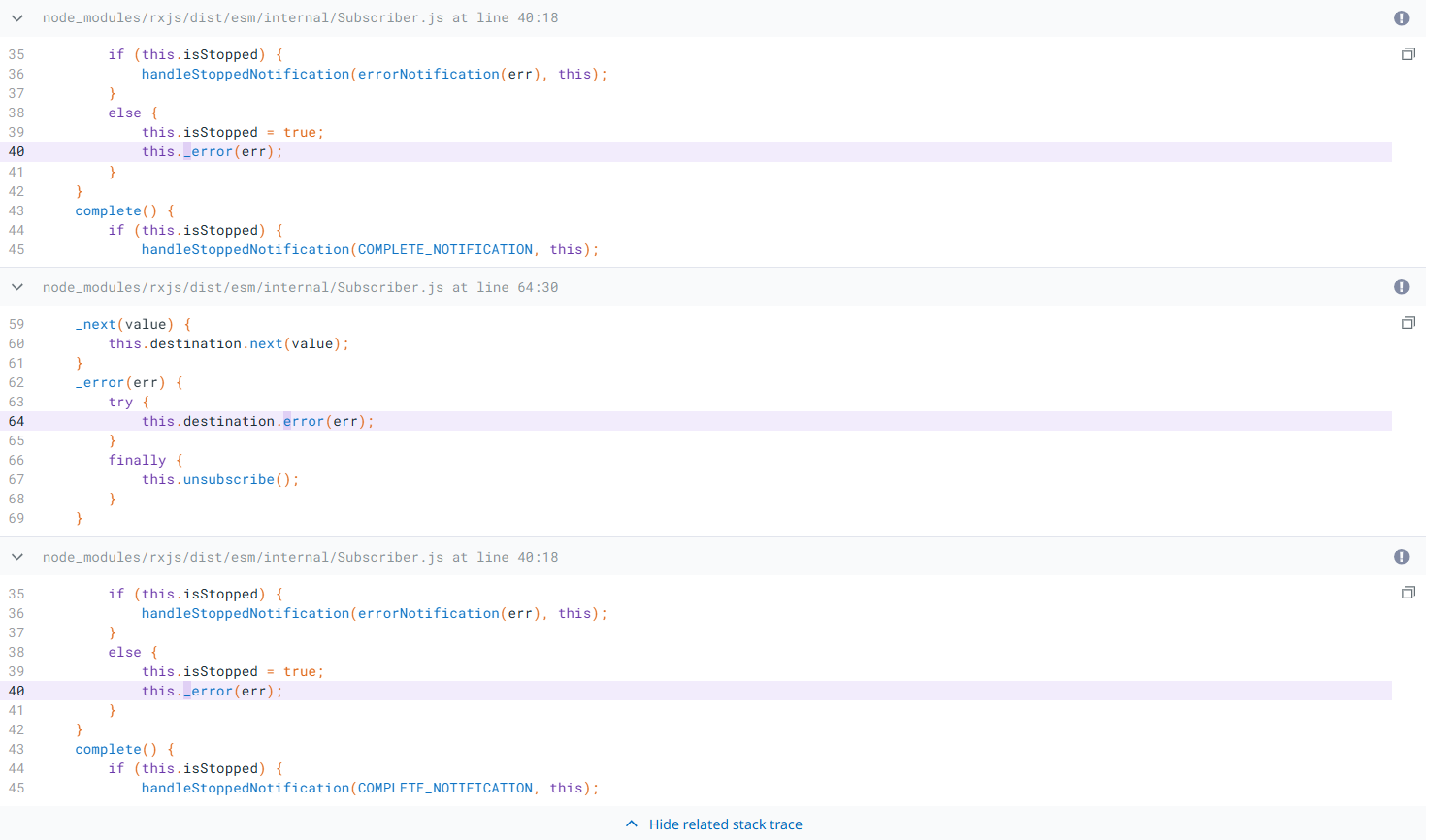
Continue question https://abp.io/support/questions/8241/When-insert-data-CreatorId-has-been-null
Is there any case where the user information is still available on the client but not on the server? In my environment, there is a CreatorName field that receives the value sent from the client. Even though CreatorName is not null, CreatorId is null.
Hi, could you please provide an update on the progress of resolving this issue? Thank you!
@liangshiwei Thank you for your help, I think you won't be able to find http status code 0 from auth server log (netcore), api server log (netcore)
Because this is an angular client issue where the request cannot go to the server or is canceled for some reason
With my limited understanding, I can sometimes reproduce this error when the browser has an unstable internet connection (I try disconnecting the internet then operating on the angular app, I will see the status code http 0).
However, I would like to find another cause
@Anjali_Musmade previously the .suite folder was in /aspnet-core but now aspnet-core no longer exists. Is that the reason?
{
  "name": "PortX",
  "version": "0.0.0",
  "scripts": {
    "ng": "ng",
    "start-subdomain": "ng serve --host apps.portx-test.com --disable-host-check --configuration subdomain",
    "start": "ng serve --open",
    "build": "ng build",
    "build:prod": "ng build --configuration production",
    "watch": "ng build --watch --configuration development",
    "test": "ng test",
    "lint": "ng lint",
    "coverage": "ng test --no-watch --code-coverage"
  },
  "private": true,
  "dependencies": {
    "@abp/ng.components": "~8.3.3",
    "@abp/ng.core": "~8.3.3",
    "@abp/ng.identity": "~8.3.3",
    "@abp/ng.oauth": "~8.3.3",
    "@abp/ng.setting-management": "~8.3.3",
    "@abp/ng.theme.shared": "~8.3.3",
    "@abp/signalr": "~8.3.3",
    "@angular/animations": "^18.2.9",
    "@angular/cdk": "^18.2.10",
    "@angular/common": "^18.2.9",
    "@angular/compiler": "^18.2.9",
    "@angular/core": "^18.2.9",
    "@angular/forms": "^18.2.9",
    "@angular/localize": "^18.2.9",
    "@angular/material": "^18.2.10",
    "@angular/platform-browser": "^18.2.9",
    "@angular/platform-browser-dynamic": "^18.2.9",
    "@angular/router": "^18.2.9",
    "@angular/service-worker": "^18.2.9",
    "@ckeditor/ckeditor5-angular": "^6.0.1",
    "@ckeditor/ckeditor5-build-classic": "^38.0.1",
    "@datadog/browser-rum": "^5.26.0",
    "@ng-select/ng-select": "^13.9.1",
    "@volo/abp.commercial.ng.ui": "~8.3.3",
    "@volo/abp.ng.account": "~8.3.3",
    "@volo/abp.ng.audit-logging": "~8.3.3",
    "@volo/abp.ng.file-management": "~8.3.3",
    "@volo/abp.ng.gdpr": "~8.3.3",
    "@volo/abp.ng.identity": "~8.3.3",
    "@volo/abp.ng.language-management": "~8.3.3",
    "@volo/abp.ng.openiddictpro": "~8.3.3",
    "@volo/abp.ng.saas": "~8.3.3",
    "@volo/abp.ng.text-template-management": "~8.3.3",
    "@volosoft/abp.ng.theme.lepton-x": "~3.3.3",
    "apexcharts": "^4.0.0",
    "exceljs": "^4.3.0",
    "file-saver": "^2.0.5",
    "jszip": "^3.10.1",
    "moment-timezone": "^0.5.43",
    "ng-apexcharts": "^1.12.0",
    "ngx-extended-pdf-viewer": "^21.3.5",
    "ngx-spinner": "^16.0.2",
    "rxjs": "^7.8.1",
    "tslib": "^2.1.0",
    "xlsx": "^0.18.5",
    "zone.js": "~0.14.2"
  },
  "devDependencies": {
    "@abp/ng.schematics": "~8.3.3",
    "@angular-devkit/build-angular": "^18.2.10",
    "@angular-eslint/builder": "~18.4.0",
    "@angular-eslint/eslint-plugin": "~18.4.0",
    "@angular-eslint/eslint-plugin-template": "~18.4.0",
    "@angular-eslint/schematics": "~18.4.0",
    "@angular-eslint/template-parser": "~18.4.0",
    "@angular/cli": "^18.2.10",
    "@angular/compiler-cli": "^18.2.9",
    "@angular/language-service": "^18.2.9",
    "@types/jasmine": "~3.6.0",
    "@types/node": "^12.11.1",
    "@typescript-eslint/eslint-plugin": "^5.59.2",
    "@typescript-eslint/parser": "^5.59.2",
    "eslint": "^8.39.0",
    "jasmine-core": "~4.0.0",
    "karma": "~6.3.0",
    "karma-chrome-launcher": "~3.1.0",
    "karma-coverage": "~2.1.0",
    "karma-jasmine": "~4.0.0",
    "karma-jasmine-html-reporter": "^1.7.0",
    "ng-packagr": "^18.2.1",
    "typescript": "~5.5.4"
  }
}
This is a post that you can just reopen.









