Hello,
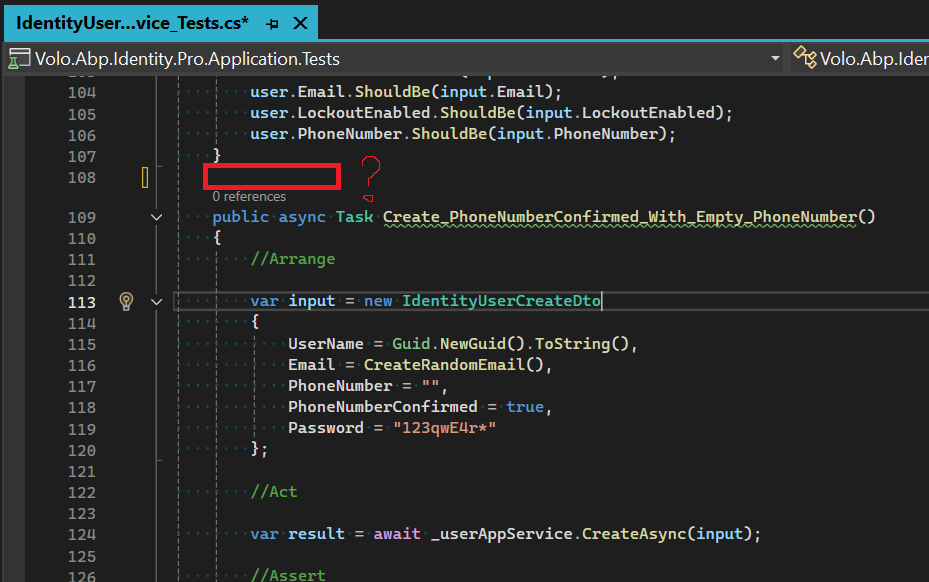
It seems that confirmation support with an empty phone number has been added for the 9.3.2 Identity Pro module.
There is an unit test named Create_PhoneNumberConfirmed_With_Empty_PhoneNumber() has been created, but the [Fact] attribute is missing.
After adding [Fact] attribute and running the test,
the Create method in the IdentityUserAppService service is failing.
I'm not sure if the implementation is wrong or the test is wrong. Could you check it?
https://github.com/abpframework/abp/blob/dev/framework/src/Volo.Abp.Emailing/Volo/Abp/Emailing/EmailSettingProvider.cs
Is there a special reason why EmailSettingProvider is internal but not public ?
Stack Trace:
FeatureCheckerExtensions.CheckEnabledAsync(IFeatureChecker featureChecker, Boolean requiresAll, String[] featureNames)
MethodInvocationFeatureCheckerService.CheckAsync(MethodInvocationFeatureCheckerContext context)
FeatureInterceptor.CheckFeaturesAsync(IAbpMethodInvocation invocation)
FeatureInterceptor.InterceptAsync(IAbpMethodInvocation invocation)
CastleAsyncAbpInterceptorAdapter1.InterceptAsync(IInvocation invocation, IInvocationProceedInfo proceedInfo, Func3 proceed)
AsyncInterceptorBase.ProceedAsynchronous(IInvocation invocation, IInvocationProceedInfo proceedInfo)
CastleAbpMethodInvocationAdapter.ProceedAsync()
ValidationInterceptor.InterceptAsync(IAbpMethodInvocation invocation)
CastleAsyncAbpInterceptorAdapter1.InterceptAsync(IInvocation invocation, IInvocationProceedInfo proceedInfo, Func3 proceed)
AsyncInterceptorBase.ProceedAsynchronous(IInvocation invocation, IInvocationProceedInfo proceedInfo)
CastleAbpMethodInvocationAdapter.ProceedAsync()
UnitOfWorkInterceptor.InterceptAsync(IAbpMethodInvocation invocation)
CastleAsyncAbpInterceptorAdapter1.InterceptAsync(IInvocation invocation, IInvocationProceedInfo proceedInfo, Func3 proceed)
Suppose we are trying to create a unit/integration test for a method in an application service layer equipped with a [RequiresFeature] attribute
[RequiresFeature(MyFeatures.MyAwesomeNewFeature)]
public virtual async Task< ItemsDto > GetListOfItemsAsync()
{
	return new ItemsDto
	{
		....
	};
}
Already in the ApplicationTestModule module with the AddAlwaysAllowAuthorization() extension all Permissions are being bypassed.
But how can we bypass feature requirement for test purposes ?
public class IMyApplicationTestModule : AbpModule
{
    public override void ConfigureServices(ServiceConfigurationContext context)
    {
        context.Services.AddAlwaysAllowAuthorization();
        ....
    }
}
I tried to mock IFeatureChecker like in following example. But it broke all other unit test under MyAppService_Tests
    public class MyAppService_Tests : IMyApplicationTestBase
    {
        private readonly IMyAppService _iMyAppService;
        private readonly MyOptions _myOptions;
        private readonly ISettingProvider _settingProvider;

        private IFeatureChecker _featureChecker;

        public IMyAppService_Tests()
        {
            _iMyAppService = GetRequiredService< IMyAppService >();
            _myOptions = GetRequiredService< IOptions < MyOptions > >().Value;
            _settingProvider = GetRequiredService< ISettingProvider >();
        }

        protected override void AfterAddApplication(IServiceCollection services)
        {
            _featureChecker = Substitute.For< IFeatureChecker >();
            _featureChecker.IsEnabledAsync(MyFeatures.MyAwesomeNewFeature).Returns(Task.FromResult(true));
            services.AddSingleton(_featureChecker);
        }


        [Fact]
        public async Task GetListOfItems_Should_Return_IItemsDto()
        {
            // Arrange
            ....
            // Act
            var result = await _iMyAppService.GetListOfItemsAsync();

            // Assert
            result.ShouldNotBeNull();
        }}
This usage going to throw following exeception ex;
Volo.Abp.AbpInitializationException : An error occurred during the initialize Volo.Abp.Modularity.OnApplicationInitializationModuleLifecycleContributor phase of the module MyCompany.MyTag.MyApp.IdentityTestBaseModule, MyCompany.MyTag.MyApp.TestBase, Version=0.1.0.0, Culture=neutral, PublicKeyToken=null: The input string '' was not in a correct format.. See the inner exception for details.
---- System.FormatException : The input string '' was not in a correct format.
Hello, after updating the framework to 9.1.0 Unit tests are started to fail in our custom SaaS module due missing service registration.
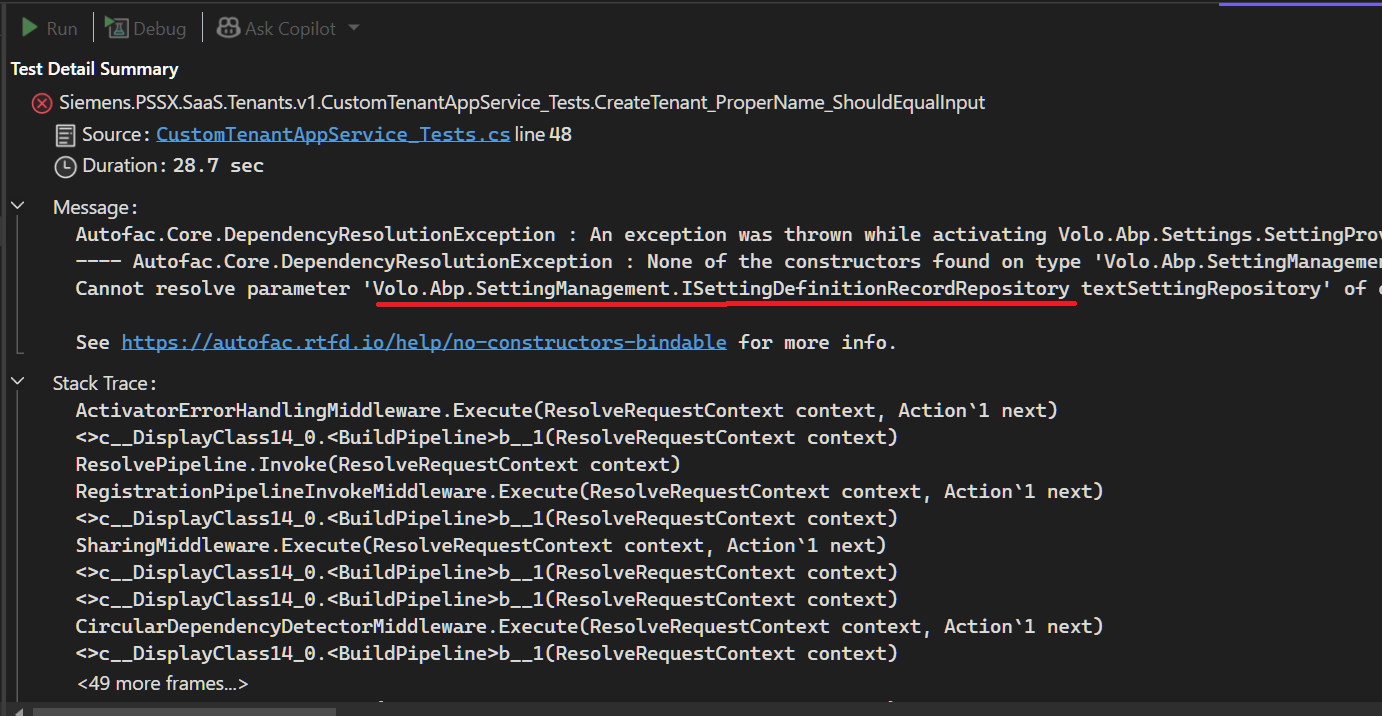
Beside that how you guys managed to release commercial module with failing unit tests :)
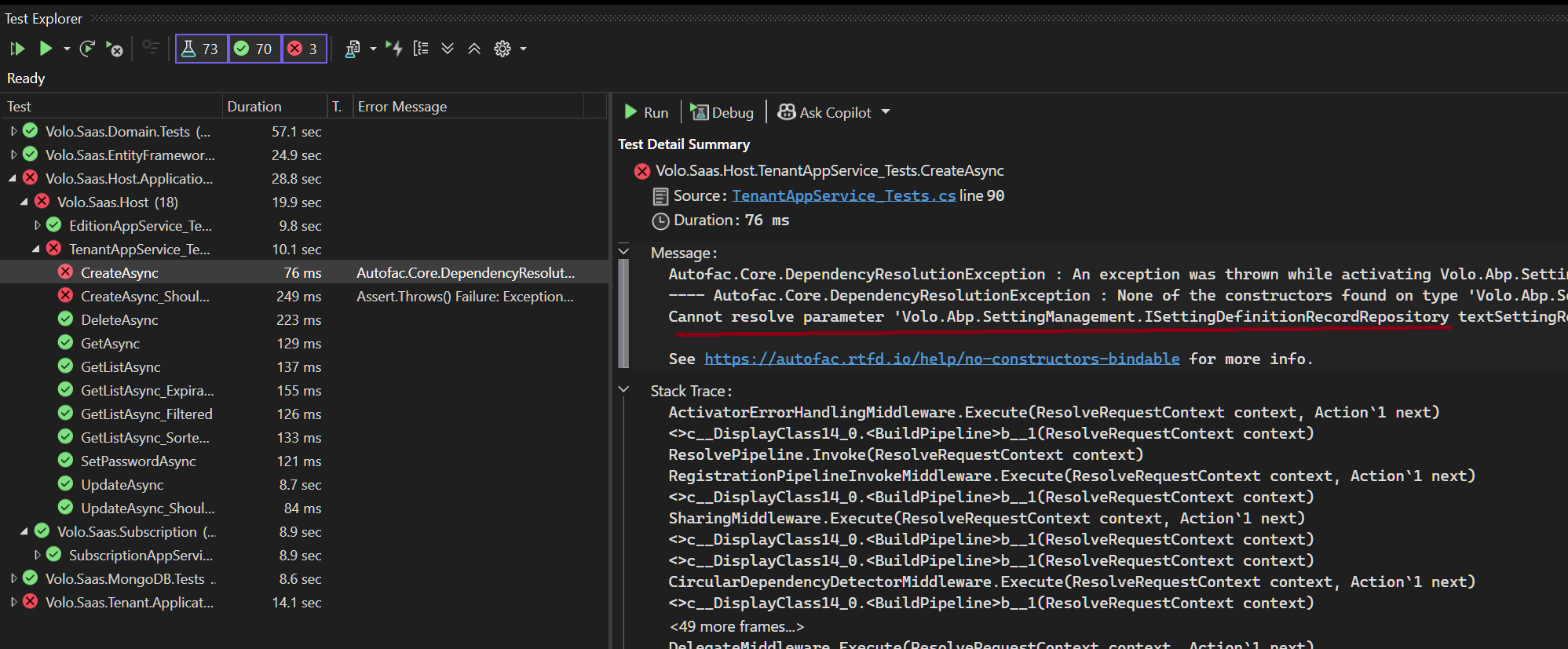
Can you guys able to check and fix module accordingly ?
As a workaround;
Base on error message, I temporarily added AbpSettingManagementEntityFrameworkCoreModule to the EntityFrameworkCore layer.
This automatically registered missing services.
For the tests;
I extended existing CreateDatabaseAndGetConnection() method with new SettingManagementDbContext
    private static SqliteConnection CreateDatabaseAndGetConnection()
    {
        var connection = new SqliteConnection("Data Source=:memory:");
        connection.Open();

        new SaasDbContext(
            new DbContextOptionsBuilder<SaasDbContext>().UseSqlite(connection).Options
        ).GetService<IRelationalDatabaseCreator>().CreateTables();

        new SettingManagementDbContext(
            new DbContextOptionsBuilder<SettingManagementDbContext>().UseSqlite(connection).Options
        ).GetService<IRelationalDatabaseCreator>().CreateTables();

        return connection;
    }
Check the docs before asking a question: https://docs.abp.io/en/abp/latest/API/API-Versioning https://docs.abp.io/en/abp/7.3/UI/AspNetCore/Data-Tables
Check the samples to see the basic tasks: https://github.com/abpframework/abp-samples/tree/master/Api-Versioning [This example doesn't show how to integrate api versiong with Datatables ]
We have more than one version of one of our APIs.
We can easily see the versions through the Swagger interface and working as intended.
JS proxy configuration from .Web project as shown below;
  (function(){

    abp.utils.createNamespace(window, 'siemens.pSSX.odms.models.v130.model');

    ... ///

    siemens.pSSX.odms.models.v130.model.getList = function(input, ajaxParams) {
      var api_version = api_version ? api_version : '13.0';
      return abp.ajax($.extend(true, {
        url: abp.appPath + 'api/odms/models' + abp.utils.buildQueryString([{ name: 'filterText', value: input.filterText }, { name: 'name', value: input.name }, { name: 'description', value: input.description }, { name: 'serverName', value: input.serverName }, { name: 'cIMVersion', value: input.cIMVersion }, { name: 'creatorId', value: input.creatorId }, { name: 'creationTimeMin', value: input.creationTimeMin }, { name: 'creationTimeMax', value: input.creationTimeMax }, { name: 'lastModifierId', value: input.lastModifierId }, { name: 'lastModificationTimeMin', value: input.lastModificationTimeMin }, { name: 'lastModificationTimeMax', value: input.lastModificationTimeMax }, { name: 'sorting', value: input.sorting }, { name: 'skipCount', value: input.skipCount }, { name: 'maxResultCount', value: input.maxResultCount }, { name: 'api-version', value: input.api_version }]) + '',
        type: 'GET'
      }, ajaxParams));
    };
 })();

  (function(){

    abp.utils.createNamespace(window, 'siemens.pSSX.odms.models.v131.model');

    siemens.pSSX.odms.models.v131.model.getList = function(input, ajaxParams) {
      var api_version = api_version ? api_version : '13.1';
      return abp.ajax($.extend(true, {
        url: abp.appPath + 'api/odms/models' + abp.utils.buildQueryString([{ name: 'filterText', value: input.filterText }, { name: 'name', value: input.name }, { name: 'description', value: input.description }, { name: 'serverName', value: input.serverName }, { name: 'cIMVersion', value: input.cIMVersion }, { name: 'creatorId', value: input.creatorId }, { name: 'creationTimeMin', value: input.creationTimeMin }, { name: 'creationTimeMax', value: input.creationTimeMax }, { name: 'lastModifierId', value: input.lastModifierId }, { name: 'lastModificationTimeMin', value: input.lastModificationTimeMin }, { name: 'lastModificationTimeMax', value: input.lastModificationTimeMax }, { name: 'sorting', value: input.sorting }, { name: 'skipCount', value: input.skipCount }, { name: 'maxResultCount', value: input.maxResultCount }, { name: 'api-version', value: input.api_version }]) + '',
        type: 'GET'
      }, ajaxParams));
    };
 })();
For the sake of simplicity, two different MVC UI were designed for two different API versions.
var l = abp.localization.getResource("Odms");

var modelService = siemens.pSSX.odms.models.v130.model;

var getFilter = function () {
    return {
        filterText: $("#FilterText").val(),
        name: $("#NameFilter").val(),
        description: $("#DescriptionFilter").val(),
        serverName: $("#ServerNameFilter").val(),
        cIMVersion: $("#CIMVersionFilter").val(),
        creatorId: $("#ServerNameFilter").val(),
        creationTimeMin: $("#CreationTimeFilterMin").val(),
        creationTimeMax: $("#CreationTimeFilterMax").val(),
        lastModifierId: $("#ServerNameFilter").val(),
        lastModificationTimeMin: $("#LastModificationTimeFilterMin").val(),
        lastModificationTimeMax: $("#LastModificationTimeFilterMax").val(),
    };
};

 var dataTable = $("#ModelsTable").DataTable(abp.libs.datatables.normalizeConfiguration({
     processing: true,
     serverSide: true,
     paging: true,
     searching: false,
     scrollX: true,
     autoWidth: false,
     scrollCollapse: true,
     order: [[1, "asc"]],
     ajax: **abp.libs.datatables.createAjax(modelService.getList, getFilter),**
     columnDefs: [
         {
             ... ///
         }
      ]
    }));
abp.libs.datatables.createAjax(modelService.getList, getFilter),
How can we specify a service API version when creating ajax ?
Log: 2023-09-18 20:21:27.944 +02:00 [INF] Request did not specify a service API version, but multiple candidate actions were found. Candidate actions: Siemens.PSSX.Odms.Models.v130.ModelController.GetListAsync (Siemens.PSSX.Odms.HttpApi) Siemens.PSSX.Odms.Models.v131.ModelController.GetListAsync (Siemens.PSSX.Odms.HttpApi)
context.Services.AddAuthentication()
    //.AddAbpOpenIdConnect("myAuthSchema", "myAuth AD", options =>
    .AddOpenIdConnect("myAuthSchema", "myAuth AD", options =>
    {
        options.Authority = configuration["AzureAd:Authority"].EnsureEndsWith('/') + configuration["AzureAd:TenantId"].EnsureEndsWith('/') + "v2.0".TrimEnd('/');
        options.MetadataAddress = configuration["AzureAd:MetadataAddress"].EnsureEndsWith('/') + configuration["AzureAd:TenantId"].EnsureEndsWith('/') + "v2.0".EnsureEndsWith('/') + ".well-known/openid-configuration";
        options.ResponseType = OpenIdConnectResponseType.CodeIdToken;

        options.ClientId = configuration["AzureAd:ClientId"];
        options.ClientSecret = configuration["AzureAd:ClientSecret"];

        options.UsePkce = true;
        options.GetClaimsFromUserInfoEndpoint = true;

        options.TokenValidationParameters = new TokenValidationParameters()
        {
            ValidateIssuer = true,
        };

        options.TokenValidationParameters.ValidIssuers = new[]
        {
            configuration["AzureAd:MetadataAddress"],
            configuration["AzureAd:Authority"]
        };

        options.Scope.Add("openid");
        options.Scope.Add("profile");
        options.Scope.Add("offline_access");
        options.Scope.Add("email");
    });
    .WithDynamicOptions < OpenIdConnectOptions, OpenIdConnectHandler > (
        "myAuthSchema",
        options =>
        {
            options.WithProperty(x => x.ClientId);
            options.WithProperty(x => x.ClientSecret, isSecret: true);
        }
    );
I would like to provide ClientId and ClientSecret values via Account External Provider Settings
/api/account/external-provider endpoint keeps returning only Google, Twitter and Microsoft values
I also tried to extend provider list via AbpExternalProviderOptions but no luck
context.Services.Configure < AbpExternalProviderOptions > (options =>
{
    options.Definitions.Add(new ExternalProviderDefinition()
    {
        Name = "Test",
        Properties = new List < ExternalProviderDefinitionProperty >()
    });
});
What am i missing ?
Hello, We can load module classes as plug-ins without adding reference to project. The relevant explanation is https://docs.abp.io/en/abp/latest/PlugIn-Modules located at here.
Where should we define MyPlugInDemoWebModule class in this example?
using Microsoft.AspNetCore.Builder;
using Microsoft.Extensions.DependencyInjection;
using Volo.Abp.Modularity.PlugIns;

namespace MyPlugInDemo.Web
{
    public class Startup
    {
        public void ConfigureServices(IServiceCollection services)
        {
            services.AddApplication<MyPlugInDemoWebModule>(options =>
            {
                options.PlugInSources.AddFolder(@"D:\Temp\MyPlugIns");
            });
        }

        public void Configure(IApplicationBuilder app)
        {
            app.InitializeApplication();
        }
    }
}
This sample code does not seem updated.
Can we replace ConfigureServices(IServiceCollection services) part with
public override void ConfigureServices(ServiceConfigurationContext context)
{

}
and Configure(IApplicationBuilder app) part with
public override void OnApplicationInitialization(ApplicationInitializationContext context)
{
    var app = context.GetApplicationBuilder();

    app.InitializeApplication();
}
More importantly, Can you share an example where we consume a service in a project that we did add as reference
For example, I want to call MyService : IMyService, ITransientDependency that we created in the plug-in
    private static ApplicationMenuItem AddModuleMenuItem(MenuConfigurationContext context)
    {
        var l = context.GetLocalizer<TestModuleResource>();

        var moduleMenu = new ApplicationMenuItem(
            TestModuleMenus.Prefix,
            displayName: l["Menu:TestModule"],
            "~/TestModule",
            icon: "fa fa-globe");

        //Add main menu items.
        context.Menu.Items.AddIfNotContains(moduleMenu);
        return moduleMenu;
    }
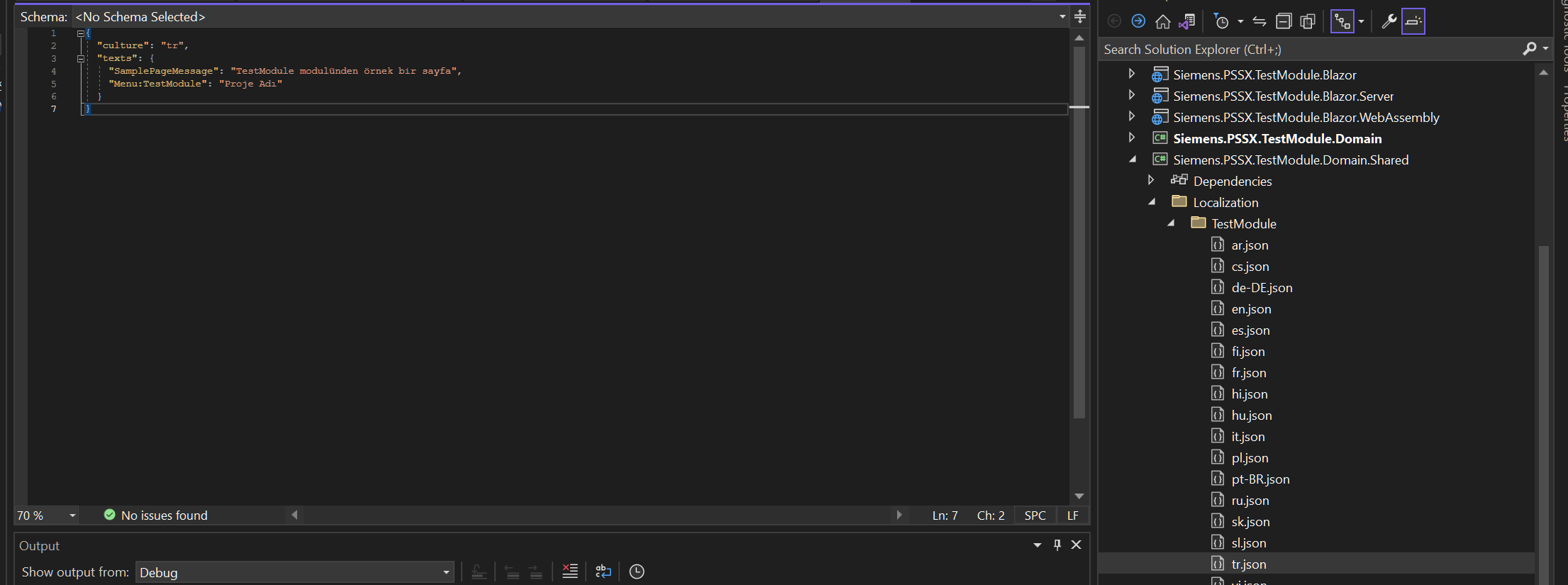
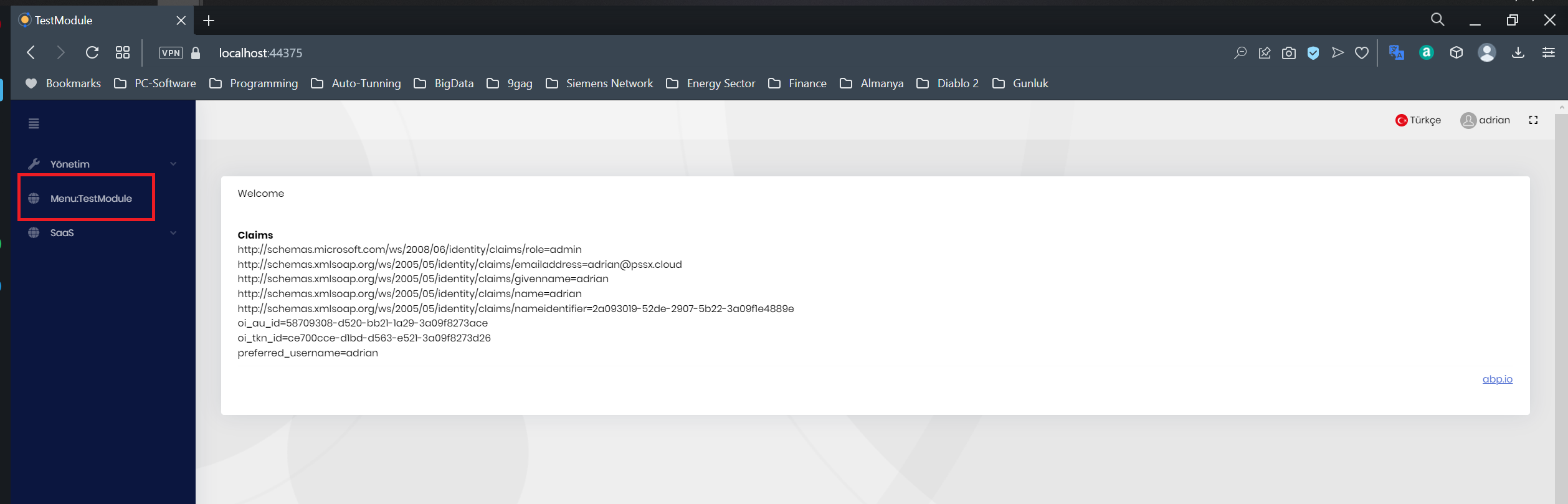
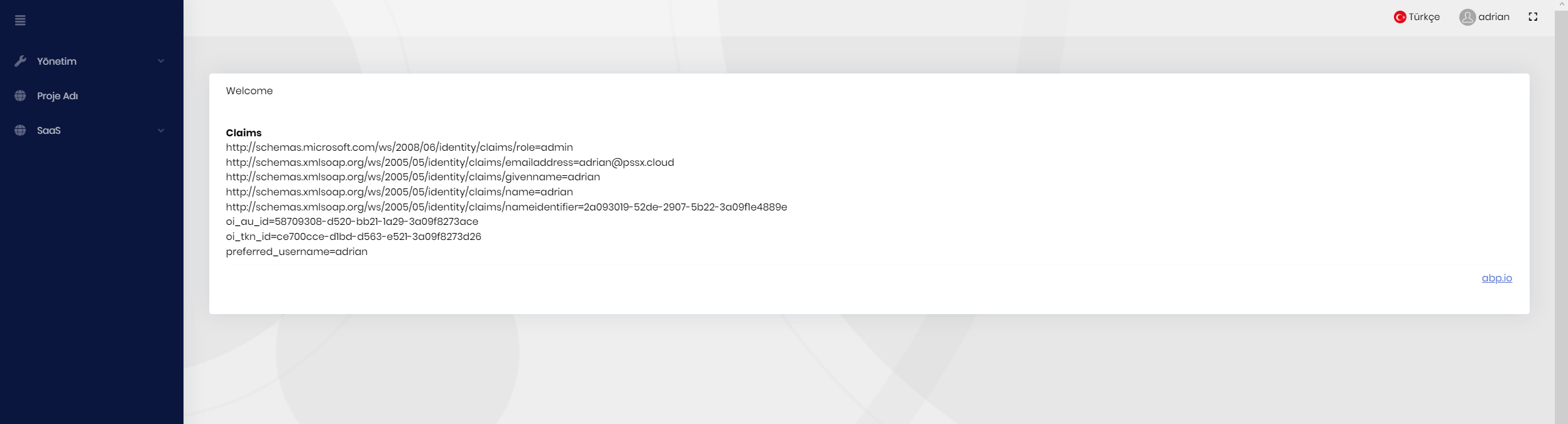
I believe that it is related with virtual file configuration of the Web.Host template
 File path needs to be Domain.Shared not Domain
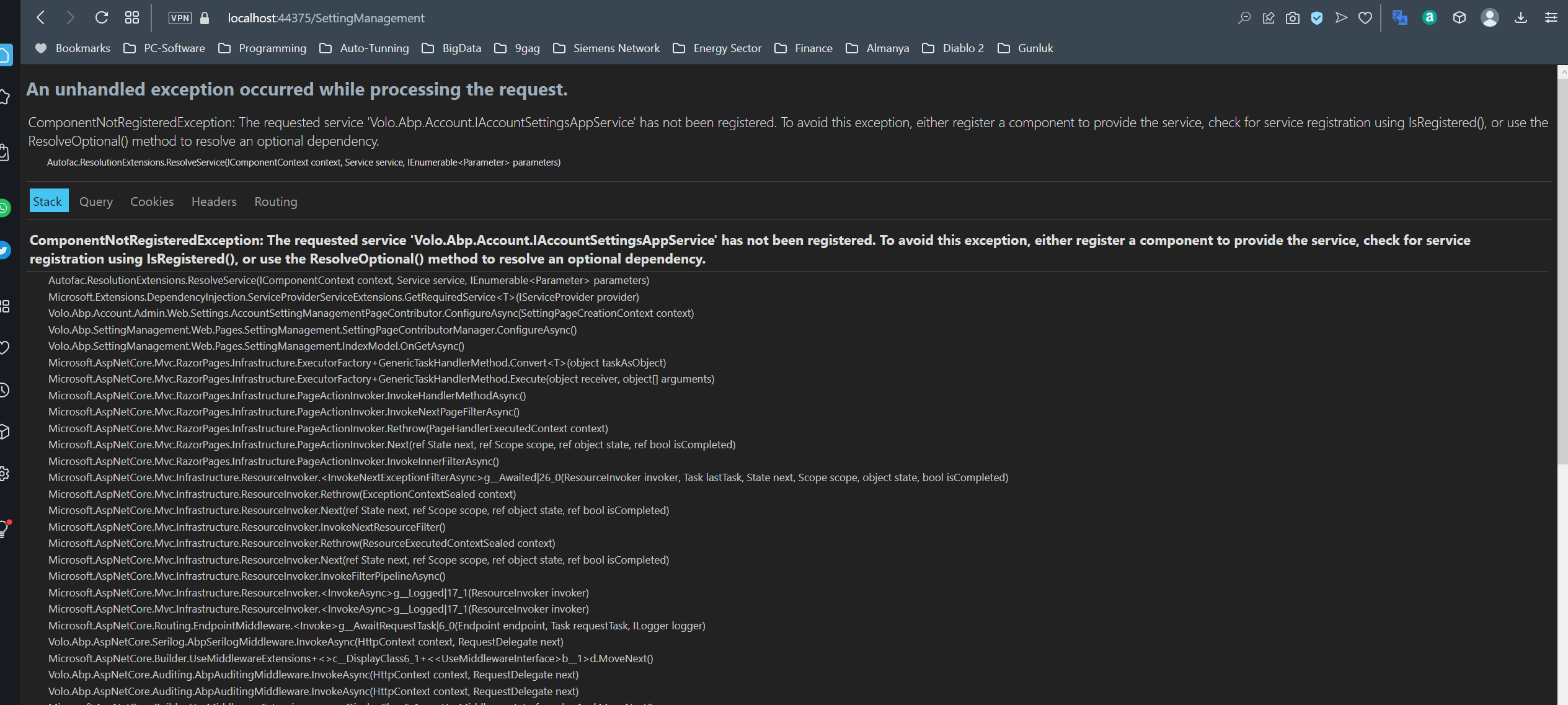
Most possible it is due to missing Volo.Abp.Account.Pro.Admin.HttpApi.Client package at .Web.Host template
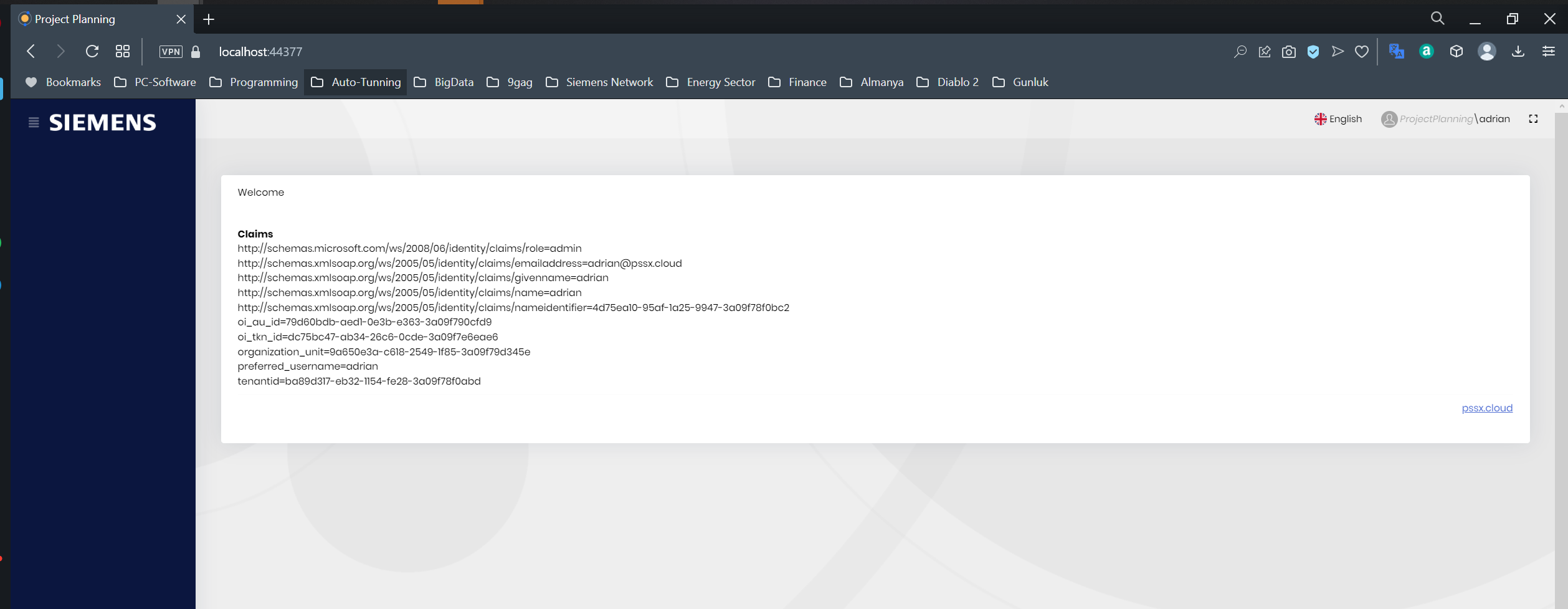 Menu items are going to disappear, most possible due to expired token.
Is it related with https://support.abp.io/QA/Questions/4677/User-lost-credentials-after-30min-without-activity or https://github.com/abpframework/abp/issues/14068









