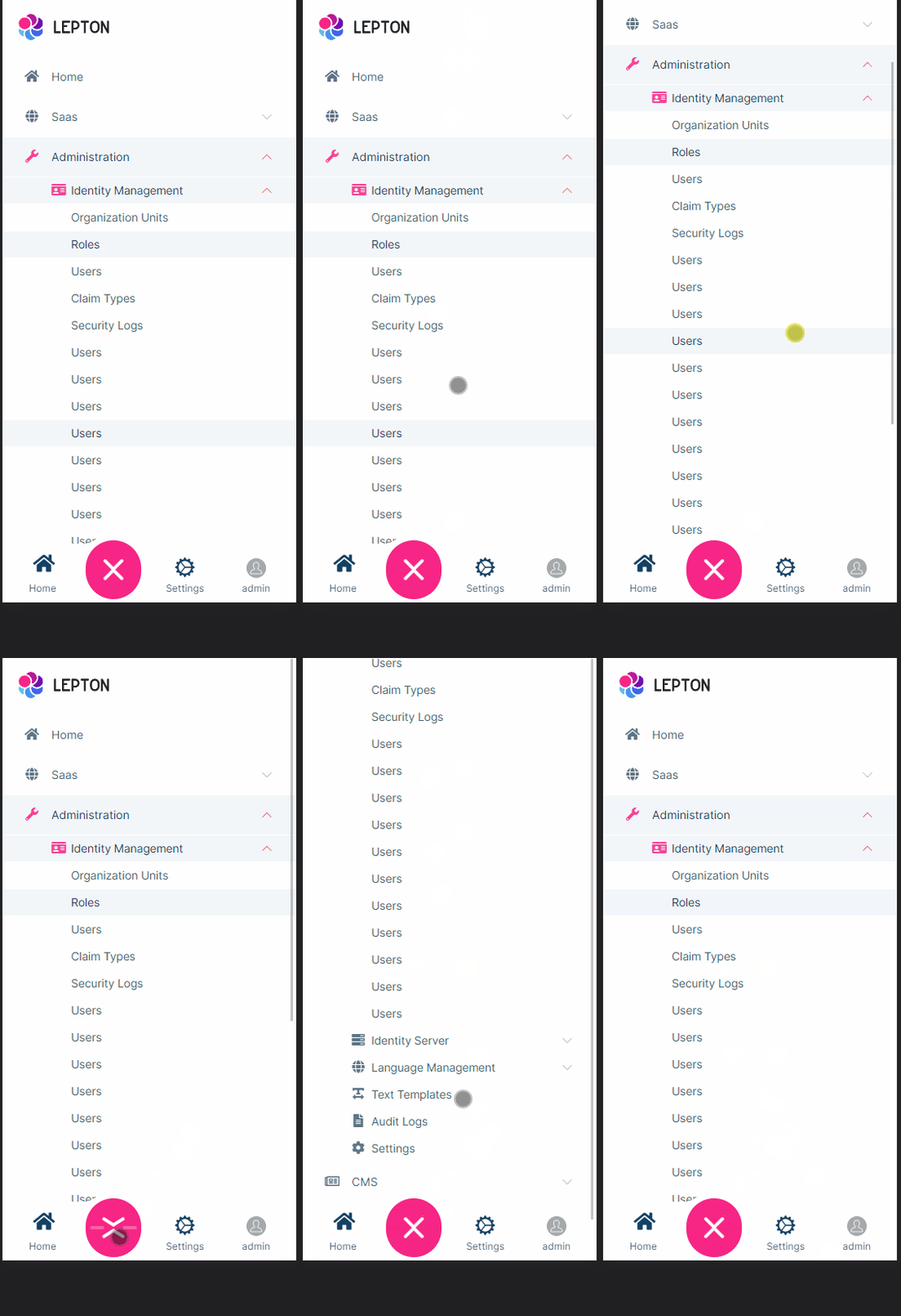
- ABP Framework version: v6.1
- UI type: Blazor
- DB provider: EF Core
- Tiered (MVC) or Identity Server Separated (Angular): no
A ticket already exists for this issue:
https://support.abp.io/QA/Questions/3524/ABP-LeptonX-vertical-menu-missing-scrolling
But nobody reply when I asked, maybe it is because I have the issue on Blazor server and not MVC (the ticket and the github link is about Mvc)
Anyway, I created a new solution this morning with the "new" ABP 6.1 which has LeptonX 1 (not rc anymore). I then added several entities to have my menu full, but the menu still can not scroll down.
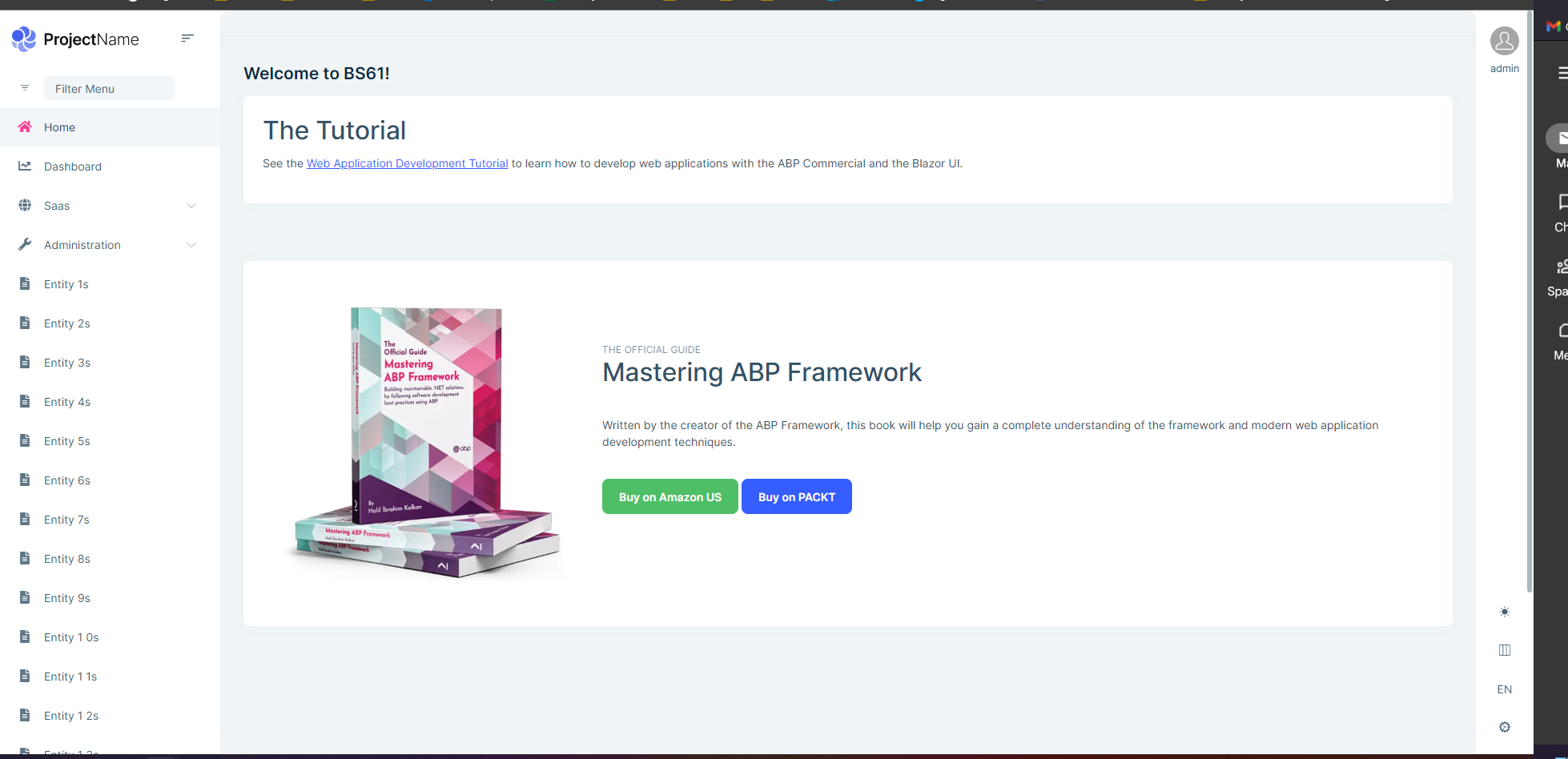
Any way to fix it please? I updated a project from us with LeptonX, but because of this problem, I can not update our main branch...
Thanks
21 Answer(s)
-
0
Hi,
I will check it
Markdown supported.Copy, paste, or drag & drop images and files (max 100 MB per file, 100 MB total per post) -
1
Thanks
I noticed that the issue is on the mobile view as well
Markdown supported.Copy, paste, or drag & drop images and files (max 100 MB per file, 100 MB total per post) -
0
Hi,
We will fix the problem, and your ticket refunded.
Markdown supported.Copy, paste, or drag & drop images and files (max 100 MB per file, 100 MB total per post) -
0
Hi We've solved the problem, it'll be released in the next patch version of LeptonX. But you can use the following component in your project to overcome the problem as a workaround.
- Create a razor page in your blazor application. Let say it's
MyMainHeader.razor
@using Volo.Abp.AspNetCore.Components.Web.LeptonXTheme.Components.ApplicationLayout.SideMenu.Navigation
@using Volo.Abp.DependencyInjection;
@using Volo.Abp.LeptonX.Shared.Localization
@using Volo.Abp.AspNetCore.Components.Web.LeptonXTheme.Components.ApplicationLayout.SideMenu.MainHeader

@inherits MainHeader
@attribute [ExposeServices(typeof(MainHeader))]
@attribute [Dependency(ReplaceServices = true)]
@{
	LocalizationResource = typeof(LeptonXResource);
}

<div class="lpx-sidebar-container">
	<div class="lpx-sidebar" id="lpx-sidebar">
		<nav class="lpx-nav">
			<div class="lpx-logo-container">
				<MainHeaderBranding />
				<i class="lpx-icon bi bi-filter-left menu-collapse-icon hidden-in-hover-trigger"
				   aria-hidden="true"
				   data-lpx-toggle="sidebar">
				</i>
			</div>

			<div class="lpx-menu-filter hidden-in-hover-trigger" data-lpx-menu-filter="sidebar">
				<i class="lpx-icon bi bi-filter menu-filter-icon" aria-hidden="true"></i>
				<input class="menu-filter-input hidden-in-hover-trigger" type="text" placeholder="@L["FilterMenu"]" />
				<span class="menu-filter-clear hidden">
					<i class="lpx-icon bi bi-x clear-icon" aria-hidden="true"></i>
				</span>
			</div>
			<ul class="lpx-nav-menu" id="desktop-sidebar">
				<MainMenu />
			</ul>
		</nav>
	</div>
</div>
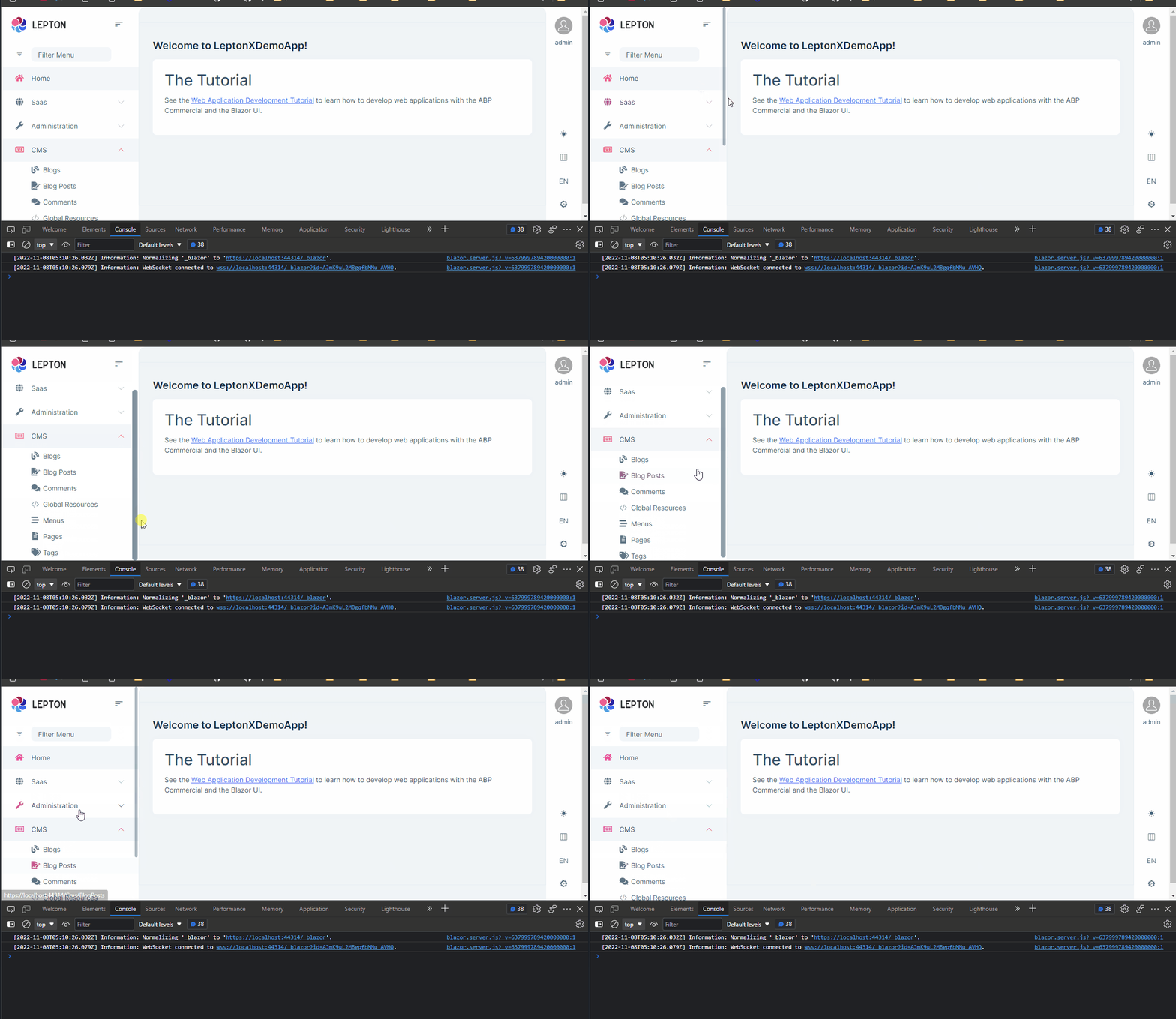
Then you'll see it'll start to be scrolled
 Markdown supported.Copy, paste, or drag & drop images and files (max 100 MB per file, 100 MB total per post)
 - Create a razor page in your blazor application. Let say it's
-
0
Hi @enisn I made the component that you said and nothing happens. I still get the error. Another error is in mobile when the main menu have submenu, don't appear in the bottom of the app.
Markdown supported.Copy, paste, or drag & drop images and files (max 100 MB per file, 100 MB total per post) -
0
Thanks, it works well with this component.
About the menu not scrolling on the mobile (it's another component), can you have a look from here or should I open a new ticket?
Markdown supported.Copy, paste, or drag & drop images and files (max 100 MB per file, 100 MB total per post) -
0
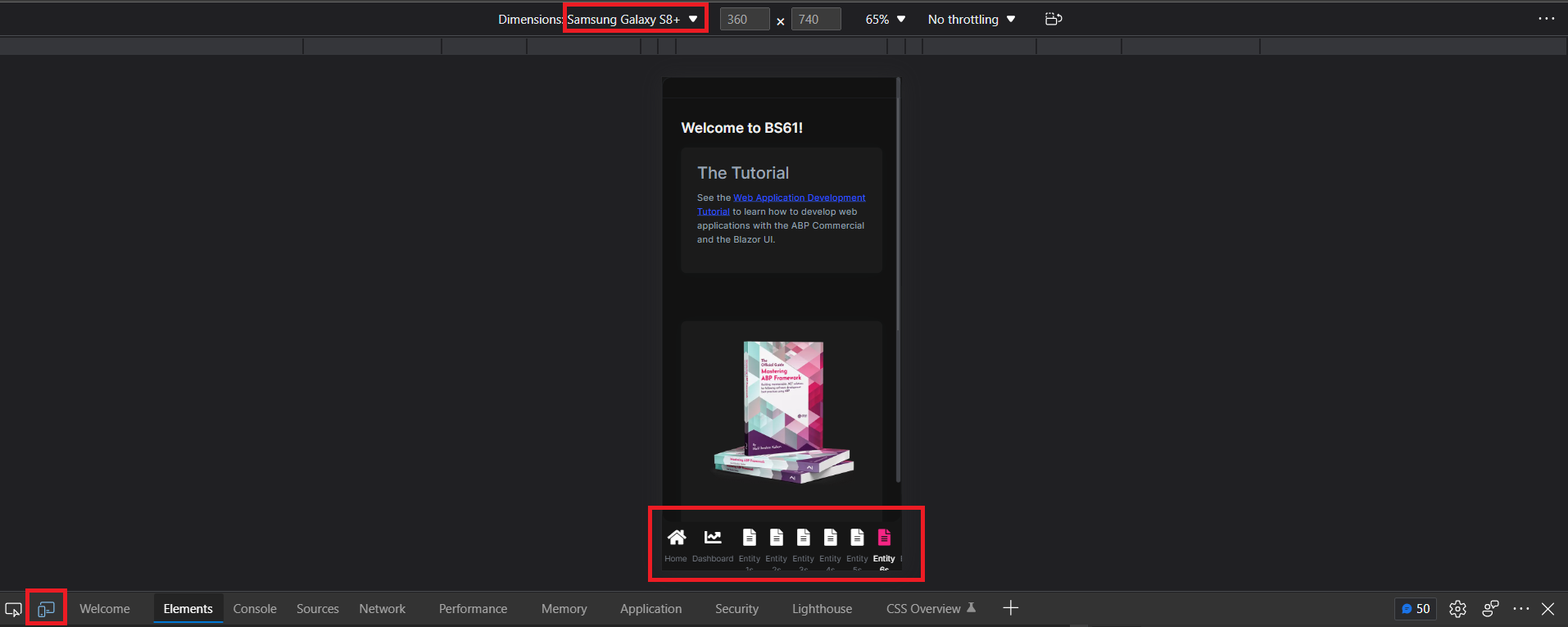
On the bottom menu, it doesn't scroll from left to right.
 Markdown supported.Copy, paste, or drag & drop images and files (max 100 MB per file, 100 MB total per post)
 -
0
Hi,
I've discussed this with the team. The team doesn't advise putting more than 5 buttons (1 hamburger and 4 other buttons). Even if you'd like to add you should be attention to fit the screen.
Regards
Markdown supported.Copy, paste, or drag & drop images and files (max 100 MB per file, 100 MB total per post) -
0
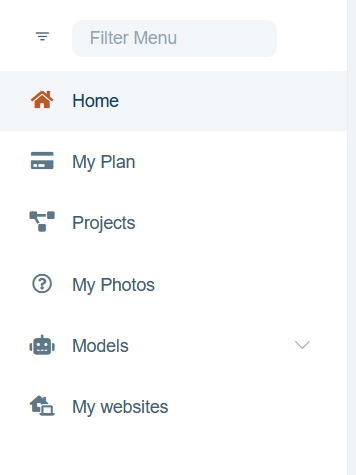
I see, so how should I make my menu items not appears on the bottom menu and the burger while on mobile view? I do not mind to go through the burger to reach my menu items, but by default it show like this so it should be fixed or maybe remove from the main menu what is already on the burger if not able to make it scroll
 Markdown supported.Copy, paste, or drag & drop images and files (max 100 MB per file, 100 MB total per post)
 -
0
Can you try the following option?
Configure<LeptonXThemeBlazorOptions>(options =>
{
    // This will render only first 2 items
    options.MobileMenuSelector = (menuItems) => menuItems.Take(2);
});
Markdown supported.Copy, paste, or drag & drop images and files (max 100 MB per file, 100 MB total per post) -
0
I finally edited "MainMenuItem" component and removed all items. There is no point to show only 2.
Hopefully, someday you will find it useful to fix it...
There are many other issues on this menu anyway (some were not here before), so it could be good that someone test it properly:
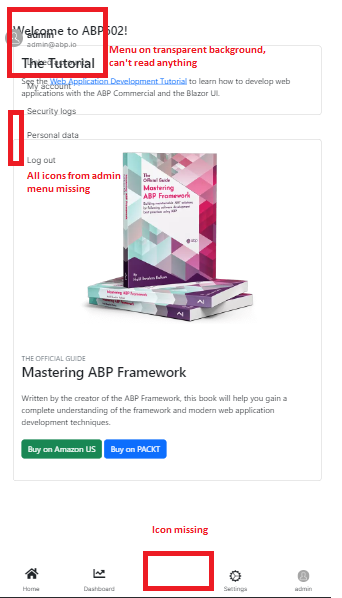
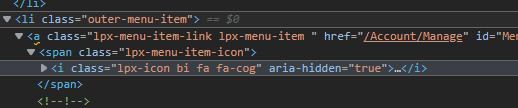
I fixed menu icons missing from admin (user) menu by removing bi on the icon class
 Markdown supported.Copy, paste, or drag & drop images and files (max 100 MB per file, 100 MB total per post)
 -
0
On this last example it is a "brand new" project and I do not overwrite anything
Markdown supported.Copy, paste, or drag & drop images and files (max 100 MB per file, 100 MB total per post) -
0
there is no horizontal scroll at the moment in the bottom menu currently. It's by design. You can override the component and add horizontal scroll by yourself but unfortunately there is no option for that in the theme
Markdown supported.Copy, paste, or drag & drop images and files (max 100 MB per file, 100 MB total per post) -
0
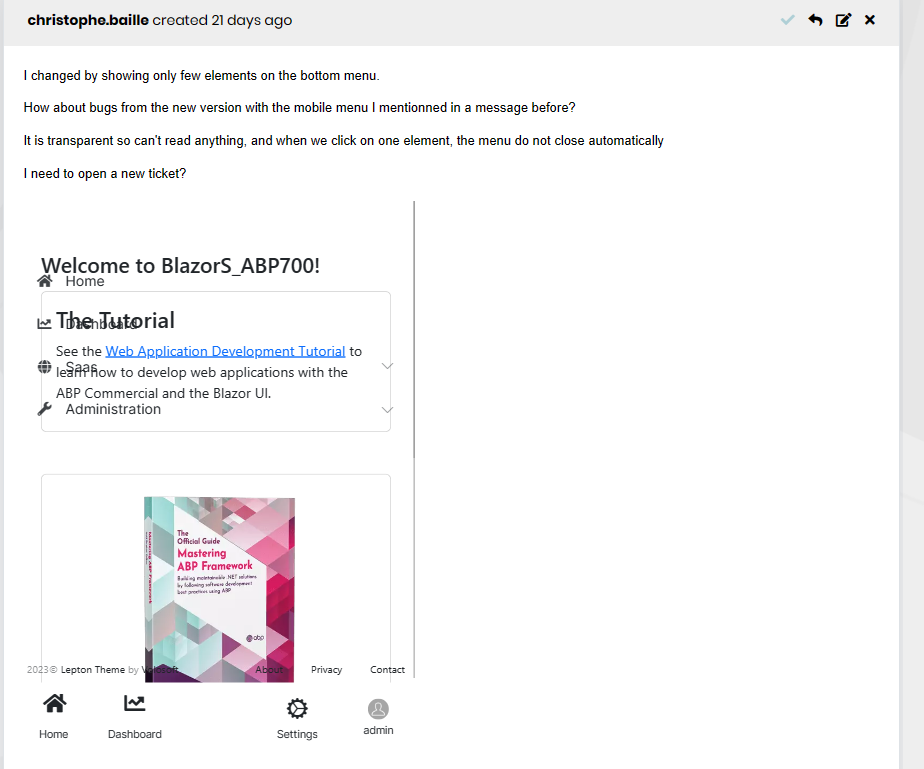
I changed by showing only few elements on the bottom menu.
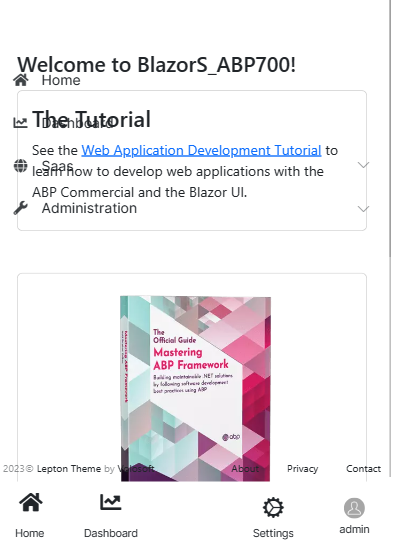
How about bugs from the new version with the mobile menu I mentionned in a message before?
It is transparent so can't read anything, and when we click on one element, the menu do not close automatically
I need to open a new ticket?
 Markdown supported.Copy, paste, or drag & drop images and files (max 100 MB per file, 100 MB total per post)
 -
0
No,
It is a template and I did nothing appart of generating it, not any edit
Markdown supported.Copy, paste, or drag & drop images and files (max 100 MB per file, 100 MB total per post) -
0
On the bottom menu, it doesn't scroll from left to right.
If you add the following CSS into your application you will be able to scroll left to right
.lpx-mobile-navbar {
    width: 100%;
}
.lpx-mobile-nav-tab {
    min-width: 72px;
    width: auto;
}
.lpx-mobile-nav-tabs {
    width: 100%;
    overflow-x: scroll;
    justify-content: start;
}
Markdown supported.Copy, paste, or drag & drop images and files (max 100 MB per file, 100 MB total per post) -
0
Thanks but I did gave up for this scroll a while ago as I can use another way.
How about the issue of the menu whic keep open? Did you had a look?
Thanks
 Markdown supported.Copy, paste, or drag & drop images and files (max 100 MB per file, 100 MB total per post)
 -
0
Please open a new ticket ,thanks.
Markdown supported.Copy, paste, or drag & drop images and files (max 100 MB per file, 100 MB total per post)