






Created a Feature (using FeatureDefinitionProvider) without specifying a description.
With DynamicFeatureDefinitionStore the FeatureDefinition's Description has a FixedLocalizableString with a null value, whereas FeatureDefinition from static feature store has a null Description.
Then in FeatureAppService.GetAsync (in CreateFeatureDto method) the FeatureDefinition from DynamicFeatureDefinitionStore throws an exception when calling the Localize method for Description.
15 Answer(s)
-
0
Hi,
I have tested the problem you mentioned both with and without description but I didn't have any problem. Here are the screenshots from my test:
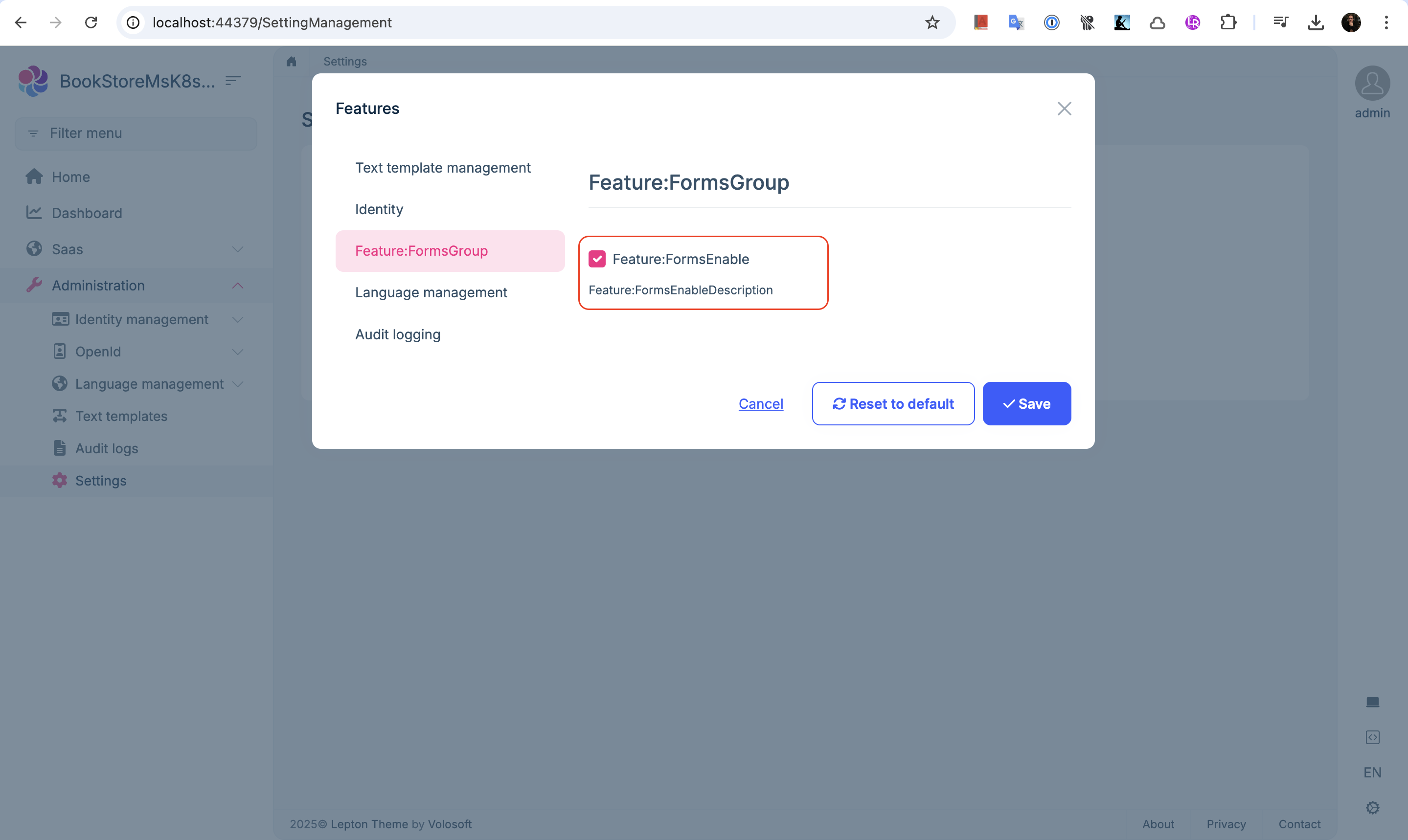
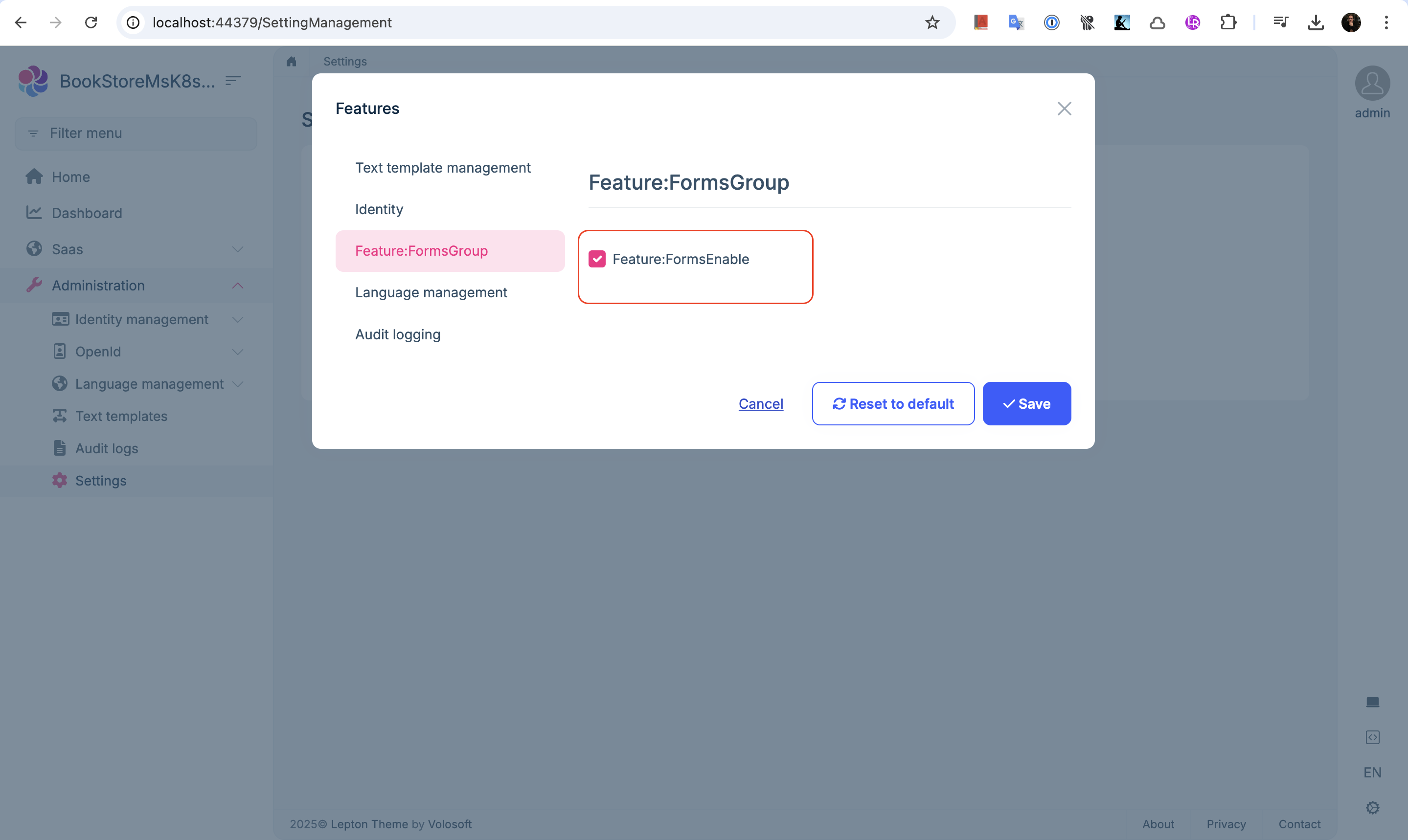
How can I reproduce your problem?
Markdown supported.Copy, paste, or drag & drop images and files (max 100 MB per file, 100 MB total per post) -
0
My issue was specific to features that came from the dynamic store, so it can't be in the static store (i.e. no FeatureDefinitionProvider containing the feature in the application that is displaying the features).
I was also viewing the features for a tenant, I didn't verify the behaviour was the same from any of the other feature management screens, but from what I've seen there's nothing to suggest this would make a difference.
If your feature wasn't available statically, and so is definitely coming from the dynamic store, then I can try and make the time and create a minimally reproducible sample if you would like; but if this would not be a priority regardless of reproducibility then feel free to just re-close this, since the workaround for what I am observing is to just add a description this is what I have done and therefore it's no longer a very pressing issue.
Markdown supported.Copy, paste, or drag & drop images and files (max 100 MB per file, 100 MB total per post) -
0
I can try and make the time and create a minimally reproducible sample if you would like
Okay, please, my email is shiwei.liang@volosoft.com
Markdown supported.Copy, paste, or drag & drop images and files (max 100 MB per file, 100 MB total per post) -
0
Reproduction steps:
- Create solution with ABP CLI
Exact command I used was:
"abp new AbpTest --connection-string "Server=localhost;Database=AbpTest;Trusted_Connection=True;TrustServerCertificate=True" --version 8.2.1" - Add FeatureDefinitionProvider in Application.Contracts Exact code I used was:
public class TestFeatureDefinitionProvider : FeatureDefinitionProvider
{
    public override void Define(IFeatureDefinitionContext context)
    {
        var myGroup = context.AddGroup("Test Features");

        var feature = myGroup.AddFeature(
            name: "Test feature 1",
            defaultValue: "true",
            displayName: new FixedLocalizableString("Test feature 1"),
            description: null,
            valueType: new ToggleStringValueType()
            );

        var feature2 = feature.CreateChild(
            name: "Test feature 2",
            defaultValue: "true",
            displayName: new FixedLocalizableString("Test feature 2"),
            description: null,
            valueType: new ToggleStringValueType()
            );

        var feature3 = myGroup.AddFeature(
            name: "Test feature 3",
            defaultValue: "true",
            displayName: new FixedLocalizableString("Test feature 3"),
            description: null,
            valueType: new ToggleStringValueType()
            );

    }
}
Important part here is a null description. 3. Ran the application. 4. Logged in, confirmed the feature management modal worked. 5. Stopped the application. 6. Set FeatureManagementOptions.IsDynamicFeatureStoreEnabled to true in ConfigureService of web module. Commented out FeatureDefinitionProvider I had added (to simulate a feature seeded by another application). 7. Ran the application. 8. Logged in, went to feature management (for host, tenant, and edition) and modal fails to load with an error dialog.
Error in logs:
2025-03-27 17:53:21.044 +00:00 [ERR] Value cannot be null. (Parameter 'name')
System.ArgumentNullException: Value cannot be null. (Parameter 'name')
   at System.ArgumentNullException.Throw(String paramName)
   at Microsoft.Extensions.Localization.LocalizedString..ctor(String name, String value, Boolean resourceNotFound, String searchedLocation)
   at Microsoft.Extensions.Localization.LocalizedString..ctor(String name, String value)
   at Volo.Abp.Localization.FixedLocalizableString.Localize(IStringLocalizerFactory stringLocalizerFactory)
   at Volo.Abp.FeatureManagement.FeatureAppService.CreateFeatureDto(FeatureNameValueWithGrantedProvider featureNameValueWithGrantedProvider, FeatureDefinition featureDefinition)
   at Volo.Abp.FeatureManagement.FeatureAppService.GetAsync(String providerName, String providerKey)
   at Castle.DynamicProxy.AsyncInterceptorBase.ProceedAsynchronous[TResult](IInvocation invocation, IInvocationProceedInfo proceedInfo)
   at Volo.Abp.Castle.DynamicProxy.CastleAbpMethodInvocationAdapterWithReturnValue`1.ProceedAsync()
   at Volo.Abp.Authorization.AuthorizationInterceptor.InterceptAsync(IAbpMethodInvocation invocation)
   at Volo.Abp.Castle.DynamicProxy.CastleAsyncAbpInterceptorAdapter`1.InterceptAsync[TResult](IInvocation invocation, IInvocationProceedInfo proceedInfo, Func`3 proceed)
   at Castle.DynamicProxy.AsyncInterceptorBase.ProceedAsynchronous[TResult](IInvocation invocation, IInvocationProceedInfo proceedInfo)
   at Volo.Abp.Castle.DynamicProxy.CastleAbpMethodInvocationAdapterWithReturnValue`1.ProceedAsync()
   at Volo.Abp.GlobalFeatures.GlobalFeatureInterceptor.InterceptAsync(IAbpMethodInvocation invocation)
   at Volo.Abp.Castle.DynamicProxy.CastleAsyncAbpInterceptorAdapter`1.InterceptAsync[TResult](IInvocation invocation, IInvocationProceedInfo proceedInfo, Func`3 proceed)
   at Castle.DynamicProxy.AsyncInterceptorBase.ProceedAsynchronous[TResult](IInvocation invocation, IInvocationProceedInfo proceedInfo)
   at Volo.Abp.Castle.DynamicProxy.CastleAbpMethodInvocationAdapterWithReturnValue`1.ProceedAsync()
   at Volo.Abp.Auditing.AuditingInterceptor.ProceedByLoggingAsync(IAbpMethodInvocation invocation, AbpAuditingOptions options, IAuditingHelper auditingHelper, IAuditLogScope auditLogScope)
   at Volo.Abp.Auditing.AuditingInterceptor.InterceptAsync(IAbpMethodInvocation invocation)
   at Volo.Abp.Castle.DynamicProxy.CastleAsyncAbpInterceptorAdapter`1.InterceptAsync[TResult](IInvocation invocation, IInvocationProceedInfo proceedInfo, Func`3 proceed)
   at Castle.DynamicProxy.AsyncInterceptorBase.ProceedAsynchronous[TResult](IInvocation invocation, IInvocationProceedInfo proceedInfo)
   at Volo.Abp.Castle.DynamicProxy.CastleAbpMethodInvocationAdapterWithReturnValue`1.ProceedAsync()
   at Volo.Abp.Validation.ValidationInterceptor.InterceptAsync(IAbpMethodInvocation invocation)
   at Volo.Abp.Castle.DynamicProxy.CastleAsyncAbpInterceptorAdapter`1.InterceptAsync[TResult](IInvocation invocation, IInvocationProceedInfo proceedInfo, Func`3 proceed)
   at Castle.DynamicProxy.AsyncInterceptorBase.ProceedAsynchronous[TResult](IInvocation invocation, IInvocationProceedInfo proceedInfo)
   at Volo.Abp.Castle.DynamicProxy.CastleAbpMethodInvocationAdapterWithReturnValue`1.ProceedAsync()
   at Volo.Abp.Uow.UnitOfWorkInterceptor.InterceptAsync(IAbpMethodInvocation invocation)
   at Volo.Abp.Castle.DynamicProxy.CastleAsyncAbpInterceptorAdapter`1.InterceptAsync[TResult](IInvocation invocation, IInvocationProceedInfo proceedInfo, Func`3 proceed)
   at Volo.Abp.FeatureManagement.Web.Pages.FeatureManagement.FeatureManagementModal.OnGetAsync()
   at Microsoft.AspNetCore.Mvc.RazorPages.Infrastructure.ExecutorFactory.GenericTaskHandlerMethod.Convert[T](Object taskAsObject)
   at Microsoft.AspNetCore.Mvc.RazorPages.Infrastructure.ExecutorFactory.GenericTaskHandlerMethod.Execute(Object receiver, Object[] arguments)
   at Microsoft.AspNetCore.Mvc.RazorPages.Infrastructure.PageActionInvoker.InvokeHandlerMethodAsync()
   at Microsoft.AspNetCore.Mvc.RazorPages.Infrastructure.PageActionInvoker.InvokeNextPageFilterAsync()
I will email you my solution as well, but above is all I did.
Markdown supported.Copy, paste, or drag & drop images and files (max 100 MB per file, 100 MB total per post) - Create solution with ABP CLI
Exact command I used was:
-
0
I will email you my solution as well, but above is all I did.
okay
Markdown supported.Copy, paste, or drag & drop images and files (max 100 MB per file, 100 MB total per post) -
0
Your email provider has rejected my email, tried with both .zip and .7z
Please let me know if there is some other way I can drop it to you or if the steps above are sufficient
Markdown supported.Copy, paste, or drag & drop images and files (max 100 MB per file, 100 MB total per post) -
0
Hi,
You can use wetransfer https://wetransfer.com/
Markdown supported.Copy, paste, or drag & drop images and files (max 100 MB per file, 100 MB total per post) -
0
Sent
Markdown supported.Copy, paste, or drag & drop images and files (max 100 MB per file, 100 MB total per post) -
0
okay, i will check it
Markdown supported.Copy, paste, or drag & drop images and files (max 100 MB per file, 100 MB total per post) -
0
Hi,
I can't reproduce the problem using the project you shared..
My steps:
- Run DbMigrator
- Run Web
- Stop web, set
IsDynamicFeatureStoreEnabledto true and comment outTestFeatureDefinitionProvider - Run Web
Markdown supported.Copy, paste, or drag & drop images and files (max 100 MB per file, 100 MB total per post) -
0
I've sent you a video following the repro steps with the issue occurring. https://we.tl/t-Ek8Ek1OI2r
If you can't reproduce feel free to close, or you can close either way, don't think there's much more I can contribute.
I'll be working round the issue by ensuring a description is set.
Markdown supported.Copy, paste, or drag & drop images and files (max 100 MB per file, 100 MB total per post) -
0
Sorry for being late.
Could you share the video and project again? thanks.
Markdown supported.Copy, paste, or drag & drop images and files (max 100 MB per file, 100 MB total per post) -
0
Sorry for being late.
Could you share the video and project again? thanks.
I've resent the video (https://we.tl/t-ImQtxQeUTS).
Sorry I no longer have the solution. If it would be helpful let me know and I can find time to recreate it.
Markdown supported.Copy, paste, or drag & drop images and files (max 100 MB per file, 100 MB total per post) -
0
Thanks, I will check it
Markdown supported.Copy, paste, or drag & drop images and files (max 100 MB per file, 100 MB total per post) -
0
The problem was fixed, https://github.com/abpframework/abp/pull/21206
I refuned your ticket, thanks.
Markdown supported.Copy, paste, or drag & drop images and files (max 100 MB per file, 100 MB total per post)



