






- Steps to reproduce the issue:
- Created new solution
- used ABP CLI with command:
- abp new AbpTest --connection-string "Server=localhost;Database=AbpTest;Trusted_Connection=True;TrustServerCertificate=True" --version 8.2.1
- Started application, logged in as default admin user
- Created new Tenant
- Browsed to /swagger
- Used endpoint PUT /api/saas/tenants/{id}/connection-string
- Default connection string was updated (it was for a non-existant database, and database has been created) but the non-default connection string has not been inserted
- Inserted the connection string directly in to the database
- Used endpoint GET /api/saas/tenants/{id}/connection-string
- Only the default connection string is in the response, the one I inserted directly in database is not, 'databases' is an empty array
- I have profiled the database query for this request, running it directly returns my connection string
- Created new solution
Exact body of the PUT request was:
{
  "default": "Server=localhost;Database=Test1Default;Trusted_Connection=True;TrustServerCertificate=True",
  "databases": [
    {
      "databaseName": "Test1Specifc",
      "connectionString": "Server=localhost;Database=Test1Specific;Trusted_Connection=True;TrustServerCertificate=True"
    }
  ]
}
6 Answer(s)
-
0
If I call the PUT after inserting the connection string directly in the database then it clears it, leaving me only the default one
Markdown supported.Copy, paste, or drag & drop images and files (max 100 MB per file, 100 MB total per post) -
0
hi
Can you try to add the database name in appsettings.json file?
Or add it to Databases property of the AbpDbConnectionOptions class.
https://abp.io/docs/latest/framework/fundamentals/connection-strings?_redirected=B8ABF606AA1BDF5C629883DF1061649A#configuring-the-database-structures
Markdown supported.Copy, paste, or drag & drop images and files (max 100 MB per file, 100 MB total per post) -
0
Hi, thank you for the quick response.
Yes this resolves the issue.
I understand why this is a logical constraint under normal circumstances, but for our use case it would very useful if this weren't the case.
I don't have access to the source code for the pro modules, am I right in assuming this check is performed in the TenantAppService, where I can see the AbpDbConnectionOptions being injected?
Markdown supported.Copy, paste, or drag & drop images and files (max 100 MB per file, 100 MB total per post) -
0
hi
The input
SaasTenantConnectionStringsDtowill be normalizer.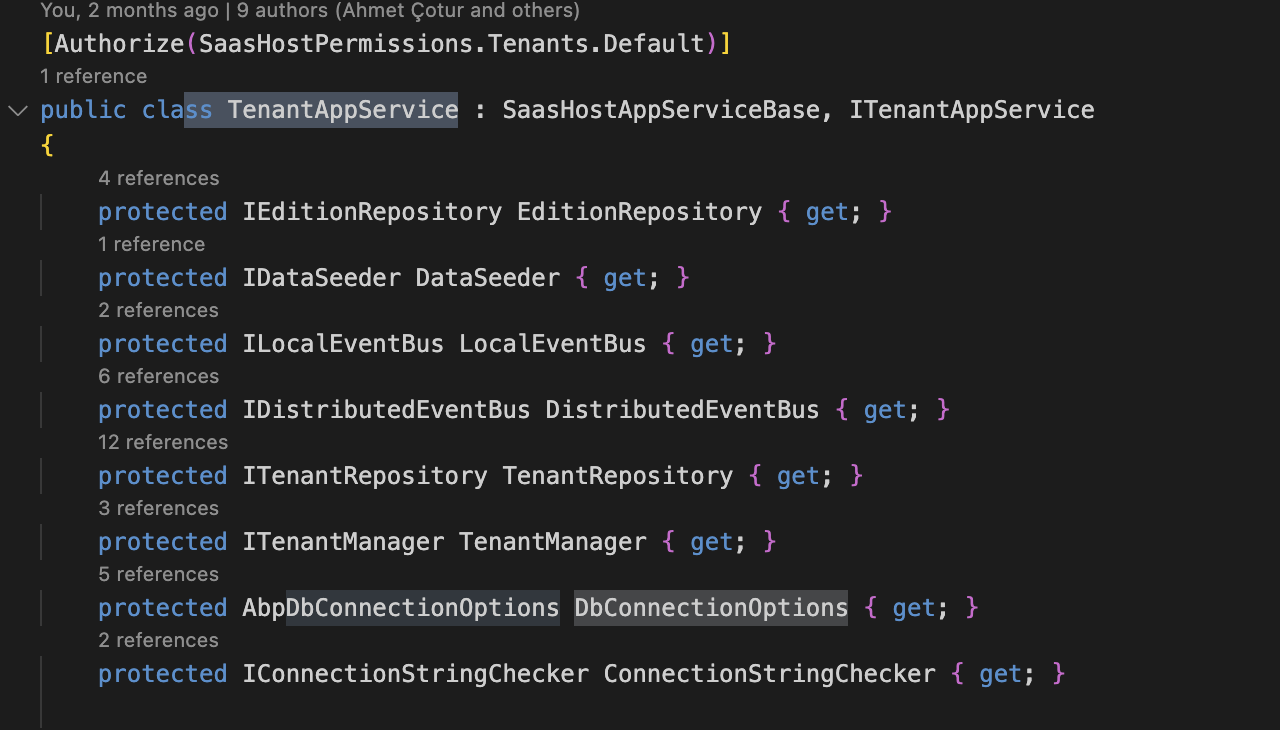
prote
public virtual async Task UpdateConnectionStringsAsync(Guid id, SaasTenantConnectionStringsDto input)
{
    input = await NormalizedConnectionStringsAsync(input);
}

cted virtual async Task<SaasTenantConnectionStringsDto> NormalizedConnectionStringsAsync(SaasTenantConnectionStringsDto input)
{
    if (!await SettingProvider.IsTrueAsync(SaasSettingNames.EnableTenantBasedConnectionStringManagement))
    {
        return new SaasTenantConnectionStringsDto();
    }

    if (input == null)
    {
        input = new SaasTenantConnectionStringsDto();
    }
    else if (!input.Databases.IsNullOrEmpty())
    {
        input.Databases = input.Databases
            .Where(x => DbConnectionOptions.Databases.Any(d => d.Key == x.DatabaseName && d.Value.IsUsedByTenants))
            .Where(x => !x.ConnectionString.IsNullOrWhiteSpace())
            .GroupBy(x => x.DatabaseName)
            .Select(x => x.First())
            .ToList();
    }

    return input;
}
Markdown supported.Copy, paste, or drag & drop images and files (max 100 MB per file, 100 MB total per post) -
0
Much appreciated, thank you
Markdown supported.Copy, paste, or drag & drop images and files (max 100 MB per file, 100 MB total per post)


