I didn't have any log.
I solved by changing some packages.
{ "name": "mySolName", "version": "0.0.0", "scripts": { "ng": "ng", "start": "ng serve --open", "build": "ng build", "build:prod": "ng build --configuration production", "build:cert": "ng build --configuration certification", "watch": "ng build --watch --configuration development", "test": "ng test", "lint": "ng lint", "postinstall": "npm run compile:ivy", "compile:ivy": "yarn ngcc --properties es2015 browser module main --first-only --create-ivy-entry-points --tsconfig './tsconfig.prod.json' --source node_modules" }, "private": true, "dependencies": { "@abp/ng.components": "~9.0.7", "@abp/ng.core": "~9.0.7", "@abp/ng.feature-management": "~9.0.7", "@abp/ng.oauth": "~9.0.7", "@abp/ng.setting-management": "~9.0.7", "@abp/ng.theme.shared": "~9.0.7", "@angular/animations": "~18.1.0", "@angular/common": "~18.1.0", "@angular/compiler": "~18.1.0", "@angular/core": "~18.1.0", "@angular/forms": "~18.1.0", "@angular/localize": "~18.1.0", "@angular/platform-browser": "~18.1.0", "@angular/platform-browser-dynamic": "~18.1.0", "@angular/router": "~18.1.0", "@progress/kendo-angular-buttons": "^18.1.0", "@progress/kendo-angular-common": "^18.1.0", "@progress/kendo-angular-dialog": "^18.1.0", "@progress/kendo-angular-dropdowns": "^18.1.0", "@progress/kendo-angular-editor": "^18.1.0", "@progress/kendo-angular-icons": "^18.1.0", "@progress/kendo-angular-inputs": "^18.1.0", "@progress/kendo-angular-intl": "^18.1.0", "@progress/kendo-angular-l10n": "^18.1.0", "@progress/kendo-angular-label": "^18.1.0", "@progress/kendo-angular-navigation": "^18.1.0", "@progress/kendo-angular-popup": "^18.1.0", "@progress/kendo-angular-toolbar": "^18.1.0", "@progress/kendo-angular-treeview": "^18.1.0", "@progress/kendo-angular-utils": "^18.1.0", "@progress/kendo-drawing": "^1.21.2", "@progress/kendo-licensing": "^1.5.0", "@progress/kendo-theme-default": "^10.2.0", "@volo/abp.commercial.ng.ui": "~9.0.7", "@volo/abp.ng.account": "~9.0.7", "@volo/abp.ng.audit-logging": "~9.0.7", "@volo/abp.ng.gdpr": "9.0.7", "@volo/abp.ng.identity": "~9.0.7", "@volo/abp.ng.language-management": "~9.0.7", "@volo/abp.ng.openiddictpro": "~9.0.7", "@volo/abp.ng.saas": "9.0.7", "@volo/abp.ng.text-template-management": "~9.0.7", "@volosoft/abp.ng.theme.lepton-x": "~4.0.5", "codice-fiscale-js": "^2.3.22", "rxjs": "~7.8.0", "tslib": "^2.0.0", "zone.js": "~0.14.0" }, "devDependencies": { "@abp/ng.schematics": "~9.0.7", "@angular-devkit/build-angular": "~18.1.0", "@angular-eslint/builder": "~18.1.0", "@angular-eslint/eslint-plugin": "~18.1.0", "@angular-eslint/eslint-plugin-template": "~18.1.0", "@angular-eslint/schematics": "~18.1.0", "@angular-eslint/template-parser": "~18.1.0", "@angular/cli": "~18.1.0", "@angular/compiler-cli": "~18.1.0", "@angular/language-service": "~18.1.0", "@types/jasmine": "~3.6.0", "@types/node": "^20.0.0", "@typescript-eslint/eslint-plugin": "^7.0.0", "@typescript-eslint/parser": "^7.0.0", "eslint": "^8.0.0", "jasmine-core": "~4.0.0", "karma": "~6.3.0", "karma-chrome-launcher": "~3.1.0", "karma-coverage": "~2.1.0", "karma-jasmine": "~4.0.0", "karma-jasmine-html-reporter": "^1.0.0", "typescript": "~5.5.0" } }
my problem now is that if i leave { provide: LocationStrategy, useClass:HashLocationStrategy }, In my app module, when i change item in the side menu they stay selected.
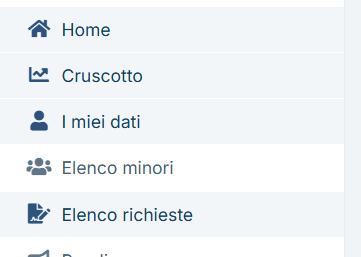
it used to work before the update. If i remove it, the side menu works.
Thank you
Hello, I saw here https://abp.io/support/questions/7797/NullInjectorError-No-provider-for-InjectionToken-OPENAUTHORITYDELEGATIONMODAL that it would it be better to create a library based on the abp module. Could you provide a guide on how to do it?
Thank you
Hello,
What do I gain by switching responseType to "code"? If I do it then homepage "Login" button redirects me to AuthServer login page and I don't need that. My goal is to authenticate with Microsoft from Angular login page. Is it possible?
Thank you
Because you have to enter the username and password to sign in.
I'm using username and password just to access to the application while coding. My goal is to use Angular Login page and Microsoft auth. Once it runs fine I can disable user and password authentication.
Thank you
Can you share a screenshot?
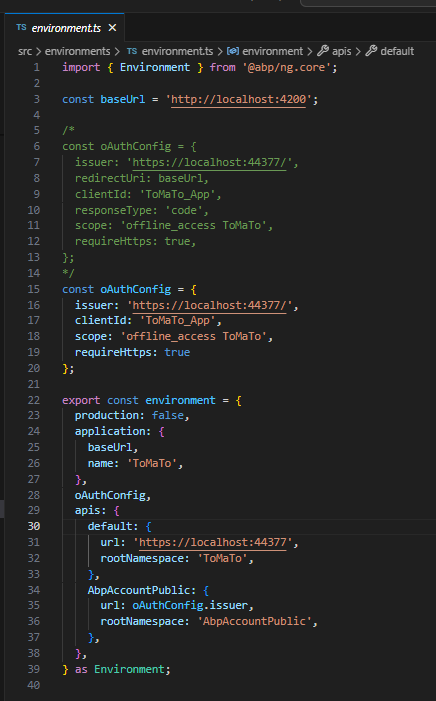
This configuration of oAuthConfig obj allows me to use Angular Login page instead of the authServer mvc one:
What type of this page? angular or authserver mvc?
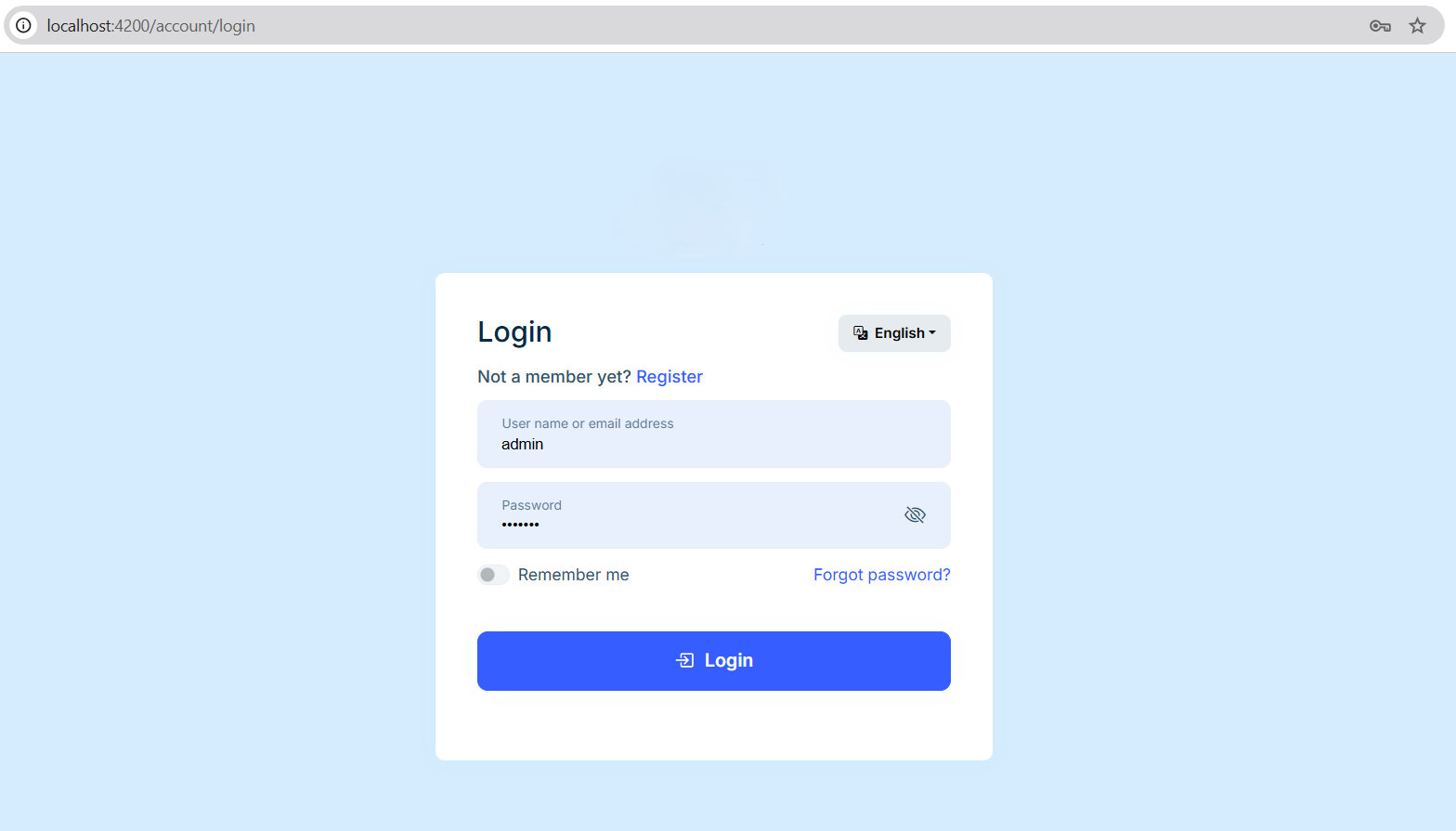
With previous code Homepage Login button redirects on my Angular account/login page (in which there is no "Login with Microsoft" button):
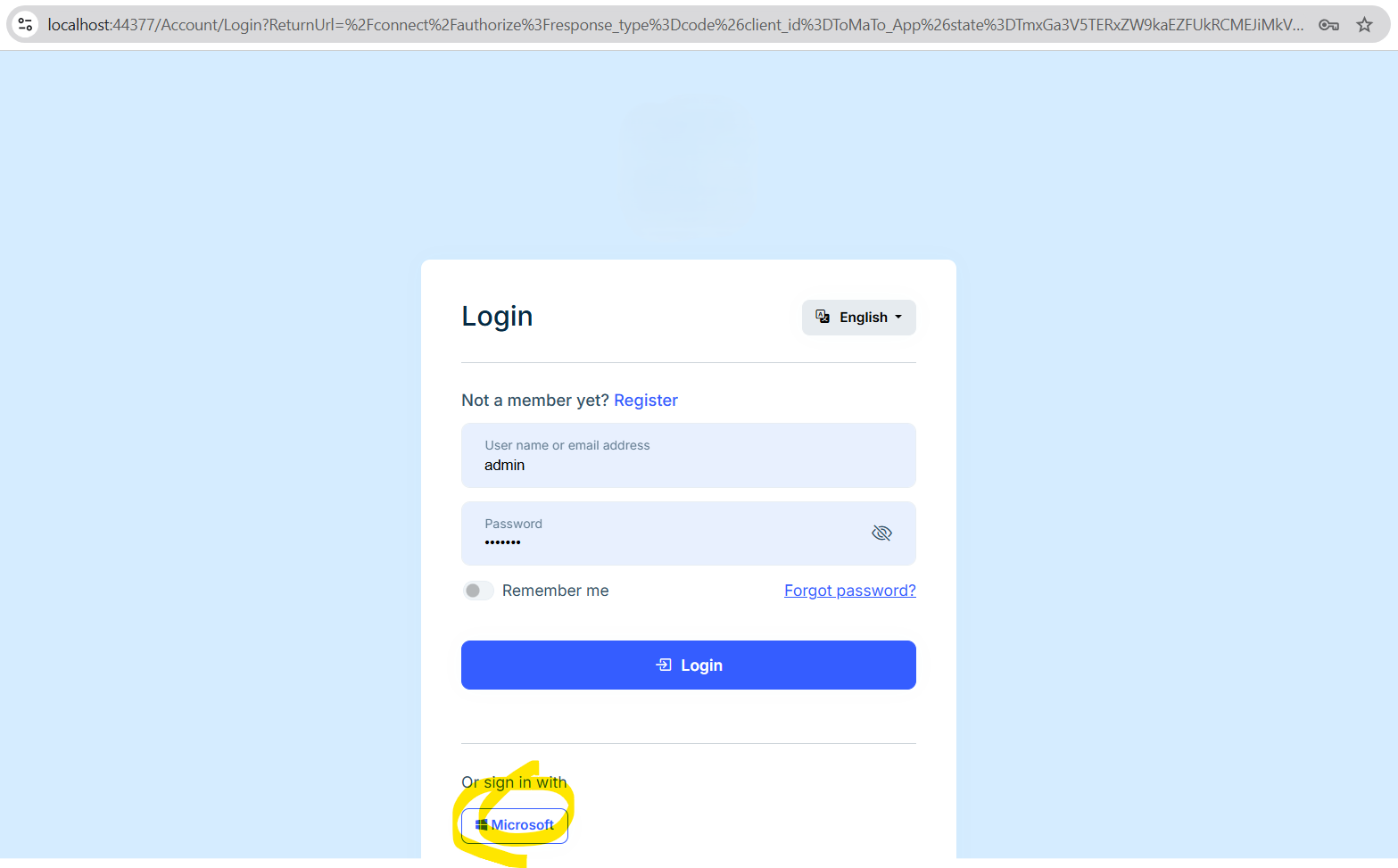
Using the rows 6-13 you see commented in the previous code instead, it uses the backend Login page in which that button is correctly visible:
This is my External authentication provider configuration: 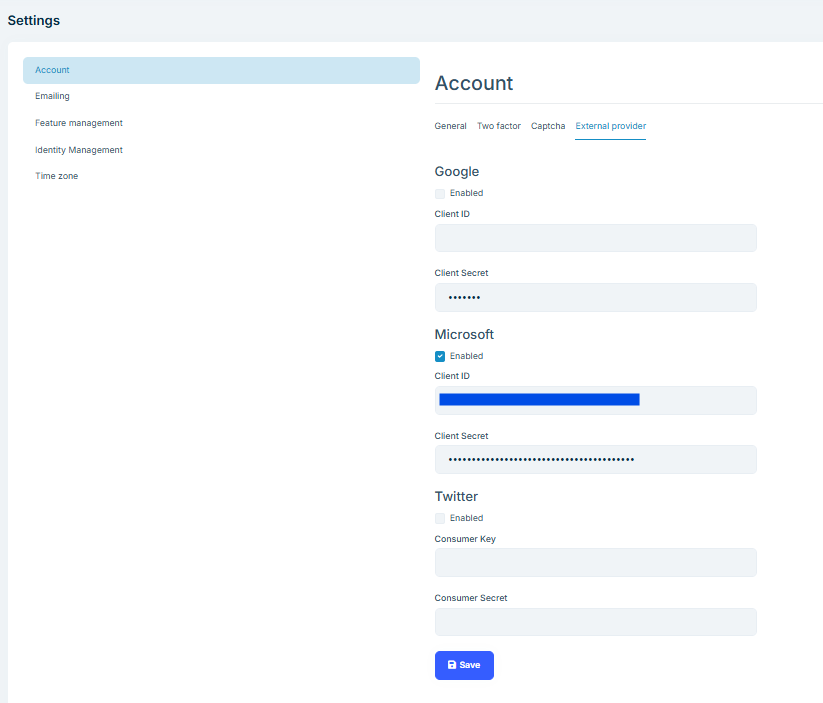
My goal is to have Microsoft authentication in Angular Login page.
Thank you
Hello, by reading the documentation I was not able to understand how to set a predefined value for the typeahead component.
Thank you
Hello! These two links helped fixing my problem.
Thank you very much!
Hello, I have already tried solution 1. but it doesn't work. The problem is that I also tried to add a query param to the url. When I click on the menu item corresponding to my current page, it removes the param from the url, but the page is not refreshed. I think it's a bug in the side menu and not a behavior of the Angular Router, since it doesn't work also when changing the url.
Thank you
Yes, it is now solved. Thank you
Hello, thank you for your answer but it wasn't enough. I had to re-download the updated Account Module to make it work, because all account packages weren't updated. Also, in the new version there were some changes in the code.









