I noticed ABP has these code:
context.Services .AddDataProtection() .SetApplicationName("MyApp") .PersistKeysToStackExchangeRedis(redis, "MyApp-Protection-Keys");
However, if our application want to use Microsoft Data Protection API to encyrpt/decrypt business data, we have this settings: services.AddDataProtection() .ProtectKeysWithAzureKeyVault(new Uri(keyId), new DefaultAzureCredential(new DefaultAzureCredentialOptions { ManagedIdentityClientId = keyVaultClientId })) .PersistKeysToAzureBlobStorage(azureStorageConnectionString, containerName, EncrptionConsts.DataProtectionKeyBlobName) .SetDefaultKeyLifetime(TimeSpan.FromDays(36500));
Would these two settings conflict with each other, can we simply comment out ABP's AddDataProtectioncode?
Thanks
[maliming] said: hi
Can you share your project source code?
I will download and check the code.
You can remove the environment code so I can reproduce it on my local.
liming.ma@volosoft.com
Thanks.
I heard another project in company using ABP 9 also met 409 error. It's bit hard to reproduce it at local. Occasionally it happens, but very easy to met 409 at QA site.
From exception log, it is OpenIddictAuthorizations table has concurrency issue. I replace above code MyAbpEfCoreNavigationHelper with it; After deployment, the URL bounce between home page and auth server several times, then successfully locate to home page. Then I try the login again, the app throw 400 error instead of the 409
Or is there a way in auth server we create some controller method, which Url could match connect/authorize and the code call base.authorize and try catch 409 to swallow this error
I tested with QA team against our QA site, we noticed when we click submit security code at the same time, it's much easy to reproduce. This issue becomes our upgrade blocker. Could we have a session to debug?
Even a success login, the home search page flash 2+ times, looks like go to auth server again and back to home page
After upgrade to 9.1.3, the error is still there. It happens when make connect/authorize Url, I did Url decoding and Html decoding to the Url, it looks like this, I feel like the Url is extremely long and duplicate connect
https://ca.authserver.host/connect/authorize?response_type=code&client_id=Angular&state=azU5cEs1Sk9Ua2JTcm1aVHlzaExiWjZrQXpqNUhxUVNNQUpsNDc1NXlKN2VR;/home/es-search?code=FbCK06zR-ZE3xt7LplqKFuOFVxuwjbgnqJobXC4z2v4&state=QVViSjhnd1VGWGFGQ3JjRFo3aExxTEZfdjNhR1VkTGp6MzBnYjhacTV3Rmp6;%252Fhome%252Fsearch%253Fcode%253DfVFNO5CT4ozUXn3SWbWF3Yx_vRmv8z8g9luGtz-jOCM%2526state%253DMzY3N2ZRV2F3UGNtNTlkbXQ1NWtyNUtTeXFKMlRpRXV1b1dWd3djWUwxdzdK%253B%2525252Fhome%2525252Fes-search%2526iss%253Dhttps%253A%25252F%25252Fca.authserver.host%25252F%2526culture%253Den%2526ui-culture%253Den&iss=https:%2F%2Fca.authserver.host%2F&culture=en&ui-culture=en&redirect_uri=https://ca.ess-portal.host/&scope=offline_accessopenidprofileemailphoneAccountServiceIdentityServiceAdministrationServiceSaasServiceEntityServiceSearchServiceLookupServiceAuditServiceDashboardService&code_challenge=cl1auIiaHiVaQMiBpDPk2OMIAccR0P9wJa2mOZMdG5w&code_challenge_method=S256&nonce=azU5cEs1Sk9Ua2JTcm1aVHlzaExiWjZrQXpqNUhxUVNNQUpsNDc1NXlKN2VR&culture=en&ui-culture=en&returnUrl=/home/search?code=FbCK06zR-ZE3xt7LplqKFuOFVxuwjbgnqJobXC4z2v4&state=QVViSjhnd1VGWGFGQ3JjRFo3aExxTEZfdjNhR1VkTGp6MzBnYjhacTV3Rmp6;%2Fhome%2Fes-search%3Fcode%3DfVFNO5CT4ozUXn3SWbWF3Yx_vRmv8z8g9luGtz-jOCM%26state%3DMzY3N2ZRV2F3UGNtNTlkbXQ1NWtyNUtTeXFKMlRpRXV1b1dWd3djWUwxdzdK%3B%25252Fhome%25252Fes-search%26iss%3Dhttps%3A%252F%252Fca.authserver.host%252F%26culture%3Den%26ui-culture%3Den&iss=https://ca.authserver.host/&culture=en&ui-culture=en
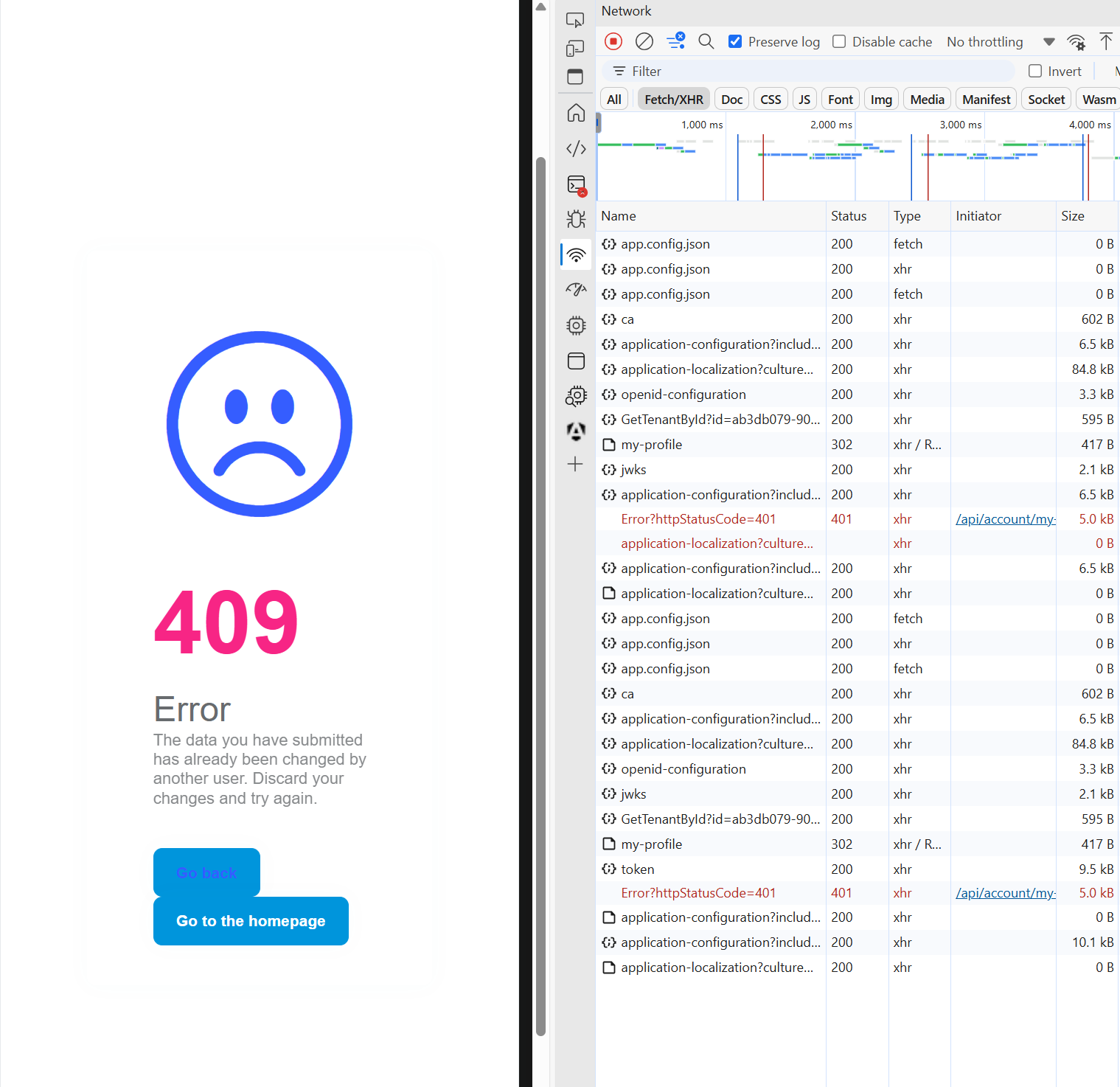
I upgrade the front-end code to exactly version of '9.1.3', I also update backend to 9.1.3. The 409 still happens. Is there a way to swallow this 409 error either from front-end or backend?
The code use to use '~9.1.1', if I check the lock file, it does install 9.1.3. If I use exact version 9.1.1 or 9.1.2, it will have null DI exception. Now I change to use exact version '9.1.3' the DI exception is gone.
However, the console error in the beginning of this ticket is still there.
hi
Please share full debug logs.
Are you sure all your packages are 9.1.1? You can try to upgrade to the latest 9.1.3 https://www.nuget.org/packages/Volo.Abp.Cli/9.1.3
Thanks.
I couldn't upgrade to 9.1.2, create a separate ticket here: https://abp.io/support/questions/9348/ABP-9-upgrade
Here is part of package.json "@abp/ng.components": "~9.1.1", "@abp/ng.core": "~9.1.1", "@abp/ng.oauth": "~9.1.1", "@abp/ng.setting-management": "~9.1.1", "@abp/ng.theme.shared": "~9.1.1", "@abp/ng.feature-management": "~9.1.1", "@volo/abp.commercial.ng.ui": "~9.1.1", "@volo/abp.ng.account": "~9.1.1", "@volo/abp.ng.audit-logging": "~9.1.1", "@volo/abp.ng.identity": "~9.1.1", "@volo/abp.ng.language-management": "~9.1.1", "@volo/abp.ng.openiddictpro": "~9.1.1", "@volo/abp.ng.saas": "~9.1.1", "@volo/abp.ng.text-template-management": "~9.1.1", "@volosoft/abp.ng.theme.lepton-x": "~4.1.1", "@angular/animations": "~19.1.0", "@angular/cdk": "~19.1.0", "@angular/common": "~19.1.0", "@angular/compiler": "~19.1.0", "@angular/core": "~19.1.0", "@angular/forms": "~19.1.0", "@angular/localize": "~19.1.0", "@angular/material": "~19.1.0", "@angular/material-date-fns-adapter": "~19.1.0", "@angular/platform-browser": "~19.1.0", "@angular/platform-browser-dynamic": "~19.1.0", "@angular/router": "~19.1.0",









