I have added a key, but I didn't find any documentation saying this Key is required. Team, can you check and let me know what the problem is here
There is a no project Key I have checked on both side front end and backend


I have deployed the app in AKS. and this the response of getEnvconfig
{ "production": "true", "application": { "baseUrl": "https://devapp.brandencoder.com", "name": "Brand Encoder Dev", "logoUrl": "" }, "oAuthConfig": { "issuer": "https://devapi.brandencoder.com/", "redirectUri": "https://devapp.brandencoder.com", "requireHttps": "false", "requireHttpsMetadata":"false", "certificatePassPhrase":"<Removed>", "clientId": "<Removed>", "responseType": "code", "scope": "offline_access <Removed>", "strictDiscoveryDocumentValidation": false, "skipIssuerCheck": true }, "apis": { "default": { "url": "https://devapi.brandencoder.com", "rootNamespace": "Rootfly.Fillit" } } }
I have tested in my local as well

Check the docs before asking a question: https://abp.io/docs/latest Check the samples to see the basic tasks: https://abp.io/docs/latest/samples The exact solution to your question may have been answered before, and please first use the search on the homepage.
Provide us with the following info:
🧐 Hint: If you are using the ABP Studio, you can see all the information about your solution from the configuration window, which opens when you right-click on the solution and click on the Solution Configuration button.
- **Template**: app - **Created ABP Studio Version**: 0.9.23 - **Current ABP Studio Version**: 2.1.3 - **Tiered**: No - **Multi-Tenancy**: Yes - **UI Framework**: angular - **Theme**: leptonx - **Theme Style**: system - **Run Install Libs**: Yes - **Progressive Web App**: No - **Run Progressive Web App Support**: No - **Database Provider**: ef - **Database Management System**: postgresql - **Separate Tenant Schema**: No - **Create Initial Migration**: Yes - **Run Db Migrator**: Yes - **Mobile Framework**: maui - **Public Website**: No - **Include Tests**: Yes - **Kubernetes Configuration**: Yes - **Distributed Event Bus**: rabbitmq - **Use Local References**: No - **Optional Modules**: * GDPR * FileManagement * TextTemplateManagement * LanguageManagement * AuditLogging * Chat * OpenIddictAdmin
<br>
You can access this endpoint I have deployed for testing
https://devapp.brandencoder.com/ with the default credentials
I am attaching the Angular config files you can access from the link below:

I have cleared the cache, and the project is being built, so I had to deploy all the applications again. But still the ABP Suite is not working having the same issue.
Is abp production ready, How the production applications are affected, there was some issue on your side and all the applications stopped, even though I have the active license.
What is the issue with abp suite??
This is affecting business
HI Team
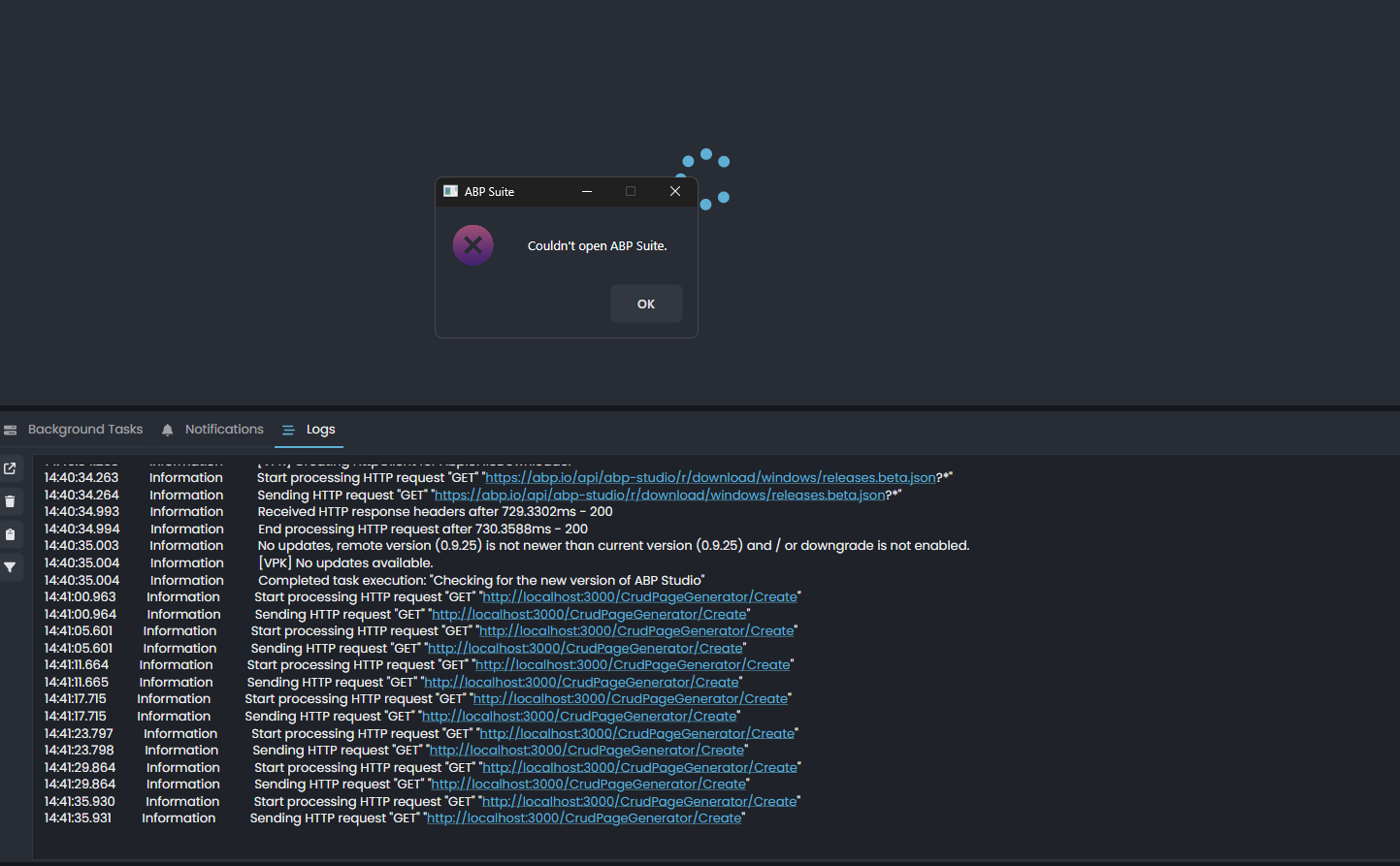
When I am opening ABP suite for the project it is not opening always throws an error, as attached Image.
I tried with new projects, Removing the projects and adding again Initialized the for the existing solution.
Uninstall and installed back and tried again, but still no result.
As well as I am getting the following error for all abp commercial projects, and projects are not building.
Unable to create a 'DbContext' of type 'AbpSolution1DbContext'. The exception 'This assembly is protected by an unregistered version of Eziriz's ".NET Reactor"! This assembly won't further work.' was thrown while attempting to create an instance. For the different patterns supported at design time, see https://go.microsoft.com/fwlink/?linkid=851728
Can you please look into this matter urgently as my all the projects are not building now, as well as development is stalled as abp suite is not working
How the system can be trusted, everything stopped, it was better to be on the opensource version than the paid
I am attaching the log file as well for the ABP studio ! Abp studio Log file