I found this in the OpenIddict documentation. https://documentation.openiddict.com/configuration/encryption-and-signing-credentials.html. This should be included in the deployment documentation for the new version and referenced in the release notes.
I am getting the same error deploying the application to an Azure App Service. This is a release configuration so I am not expecting to install a developer certificate. What am I missing here? The App Service has an SSL certificate bound to a custom domain being used for the site.
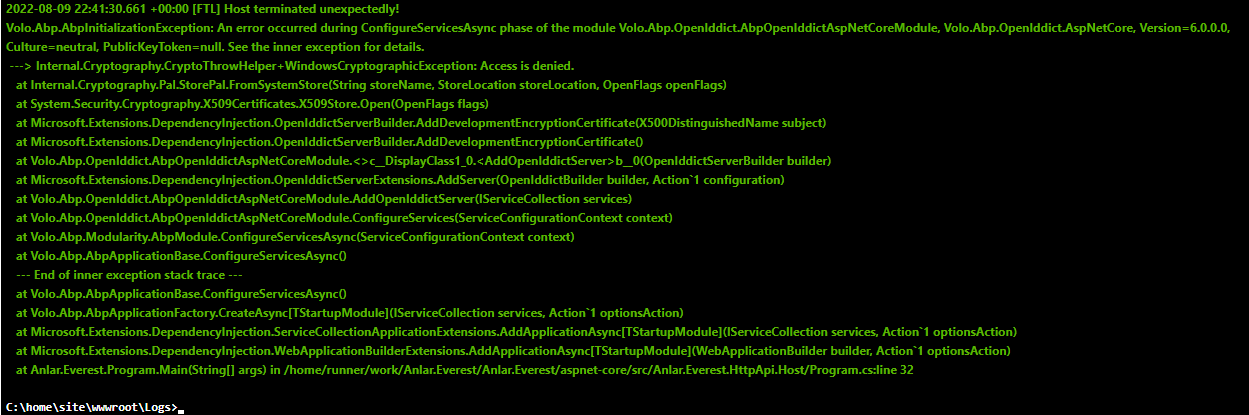
@liangshiwei I am not following your answer. The default code provided in the template application exhibited the problem described above in my initial post. Are you saying that the initial application has a problem or the changes I highlighted are a problem. Please note, it was not working until I made the changes I highlighted. It is working as expected after those changes.
As a follow up, I made a couple of changes to the Swagger application configuration and it now works. I am not sure why this change removed the windows authentication prompt, but the result now matches the user experience we had with identity server.
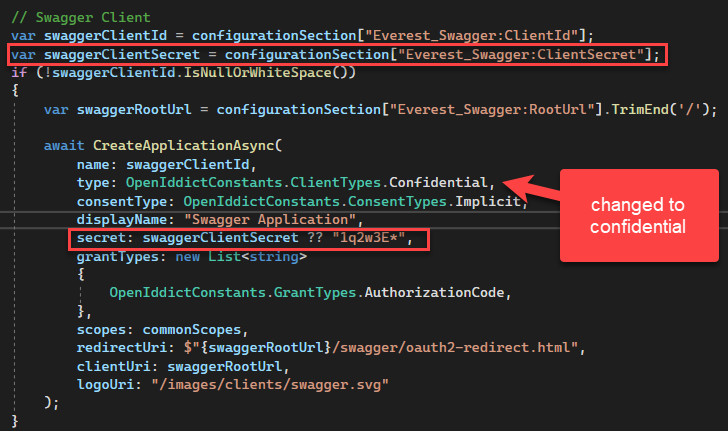 I changed the client type to confidential and added a configuration variable to set the secret. With this in place, things now work just like they did in 5.x for me.
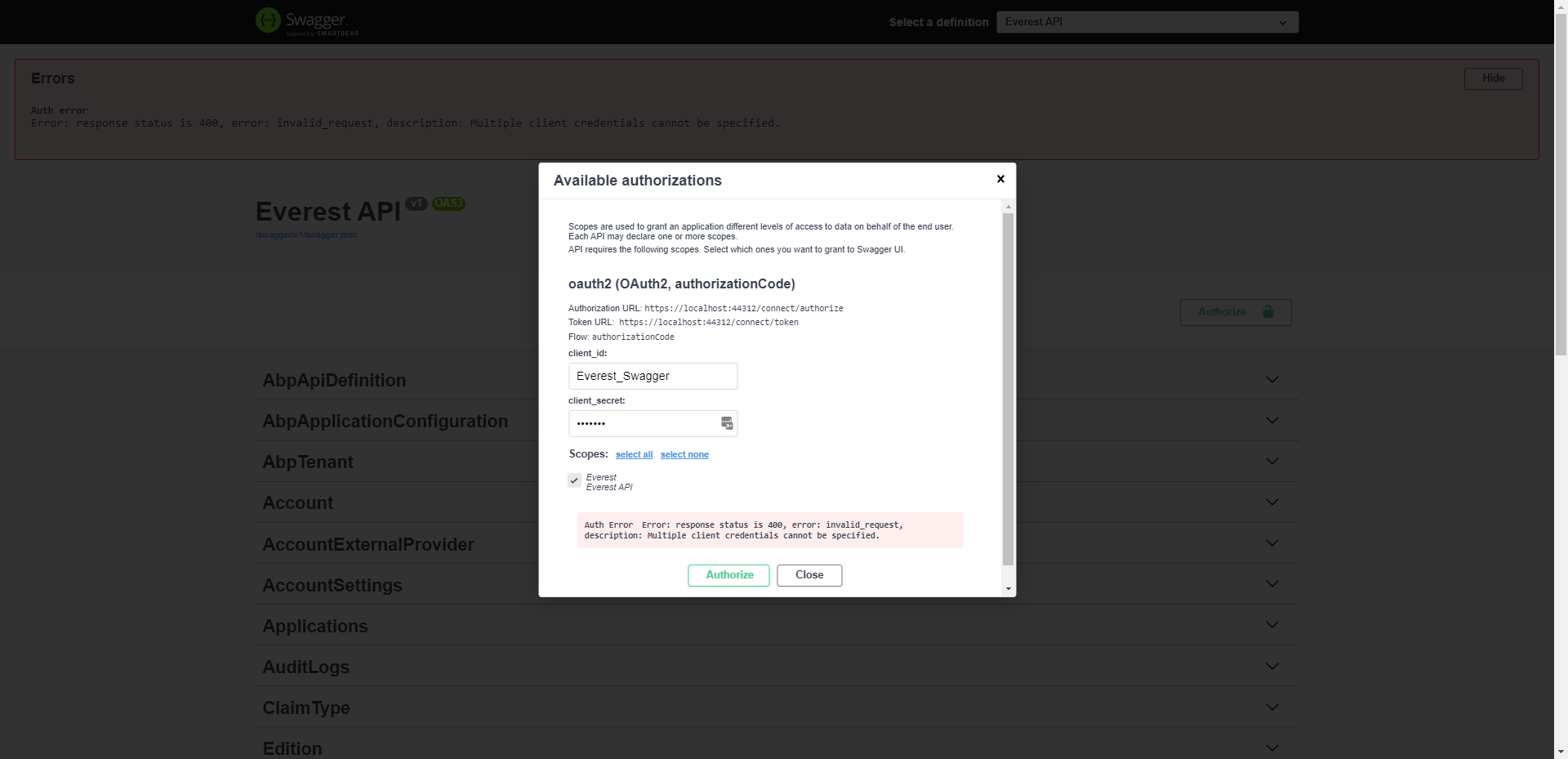
Trying to authorize from the Swagger UI is giving errors which I have not seen before. If I launch the angular project and login, I can eventually get the swagger UI to authenticate but only because I am already logged in.
This is the first error I received.
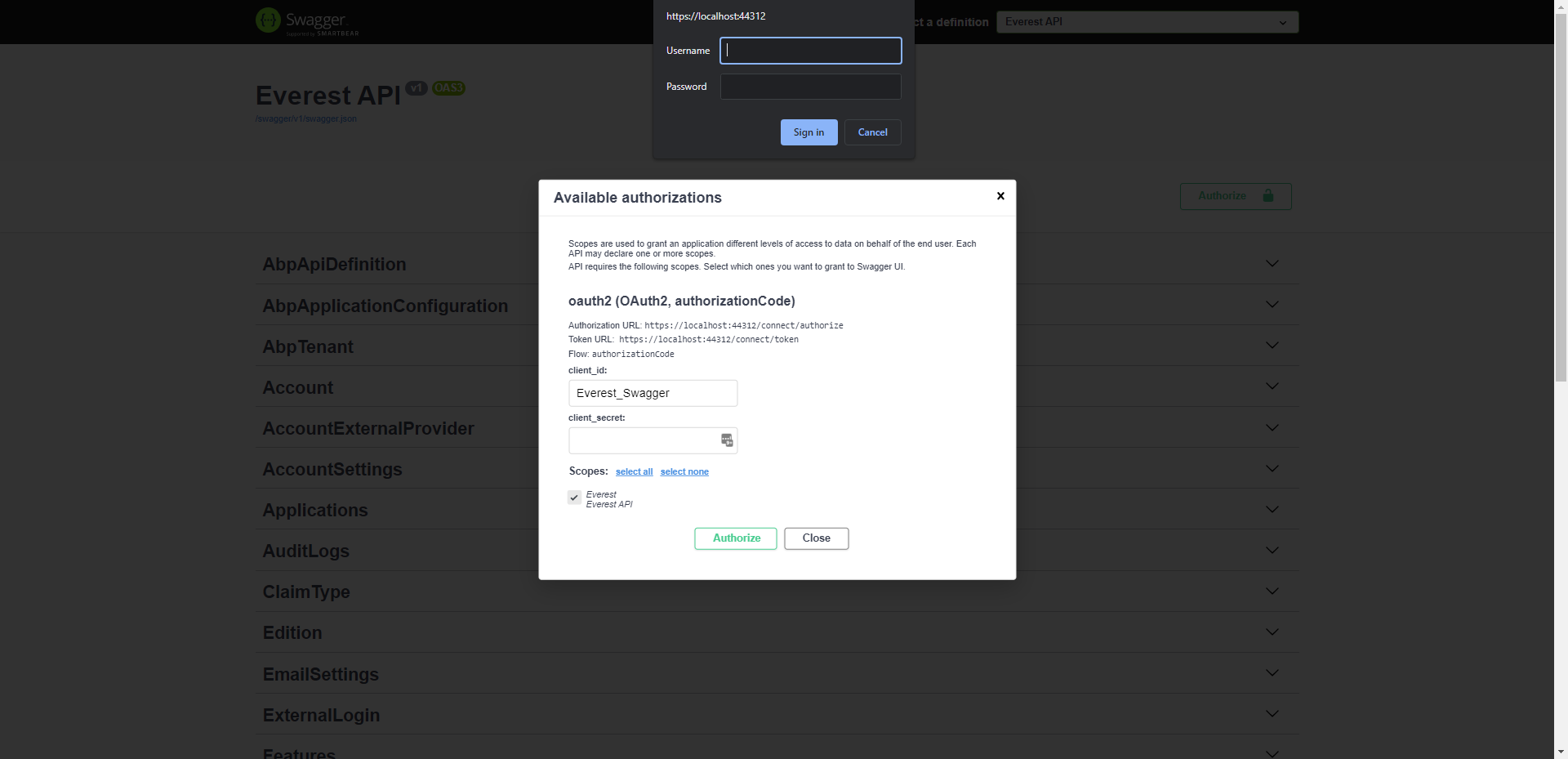
This is the second issue I encountered. Notice the windows login prompt for accessing the site. If I am already logged in via Angular, I can hit cancel on this and I have access to the authorized endpoints. However, nothing I enter in the prompted authentication works so far.
Is there a workaround prior to RC2?
I noticed a second issue after I opened the dotnet solution. Even though I specified the option "none" for mobile. It still created a .NET MAUI project in the solution.
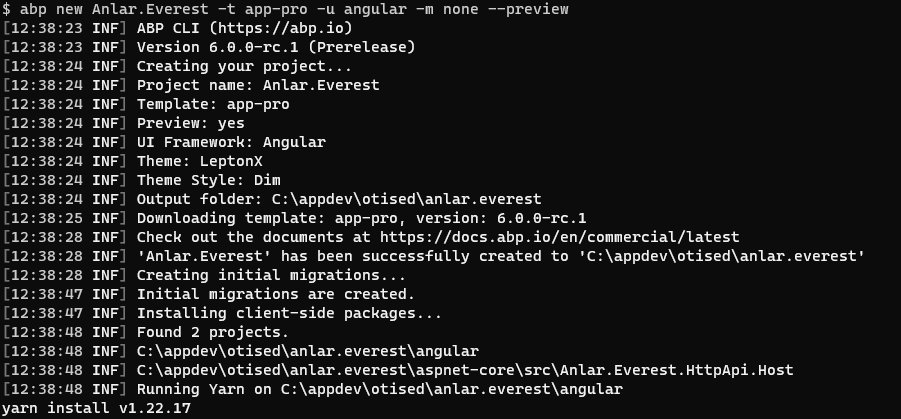
I ran the following command after installing the v6.0.0-rc.1 version of the CLI abp new Anlar.Everest -t app-pro -u angular -m none --preview
Once this ran, the following error occurred when running yarn in the Host project.

Here is a screenshot of the settings.
Upgrading the alerts module resolved the issue for me. Thanks for your help.
Interesting. This is an embedded module we use for generating user alerts. This is a different error from what I am seeing which points to the Volo.Abp.Identity.AbpIdentityDomainModule. Did you change something to get the different error? Or is that the initial error you received?
Let me upgrade the module to 5.3.2 and subsequently AutoMapper 11 and see what happens. For what it is worth, here is the AutoMapper code from that module.
using AutoMapper;
using Volo.Abp.AutoMapper;
using OtisEd.Alerts.Messages;

namespace OtisEd.Alerts;

public class AlertsApplicationAutoMapperProfile : Profile
{
    public AlertsApplicationAutoMapperProfile()
    {
        /* You can configure your AutoMapper mapping configuration here.
         * Alternatively, you can split your mapping configurations
         * into multiple profile classes for a better organization. */
        CreateMap< MessageCreateDto, AlertMessage >()
            .IgnoreAuditedObjectProperties()
            .Ignore(x => x.Id)
            .Ignore(x => x.TenantId)
            .ForMember(dest => dest.IsRead, opt => opt.MapFrom(x => false));
        CreateMap< AlertMessage, MessageDto >();
    }
}









