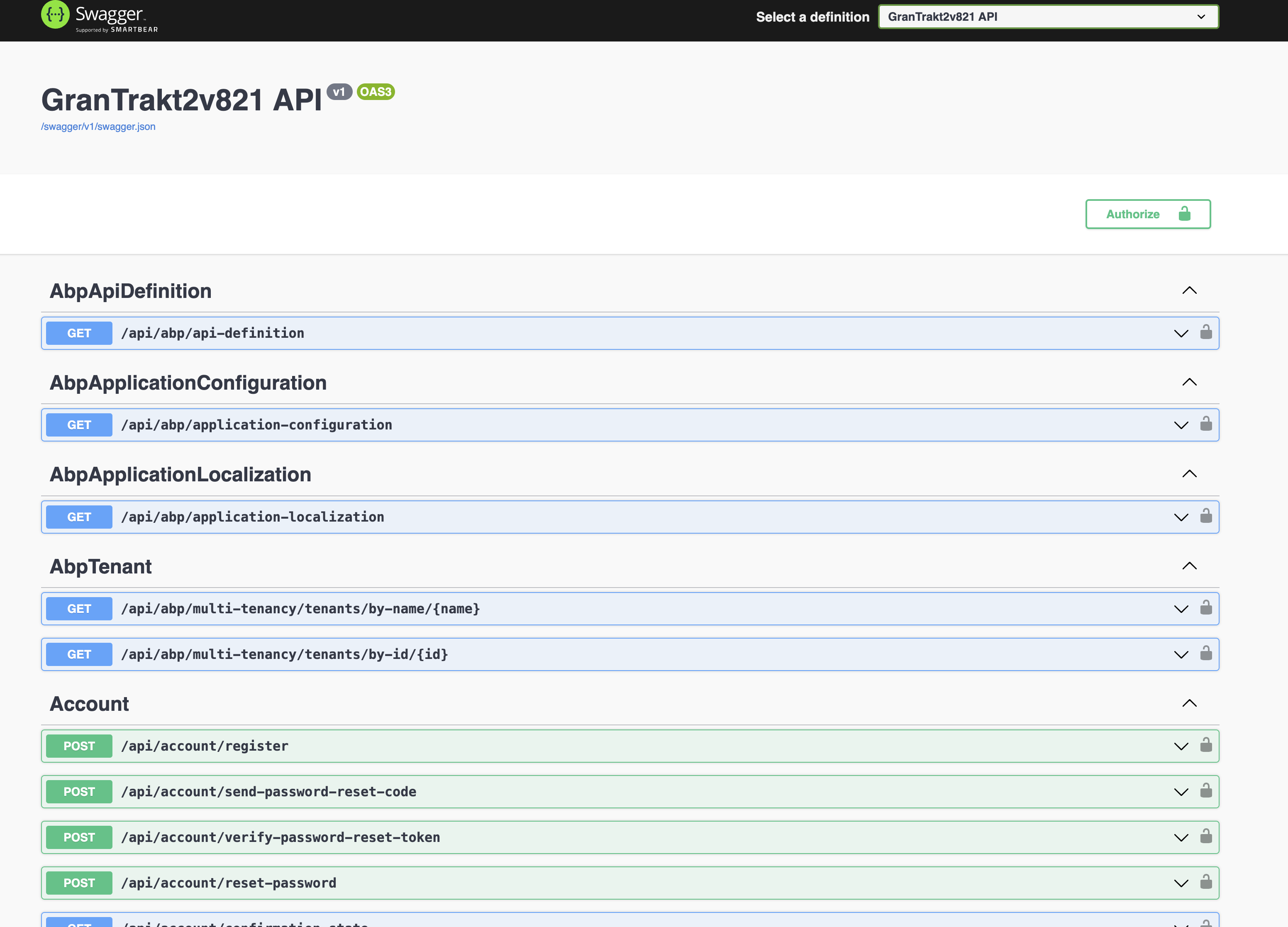
Create an bookstore app based on tutorial. Install Account and Identity sources. I need these for customizations for the logins, etc. and AD.
Attempt to serve the bookstore app from a virtual directory i.e., https://myserver/bookstore
can't login. Swagger breaks. images break.
I have asked this question many times and still have not received a response.
Is this possible without a lot of headache. I had to jump through hoops to get a version 7.4 app working. It won't upgrade properly due to all of the mods I had to make.
Can you provide a working solution that demonstrates running properly from a IIS virtual app directory?
Thank you.
Yes, I have downloaded your logs.
The main problem currently is RabbitMQ
No connection could be made because the target machine actively refused it.
What is your RabbitMQ configuration? Does it need a username and password?
My RabbitMQ is using the ABP out of the box configuration. Where would a password be set?
hi
However, once I installed the CHAT source, I am no longer able to login again. This is really buggy.
Can you share the logs?
The logs you have shared show the RabbitMQ error causing the 500 error.
What is your RabbitMQ configuration? Does it need username and password?
RabbitMQ.Client.Exceptions.BrokerUnreachableException: None of the specified endpoints were reachable ---> System.AggregateException: One or more errors occurred. (Connection failed) ---> RabbitMQ.Client.Exceptions.ConnectFailureException: Connection failed ---> System.Net.Sockets.SocketException (10061): No connection could be made because the target machine actively refused it.
I sent the logs via wetransfer. I believe the issues arise when the project is tiered with separate openiddict server and host api. I downgraded to 8.1.5 and I am using a non-tiered but layered MVC / EF project and installing and testing piece by piece. On 8.2.1 ABP even GDPR fails to load. Too many issues arose trying to go tiered. Then, when I added the (should be standard) virtual directory in IIS, everything goes from bad to worse.
hi
Change your
ChatMessageConstsas code below:namespace Volo.Chat.Messages; public static class ChatMessageConsts { public static int MaxTextLength { get; set; } = 4 * 1024; //4KB public static int MinTextLength { get; set; } = 1; }
These Const declarations exist already in a new 8.2.1 project.
After some testing and experimenting with ABP Studio 0.7.5 beta and it's use of the new CLI and templates even for v 8.2.1 I have arrived at the conclusion ABP Studio does not properly tie the SOURCES into the application.
After completely uninstalling ABP Studio and all remnants from .dotnet tools .abp .abpsuite, .nuget removed all Volo.* packages etc, then reinstalling the standard ABP CLI v 8.2.1 and then log in and install the old version of ABP SUITE 8.2.1 problems solved re installing account source. I can now create roles and users again.
However, once I installed the CHAT source, I am no longer able to login again. This is really buggy. I am using the CHAT source successfully in version 7.4.2 with no problems.
FYI I even used ABP studio on 8.3 RC1 and problems got even worse. Could not even launch the app correctly.
Some serious in-house testing is needed for ABP Suite beta especially if the project developers plan to install the sources for customizations.
hi
First. Please test your app withour
virtual directory.Then set log level to Debug and share your application logs.
Thanks.
public class Program
{
    public async static Task<int> Main(string[] args)
    {
        Log.Logger = new LoggerConfiguration()
            .MinimumLevel.Debug()
            .MinimumLevel.Override("Microsoft.EntityFrameworkCore", LogEventLevel.Warning)
            .Enrich.FromLogContext()
            .WriteTo.Async(c => c.File("Logs/logs.txt"))
            .WriteTo.Async(c => c.Console())
            .CreateLogger();
I sent you the api log and web log via wetransfer. Included #7669 in the info.
I should also note that if you create a fresh project and include the account source or the chat source using ABP studio version 0.7.5 you will also not be able to login with the account source module installed on a fresh application with no modifications.
hi
First. Please test your app withour
virtual directory.Then set log level to Debug and share your application logs.
Thanks.
public class Program
{
    public async static Task<int> Main(string[] args)
    {
        Log.Logger = new LoggerConfiguration()
            .MinimumLevel.Debug()
            .MinimumLevel.Override("Microsoft.EntityFrameworkCore", LogEventLevel.Warning)
            .Enrich.FromLogContext()
            .WriteTo.Async(c => c.File("Logs/logs.txt"))
            .WriteTo.Async(c => c.Console())
            .CreateLogger();
I sent you the api log and web log via wetransfer. Included #7669 in the info.
hi
First. Please test your app withour
virtual directory.Then set log level to Debug and share your application logs.
Thanks.
public class Program
{
    public async static Task<int> Main(string[] args)
    {
        Log.Logger = new LoggerConfiguration()
            .MinimumLevel.Debug()
            .MinimumLevel.Override("Microsoft.EntityFrameworkCore", LogEventLevel.Warning)
            .Enrich.FromLogContext()
            .WriteTo.Async(c => c.File("Logs/logs.txt"))
            .WriteTo.Async(c => c.Console())
            .CreateLogger();
In regards to this virtual directory issue where I cannot add roles or users, but I can login, can you investigate the project if I send it over?
Everything works except user management. Also, the RabbitMQ errors
Of note: I have a working version in 7.4.2 which I had to heavily modify. It works perfectly with CHAT and FileManagement sources installed.
I am trying to upgrade and the upgrade breaks everything.
Now, I am rebuilding from scratch in v.8.2.1 MVC/EF/SQLServer Tiered. My main issues seem to center around the application not working as soon as it's served from https://servername.org/myapp .
hi
You can use Gmail or onedrive or https://wetransfer.com/
I sent it via wetransfer to your email address as listed in this support chat. Says it's available for 3 days. Thanks. It si coming from my gmail account which is almost similar to my username here. - almost.
hi
Can you share a project that I can test?
liming.ma@volosoft.com
yes. Where should I upload it?