FYI... We are not using OpenIdConnect yet in the solution and using the below code in AuthServer
context.Services.AddAuthentication().AddMicrosoftAccount(MicrosoftAccountDefaults.AuthenticationScheme, options => { //Personal Microsoft accounts as an example. options.AuthorizationEndpoint = configuration["AzureAd:Instance"] + configuration["AzureAd:TenantId"] + "/oauth2/v2.0/authorize"; options.TokenEndpoint = configuration["AzureAd:Instance"] + configuration["AzureAd:TenantId"] + "/oauth2/v2.0/token"; options.ClientId = configuration["AzureAd:ClientId"]; options.ClientSecret = configuration["AzureAd:ClientSecret"]; });
We are encountering an issue with trying to use Microsoft AD login flow specifically from the Flutter mobile application, while the same flow is working correctly on the web.
✅ Current Behavior Web: Microsoft AD login and token exchange are working as expected. Mobile: Failing during the authorization code exchange step. 🔍 Issue Details The request is being made to: https://authserver.xxx.com/connect/token
However, on mobile, the server responds with a 400 Bad Request and the following error: unsupported_grant_type 📦 Request Payload (Mobile) grant_type: azure_ad_token client_id: XXX_MobileApp scope: openid profile email offline_access
The Azure AD token is successfully generated on the client side and appears valid (issuer, audience, expiry, etc.).
📄 Relevant Logs #0 AppLogger.i #1 AuthService.loginWithAuthorizationCode 💡 🔑 azure_ad_token CUSTOM GRANT PAYLOAD 💡 👉 grant_type: azure_ad_token 💡 👉 client_id: XXX_MobileApp 💡 👉 scope: openid profile email offline_access 💡 🔍 TOKEN HEADER: {"typ":"JWT","alg":"RS256"} 💡 🔍 TOKEN aud: efce9b27-40cf-4bc0-a9e9-90c412cd6e6f 💡 🔍 TOKEN iss: https://login.microsoftonline.com/... 💡 🔍 TOKEN exp: 2026-05-19 14:12:14 💡 🔍 TOKEN isExpired: false 💡 🌐 Initiating Authorization Code Exchange 💡 Auth Code Exchange response code: 400 AppException: Microsoft AD authorization code exchange failed on the server side detail: {"error":"unsupported_grant_type"} ❓ Clarifications Required
Is azure_ad_token supported as a grant type in the ABP Auth Server configuration?
If not, what is the correct grant type expected for mobile-based Microsoft SSO?
Are there any differences in configuration between web and mobile clients (e.g., client settings, allowed grant types, or scopes)?
Does the mobile client require a different flow (e.g., authorization_code or client_credentials) instead of a custom grant?
Since the same flow is working on the web, it seems there might be a configuration or grant-type mismatch specific to the mobile client.
Please let us know if you need any additional details or provide some pointers.
hi We are facing an issue in the Organization Unit multi-select tree within the User Creation dialog.
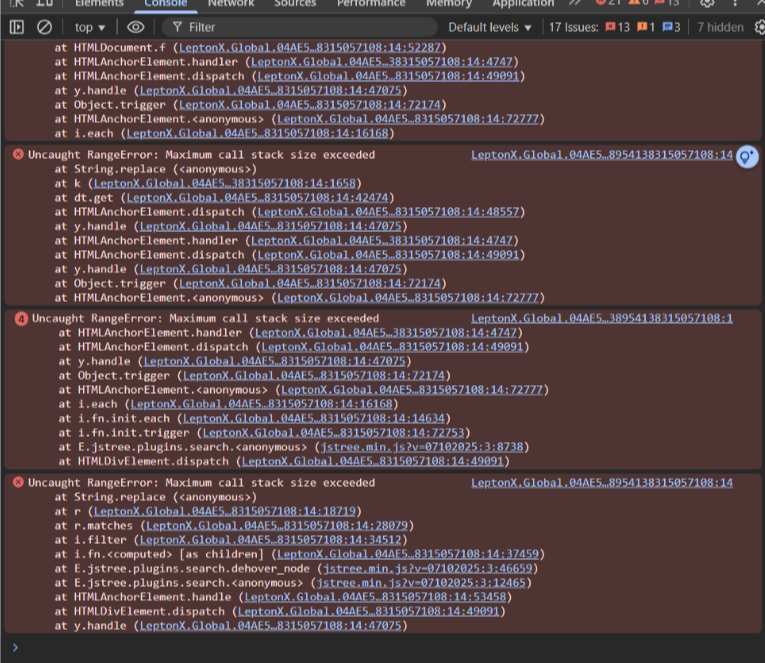
When we click Select All, the system starts selecting organization units but only some of them get selected. Others remain unselected, and the browser console shows multiple Uncaught RangeError: Maximum call stack size exceeded errors.
The issue seems to occur due to the large number of organization units we have in the system around 1150, which causes deep recursive DOM updates or event handling loops.
Please refer to the attached screenshot, showing both the UI and the console errors.
[maliming] said: hi
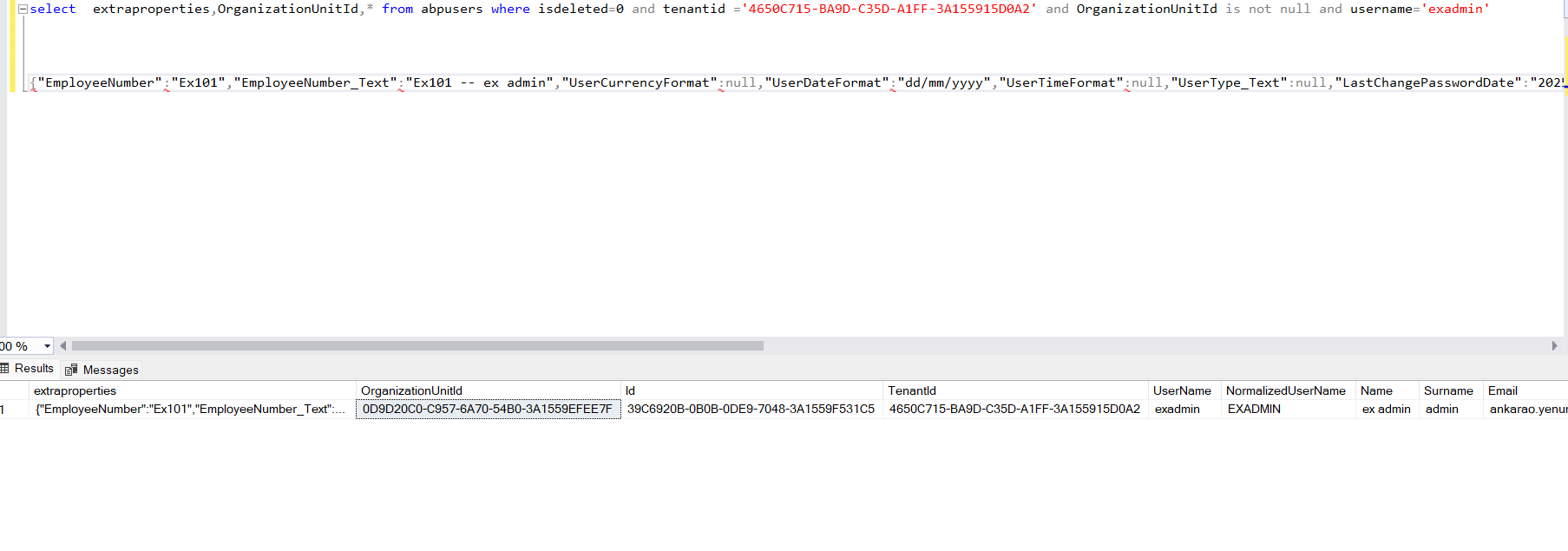
we are got getting the OrganizationUnitID which we have in AbpUsers table, how to handle this?
What do you mean? I don't understand.
Thanks.
We have the Column "OrganizationUnidId in AbpUsersTable but when trying to fetch all user details with GetIdentityUser. OrganizationUnitId is not coming (this i in our old solution where we have implemneted the NoTracking logic in claims)
[maliming] said: hi
We need the entity tracking feature when we update an entity. see https://learn.microsoft.com/en-us/ef/core/change-tracking/
You can try to disable it in
MyEfCoreIdentityUserRepository.cswhen querying entities.The solution is:
So you can either prevent assigning too many organzation to a user or modify the Identity module code to avoid loading all navigation entities explicitly. Then, query all entities at once as needed and tell EF Core not to track them.
https://abp.io/docs/latest/framework/architecture/domain-driven-design/repositories#read-only-repositories https://abp.io/docs/latest/framework/architecture/domain-driven-design/repositories#read-only-repositories-behavior-in-entity-framework-core
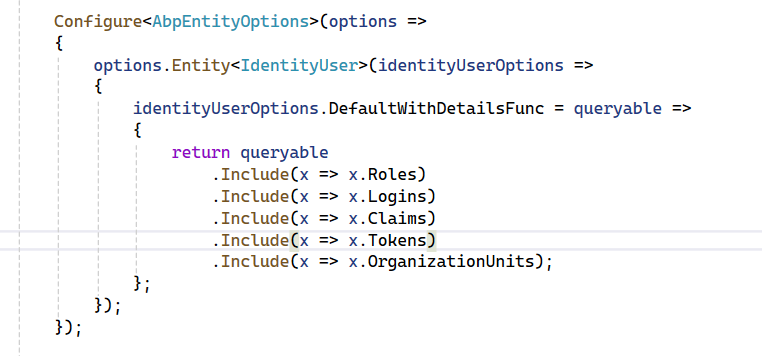
Our solution is from ABP 5 which now upgraded to ABP 9, with the code you provided.
    return queryable
        .Include(x => x.Roles)
        .Include(x => x.Logins)
        .Include(x => x.Claims)
        .Include(x => x.Tokens)
        .Include(x => x.OrganizationUnits)
        .AsNoTracking();
we are got getting the OrganizationUnitID which we have in AbpUsers table, how to handle this?
[maliming] said: hi
Can you test this commit?
https://github.com/Exceego-Info-Labs-Pvt-Ltd/POC/commit/2626cb40fb32a5b9c8482609c587a59492132d49
Thanks.
Thanks with this it worked, just would like to know is there any way to set the no tracking for all EF get methods by default at service level?
For us one of the major issue is with _userManager.GetByIdAsyn , atleast share the respective code file to place that NoTracking
[maliming] said: hi
This seems unavoidable because the current user has thousands of organizations, and EF Core's entity tracking needs to load and track all entities, which is why it's slow.
For example, if you have 5,000 roles or logins in the future, you will still encounter this problem.
So you can either prevent assigning too many organzation to a user or modify the Identity module code to avoid loading all navigation entities explicitly. Then, query all entities at once as needed and tell EF Core not to track them.
https://abp.io/docs/latest/framework/architecture/domain-driven-design/repositories#read-only-repositories https://abp.io/docs/latest/framework/architecture/domain-driven-design/repositories#read-only-repositories-behavior-in-entity-framework-core
Thanks.
If we understand correctly you mean to say the issue is with EF while fetching and tracking the table with 5k + records and no issue with claims?
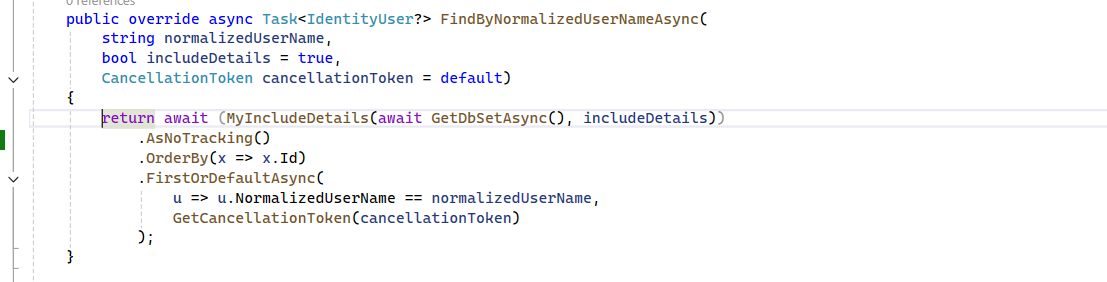
I have added the noTracking but still no luck, same code is pushed to that code.
[maliming] said: hi
but we are still trying to add OrganizationUnits to cliamns issue still persists. I
Can you add the code to https://github.com/Exceego-Info-Labs-Pvt-Ltd/POC project? So I can reproduce it.
Thanks.
I have checkin the code, it is just enabling the organizationUnits in claims. after this change the same issue poped up
[maliming] said: hi
Can you test this commit?
https://github.com/Exceego-Info-Labs-Pvt-Ltd/POC/commit/2626cb40fb32a5b9c8482609c587a59492132d49
Thanks.
WIth the change provided, able to complete the login process, but we are still trying to add OrganizationUnits to cliamns issue still persists. In this case how to add the OrganizationUnits to the claims?
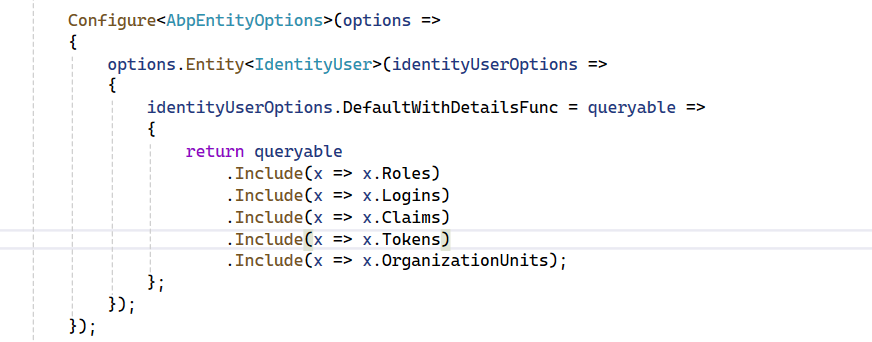
We yet to try this work around solution in Micro Service based solution, if so do we need to include the MyEfCoreIdentityUserRepository in identity service?
Please advise.
[maliming] said: hi
I added the new code https://github.com/Exceego-Info-Labs-Pvt-Ltd/POC/commit/7343de0961e355aa0c75f44913ecadec8342f0db
Can you delete logs.txt, reproduce the login problem, and share the logs.txt again?
Thanks.
I have emailed the updated logs to your email









