I'm migrating from AutoMapper to Mapperly. My application is based on ABPFramework, .NET 10.0, Visual Studio 2022 v. 17.14.25.
The problem is that VS generates 294 errors as shown below, one for each mapping class. I tested using VS 2026 and VS Code; they don't generate the error list, but when running the application, the missing mapping appears in the terminal.
Another issue is that when running dotnet run in the CLI, these errors don't appear, not even during compilation, but they do exist.
I've already checked the various documentation, deleted bin and obj files, and tried practically everything available, but the error persists.
https://github.com/riok/mapperly/discussions/1431
https://mapperly.riok.app/docs/getting-started/installation/
https://abp.io/docs/10.0/release-info/migration-guides/AutoMapper-To-Mapperly
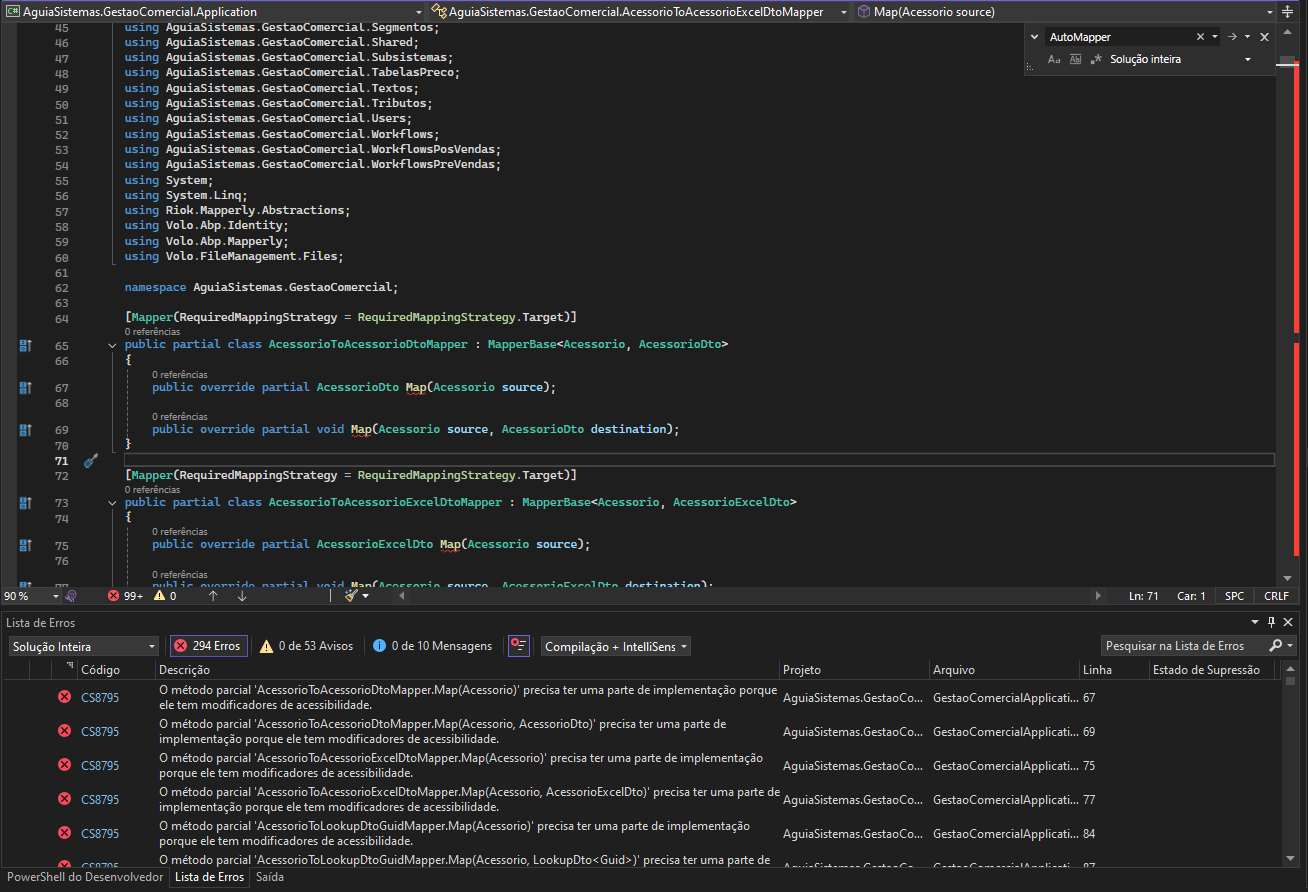
`using AguiaSistemas.GestaoComercial.WorkflowsPreVendas; using System; using System.Linq; using Riok.Mapperly.Abstractions; using Volo.Abp.Identity; using Volo.Abp.Mapperly; using Volo.FileManagement.Files;
namespace AguiaSistemas.GestaoComercial;
[Mapper(RequiredMappingStrategy = RequiredMappingStrategy.Target)] public partial class AcessorioToAcessorioDtoMapper : MapperBase<Acessorio, AcessorioDto> { public override partial AcessorioDto Map(Acessorio source);
public override partial void Map(Acessorio source, AcessorioDto destination);
}
[Mapper(RequiredMappingStrategy = RequiredMappingStrategy.Target)] public partial class AcessorioToAcessorioExcelDtoMapper : MapperBase<Acessorio, AcessorioExcelDto> { public override partial AcessorioExcelDto Map(Acessorio source);
public override partial void Map(Acessorio source, AcessorioExcelDto destination);
}
[Mapper(RequiredMappingStrategy = RequiredMappingStrategy.Target)] public partial class AcessorioToLookupDtoGuidMapper : MapperBase<Acessorio, LookupDto
[MapProperty(nameof(Acessorio.Nome), nameof(LookupDto<Guid>.DisplayName))]
public override partial void Map(Acessorio source, LookupDto<Guid> destination);
}
[Mapper(RequiredMappingStrategy = RequiredMappingStrategy.Target)] public partial class AtividadeToAtividadeDtoMapper : MapperBase<Atividade, AtividadeDto> { public override partial AtividadeDto Map(Atividade source);
public override partial void Map(Atividade source, AtividadeDto destination);
}`
AguiaSistemas.GestaoComercial.Application net10.0 êxito (2,2s) → bin\Debug\net10.0\AguiaSistemas.GestaoComercial.Application.dll
Hello. I need to implement a Kanban functionality in our application made with abp. I would like to know if you suggest any libraries for this purpose?
Hello. I'm having trouble using the "collapse" functionality of the "Budget" item. That is, when I click on a "Budget" it expands perfectly, showing its items, however, when I click on it again, it doesn't "close", it closes if I click on another Budget. I've tried several options, but without any success.
Please note that this page is a modal that is displayed on another page.
I have Bootstrap in my application: 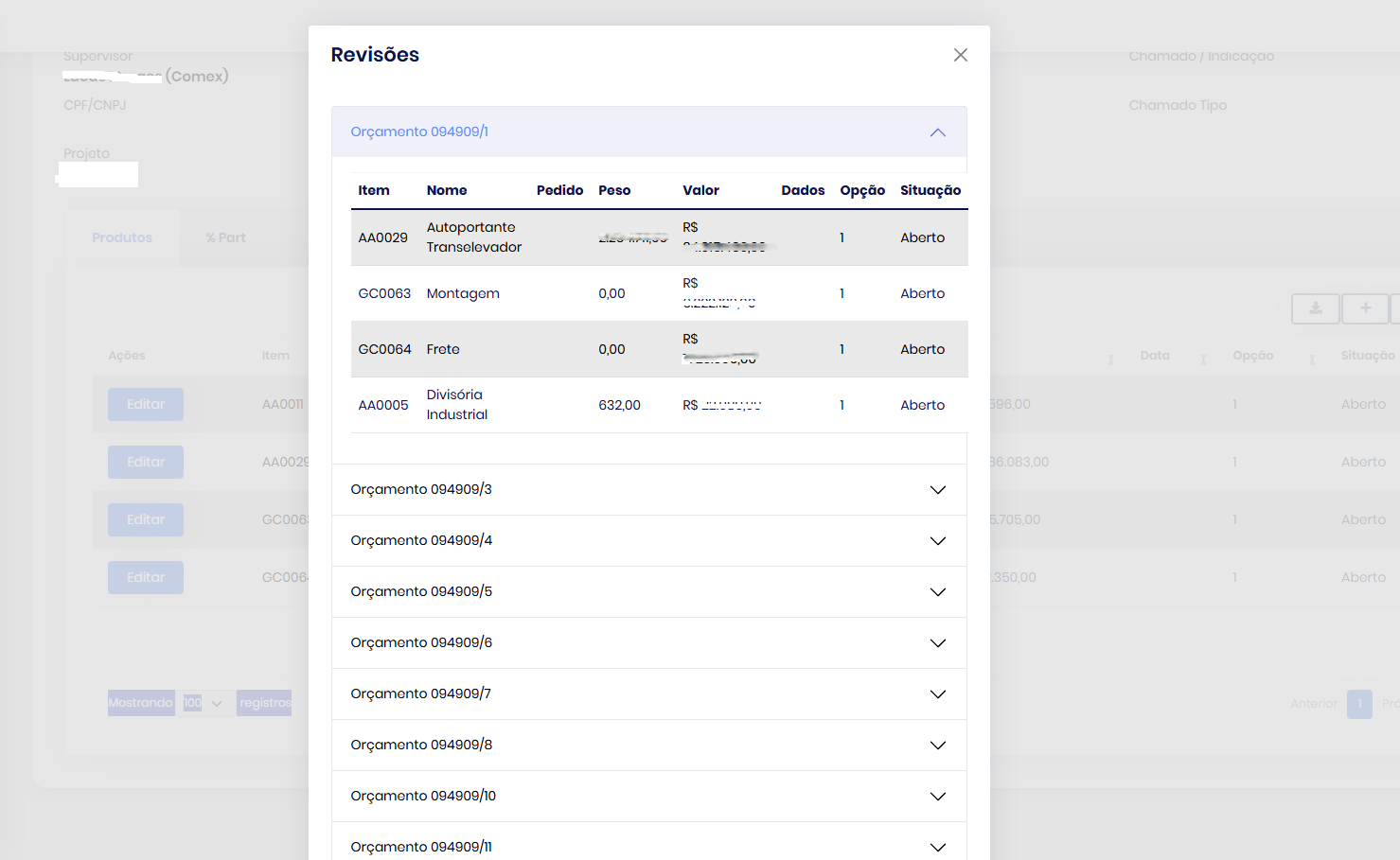
/* Bootstrap v5.3.3 (https://getbootstrap.com/)
@page
@using AguiaSistemas.GestaoComercial.OrcamentoRevisoes
@using Microsoft.AspNetCore.Mvc.Localization
@using AguiaSistemas.GestaoComercial.Localization
@inject IHtmlLocalizer<GestaoComercialResource> L
@model AguiaSistemas.GestaoComercial.Web.Pages.Concluidos.ItensModel

@section Scripts {
    <abp-script src="/Pages/Concluidos/itens.js"></abp-script>
    <abp-script src="https://stackpath.bootstrapcdn.com/bootstrap/5.3.0/js/bootstrap.bundle.min.js"></abp-script>
}

<abp-modal centered="true" size="Large" id="productInfoModal">
    <abp-modal-header title="@L["Revisões"].Value"></abp-modal-header>
    <abp-modal-body>
        <div class="accordion" id="orcamentoAccordion">
            @foreach (var group in Model.OrcamentoRevisaoItems.GroupBy(item => new { item.Orcamento.NrOrcamento, item.OrcamentoRevisao.NrRevisao }))
            {
                var groupId = $"group-{group.Key.NrOrcamento}-{group.Key.NrRevisao}";
                <div class="accordion-item">
                    <h2 class="accordion-header" id="heading-@groupId">
                        <button class="accordion-button collapsed" type="button" data-bs-toggle="collapse" data-bs-target="#collapse-@groupId" aria-expanded="false" aria-controls="collapse-@groupId">
                            Orçamento @group.Key.NrOrcamento/@group.Key.NrRevisao
                        </button>
                    </h2>
                    <div id="collapse-@groupId" class="accordion-collapse collapse" aria-labelledby="heading-@groupId" data-bs-parent="#orcamentoAccordion">
                        <div class="accordion-body">
                            <abp-table striped-rows="true" class="productInfo">
                                <thead>
                                    <tr>
                                        <th>@L["Item"].Value</th>
                                        <th>@L["Nome"].Value</th>
                                        <th>@L["Pedido"].Value</th>
                                        <th>@L["Peso"].Value</th>
                                        <th>@L["Valor"].Value</th>
                                        <th>@L["Dados"].Value</th>
                                        <th>@L["Opção"].Value</th>
                                        <th>@L["Situação"].Value</th>
                                    </tr>
                                </thead>
                                <tbody>
                                    @foreach (var item in group)
                                    {
                                        <tr>
                                            <td>@item.Item.Codigo</td>
                                            <td>@item.Item.Nome</td>
                                            <td>@item.OrcamentoRevisaoItem.NrPedido</td>
                                            <td>@item.OrcamentoRevisaoItem.PesoOrcado.ToString("N2")</td>
                                            <td>@item.OrcamentoRevisaoItem.ValorOrcado.ToString("C2")</td>
                                            <td>@item.OrcamentoRevisaoItem.DataPedido?.ToString("dd/MM/yyyy")</td>
                                            <td>@item.OrcamentoRevisaoItem.Opcao</td>
                                            <td>@L[$"Enum:OrcamentoRevisaoItemSituacao.{item.OrcamentoRevisaoItem.Situacao}"].Value</td>
                                        </tr>
                                    }
                                </tbody>
                            </abp-table>
                        </div>
                    </div>
                </div>
            }
        </div>
    </abp-modal-body>
    <abp-modal-footer buttons="Close"></abp-modal-footer>
</abp-modal>
Hello, I recently changed notebooks. I installed abp suite, however, when accessing it I have no access to "create a new solution".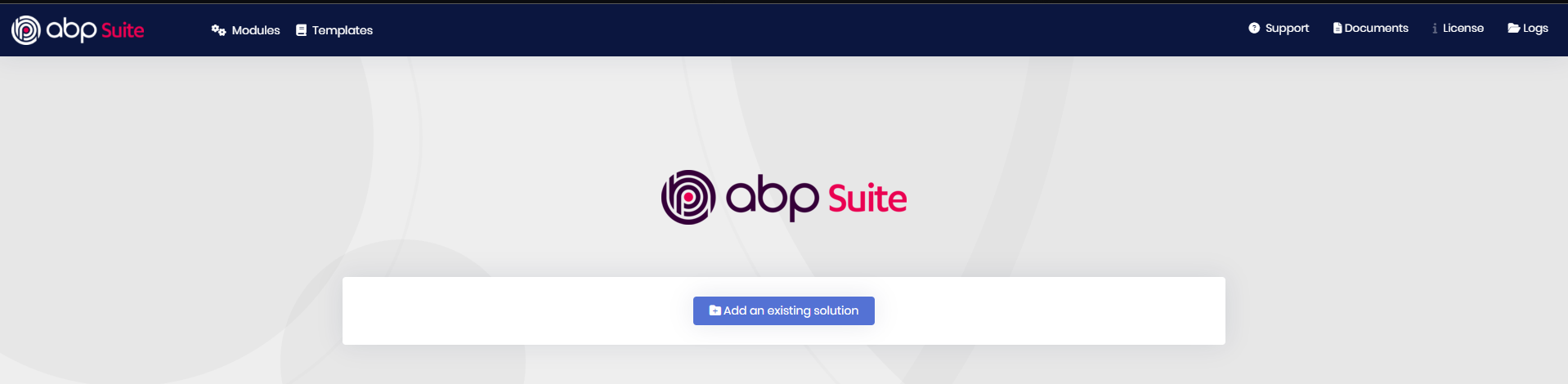
Good afternoon, Dear. I hope you are well.
What are the possible causes for the admin, password 1q2w3E*, to lose access to the "actions" button?
Detail that I can't access the "user" page in "Identity Management".
I have already deleted the Database and performed a new migration, but without success.
Boa tarde, Prezada(o). Espero que esteja bem.
Estou utilizando as propriedades de navegação e o tipo de seleção da UI Modal, porém, -importante ressaltar que não fiz nenhuma alteração, gerei através do Abp Suite- o botão "pick" simplesmente não funciona, não exibe a tabela.
Já debuguei o código, comparei com outro que está funcionando e está exatamente igual, mas não cheguei a nenhuma conclusão.
Detalhe que não apresenta nenhum erro no VSC e Console.
Aguardo o retorno,
Lucas Farias









