Thanks for quick reply
Yes I totally agree its authenticated by authserver, and my authserver is configured with ad, all token related things working well, my local registered users and ad both are getting logged in correclty.
But the issue is when I get navigated back to angular with either local user auth token or by AD auth token in both of the cases my angular app show blank page, When I hit the browser refresh page then it loads the actual angular app correctly
Is there anything which I am missing in angular side ?
Hi team, This resolved the issue, Thanks
But when I navigated back to angular it doesn't load automatically, i.e url/4200 is navigated correctly and is authenticated But I need to click on browser refresh for angular to load correctly.
If you can join me on a call that could help us to resolve this issue quickly
Just tried this as well, But same issue.
When we enabled responseType: 'code', does it directly target the azure ad ? or it will first try to go to local api end point ?
I think its getting stuck at local api redirection not on AD because the api which is throwing error is local not azure ad.
Verified this as well and same issue.
We can connect in a remote session if your want.
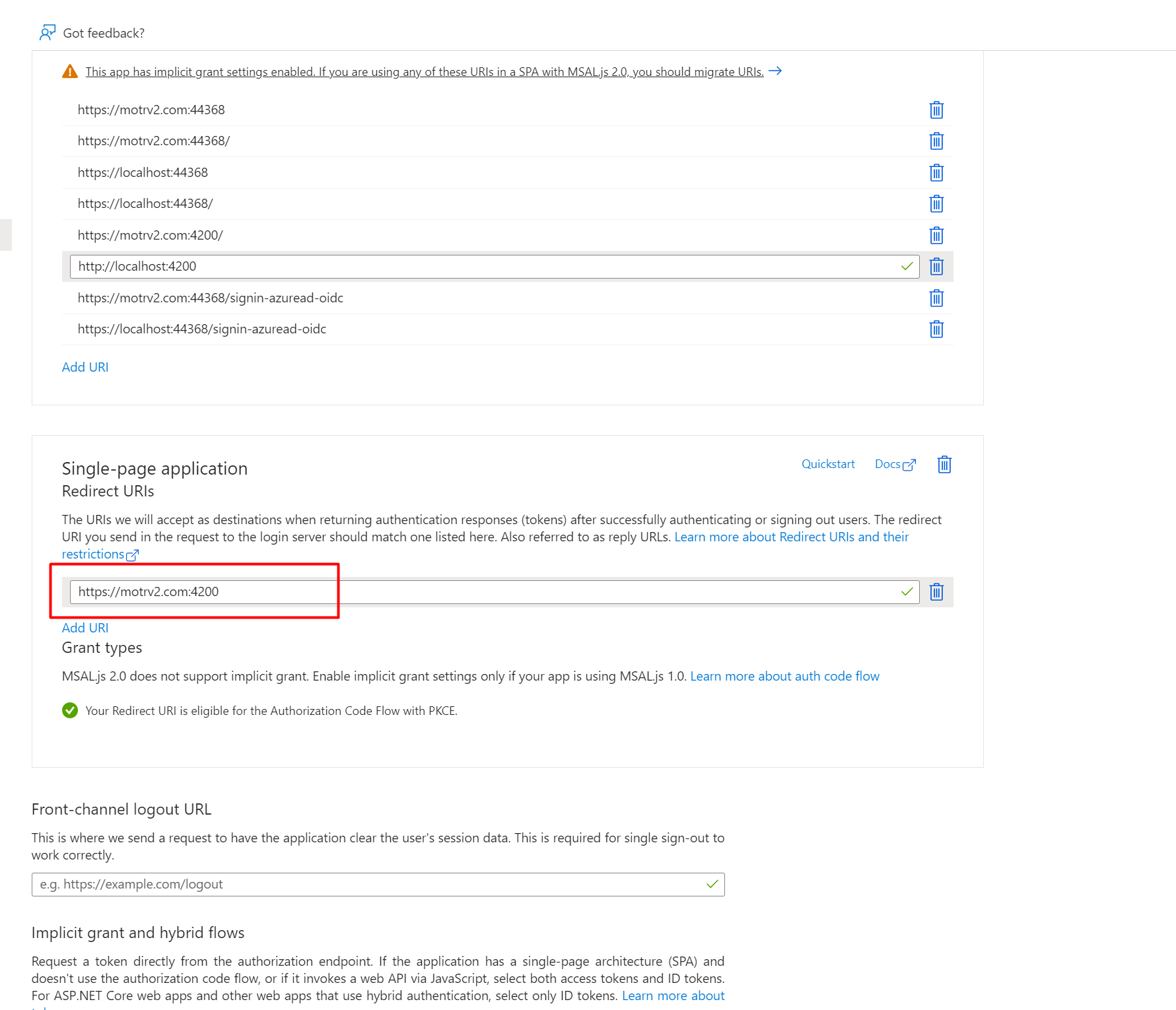
Here is the updated url on azure
opening the angular app directly redirecting me to following url https://motrv2.com:44368/connect/authorize?response_type=code&client_id=motr_App&state=S0ItQlpicU9MaHZDNUZBdlJjbnF5WEZzdGozR2pQU2NZTW56Znc1Rl81dlZj%3B%252F&redirect_uri=https%3A%2F%2Fmotrv2.com%3A4200&scope=openid%20offline_access%20motr&code_challenge=U3NCIINsueF5kL1NJnM1wOTzVQb9pzg9_9awwybElSo&code_challenge_method=S256&nonce=S0ItQlpicU9MaHZDNUZBdlJjbnF5WEZzdGozR2pQU2NZTW56Znc1Rl81dlZj&culture=en&ui-culture=en&returnUrl=%2F
giving error

Here you go
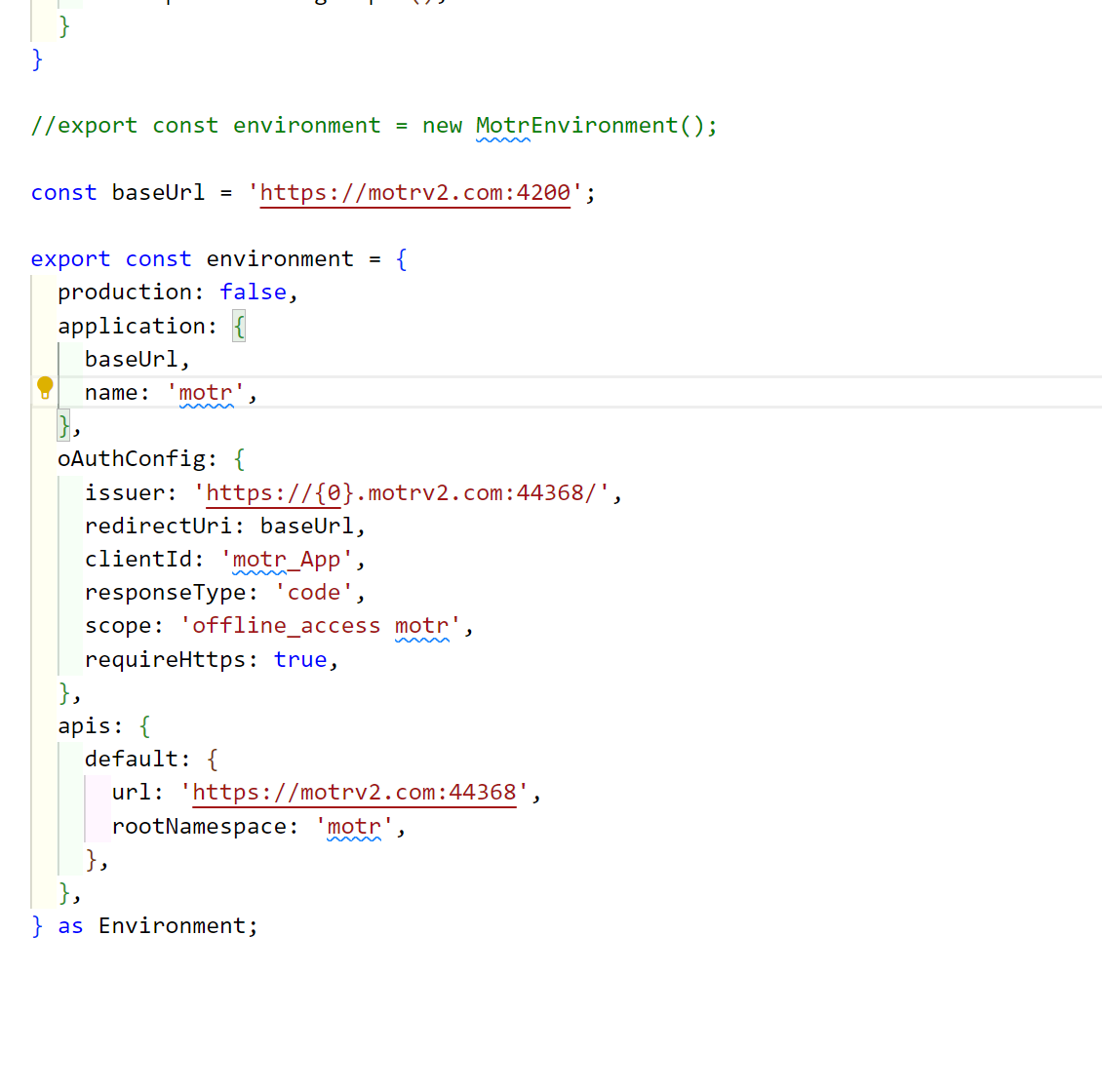
I have already configured this,
Please correct me if I am doing something wrong
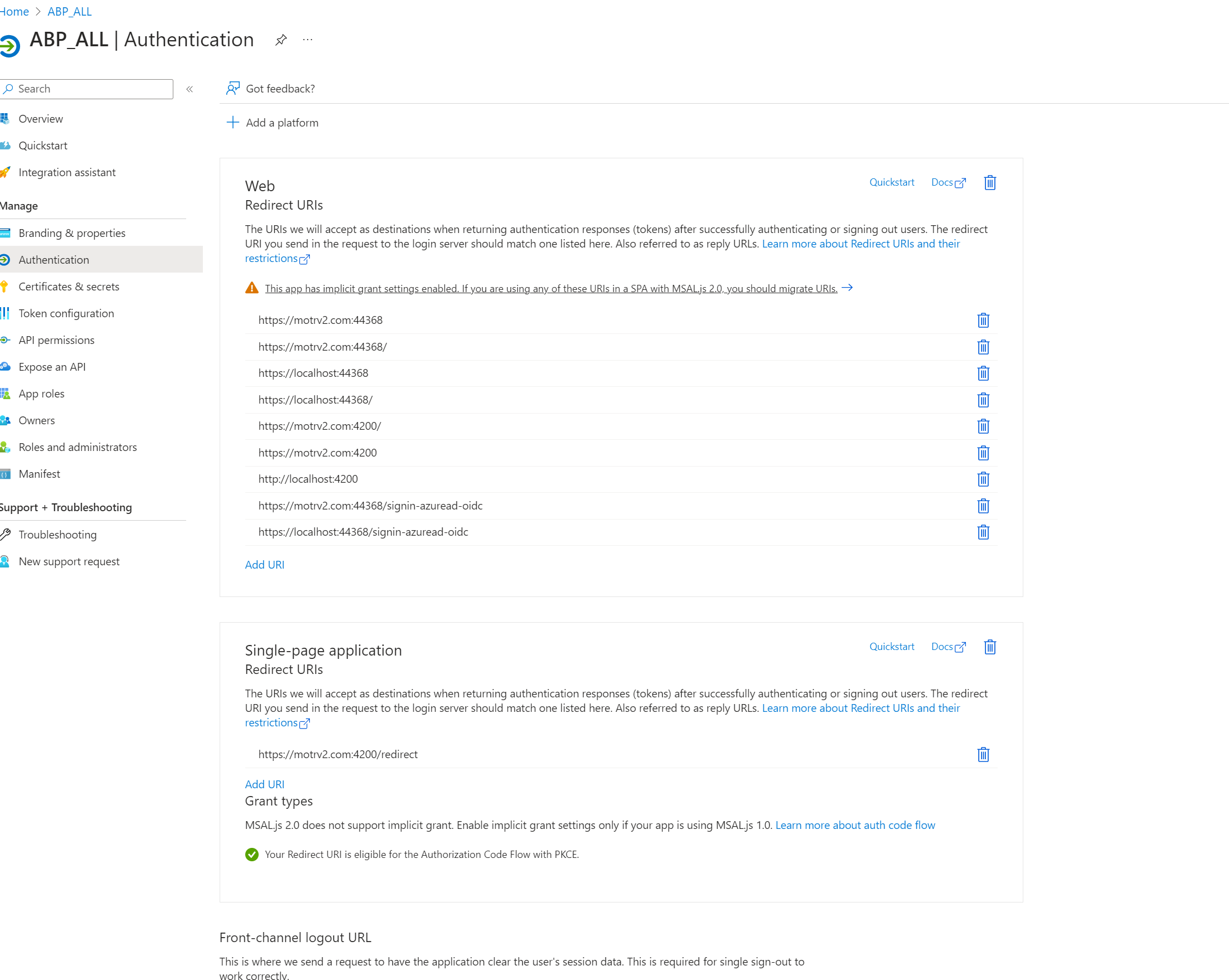
Hi Team, I have integrated the AzureOpenId auth login.
Using following config in HostModule Registration
.AddOpenIdConnect("AzureOpenId", "Azure AD OpenId", options => { options.Authority = "https://login.microsoftonline.com/" + configuration["AzureAd:TenantId"] + "/v2.0/"; options.ClientId = configuration["AzureAd:ClientId"]; options.ResponseType = OpenIdConnectResponseType.CodeIdToken; options.CallbackPath = configuration["AzureAd:CallbackPath"]; options.ClientSecret = configuration["AzureAd:ClientSecret"]; options.RequireHttpsMetadata = false; options.SaveTokens = true; options.GetClaimsFromUserInfoEndpoint = true; options.Scope.Add("email"); options.ClaimActions.MapJsonKey(ClaimTypes.NameIdentifier, "sub"); options.TokenValidationParameters.ValidateIssuer = false; })
Firstly the "Azure AD OpenId" login button is appearing in backend controller, not in Angular UI.
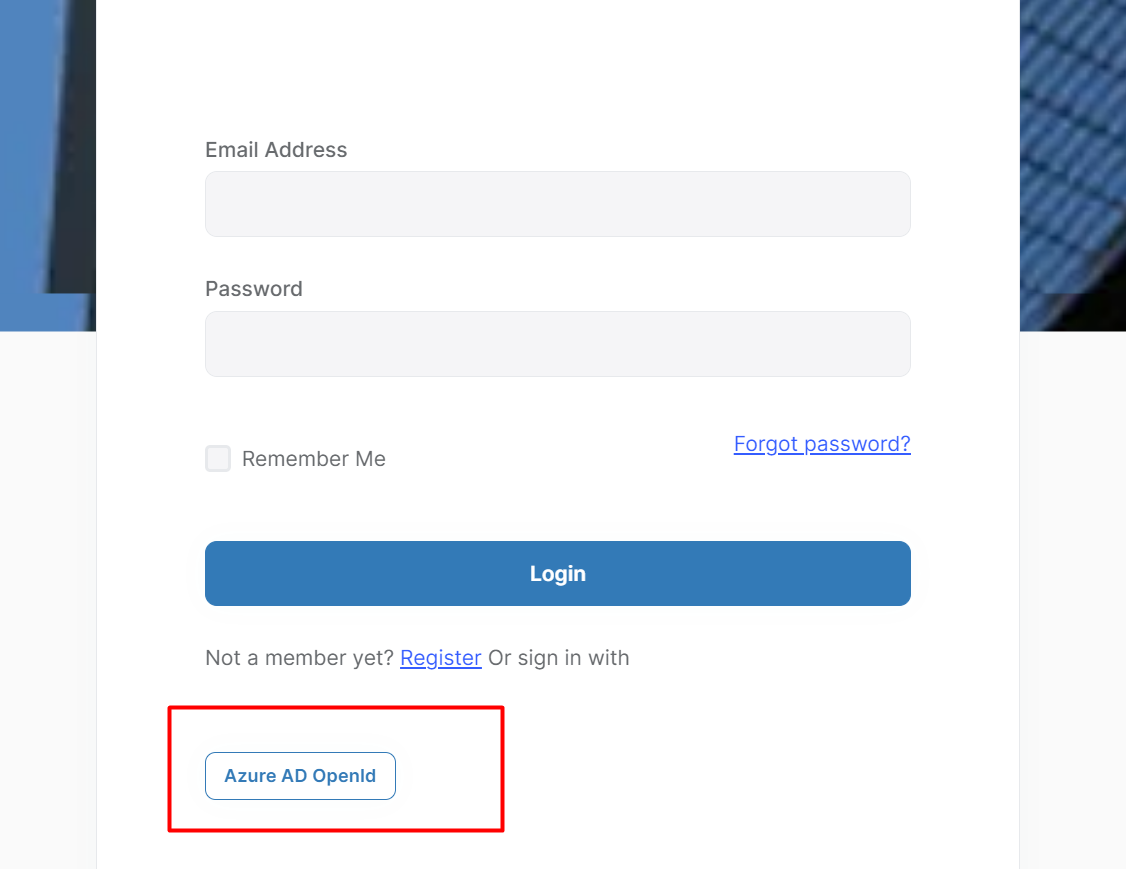
So I proceed with Backend Api Login page and click on Ad Login, User get signed in correctly and token are validated as well everything looks good. But I want this to be redirected back to angular UI and user should be logged in.
Please help me in configuring the angular in such a way that I can use AD token in angular login.
If I try to use environment config as, responseType: 'code', it always throwing
error:invalid_request error_description:The specified 'redirect_uri' is not valid for this client application. error_uri:https://documentation.openiddict.com/errors/ID204
Thanks









