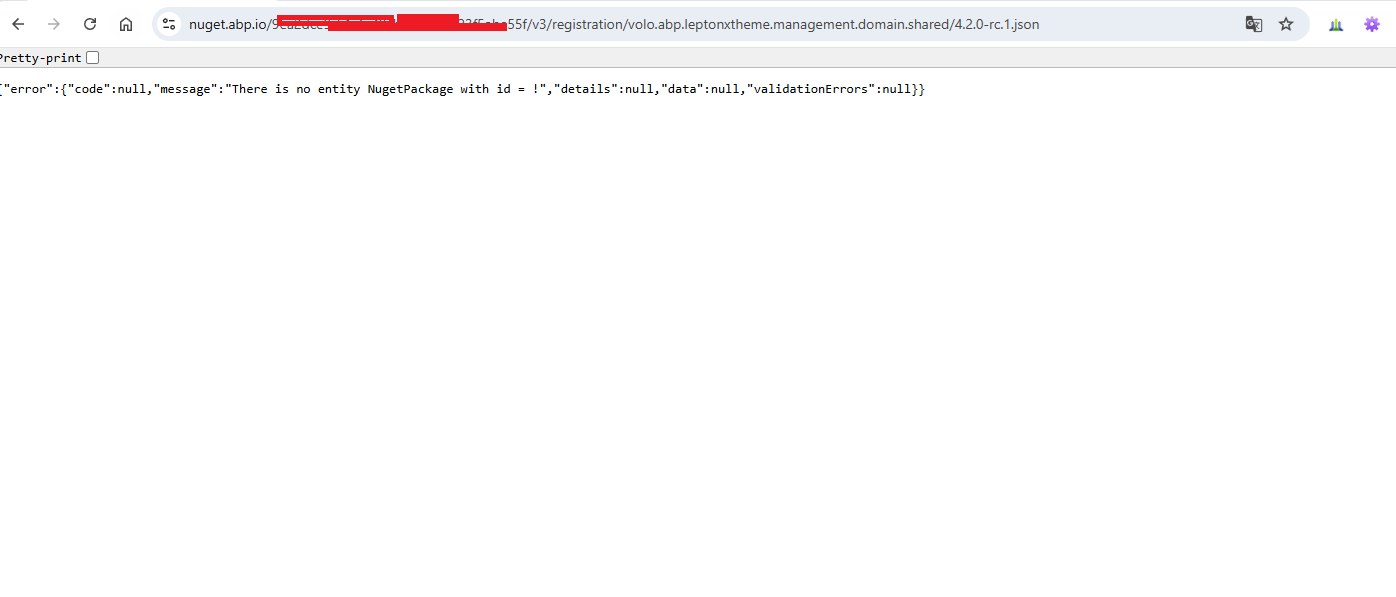
Hi, the package Volo.Abp.Users.Abstractions is not in our NuGet Server, instead, it's an open-source package and stored in the nuget.org (https://www.nuget.org/packages/Volo.Abp.Users.Abstractions/9.2.0-rc.1). Therefore, it's normal to get this error message because this is how NuGet package system works, it tries to get the related packages from the defined package-sources (checks the relevant packages in all package sources with a fallback mechanism).
So, in your case, probably there is a problem between these two:
1-) You might be not logged in through ABP CLI: This might be the reason, because it gives a 403 error. To check it you can run the abp login-info command in your terminal and ensure you are logged in or not:
abp login-info
with this command, you should be able to see the logged-in user details, including your OrganizationName:
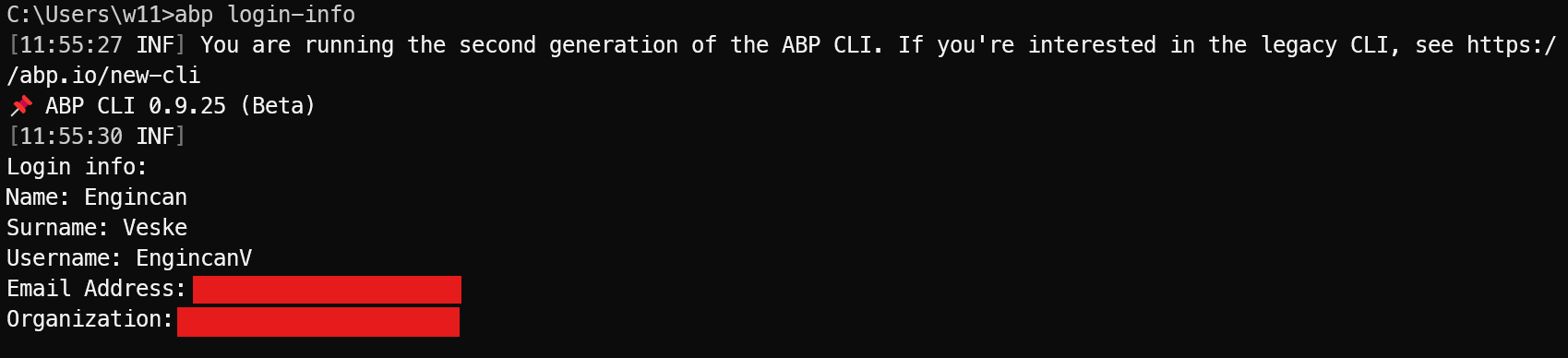
If you don't see the relevant information, then it means that you are not logged in via ABP CLI and should log in with the following command:
abp login <username> -p <password> -o <organization-name>
2-) Wrong packageSourceMapping in NuGet.config file: This might also be the reason and it would be better to check the NuGet.config file in your solution, especially you can check your api-key and packageSourceMapping section (if it exists)
After you checked these two solutions, if you are still unable to fix the problem, then please let me know.
Regards.
⚡ Update ABP CLI , ABP Studio and ABP Suite
dotnet tool update -g Volo.Abp.Studio.Cli --version 0.9.24
abp suite update --version 9.1.0
📗 Blog post
🔼 Migration guide
✏️ Feel free to report any bugs, issues, and problems.
Update:
I have checked your project and it seems that the HttpApiProjectDirectory & HttpApiClientProjectDirectory properties in .abp/suite/appsettings.json file (this is the file, which stores the solutions in the ABP Suite, and since you are using a single-layer template and using the folder as the path, it sets the related properties wrong as follows:
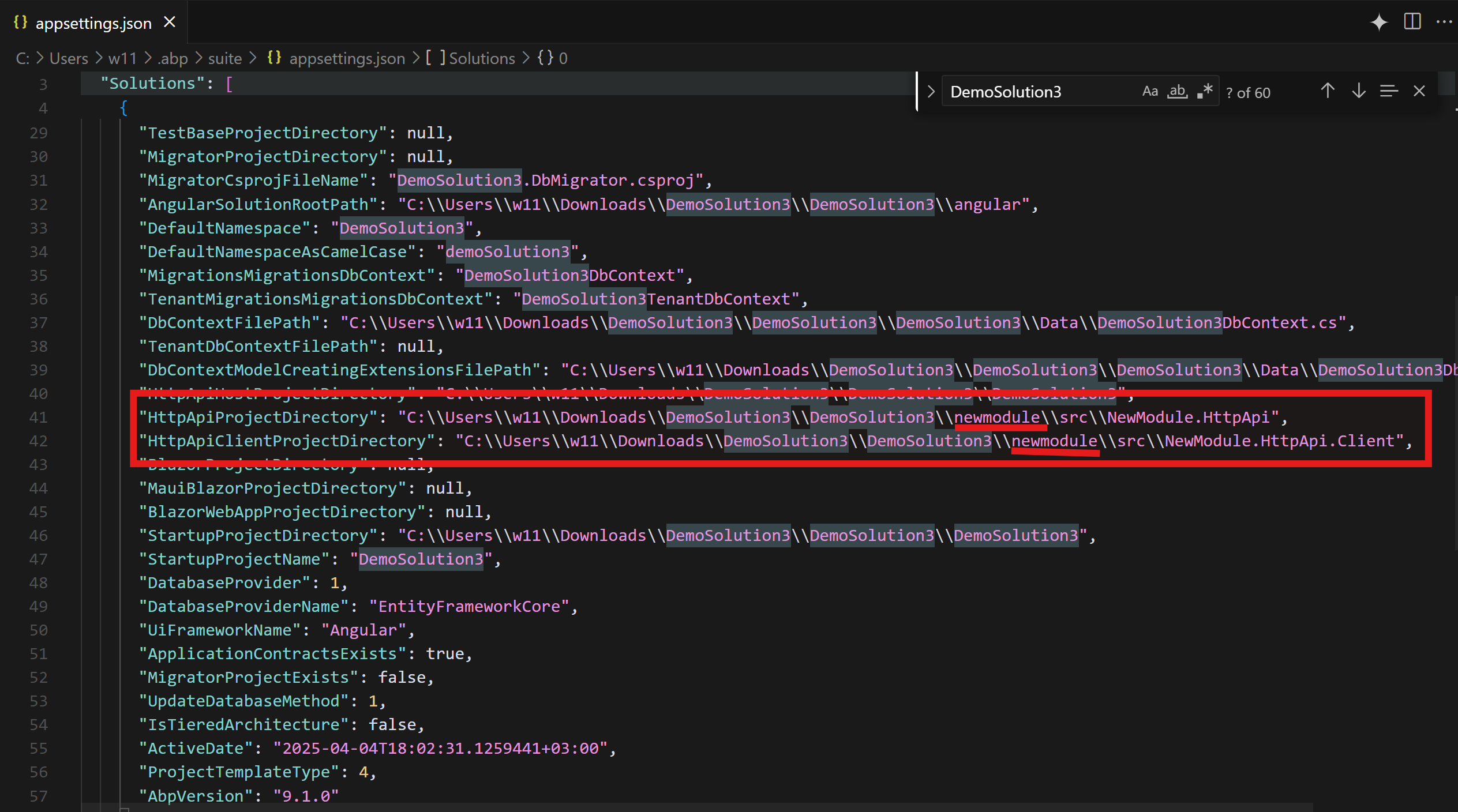
This is the reason why you get a build error in your newmodule module, even if you are trying to generate it for your main application.
To fix it, you can manually fix the directory paths in the appsettings.json file:
"HttpApiProjectDirectory": "C:\\Users\\w11\\Downloads\\DemoSolution3\\DemoSolution3\\DemoSolution3",
      "HttpApiClientProjectDirectory": "C:\\Users\\w11\\Downloads\\DemoSolution3\\DemoSolution3\\DemoSolution3",
So, you should just remove the newmodule path reference in these two properties in the appsettings.json file, which is located at %USER_PROFILE%/.abp/suite/appsettings.json.
I will create an issue for that in our internal repository and have refunded your ticket. Thanks for your understanding.
Regards.
Hi, Please share your ABP Studio logs with this error, as I can not see such during my Graph Build.
I created new Solution [DemoSolution3] and I did sceenshots of all steps I made during creation. I sent mail with links to solution and work document to support mail box.
Hi, thanks. I'm extracting the .zip file now and will let you know soon after examining the project.
Hi, EngincanV Sorry, but I can not understand what do you mean by "the project that you shared is suppose to use central package management" I just did all steps as described in my previous comment https://abp.io/support/questions/9023/Can-not-add-Entity-to-Main-solution#answer-3a18e527-ce86-9cfe-f7fb-9d08e70d2bae
I got build error as described in step 6 so did zip full folder and shared it with you. What do you mean by "please fix the central package management problem"? I am not using any "central package management" just ABP Studio.
When i download your project and star investigating then I see build errors which explicitly says they are related to the "central package management" rather than the generated code.
So it seems that you either updated your solution to manage your package dependency from a single point or templates that you used is corrupted.
So, can you confirm that the project you shared was the right project and you created a startup template and then applied the provided steps? (Because something is not right in your project :))
Hi, EngincanV
Sorry for pushing.. any news?
Hi Viktor, sorry for the late response. I've checked your project, but it seems the project that you shared is suppose to use central package management, however there are some problems when building the application. So it seems the package versions are still being used in several project instead of a central place.
So, please fix the central package management problem and re-share your solution. So, I can directly focus on the problem that you are facing.
Regards.
Hi @cangunaydin, thanks for the detailed step-by-step explanation. I'll try it and write you back asap.
I have successfully converted. Here is the code for anyone who needs it: https://nguyendigital.net/migrating-mongodb-guids-from-legacy-to-standard-format-in-abp
Finally, thank you ABP so much for the help these past 2 days.
Thanks for sharing your steps and nice words. Closing the issue since your problem is resolved. Feel free to open it if there is any problem related to this ticket.
Regards
I think the best way is from the current database we will create a new one to get the data to be compatible with the structure of mongo v3 but it will be a bit complicated. I wonder if there is a better solution?
Actually, if you are building your application relatively new and your data is not important at the point, it's the easiest way as you said. If you need another solution, I need to know more details such as properties in the related entity, your custom implementation if there is any, etc.
Please help me. Because I tried the same as you but completely different.
- volo.abp.leptonxtheme.management.domain.shared not found
- Volo.Abp.AspNetCore.Mvc.UI.Theme.LeptonX is available
Hi @nguyendigital, thanks for reporting the problem. We have published the related NuGet packages; however, we should have configured them on our side to let our customers use them. Now, we made the necessary change, and you should be able to access to the related NuGet packages.
Please let me know about the status. Your ticket has been refunded btw. Regards.