Hi,
This should be easy to do
You can replace any component: https://docs.abp.io/en/abp/latest/UI/Angular/Component-Replacement
Create your users component
yarn ng generate component myusers
Replace users component with yours
import { Component, OnInit } from '@angular/core';
import { ReplaceableComponentsService } from '@abp/ng.core';
import { MyUsersComponent } from './myusers/myusers.component';
import { eIdentityComponents } from '@volo/abp.ng.identity';

.....

export class AppComponent implements OnInit {
  constructor( private replaceableComponents: ReplaceableComponentsService) {}

  ngOnInit() {
    //...

    this.replaceableComponents.add({
        component: MyUsersComponent,
        key: eIdentityComponents.Users,
      });
  }
}
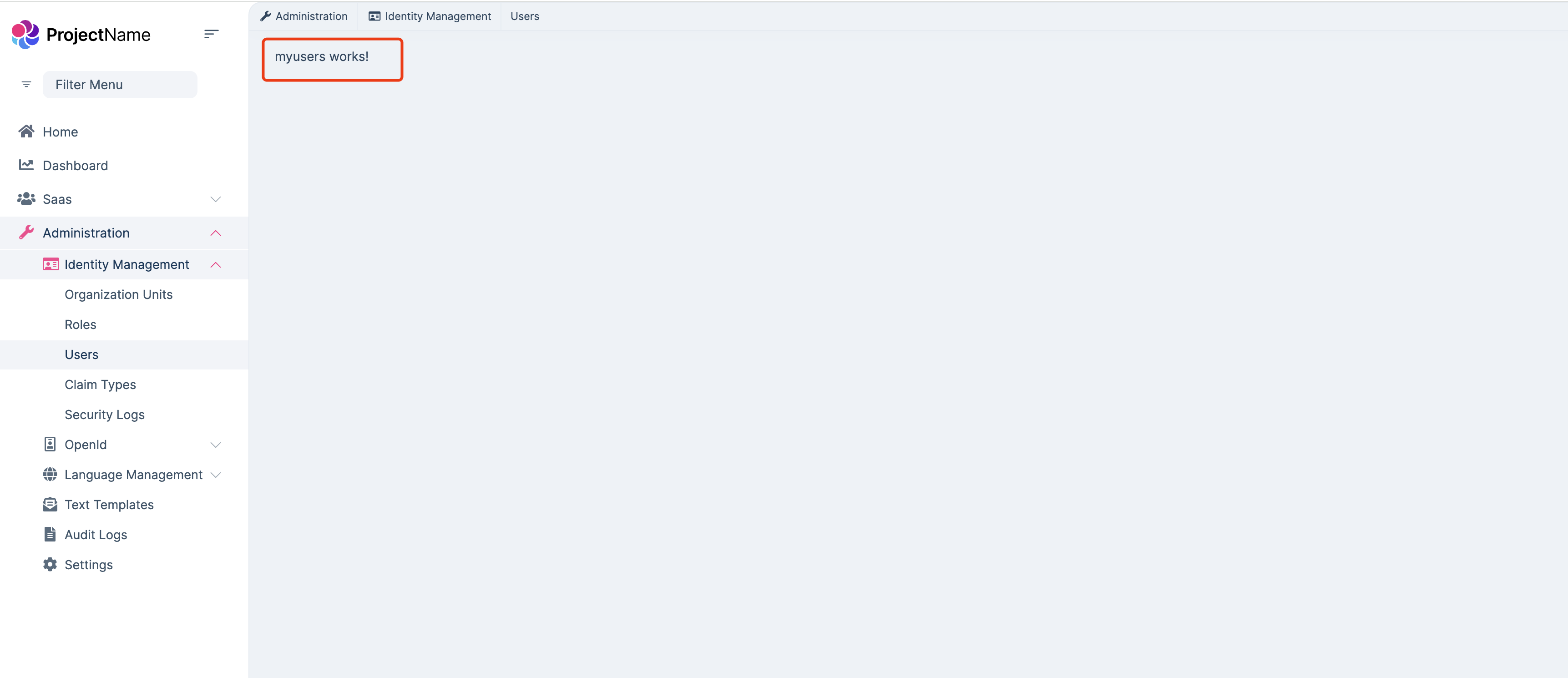
You can download the source code
abp get-source Volo.Identity.Proand copy the code you need
Hi,
My email is shiwei.liang@volosft.com
Your ticket was refunded.
Hi,
We will fix the problem in the next patch version.
You can try to temporarily downgrade to version 8.0.2
Hi,
Encrypted storage of ClientSecret is reasonable. we will enhance it in the 8.2 version.
Actually, ABP decrypts the ClientSecret internally but doesn't encrypt the storage, which is strange.
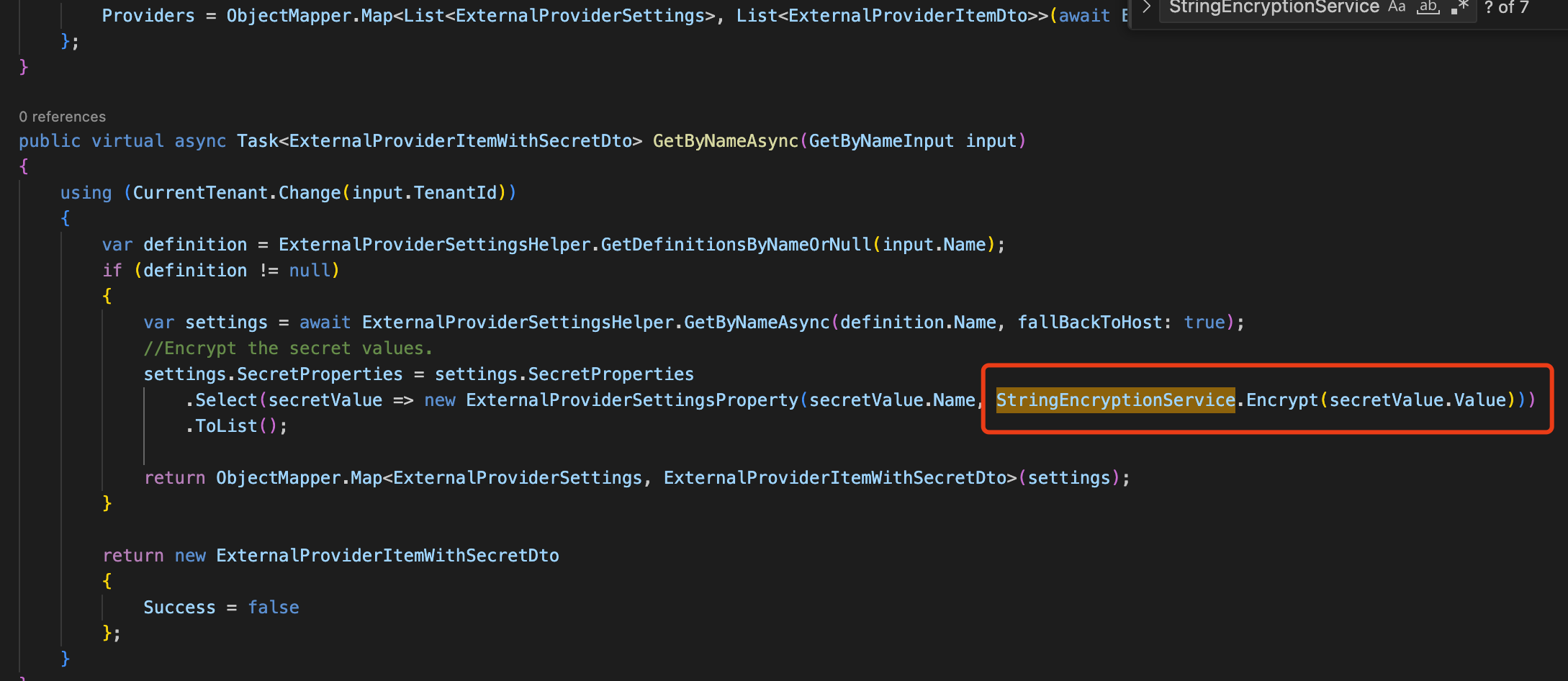
You can override the AccountSettingsAppService class
[Dependency(ReplaceServices = true)]
[ExposeServices(typeof(IAccountSettingsAppService))]
public class MyAccountSettingsAppService : AccountSettingsAppService
{
    public override async Task<AccountExternalProviderSettingsDto> GetExternalProviderAsync()
    {

        var settigns = await ExternalProviderSettingsHelper.GetAllAsync();
        //TODO: Encrypt data
        return new AccountExternalProviderSettingsDto
        {
            Settings = settigns
        };
    }


    public override async Task UpdateExternalProviderAsync(List<UpdateExternalProviderDto> input)
    {
        //TODO: Encrypt data If the data is not encrypted

        foreach (var setting in input)
        {
            await ExternalProviderSettingsHelper.SetAsync(new ExternalProviderSettings
            {
                Name = setting.Name,
                Enabled = setting.Enabled,
                Properties = setting.Properties,
                SecretProperties = setting.SecretProperties
            });

            await CurrentUnitOfWork.SaveChangesAsync();
        }
    }
}
You can consider using the string encryption system provided by ABP
https://docs.abp.io/en/abp/latest/String-Encryption
Hi,
Sorry, I can confirm this issue. we will fix it.
You can try to update the DownloadAsExcelAsync method. for example:
private  async Task DownloadAsExcelAsync()
{
    var token = (await BooksAppService.GetDownloadTokenAsync()).Token;
    var remoteService = await RemoteServiceConfigurationProvider.GetConfigurationOrDefaultOrNullAsync("Qa") ??
    await RemoteServiceConfigurationProvider.GetConfigurationOrDefaultOrNullAsync("Default");
    var currentCulture = CultureInfo.CurrentUICulture.Name ?? CultureInfo.CurrentCulture.Name;
    if(!currentCulture.IsNullOrEmpty())
    {
        currentCulture = "&culture=" + currentCulture;
    }
    NavigationManager.NavigateTo($"{remoteService?.BaseUrl.EnsureEndsWith('/') ?? string.Empty}api/app/books/as-excel-file?DownloadToken={token}&FilterText={Filter.FilterText}&Name={Filter.Name}&Title={Filter.Title}{currentCulture}", forceLoad: true);
}
Hi,
It works for me:
protected virtual IQueryable<Book> ApplyFilter(
            IQueryable<Book> query,
            string? filterText = null,
            string? name = null,
            string? title = null)
{
    return query
        .WhereIf(!string.IsNullOrWhiteSpace(filterText), e => e.Name!.ToLower().Contains(filterText!.ToLower()) || e.Title!.ToLower().Contains(filterText!.ToLower()))
            .WhereIf(!string.IsNullOrWhiteSpace(name), e => e.Name!.ToLower().Contains(name!.ToLower()))
            .WhereIf(!string.IsNullOrWhiteSpace(title), e => e.Title!.ToLower().Contains(title!.ToLower()));
}
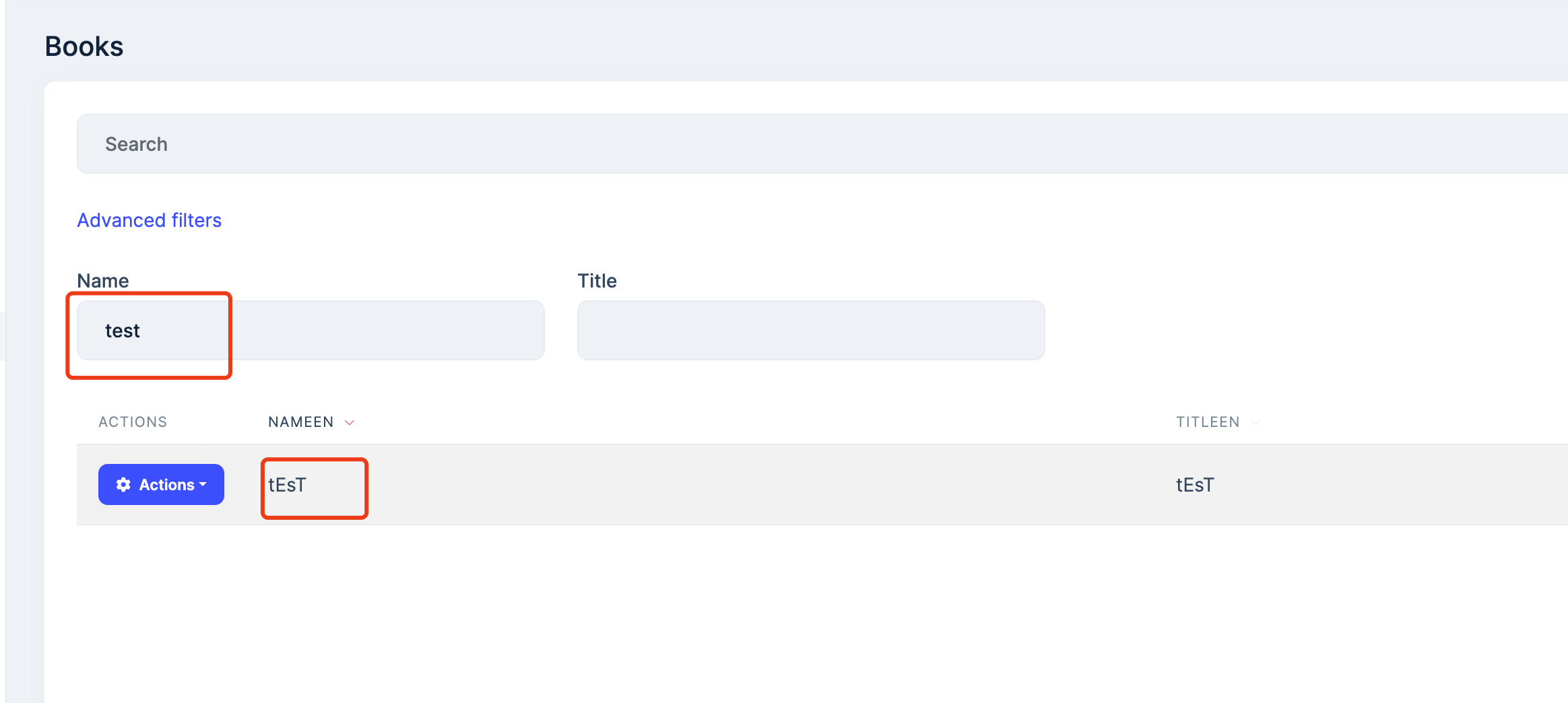
For now, I'll do my best to update the service for MongoDB and I'll be happy to share the steps and code if I'm successful.
Ok, thank you
Hi,
Sorry again, I was on vacation before.
Did this solution work for you?
context.Services.AddCors(options =>
{
    options.AddDefaultPolicy(builder =>
    {
        builder
            .SetIsOriginAllowed(origin => true)
            .WithAbpExposedHeaders()
            .AllowAnyHeader()
            .AllowAnyMethod()
            .AllowCredentials();
    });
});









