https://github.com/abpframework/abp/issues/18518
Hi,
Seems it's a problem, we will try to upgrade uppy version to the latest.
Ok, for example:
public class Book: ...
{

}

ObjectExtensionManager.Instance
    .MapEfCoreProperty<IdentityUser, Guid>(
        "BookId",
        (entityBuilder, propertyBuilder) =>
        {
            entityBuilder.HasOne(typeof(Book), "BookId").WithOne().IsRequired(false).HasForeignKey("BookId");
        }
    );
public class IdentityUserWithBook
{
    public IdentityUser User { get; set;}
    public Book Book { get; set;}
}


var query = await _userRepository.GetQueryableAsync();

var users = await query.ToListAsync();
var bookIds = users.Select(x => x.GetProperty<Guid>("BookId")).ToList();
var books = await _bookRepository.GetListAsync(x => bookIds.Contains(x.Id)).ToListAsync();

var result = users.Select(u => new IdentityUserWithBook
        {
            User = u,
            Book = books.FirstOrDefault(b => u.GetProperty<Guid>("BookId") = b.Id)
        }).ToList();
Hi,
You need additional queries, because entities have no navigation properties
It provides an example of how to use SignalR for real-time interaction between client and server.
You can send SignalR message events on the server side and subscribe to SignalR message events on the client side(Blazor WebAssembly) for real-time interaction
Using SignalR you can send messages to all users or a specific user.
Back to your case, It should be like this:
Separate application
await BookStoreAppService.GetAllAsync();
await SignalRMessageAppService.BookStoreGetAllEventAsync();
Back-end
[Authorize]
public class MessageHub : AbpHub
{

}

public class SignalRMessageAppService : ...
{
    protected IHubContext<MessageHub> HubContext { get; }

    public SignalRMessageAppService(IHubContext<MessageHub> hubContext)
    {
        HubContext = hubContext;
    }
    public async Task BookStoreGetAllEventAsync()
    {
         // all user
         await HubContext.Clients.All.SendAsync("ShowModal", args....);
         // specific user
         await HubContext.Clients.User(...UserId).SendAsync("ShowModal",, args....);
    }
}
Blazor WebAssembly
connection.On<...>("ShowModal", async (args...) =>
{
    // show modal
    await xxxModal.OpenAsync();
    await InvokeAsync(StateHasChanged);
});
Hi,
I guess you entered client_secret value. you can try to leave it empty.
Hi,
I could not reproduce the problem:
@page "/catalog"
@model Qa.Web.Pages.CatalogModel
@using Qa.Web.Menus
@using Volo.Abp.AspNetCore.Mvc.UI.Layout
@using Microsoft.AspNetCore.Mvc.Localization
@using Qa.Localization
@using Volo.Abp.Users
@inject IHtmlLocalizer<QaResource> L

<div class="wpo-login-area">
    <div class="container">
        <div class="row">
            <div class="col-lg-12">
                <form class="wpo-accountWrapper" method="post"  asp-page-handler="SendEmail">
                    <div class="wpo-accountInfo">
                        <div class="image">
                            <a target = "_blank" rel="noopener noreferrer" title="" href="assets/images/Catalog.png"><img src="assets/images/Catalog.png" alt=""></a>
                        </div>
                    </div>
                    <div class="wpo-accountForm form-style">
                        <div class="fromTitle">
                            <h2>@L["Catalog"]</h2>
                        </div>

                        <div class="row">
                            <div class="col-lg-12 col-md-12 col-12">
                                <abp-input asp-for="@Model.Model.EmailAddress" />
                            </div>
                            <div class="col-lg-12 col-md-12 col-12">
                                <abp-input asp-for="@Model.Model.PhoneNumber" />
                            </div>
                            <div class="col-lg-12 col-md-12 col-12">
                                <abp-input asp-for="@Model.Model.Name" />
                            </div>
                            <div class="col-lg-12 col-md-12 col-12">
                                <abp-input asp-for="@Model.Model.CompanyName" />
                            </div>
                            <div class="mb-3">
                                <div class="d-grid gap-2">
                                    <button type="submit">@L["SendMessage"]</button>
                                </div>
                            </div>

                        </div>
                    </div>
                </form>
            </div>
        </div>
    </div>
</div>
public class CatalogModel : QaPageModel
{
    [BindProperty]
    public CatalogViewModel Model { get; set; }

    public void OnGet()
    {
    }

    public void OnPostSendEmail()
    {

    }
}

public class CatalogViewModel
{
    [Required]
    [Display(Name = "EmailAddress")]
    [Placeholder("YourEmailAddress")]
    public string EmailAddress { get; set; }

    [Required]
    [Display(Name = "PhoneNumber")]
    [Placeholder("YourPhoneNumber")]
    public string PhoneNumber { get; set; }

    [Required]
    [Display(Name = "NameAndSurname")]
    [Placeholder("YourFullName")]
    public string Name { get; set; }

    [Required]
    [Display(Name = "CompanyName")]
    [Placeholder("CompanyName")]
    public string CompanyName { get; set; }


    [HiddenInput]
    public string RecaptchaToken { get; set; }
}
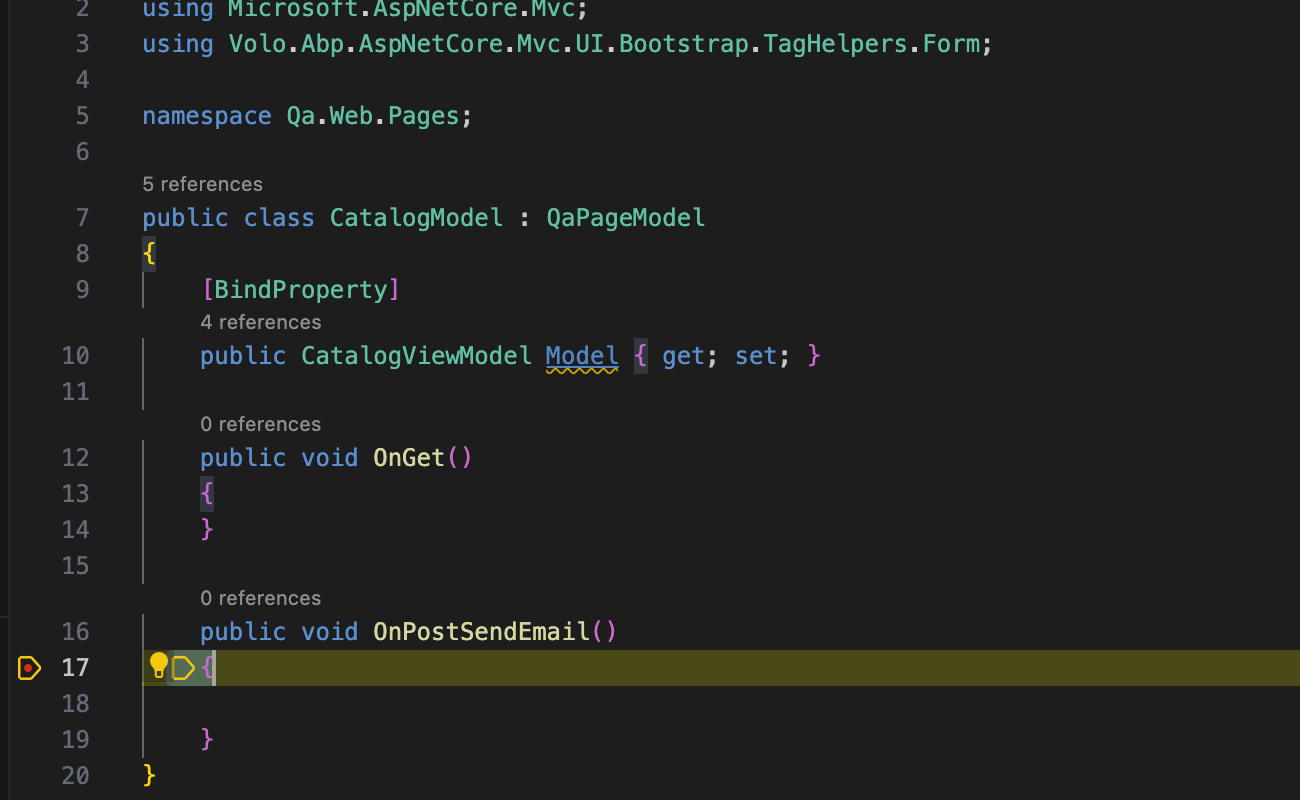
It looks like an issue with StronglyTypedId or ASP.NET Core
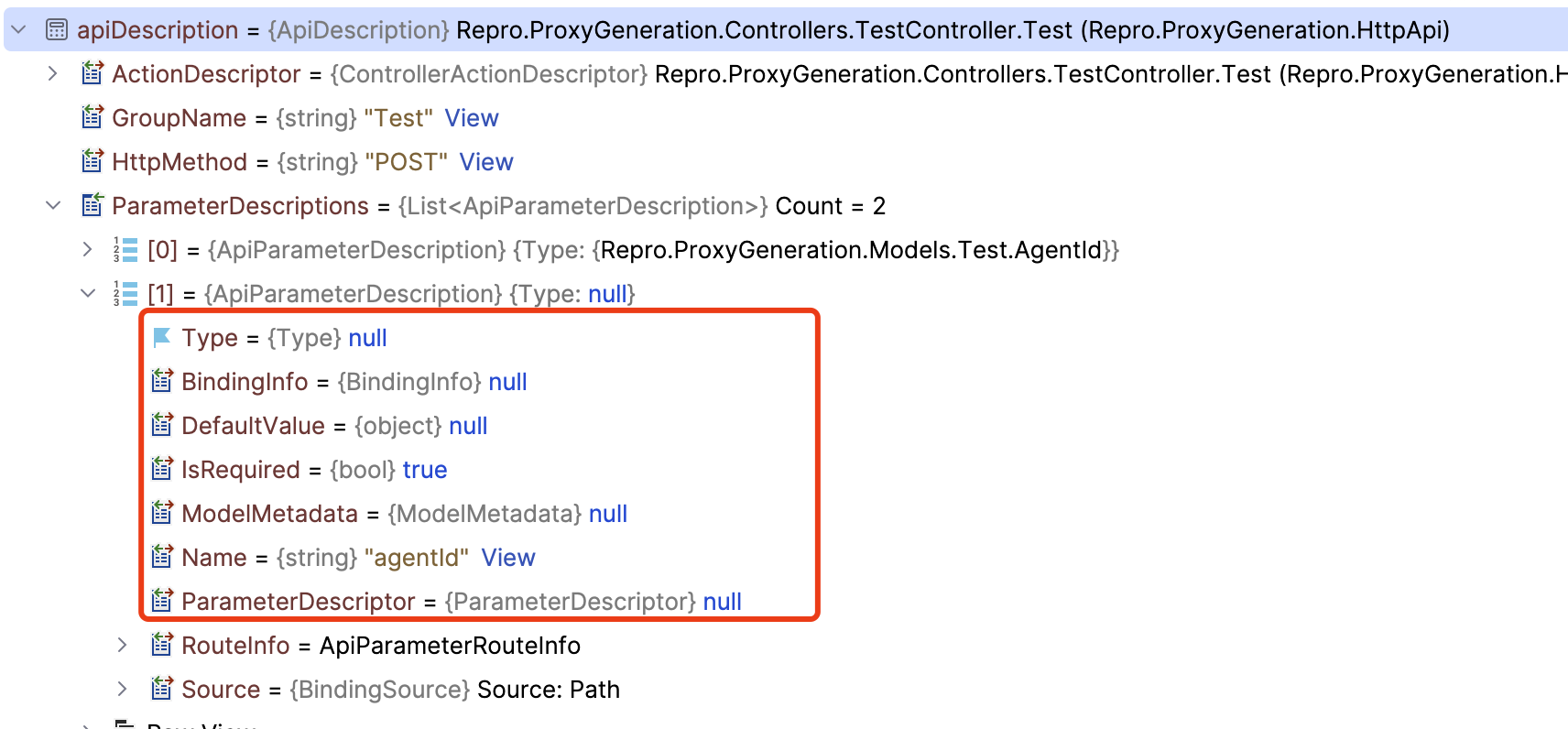
In the API definition provided by openapi, the type of the parameter is null.
You can try this temporary solution:
[Dependency(ReplaceServices = true)]
[ExposeServices(typeof(AbpApiDefinitionController))]
public class MyAbpApiDefinitionController : AbpApiDefinitionController
{
    public MyAbpApiDefinitionController(IApiDescriptionModelProvider modelProvider) : base(modelProvider)
    {
    }

    public override ApplicationApiDescriptionModel Get(ApplicationApiDescriptionModelRequestDto model)
    {
        return RemoveNullParameters(base.Get(model));
    }

    public ApplicationApiDescriptionModel RemoveNullParameters(ApplicationApiDescriptionModel model)
    {
        foreach (var action in
                 model.Modules.Select(x => x.Value)
                     .Select(api => api.Controllers).SelectMany(controllerApi => controllerApi.Values)
                     .SelectMany(controller => controller.Actions.Values))
        {

            action.Parameters.RemoveAll(x => x.Type == null && x.TypeSimple == null);
            action.ParametersOnMethod.RemoveAll(x => x.Type == null && x.TypeSimple == null);
        }

        return model;
    }
}









