Hi,
I can't reproduce the problem, can you provde steps to reproduce? thanks.
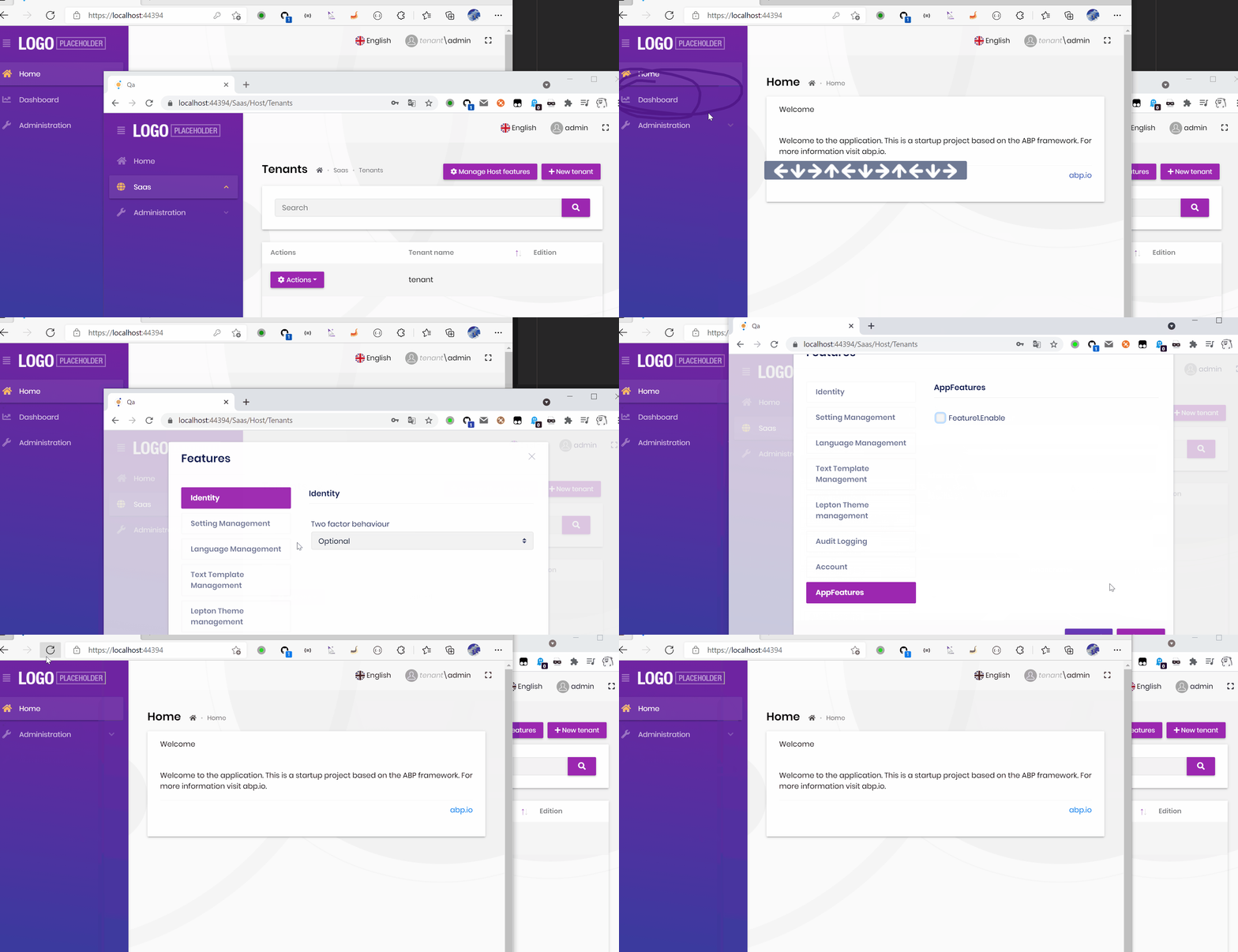
Does it work for you: https://support.abp.io/QA/Questions/617/How-to-add-logo-and-placeholder-in-abp-io
Hi,
I will check it out.
Hi,
See https://support.abp.io/QA/Questions/186/How-can-I-customize--change-logo-and-change-position
You can try use https://github.com/borisdj/EFCore.BulkExtensions
I think your main problem has been resolved, so will close the ticket.
Hi,
Can I check it remotely? shiwei.liang@volosoft.com
HI,
Actually this is by design, see: https://github.com/abpframework/abp/issues/1731#issuecomment-529288042.
You need to create api controller in the HttpApi project.
Hi,
Because the database is tenant isolated, I think you can create the same user in each tenant for users with x role.
Hi,
Will this problem also occur if you use a new project to generate a crud page?
PS: You can upgrade CLI and suite to 4.4.0 rc.2 version and try again:
  dotnet tool uninstall --global Volo.Abp.Cli
  dotnet tool install --global Volo.Abp.Cli --version 4.4.0-rc.2
  abp suite update --preview
HI,
You mean use CLI to send a Http request to app service, right?
See: https://docs.abp.io/en/abp/latest/Multi-Tenancy#tenant-resolvers
Pass the tenant in the query string:
httpClient.RequestTokenAsync(new TokenRequest()
{
    Address = "https://demo.identityserver.io/connect/token?__tenant=xxx", pass the tenant

    GrantType = "password",

    ClientId = "client",
    ClientSecret = "secret",

    Parameters =
    {
        {"username", "xxx"},
        {"password", "xxx"}
    }
});









