Hi,
As david.hurtado said.
You need add <add key="BlazoriseMyGet" value="https://www.myget.org/F/blazorise/api/v3/index.json" /> to your NuGet.Config and restore package.
I will check it out.
Hi,
You can see the login endpoint in the IdentityServer project.
Hi,
I can't reproduce problem, can you provide more steps or simaple project? thanks.
Try:
Configure<AppUrlOptions>(options =>
{
    options.Applications["Mp_App"].RootUrl = your url....;
});
HI,
Add NuGet.Config to your solution folder
<?xml version="1.0" encoding="utf-8"?>
<configuration>
  <packageSources>
    <add key="BlazoriseMyGet" value="https://www.myget.org/F/blazorise/api/v3/index.json" />
  </packageSources>
</configuration>
Hi,
Using global filters is great, but you pay attention to the following:
CurrentUser's roles. It is parsed from the token and will not be kept up to date,HI,
AppName is your front-end type, can be web, ios, angular.... . It can also be any value.
You can create a new appservices like:
[Dependency(ReplaceServices = true)]
[ExposeServices(typeof(IAccountAppService))]
public class  MyAccountAppService : AccountAppService
{


    public MyAccountAppService(IdentityUserManager userManager, IAccountEmailer accountEmailer, IAccountPhoneService phoneService, IIdentityRoleRepository roleRepository, IdentitySecurityLogManager identitySecurityLogManager, IBlobContainer<AccountProfilePictureContainer> accountProfilePictureContainer, ISettingManager settingManager, IOptions<IdentityOptions> identityOptions) : base(userManager, accountEmailer, phoneService, roleRepository, identitySecurityLogManager, accountProfilePictureContainer, settingManager, identityOptions)
    {
    }

    public async Task<IdentityUserDto> MyRegisterAsync(MyRegisterDto input)
    {
        var result =await base.RegisterAsync(new RegisterDto() {....});

        var user = await UserManager.FindByIdAsync(result.Id.ToString());

        user.Surname = input.SurName;
            .....

        await UserManager.UpdateAsync(user);
    }
}
if i stop it and restart it from visual studio we get a context already closed exception
Maybe related to your application, can you make a simple project to reproduce ? thanks.
HI,
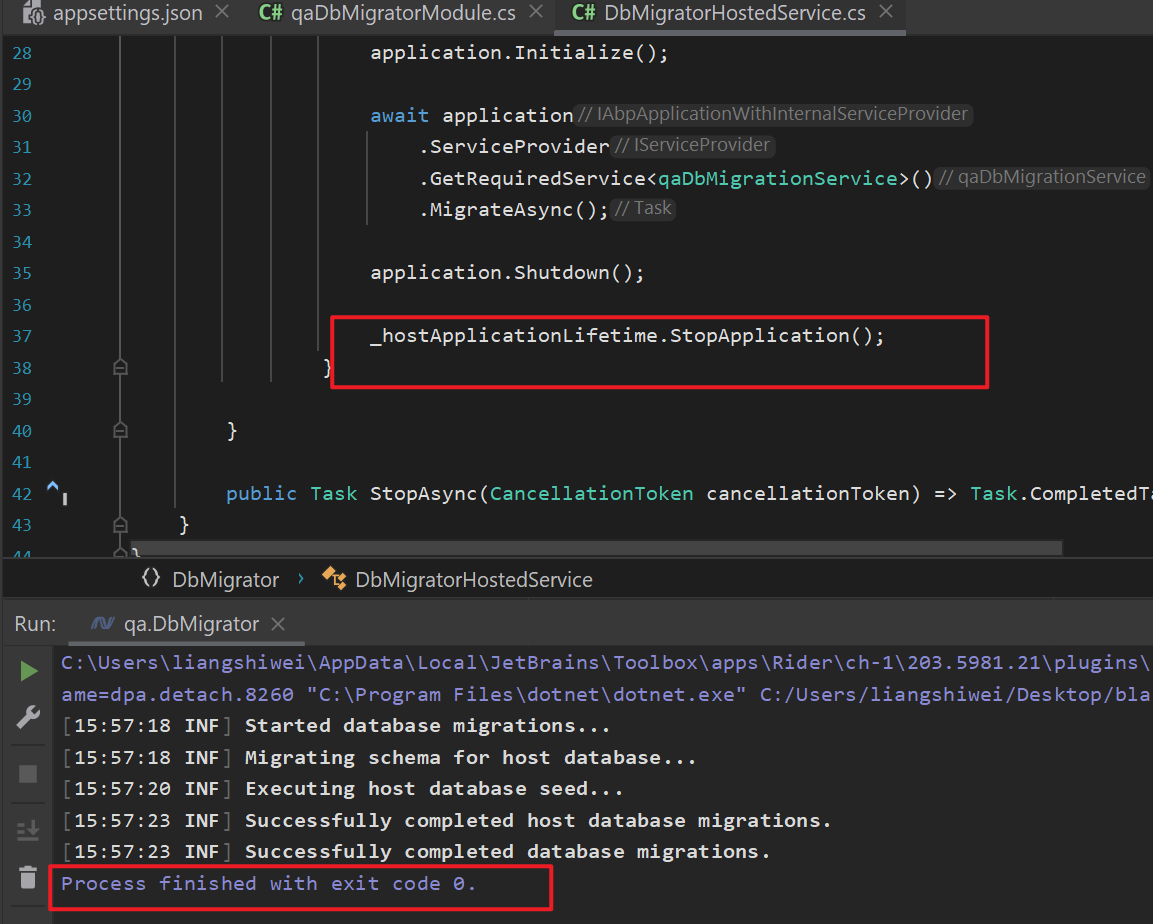
You can check the log output, the application will stop after the migration is successful.