hi
If you can get email and externalUser, you will not be redirected to the Register page.
Please debug to see these values.
 Thanks.
hi
Can you share some screenshots and all the website's debug logs?
https://abp.io/support/questions/8622/How-to-enable-Debug-logs-for-troubleshoot-problems
liming.ma@volosoft.com Thanks.
hi
See https://github.com/abpframework/abp/issues/23286#issuecomment-3117644521
Thanks.
hi
Are you using Blazor WASM or Blazor Server?
You can add a MyClaimDestinationsHandler in your AuthServer to set your new claim Destinations to OpenIddictConstants.Destinations.AccessToken, OpenIddictConstants.Destinations.IdentityToken
https://abp.io/docs/latest/modules/openiddict#updating-claims-in-access_token-and-id_token
I can't reproduce it.
If you can reproduce it in TestWasm project, you can share steps.
Thanks
hi
ABP can work with Aspire without any issues. You can use any testing method that suits you.
https://abp.io/community/articles/how-to-use-.net-aspire-with-abp-framework-h29km4kk
Thanks.
If you could share the online link to your website, I'd be happy to take a look.
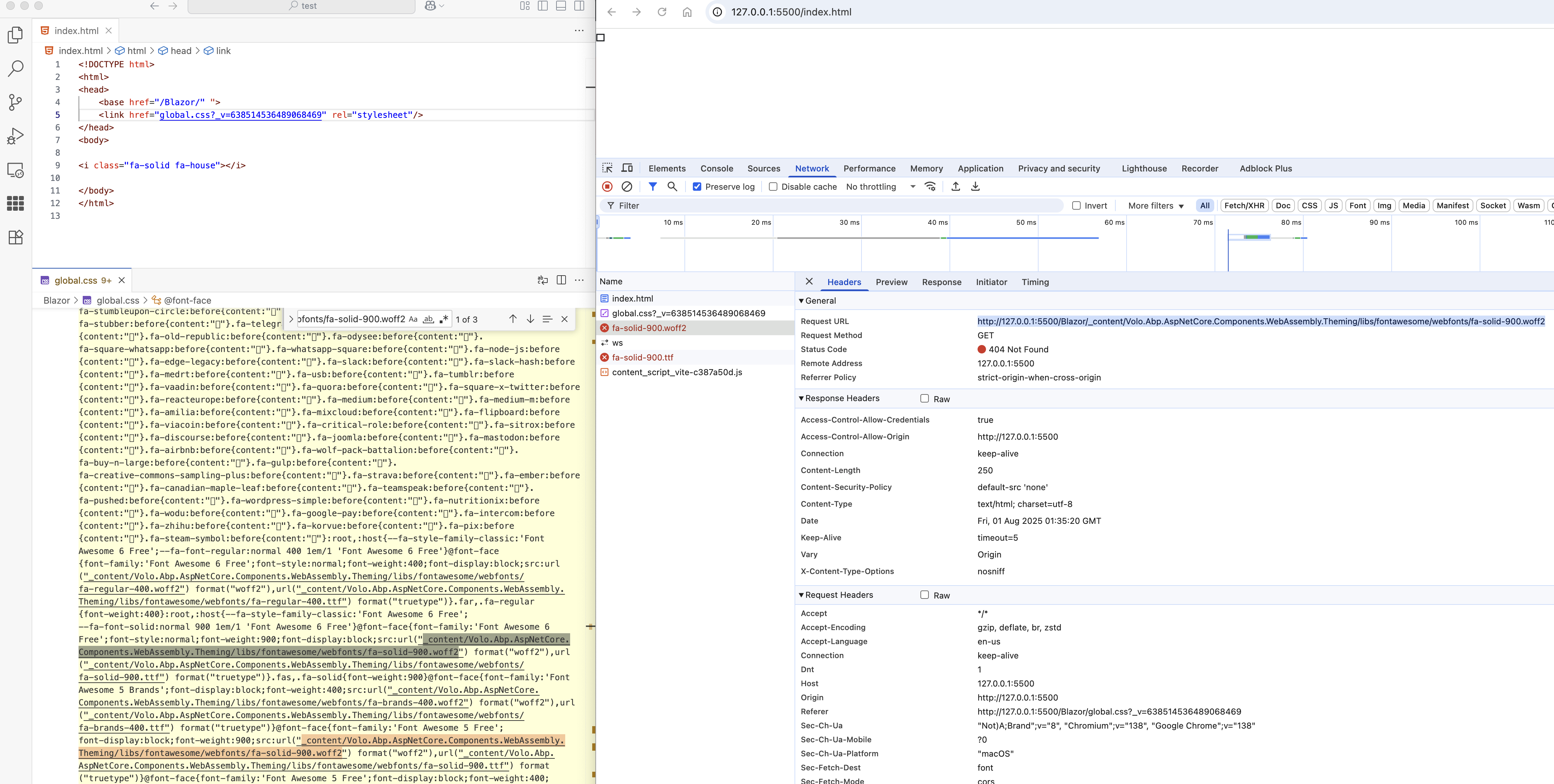
hi
Move to https://abp.io/support/questions/9666/Fontawesome-Icons-Not-Showing?CurrentPage=2#answer-3a1b755f-59b7-7606-24b0-91c8a8cdcace
hi
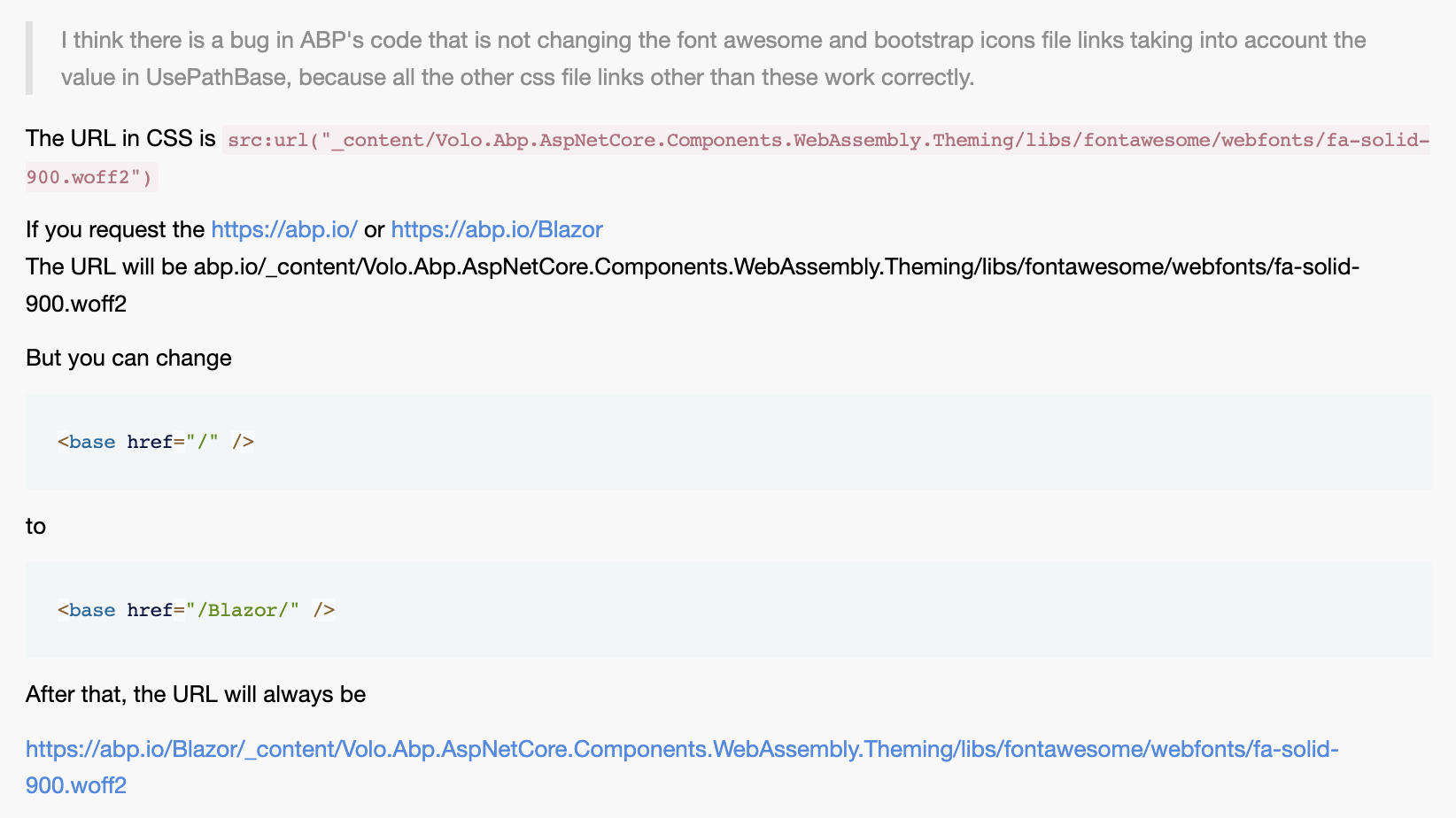
Solution: https://abp.io/support/questions/9666/Fontawesome-Icons-Not-Showing?CurrentPage=2#answer-3a1b72d9-4f78-be18-45bd-1f3a827ec332









