ok, You can try this solution. : )
Sorry for that.
: ) It will be fixed in the next patch Studio.
hi
I dont' have any logs.txt file in my development machine nor on the server i'm trying to deploy.
Please check your Program.cs, the Logs.txt is configured. You can set the .MinimumLevel.Debug() to see more logs.
.WriteTo.Async(c => c.File("Logs/logs.txt"))
public class Program
{
    public async static Task<int> Main(string[] args)
    {
        Log.Logger = new LoggerConfiguration()
            .WriteTo.Async(c => c.File("Logs/logs.txt"))
            .WriteTo.Async(c => c.Console())
            .CreateBootstrapLogger();

        try
        {
            Log.Information("Starting web host.");
            var builder = WebApplication.CreateBuilder(args);
            builder.Host
                .AddAppSettingsSecretsJson()
                .UseAutofac()
                .UseSerilog((context, services, loggerConfiguration) =>
                {
                    loggerConfiguration
                        .MinimumLevel.Debug()
                        .MinimumLevel.Override("Microsoft", LogEventLevel.Information)
                        .MinimumLevel.Override("Microsoft.EntityFrameworkCore", LogEventLevel.Warning)
                        .Enrich.FromLogContext()
                        .WriteTo.Async(c => c.File("Logs/logs.txt"))
                        .WriteTo.Async(c => c.Console())
                        .WriteTo.Async(c => c.AbpStudio(services));
                });
            await builder.AddApplicationAsync<MyProjectNameWebModule>();
            var app = builder.Build();
            await app.InitializeApplicationAsync();
            await app.RunAsync();
            return 0;
        }
        catch (Exception ex)
        {
            Log.Fatal(ex, "Host terminated unexpectedly!");
            return 1;
        }
        finally
        {
            Log.CloseAndFlush();
        }
    }
}
hi
They are only used in the Lepton Theme. I will remove them if the current theme is not Lepton.
Thanks.
hi
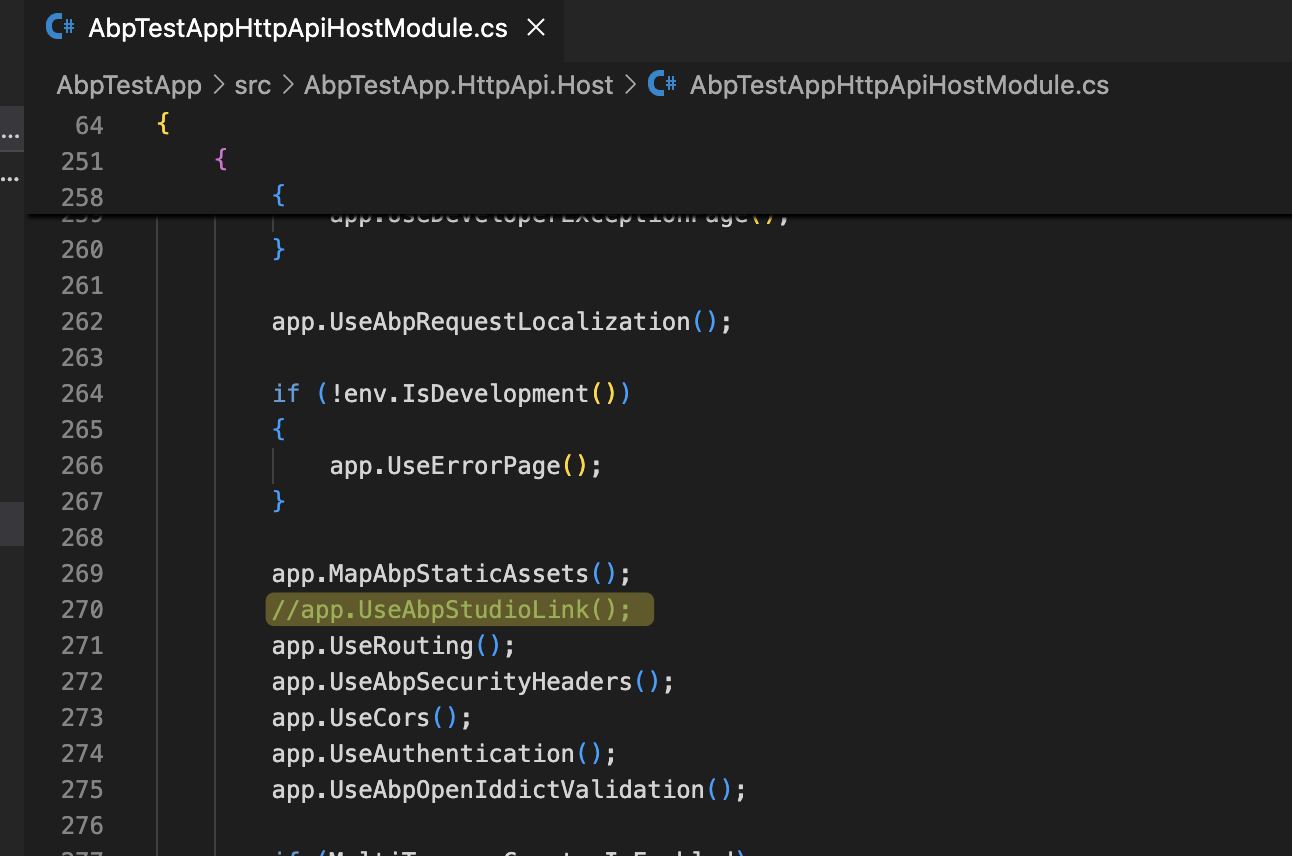
Please remove the app.UseAbpStudioLink(); then everything will work.
 ****
****
Okay I will speak to my host about why that feature not supported as host has full .NET 9 support.
UseStaticFiles also works. It is not a big problem.
You can put a newfavicon.svg file in wwwrrot folder then check: https://pcassistapps.net/favicon.svg









