Hi
What’s your project UI type?
Can you share a gif picture?
Hi
The register page inputs are empty that’s mean abp doesn’t get the email claim after sucessful AzureAD validation.
hi
What is your client code that connects the signal?
ok, I will check it asap.
Thanks.
hi
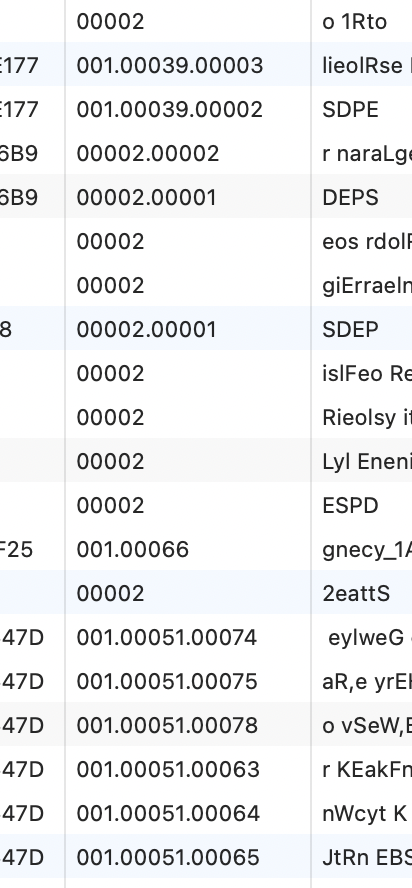
I have found the problem,Your code is wrong.
The code must have five lengths.
But your code is only three.
I had updated the code, and everything works.
UPDATE AbpOrganizationUnits
SET Code = '00' + Code
WHERE Code LIKE '001%';
hi
I have reproduced the problem. Checking..
hi
Please share these two minimal projects.
Thanks
liming.ma@volosoft.com
Thanks. I will check it. you can share file via https://wetransfer.com/ next time. : )
hi
After the successful login verification using openid , the application is not allowing the user to enter into the site instead it is circling back to the login page again. Not sure what i am missing.
What do you mean? Can you share a GIF to show that?
But we would like to store the user information after the user credentials is verified.
There is an OnUserInformationReceived event of OpenIdConnect, You can get user info and store it in this method.
.AddOpenIdConnect("AzureOpenId", "Azure AD OpenId", options =>
{
  options.Authority = "https://login.microsoftonline.com/" + configuration["AzureAd:TenantId"] + "/v2.0/";
  options.ClientId = configuration["AzureAd:ClientId"];
  options.ResponseType = OpenIdConnectResponseType.CodeIdToken;
  options.CallbackPath = configuration["AzureAd:CallbackPath"];
  options.ClientSecret = configuration["AzureAd:ClientSecret"];
  options.RequireHttpsMetadata = false;
  options.SaveTokens = true;
  options.GetClaimsFromUserInfoEndpoint = true;
  options.Scope.Add("email");

  options.ClaimActions.MapJsonKey(ClaimTypes.NameIdentifier, "sub");

  options.Events = new OpenIdConnectEvents()
    {
        OnUserInformationReceived = c =>
        {

        }
    };

});









