hi
500.30 error
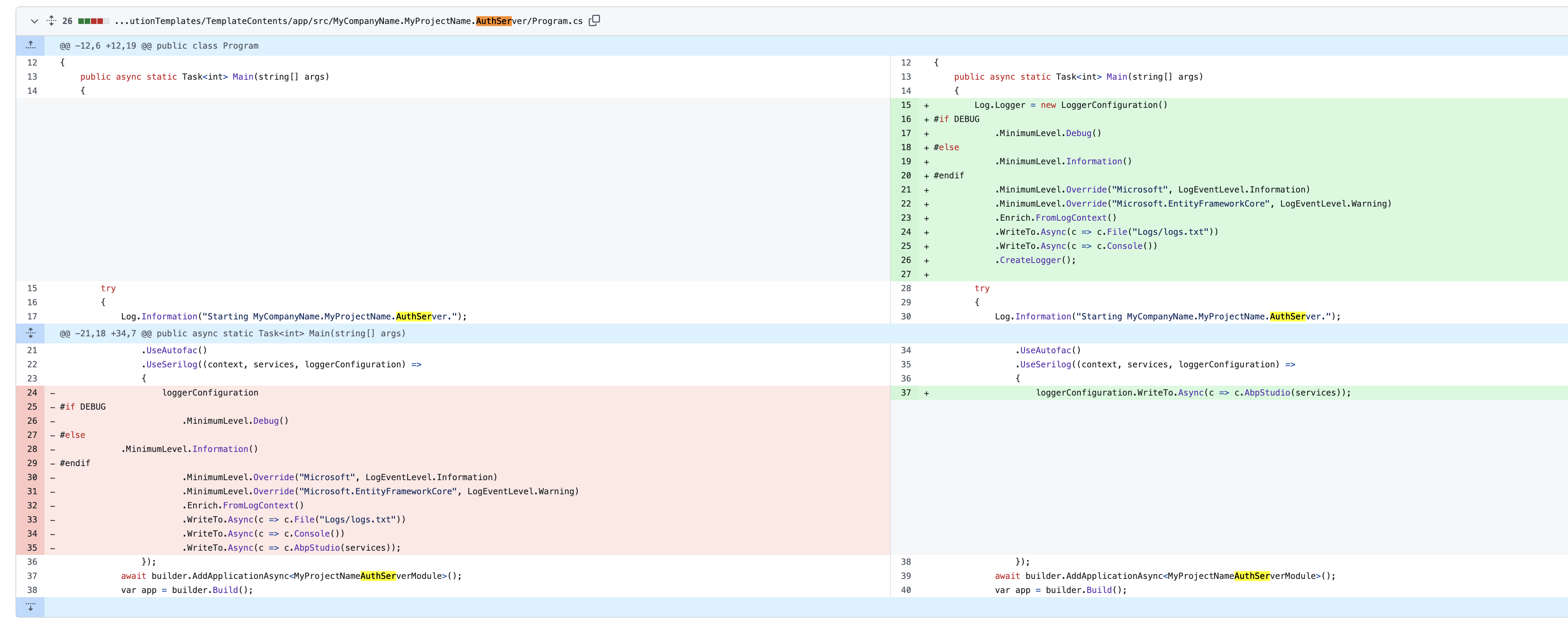
We have changed the Log code. Please add the new code to your Program.cs and check the exception of the 500.30 error
public async static Task<int> Main(string[] args)
{
    Log.Logger = new LoggerConfiguration()
#if DEBUG
        .MinimumLevel.Debug()
#else
        .MinimumLevel.Information()
#endif
        .MinimumLevel.Override("Microsoft", LogEventLevel.Information)
        .MinimumLevel.Override("Microsoft.EntityFrameworkCore", LogEventLevel.Warning)
        .Enrich.FromLogContext()
        .WriteTo.Async(c => c.File("Logs/logs.txt"))
        .WriteTo.Async(c => c.Console())
        .CreateLogger();
hi
Sorry for that, Maybe the app needs permission to create new txt file
When you get Logs/logs.txt and Logs/identitymodel.txt please share them with me, and I will check them out.
Thanks.
hi
Can you check this https://serverfault.com/a/933281 ?
the Trusted_Connection=True in IIS needs more settings.
How to fix this issue with SSO OIDC ?
I don't know about your SSO OIDC code.
Can you share the details and logs during the login?
ok, I see, our angular team will reply you a solution.
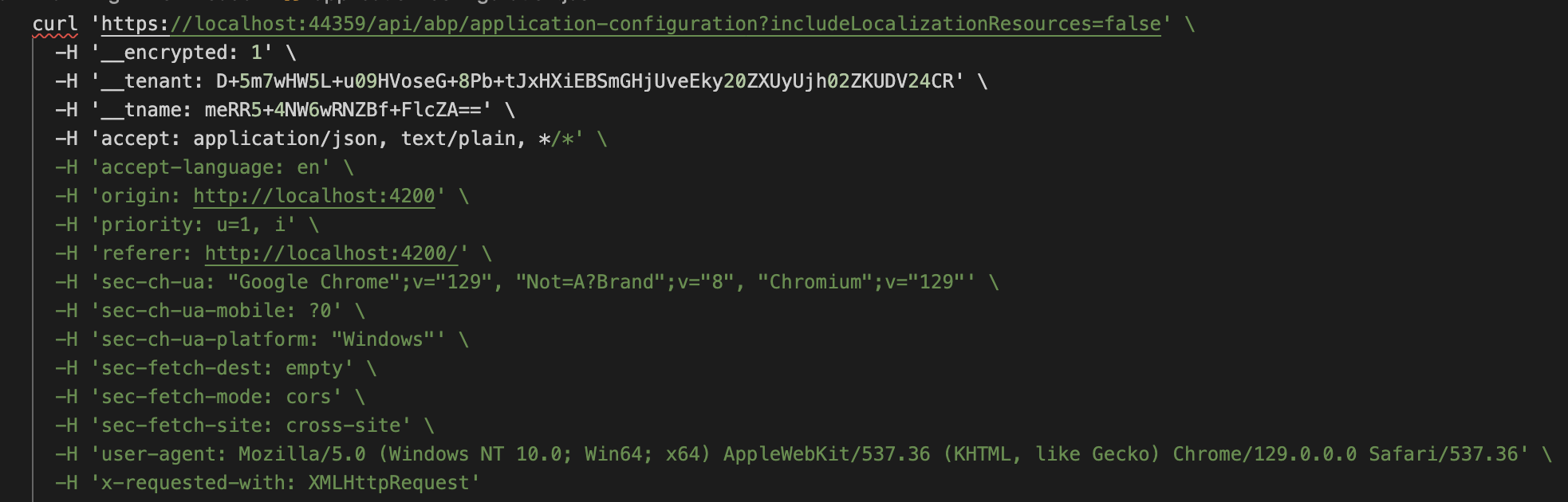
The request header doesn't contain the Authorization: bearer *.
so the current user doesn't have values.
Has your angular app been successful in getting access_token?
hi
Is your app run on IIS?
https://serverfault.com/a/933281
Yes, the entity has the ConcurrencyStamp , so there will be an AbpDbConcurrencyException.
see https://learn.microsoft.com/en-us/ef/core/saving/concurrency?tabs=data-annotations
hi
You can try to catch the exception and ignore or retry.
private async Task<bool> UpdateFCStatus(IList<long> encounterIds, long fcId, long fcModeId,int completedCount = 0, draftCount = 0, exemptedCount = 0)
{
    try
    {
        using (var uow = UnitOfWorkManager.Begin(requiresNew: true, isTransactional: UnitOfWorkManager.Current?.Options.IsTransactional ?? false))
        {
            // your code
            await uow.CompleteAsync();
        }
    }
    catch (AbpDbConcurrencyException e)
    {
        ///
    }
}
"Default": "Server=(localdb)\MSSQLLocalDB;Database=PaymentManagement;Trusted_Connection=True;TrustServerCertificate=false",
But the logs show An error occurred using the connection to database 'AbpSolution2' on server '(LocalDb)\MSSQLLocalDB'.









