hi
What is the final URL format you expect?
Like this? https://localhost:44303/tenantname/api/abp
hi
Configure<AbpFeatureOptions>(options =>
{
    options.ValueProviders.Insert(0, typeof(FvpRoleBasedFeatureValueProvider));
});
The valueProviders order is
DefaultValueFeatureValueProvider
EditionFeatureValueProvider
TenantFeatureValueProvider
Your FvpRoleBasedFeatureValueProvider should be added after DefaultValueFeatureValueProvider,
eg:
DefaultValueFeatureValueProvider

FvpRoleBasedFeatureValueProvider

EditionFeatureValueProvider
TenantFeatureValueProvider
But this depends on your business logic. You can add before TenantFeatureValueProvider.
eg:
DefaultValueFeatureValueProvider
EditionFeatureValueProvider
TenantFeatureValueProviderr

FvpRoleBasedFeatureValueProvider
hi
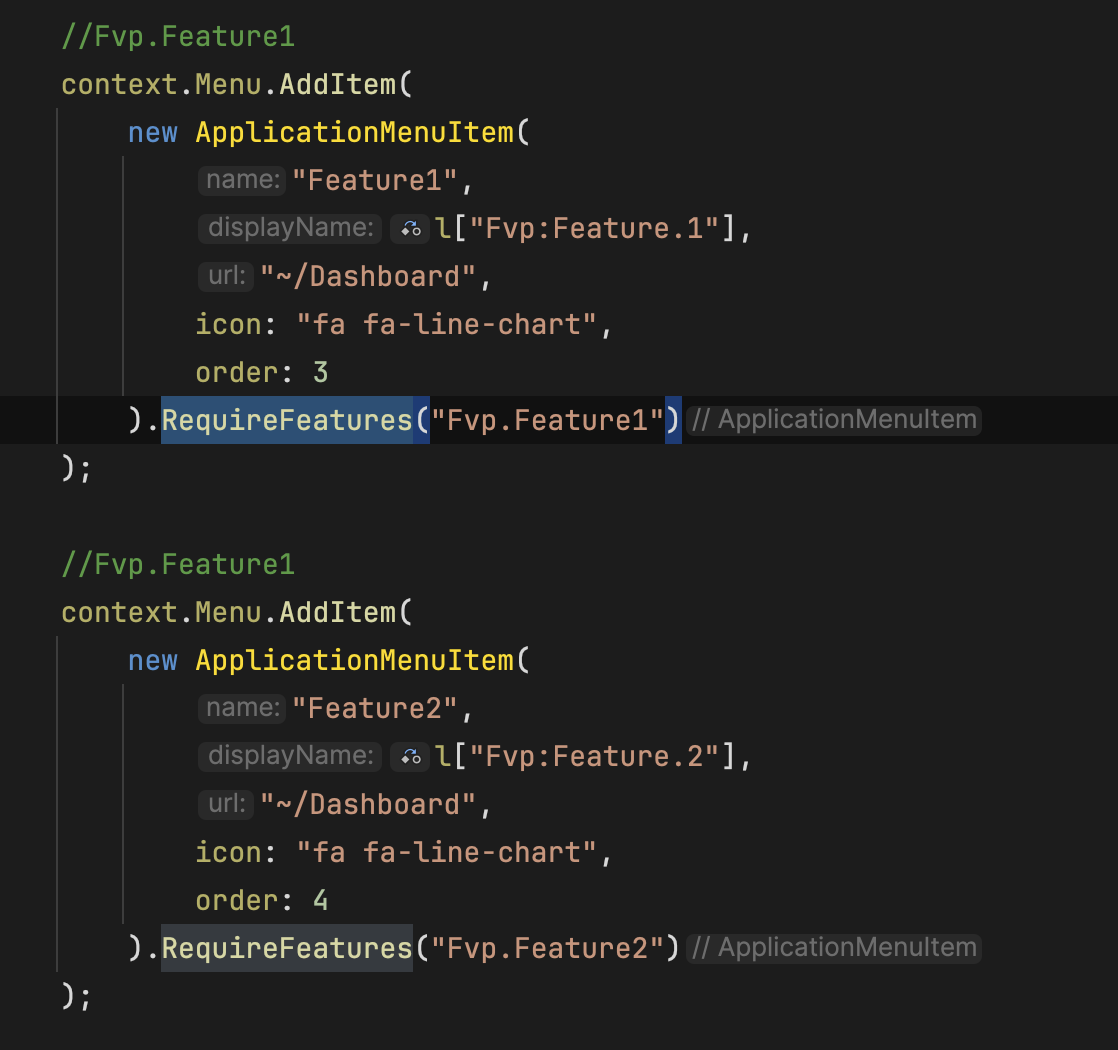
The RequireFeatures method of ApplicationMenuItem requires the feature that is ToggleStringValueType
Your features both are FreeTextStringValueType
hi
I will test it again.
Thanks.
你可以参考这个文章, 下载 LeptonX 的源码, 之后自定义样式重新构建主题
https://abp.io/docs/latest/ui-themes/lepton-x#source-code https://abp.io/docs/latest/ui-themes/lepton-x/source-files
hi
If your current url is https://localhost:44303/Weather/test and route template include __tenant
Which mean you need add __tenant to your route template
[Route("[Controller]/{__tenant}")]
public class WeatherController : MyProjectNameController
{
    [HttpGet]
    public IActionResult GetWeather()
    {
        return Ok($"Current tenant is {CurrentTenant.Name}");
    }
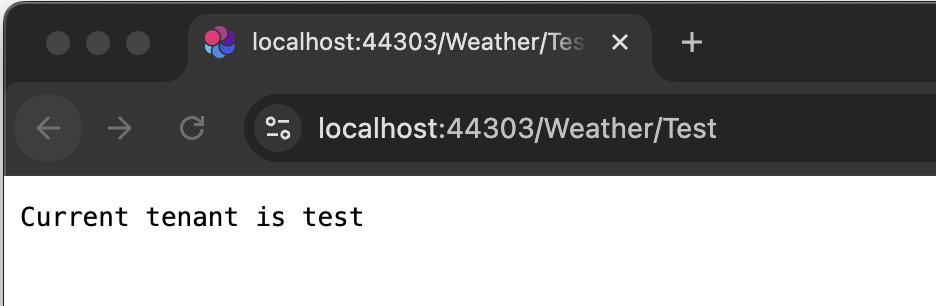

See https://learn.microsoft.com/en-us/aspnet/core/fundamentals/routing
你的 UI 是? 当前的主题模块是?
hi
Do you have ConfigureDataProtection method in your module?
Please enable and share debug logs. It will contain the error detail info.
Thanks.
private void ConfigureDataProtection(ServiceConfigurationContext context, IConfiguration configuration, IConnectionMultiplexer redis)
{
    context.Services
        .AddDataProtection()
        .SetApplicationName(configuration["DataProtection:ApplicationName"]!)
        .PersistKeysToStackExchangeRedis(redis, configuration["DataProtection:Keys"]);
}
你好, 请分享你的项目信息。









