hi
account/public/src/components/personal-settings/personal-settings-email/personal-settings-email.component.ts
The source code: https://we.tl/t-fMYleMbamn
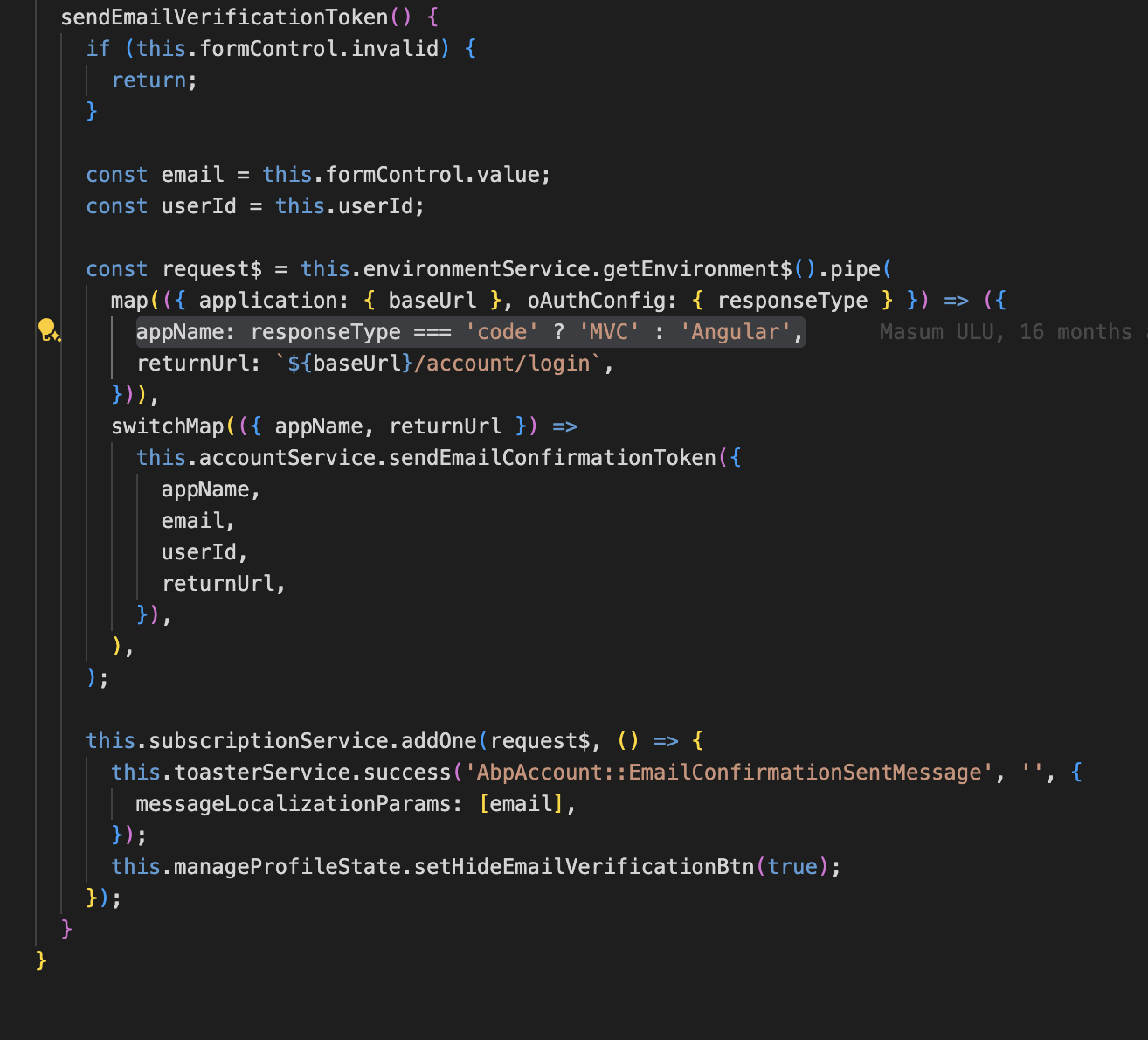
hi
Can I check it remotely?
Use zoom client to join meeting and share your screen.
https://us05web.zoom.us/j/89613221602?pwd=OgJrqsT75VIGwiHRN27bVSvwQkCrBt.1
But for some reason it always open to new page when it is clicked.
I think it opens a new tab, which is the mvc page belonging to the authserver website.
If you change the email in angular page, it will use the ["Angular"].RootUrl,
But it will use the ["MVC"].RootUrl in authserver website.
That's the reason.
I'm not sure if angular has the Account/manage page. I will confirm this.
you change add/remove permission from existing user through application UI should reflect immediately.
Through app UI will work. But you are changing the permission directly in the database.
hi
logout and re-login will not invalidate the Permission cache. You should clear the PermissionGrantCacheItem cache from Redis after changing permission in the database.
Thanks. We will fix this. your ticket has been refunded.
hi
You can replace the AuditingStore to save audit logs somewhere else.
https://github.com/abpframework/abp/blob/dev/modules/audit-logging/src/Volo.Abp.AuditLogging.Domain/Volo/Abp/AuditLogging/AuditingStore.cs#L52-L59
hi
You can try to configure the AbpSystemTextJsonSerializerOptions to set the JsonSerializerSettings
https://abp.io/docs/latest/framework/infrastructure/json#abpsystemtextjsonserializeroptions
hi
When we click on the I forgot my password link, a password reset link is sent as an e-mail.
What is the forgot password page? angular or mvc?
Can you share the code of Configure<AppUrlOptions> in your project?
You should set the PasswordReset to account/reset-password
Configure<AppUrlOptions>(options =>
{
    options.Applications["MVC"].RootUrl = configuration["App:SelfUrl"];
    options.RedirectAllowedUrls.AddRange(configuration["App:RedirectAllowedUrls"]?.Split(',') ?? Array.Empty<string>());

    options.Applications["Angular"].RootUrl = configuration["App:AngularUrl"];
    options.Applications["Angular"].Urls[AccountUrlNames.PasswordReset] = "account/reset-password";
    options.Applications["Angular"].Urls[AccountUrlNames.EmailConfirmation] = "account/email-confirmation";

});









