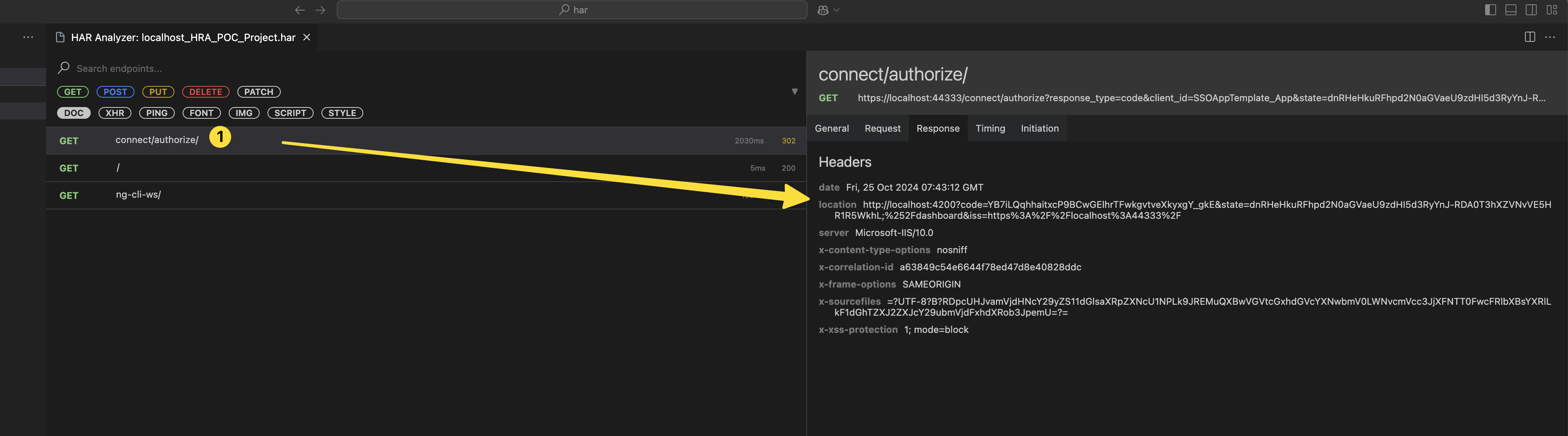
This is correct flow:
You have to give the code to angular app. this is standard Oauth2 code flow to let the angular get token from authserver.
hi
Please try to create a number release.(1.0.0)
Will it directly pull from the git in runtime.
It will use caching, but you can force it to get the latest from Github in the project page.
In such case if im hosting my application in OnPrem deployment, where application maynot have access to internet, what could i do ?
I don't know about the OnPrem deployment
If you use Github as document source, your app must access the Github.com
hi
Can you share your project to liming.ma@volosoft.com ?
I will download and check it.
Thanks.
https://github.com/abpframework/abp/pull/21189/
hi
1 and 2 make http requests to auth server and redirect to angular(3, 4)
Your angular doesn't get the tokens.
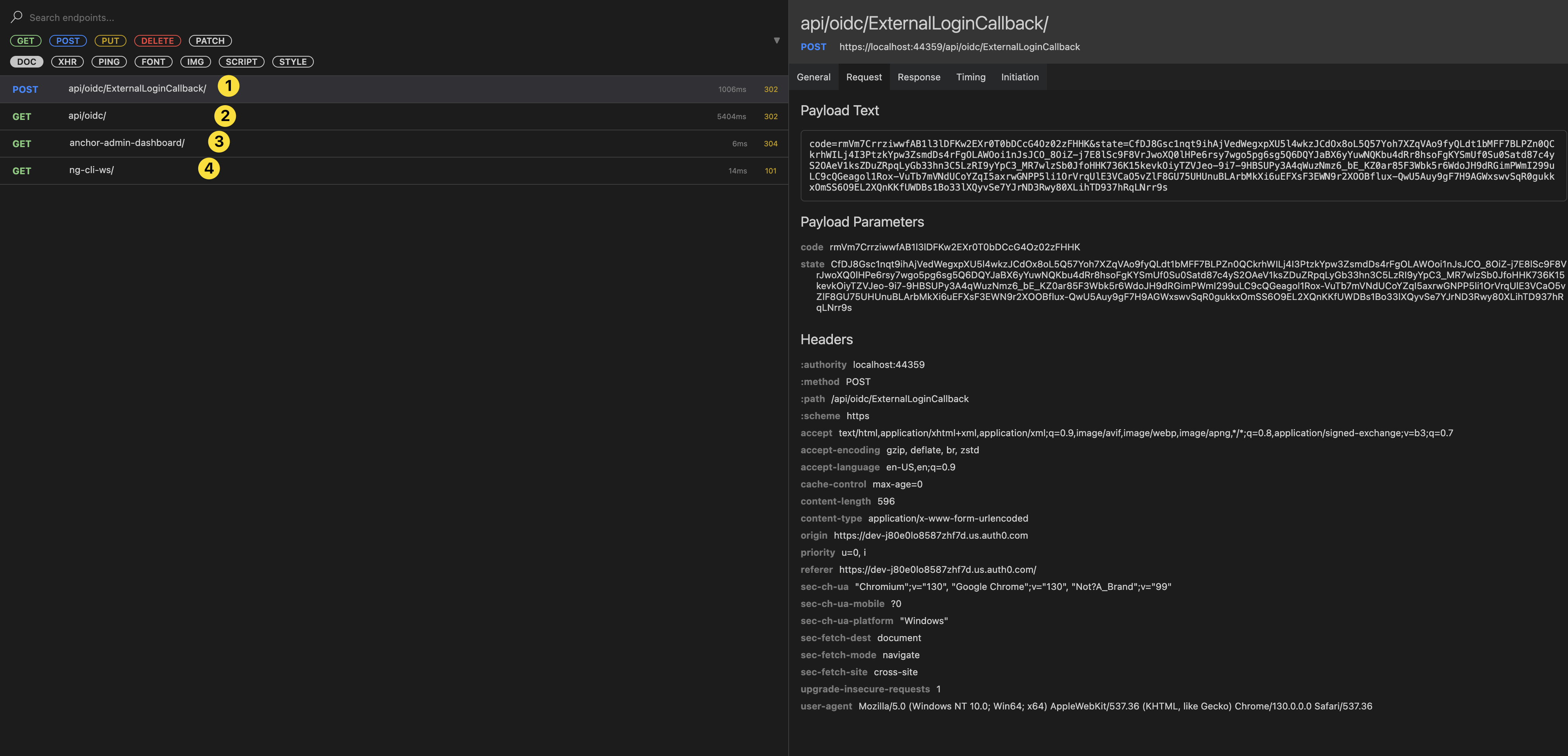
The code flow should return the code to the angular app. and angular will use code to get tokens.

hi
Yes, We will fix this in next version.
The fix code:
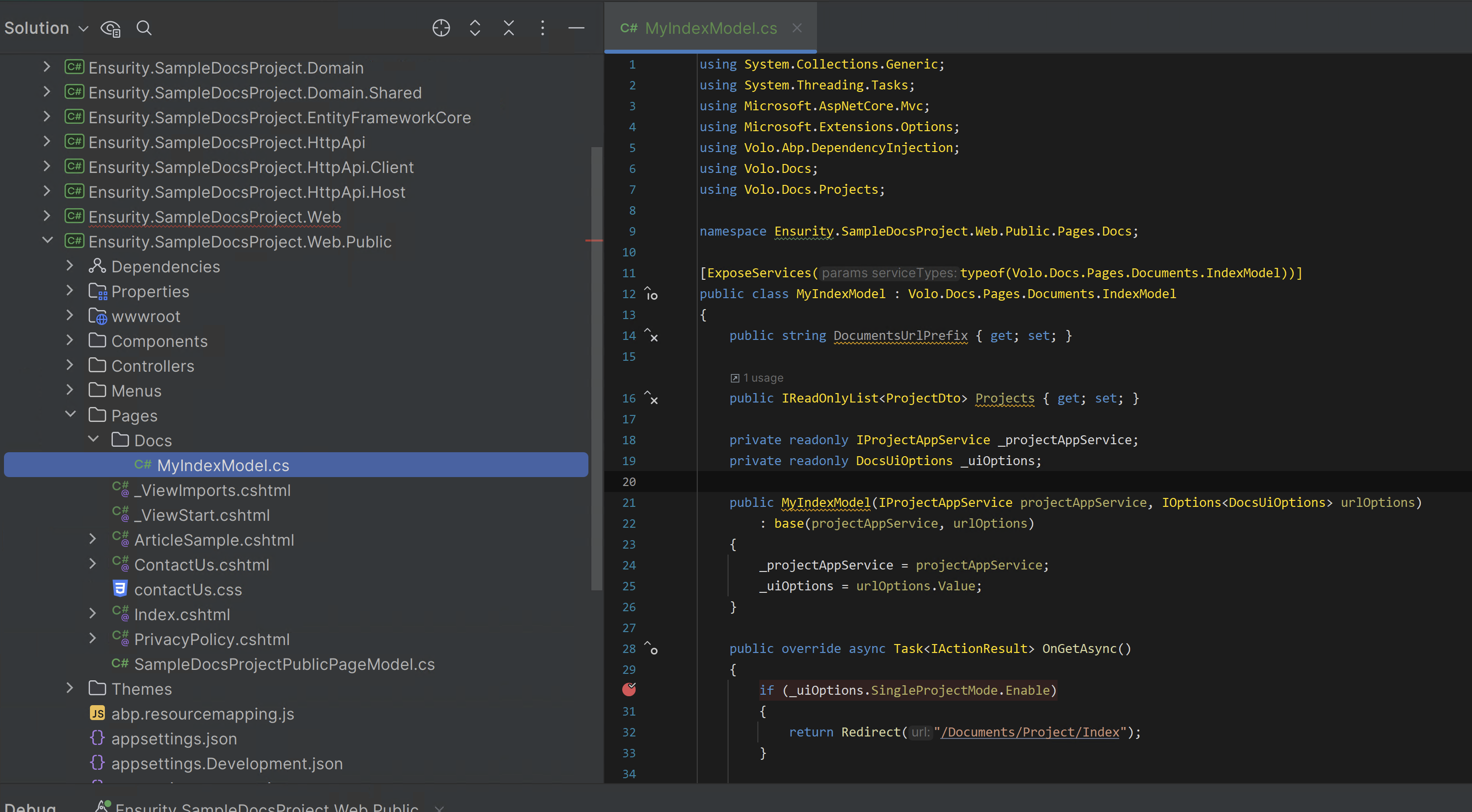
using System.Collections.Generic;
using System.Threading.Tasks;
using Microsoft.AspNetCore.Mvc;
using Microsoft.Extensions.Options;
using Volo.Abp.DependencyInjection;
using Volo.Docs;
using Volo.Docs.Projects;

namespace Ensurity.SampleDocsProject.Web.Public.Pages.Docs;

[ExposeServices(typeof(Volo.Docs.Pages.Documents.IndexModel))]
public class MyIndexModel : Volo.Docs.Pages.Documents.IndexModel
{
    public string DocumentsUrlPrefix { get; set; }

    public IReadOnlyList<ProjectDto> Projects { get; set; }

    private readonly IProjectAppService _projectAppService;
    private readonly DocsUiOptions _uiOptions;

    public MyIndexModel(IProjectAppService projectAppService, IOptions<DocsUiOptions> urlOptions)
        : base(projectAppService, urlOptions)
    {
        _projectAppService = projectAppService;
        _uiOptions = urlOptions.Value;
    }

    public override async Task<IActionResult> OnGetAsync()
    {
        if (_uiOptions.SingleProjectMode.Enable)
        {
            return Redirect("/Documents/Project/Index");
        }

        var listResult = await _projectAppService.GetListAsync();

        if (listResult.Items.Count == 1)
        {
            return Redirect($"/Documents/Project/{listResult.Items[0].ShortName}");
        }

        Projects = listResult.Items;

        return Page();
    }
}
hi
Can you try to use abp get-source Volo.Abp.LeptonXTheme.Pro --preview
hi
You can create a new question for these source codes when the new version is released, I will share the source code and refund your question ticket.
hi
The js code will do the follow work:
Both tabs will register a load event.
If one of the tabs logs in to the website, it will write the stateKey, and then the other tab will receive the storage change event, and you can refresh or redirect to the homepage(/).
Please ensure that the login and other pages have loaded this script
(function () {

    const stateKey = 'authentication-state-id';

    window.addEventListener('load', function () {
        if (!abp || !abp.currentUser) {
            return;
        }

        if (!abp.currentUser.isAuthenticated) {
            localStorage.removeItem(stateKey);
        } else {
            localStorage.setItem(stateKey, abp.currentUser.id);
        }

        window.addEventListener('storage', function (event) {

            if (event.key !== stateKey || event.oldValue === event.newValue) {
                return;
            }

            if (event.oldValue || !event.newValue) {
                window.location.reload();
            } else {
                location.assign('/')
            }
        });
    });

}());




